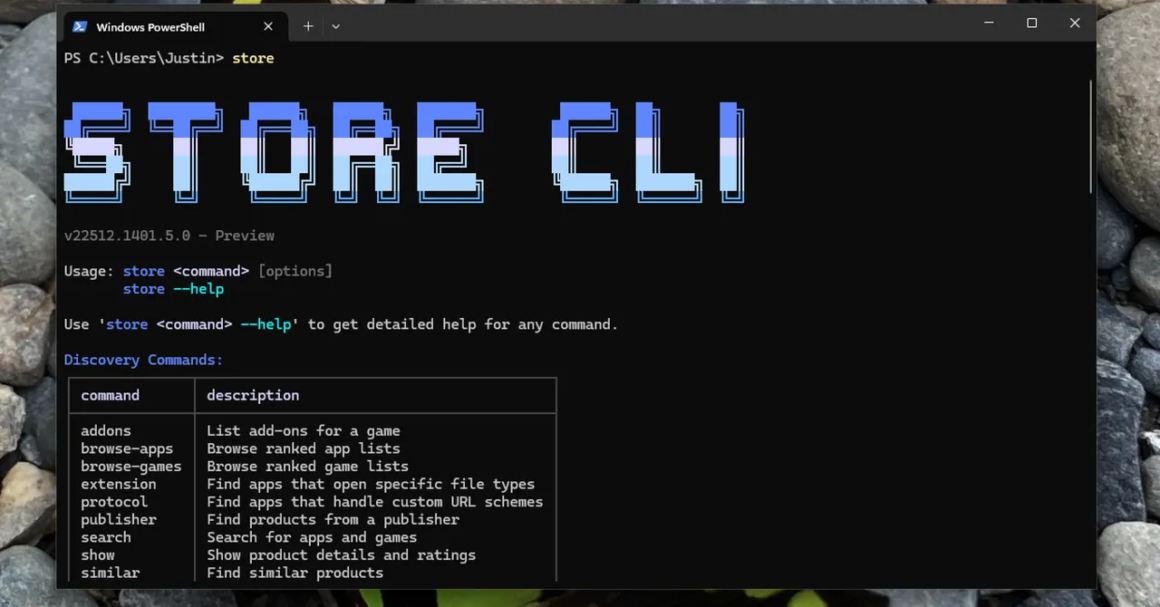

The Microsoft Store has recently introduced a command line interface, allowing users to search for, install, and update applications directly through PowerShell. By simply typing “store” in the command line, users unlock functionality that traditionally required opening the often slow and ad-laden Microsoft Store application. This development enables smoother navigation, making it easier for users to find software without having to sift through the graphical interface.
This update is particularly relevant for tech-savvy users or those who prefer command line interactions, especially existing Windows 11 users. It simplifies the app installation process by allowing users to input partial names of applications, which the tool then attempts to match. For instance, typing “store install firefox” results in the system searching for the Firefox application without needing the exact name. This can significantly streamline workflows, particularly for programmers or power users who frequently install or update software.
In the context of alternatives, while the Microsoft Store’s command line options are certainly innovative, they come with limitations. Unlike Linux distributions, which often employ robust package managers allowing access to a vast array of software, the Microsoft Store is restricted to the apps it hosts. Therefore, popular applications like Google Chrome or Paint.net might not be accessible through this command line method. For users who often seek out these types of software, conventional app installations or using third-party tools such as Chocolatey might be better suited. Packaged software management systems typically offer a broader range of applications but may involve a steeper learning curve.
This new command line feature would interest tech enthusiasts who appreciate the efficiency of command line solutions. However, casual users may find themselves frustrated by its inherent limitations and the lack of certain well-known applications in the Microsoft Store. If you’re primarily seeking software that isn’t available there, or if you’re unfamiliar with command line operations, you might be better off sticking to the traditional methods of browsing and installing applications in a more graphical environment.
Source:
www.wired.com