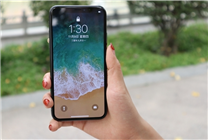

Unlocking iPhone with Face ID: A Surprising Similarity
Summary:
- Recent reports highlight instances of facial recognition unlocking iPhones among non-twins who resemble each other.
- Users share personal experiences of Face ID recognition issues within family members.
- Apple acknowledges the phenomenon and suggests solutions for improved recognition accuracy.
In an intriguing revelation, a netizen recently shared that her sister could unlock her iPhone using facial recognition technology, despite the two not being twins but merely resembling one another. This story has sparked widespread conversation, with many users chiming in with similar experiences.
Several individuals have recounted instances where they, or family members, were able to bypass Face ID security due to striking similarities in appearance. One netizen noted that he shares a close resemblance with his father, allowing him to unlock his phone under specific angles. Another mentioned that his younger brother was occasionally able to access his phone despite not being recorded in the device’s face recognition database.
Apple’s Response
In light of these claims, Apple’s official customer service addressed the issue, confirming that some users have indeed reported interchangeable unlocks. They cautioned that the chances of one person successfully unlocking another’s device using Face ID is generally lower than one in a million. However, this probability may increase slightly among particular groups, particularly in the following scenarios:
-
Twins and Similar-Looking Siblings: The genetic similarity can lead to a higher likelihood of misidentification.
-
Children Under 13 Years: Younger children’s facial features may not be fully developed, making it easier for other family members to unlock their devices.
- Mask Usage: The pandemic-era requirement for masks has also contributed to facial recognition challenges, further complicating the reliability of Face ID technology.
Recommendations for Users
If you find yourself in a similar situation where you or a family member can unlock a device without explicit recognition, consider taking the following steps to enhance the accuracy of Face ID:
-
Delete and Reset Face ID: If you frequently experience unlock issues, it is advisable to delete the current Face ID and set it up again to improve recognition algorithms.
-
Modify Settings: Turning off the "Use Face ID while wearing a mask" option may also help tailor the recognition functionality to your specific needs.
- Capture Different Angles: When setting up Face ID, ensure you capture your face in different positions. This can assist in creating a more comprehensive profile for the recognition software.
This issue is a testament to the complexities of biometric technologies and their interaction with human characteristics. While Face ID generally offers a reliable level of security, anecdotes like these remind users to stay aware of its limitations, especially when family members share similar physical traits.
In summary, while Apple’s Face ID is designed to ensure high-security standards, instances of misidentification, particularly among similar-looking individuals, underscore the evolving landscape of facial recognition technology. As users navigate these nuances, they can better prepare themselves for optimizing their device’s security features.
By understanding these dynamics, users can enhance their experience and security while using advanced technology. With advancements in biometric systems, it’s essential to stay informed about both functionalities and potential vulnerabilities.