Ultimate Gaming Experience: EasySMX X20 Wireless PC Controller with 4 Back Paddles, Hall Joysticks, Dual-Mode Triggers, 1000Hz Polling, RGB Lighting, and 1000mAh Battery – Compatible with PC, Switch, Steam, and Android

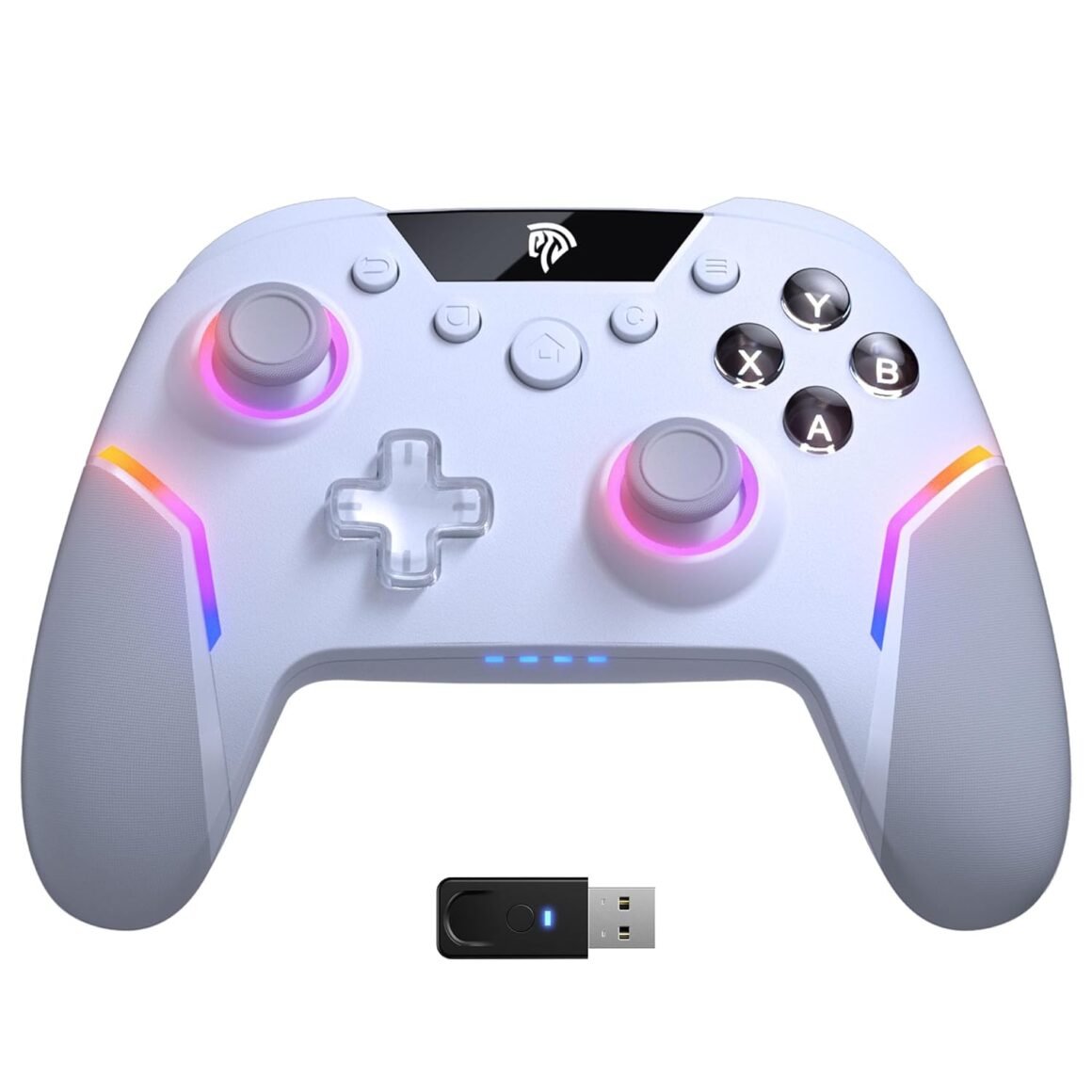
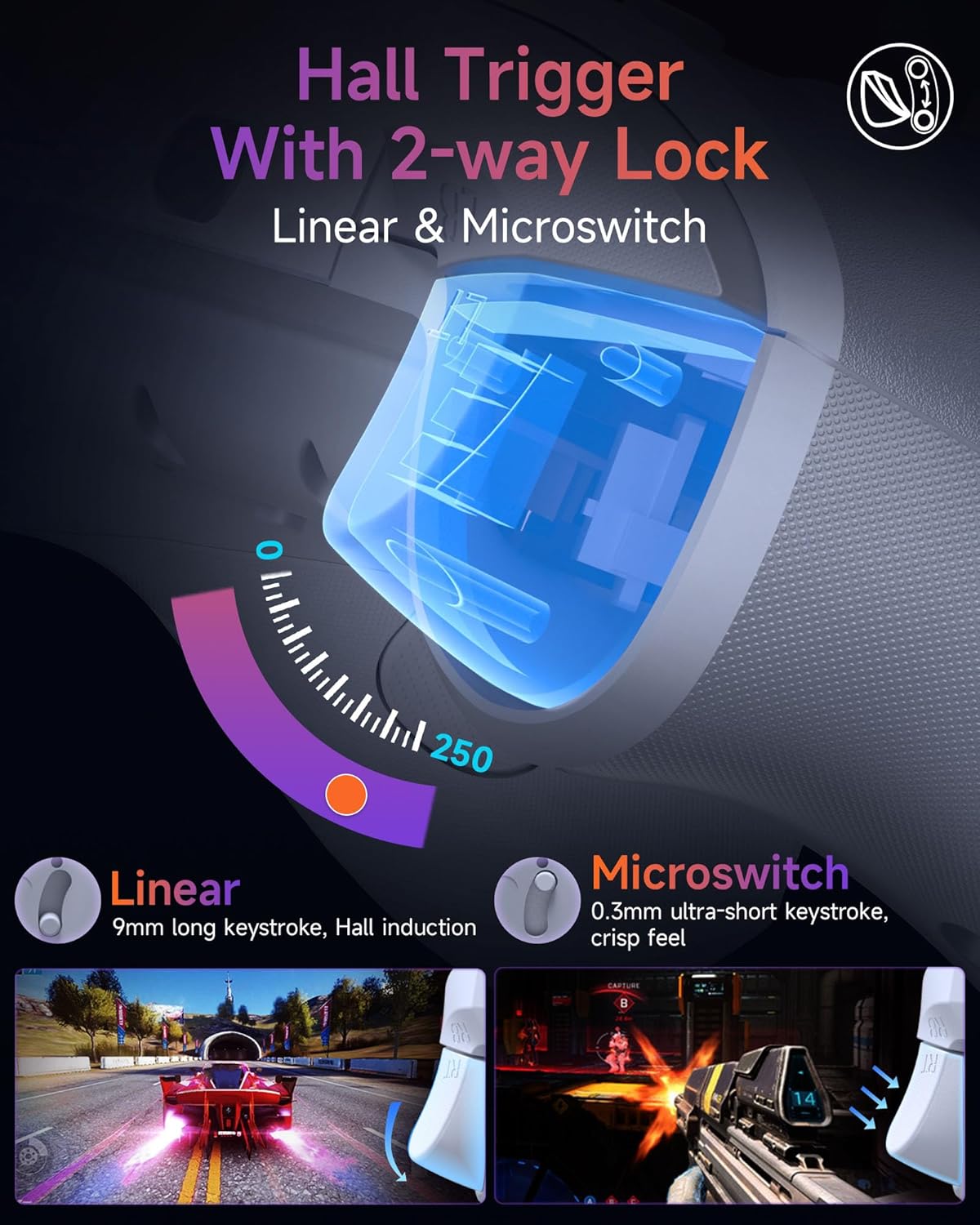
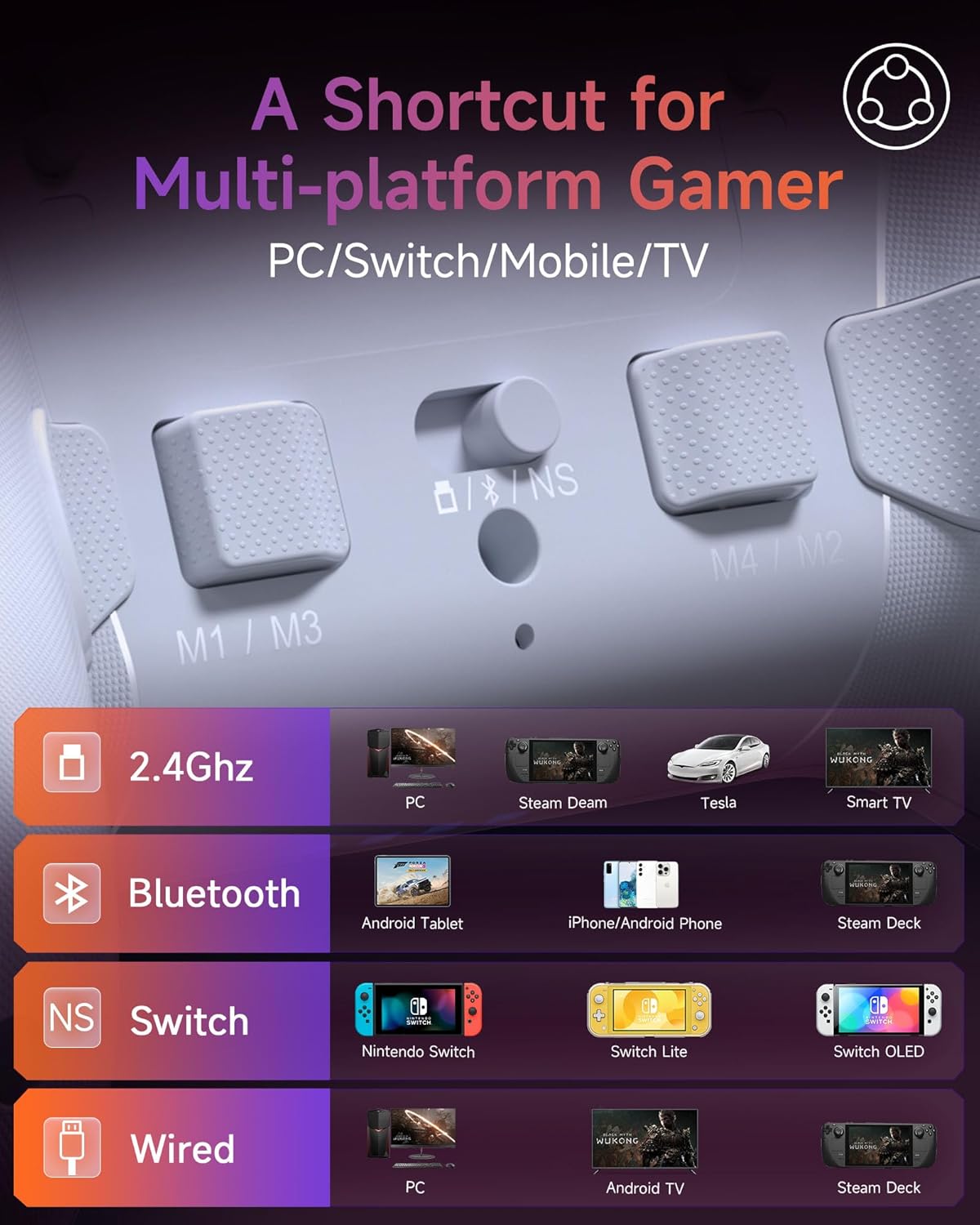
Product description The video showcases the product in use.The video guides you through product setup.The video compares multiple products.The video shows the product being unpacked. EasySMX X20 PC Controller Merchant Video 1 Switchable Triggers 2 Hall Sticks D-able 3 Full Mechanical Keys 4 1000Hz Polling Rate 1 Motion Function 2 RGB Lighting 3 Adjustable Vibration 4 1000mAh Battery 1 Removable Thumsticks 2 4 Additional Buttons 3 Prevent Slipping Design Q1: Why does the left stick click (L3) sometimes stop responding or cancel unexpectedly? A1: Older firmware (V1.18 or below) on the X20 wireless PC controller may misread fast or long L3 clicks. This is not a hardware defect. Update to V1.21+ to resolve the issue. Q2: Is firmware upgrade difficult for this gaming controller? A2: No. Just connect the PC gamepad via USB, open the tool, click “Detect Device” > “Upgrade.” The process takes ~1 minute. Easy instructions and video guides are available. Q3: What systems is this X20 pc game controller compatible with? A3: This Bluetooth controller works with Windows 10/11, Android, Steam, and Nintendo Switch. Not compatible with iOS, macOS, or Xbox/PlayStation consoles. Q4: What if the thumbstick cap of my wireless PC controller falls off? A4: The thumbstick caps are removable by design. Just press them back. If damaged, you can con tact EasySMX for a free replacement or order individual thumbstick caps separately. Q5: Are the back buttons on this PC gamepad hard to set up? A5: Not at all. To program M1: Hold C + M1 for 5s to enter programming mode. Press the button you want to assign (e.g., A or AB). Then press C + M1 again to save and exit. Programming is now complete. 🎮Multi-Platform Support – Works as a Bluetooth/USB controller for PC, Switch, Steam, and Android devices. ❌ Not compatible with Xbox, Luna, or GeForce Now.🎮Dual-Mode Triggers – Switch instantly between smooth linear Hall triggers and ultra-fast mouse-click triggers, giving you the precision of a 2-stage system for both racing and FPS games.🎮Swappable Hall Joysticks – Magnetic, drift-free thumbsticks can be swapped out in different heights and angles, letting you customize comfort, accuracy, and durability to fit your playstyle.🎮1000Hz Polling Rate – Enjoy near-zero input lag with a true 1000Hz polling rate over both USB wired and 2.4G wireless connections, ensuring lightning-fast response for competitive gaming.🎮4 Back Paddles – Assign critical commands to four customizable rear paddles for faster reaction times and pro-level control in demanding gaming scenarios.🎮6-Axis Motion Control – Built-in gyro delivers precise motion input on Switch, PC, and Android. Note: This feature is OFF by default and must be enabled in the settings before use.🎮Dynamic RGB Backlit: Enhance your gaming sessions with fully customizable RGB lighting that lets you sync your controller’s ambiance with your style, mood, or the game’s environment for a personalized gaming experience.💔【Just a reminder】💔Not Not Not Compatible with Xbox, Luna and Nvidia GeForce Now


Unleash Your Gaming Potential with the EasySMX X20 Wireless PC Controller

In the ever-evolving world of gaming accessories, having the right controller can significantly enhance your experience. The EasySMX X20 Wireless PC Controller stands out not just for its sleek design but also for its versatile features, designed specifically for gamers seeking both performance and comfort.

Comprehensive Features for All Gamers

One of the spotlight features of the EasySMX X20 is its dual-mode triggers, which allow you to seamlessly switch between smooth linear Hall effect triggers and rapid mouse-click triggers. This means whether you’re racing or competing in a first-person shooter, you’ll experience the highest precision, improving your response time in critical moments.

The controller also boasts swappable Hall joysticks. These magnetic, drift-free thumbsticks can be interchanged for different heights and angles, enabling you to tailor the feel of your controller to match your playstyle. This customization boosts comfort and accuracy, providing a personal touch to your gaming.

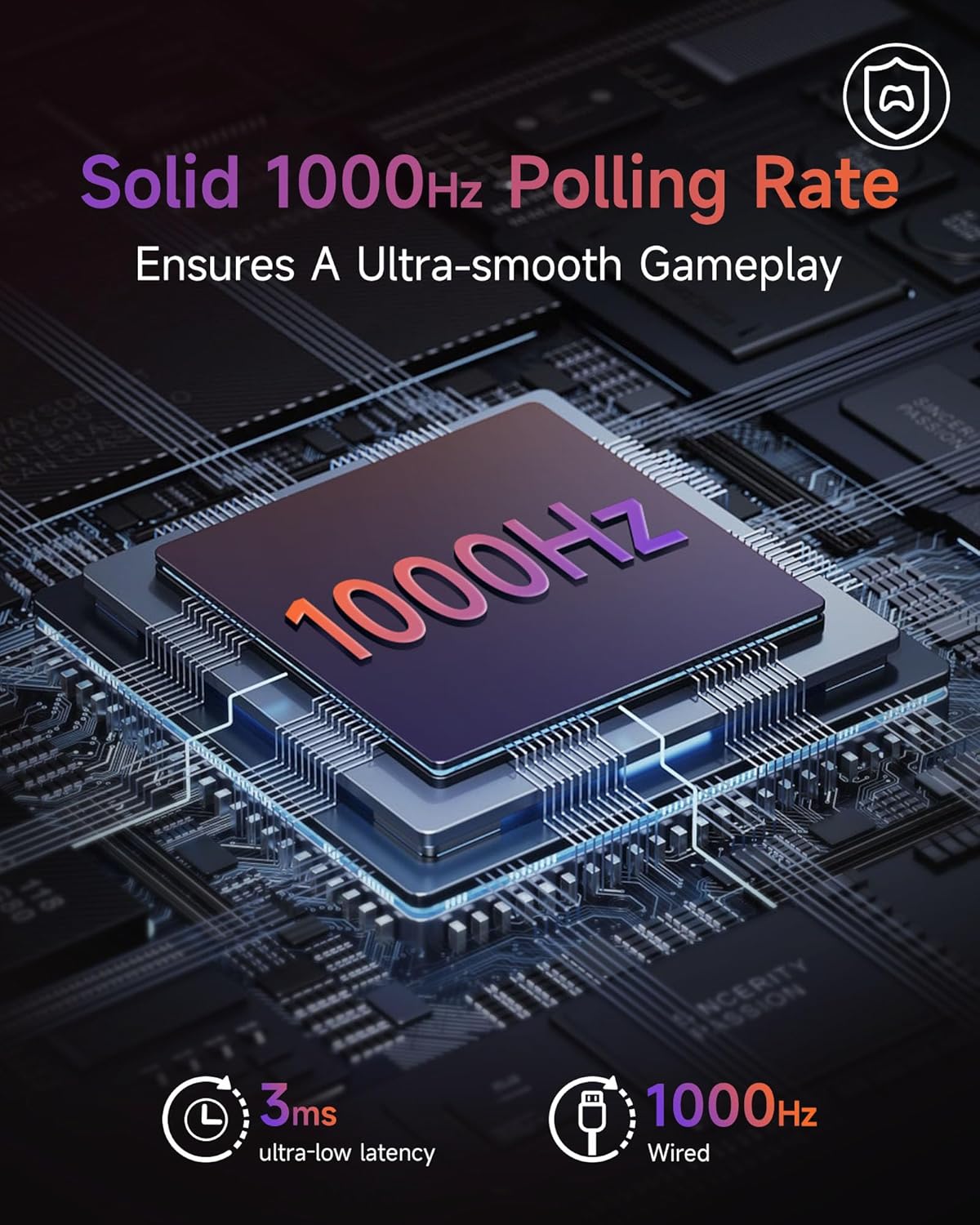
Enabling a true competitive edge, the X20 features a 1000Hz polling rate, delivering near-zero input lag whether you’re connected via USB wired or 2.4G wireless connection. This responsiveness ensures that every input is captured instantaneously, providing you with the performance needed to dominate your favorite games.

Additionally, the controller includes four customizable back paddles for quick access to crucial in-game commands, further enhancing your reaction times. The built-in 6-axis motion control allows for precise input on platforms such as the Nintendo Switch, PC, and Android, making it versatile across a variety of gaming setups.

Distinctive Aesthetics and Design

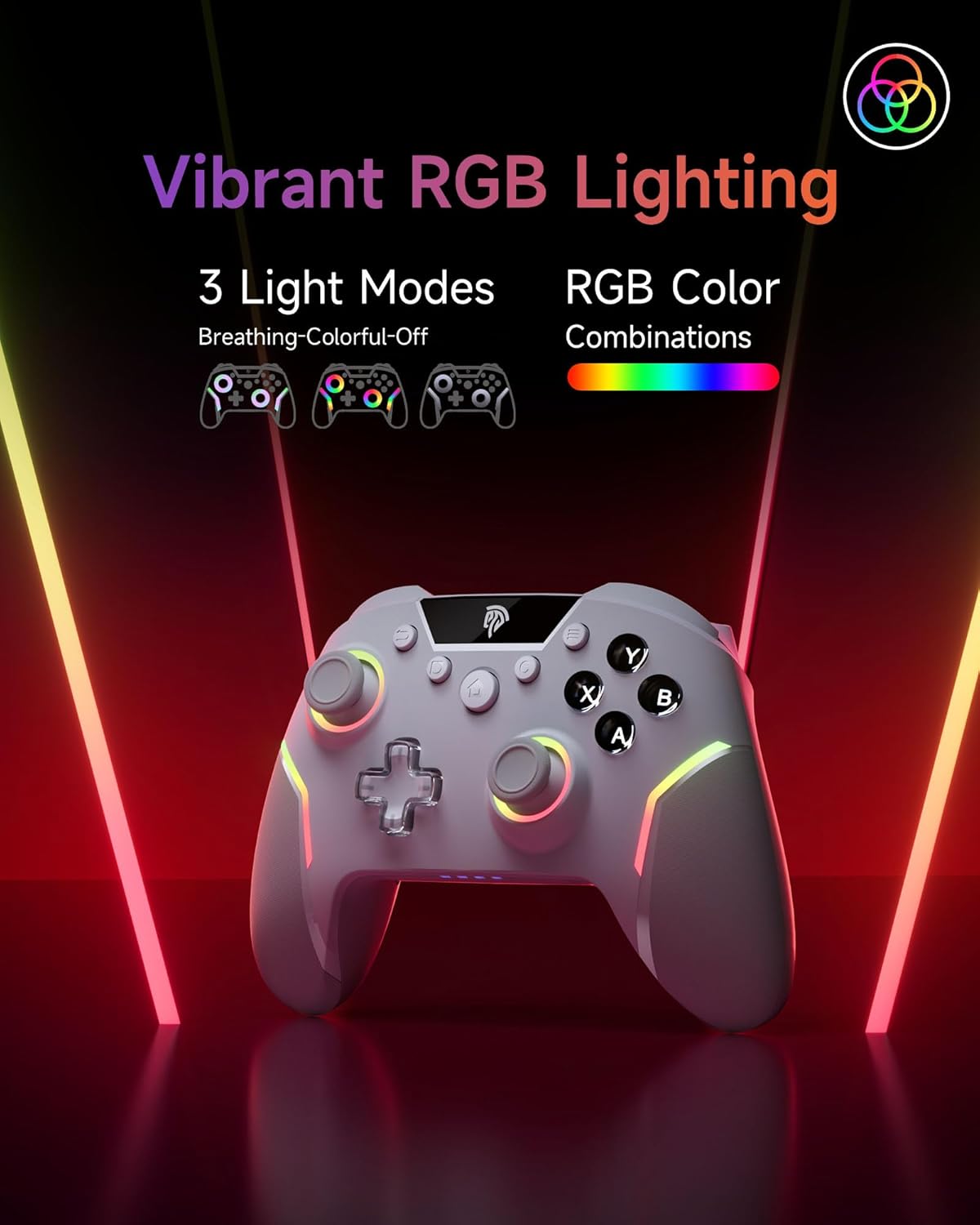
Not only is the EasySMX X20 functional, but it also incorporates dynamic RGB backlighting. This feature lets you customize the ambiance of your setup, syncing colors with your gaming atmosphere, which can be a significant visual bonus during those long gaming sessions.

The controller comes equipped with a 1000mAh battery, providing hours of uninterrupted playtime. Its thoughtful design also includes anti-slip grips, ensuring comfort during extended gaming marathons, preventing your fingers from slipping even in the heat of action.

Quick and Easy Setup

The EasySMX X20 is designed with user-friendliness in mind. Unpacking and setting it up is straightforward, as detailed in the included video guides. Gaming across multiple platforms, including Windows 10/11, Android, and the Nintendo Switch, has never been easier—though it’s important to note that this controller is not compatible with Xbox, Luna, or GeForce Now services.

Expert Reviews and Satisfaction Rating

With a solid 4.5-star rating, the EasySMX X20 has received acclaim for its performance and versatility. Gamers have lauded its user-friendly features and responsiveness, making it a favorite choice for casual and competitive gaming alike.


Brand Overview

EasySMX is committed to creating high-quality gaming peripherals that enhance the overall gaming experience. With a focus on innovation, performance, and user satisfaction, they strive to deliver products that not only meet but exceed gamers’ expectations. Whether you’re an avid gamer or just starting, the EasySMX X20 Wireless PC Controller is designed to elevate your gameplay and provide an immersive experience tailored to your needs.


In summary, the EasySMX X20 seamlessly combines performance, comfort, and aesthetics, making it an exceptional choice for gamers. Its comprehensive features, user-friendly design, and positive reviews reflect its value in the competitive landscape of gaming controllers. Don’t miss the opportunity to transform your gaming sessions with this impressive device.


Price: $69.99 - $59.99
(as of Sep 07, 2025 21:31:33 UTC – Details)

Related Posts
Read More

RedThunder 60% Wireless Gaming Keyboard and Mouse Combo: Ultra-Compact RGB Mechanical Feel with 2500mAh Rechargeable Battery, Lightweight Honeycomb Optical Mouse for Gaming and Business – Stylish White Finish

Product description RedThunder LOGORedThunder LOGO 75% keyboard wireless mechanical tkl wired redthunder ps4 keyboard b097t276ql b07xvcp7f5 b07gqnl7xj75% keyboard wireless mechanical tkl wired redthunder ps4 keyboard b097t276ql b07xvcp7f5 b07gqnl7xj 60% xbox mini white tkl mechanical rgb redthunder compact b07zt61ltz b07vpvfjdd b07p6k5gmy60% xbox mini white tkl mechanical rgb redthunder compact b07zt61ltz b07vpvfjdd b07p6k5gmy

Membrane keys b07nbjvh4gMembrane keys b07nbjvh4g

Unique translucent built-in panel.

The wireless keyboard has been designed with a unique built-in transparency board, which will enhance the overall gaming lighting atmosphere.

Membrane KeysMembrane Keys

Mechanical Feel Keyboard

The closest mechanical feel to the crater structure and has a high quality conductive film that has been tested on 1,000,000 printing presses. Its 2ms response time is the fastest of any non-mechanical keyboard.

Tripod ErgonomicTripod Ergonomic

Upgrade Type-C Charging Port

The upgraded detachable Type-C interface is made of premium metal for enhanced texture. It has the characteristics of being more durable to use, plugging and unplugging at any time, and more convenient to carry.

Type-C charging CableType-C charging Cable

Type-C Rechargeable Wireless Mouse

The wireless RGB mouse and the keypad are charged with the same Type-C data cable, and the mouse wheel will be illuminated by the indicator light when charging. The charging port is not easy to damage, more durable to use, simple to plug and unplug, and easy to carry.

left mouse buttonleft mouse button

High-performance

The side of the mouse adopts a non-slip curve design, with two buttons, the fingers fit the mouse more, and the use is more flexible. Professional gaming mouse adopts optical sensor, 3600DPI, 12000 FPS scanning speed, 40G acceleration, and tracking speed up to 400 IPS.

Wireless RGB MouseWireless RGB Mouse

Excellent Honeycomb Shell Design

Taking creative design for lightweight honeycomb shell, owning the durable strength and excellecnt ventilation, meanwhile it keeps your palms cool and fresh, moving it more quickly and freely during your games, assures your long-session gaming without fatigue.

Wireless keyboard and wireless mouse comboWireless keyboard and wireless mouse combo

How to use the Fn function and RGB lighting?

1. FN+ "BACK" = DELETE ; 2. FN+ "`~" = ESC; 3. FN+ "1" = F1; FN+ "2" = F2; FN+ "3" = F3; FN+ "4" = F4; FN+ "5" = F5; FN+ "6" = F6; FN+ "7" = F7; FN+ "8" = F8; FN+ "9" = F9; FN+ "0" = F10; FN+ "-_" = F11; FN+ "=+" = F12; 4. FN+ "I" = Backlight ON/OFF; 5. FN+ "K" = Switch Mode;

6. FN+"O"/"L" = Adjust Brightnes; 7. FN + "U"/"J" = Adjust Speed; 8. FN + "W" = Switch Between WASD and ↑←↓→;

9. FN + "R" = Volume- ; 10. FN+"T" = Volume+ ; 11. FN+"Y" = Mut; 12. FN+"WIN" = Lock WIN and MENU.

Note

1. The keyboard and mouse share only one USB receiver to reduce the number of USB ports, which is located at the bottom of the mouse. (Only when the USB dongle is plugged in, the lights of the keyboard and mouse will light up).

2. Please fully charge it before the first use, otherwise it will not last as long as expected when it is not fully charged. (Because we didn't fully charge the keyboard/mouse before shipment to ensure transportation safety).

3. No software installation is required before the first use, just plug the USB receiver into the USB port, turn the switch at the bottom of the keyboard to the ON position, and turn the switch on the bottom of the mouse to the ON (no light) or LED (with light) position.

4. There will be a little delay or the lights will not turn on when the keyboard/mouse battery is too low, please charge the keyboard/mouse in time, the charging indicator will go off after full charge.

5. To protect battery life, please use a lower than DC:5V adapter to charge, preferably using the computer's USB port to charge directly. Due to the different currents of different computer USB charging ports, some users may need longer charging time to fully charge.

6. Turning off the keyboard light can extend the battery life of the keyboard moderately.

7. If you can't press "WASD" or "↑↓←→", don't worry, please check if the FN function key is enabled. FN+ "W" key can be used to switch between letter "WASD" keys and arrow "↑↓←→" keys at will.

8.If the keyboard/mouse is not working, they may lose connection with the USB receiver. Please try pairing with the USB receiver again. Pairing steps as following: Make sure the keyboard/mouse fully charged and re-pair with the USB receiver.

Mouse pairing steps: Step 1: Turn the switch at the bottom of the mouse to the switch position with the sun logo; Step 2: Press and hold the mouse wheel and right button, the mouse RGB lights start to flash; Step 3: Insert the USB receiver into the computer and the pairing is complete. Keyboard pairing steps: Step 1: Turn on the keyboard switch; Step 2: Press and hold the ESC key and the K key at the same time, the indicator light starts to flash; Step 3: Insert the USB receiver into the computer, and pairing is complete.

9. If you have any problem, please tell us at the first time, we will try our best to solve it.

Add to Cart Add to Cart Add to Cart Add to Cart Add to Cart Customer Reviews 4.3 out of 5 stars 2,077 4.0 out of 5 stars 997 4.2 out of 5 stars 135 3.9 out of 5 stars 162 4.0 out of 5 stars 2,553 4.5 out of 5 stars 1,296 Price $39.99$39.99 $39.99$39.99 $99.99$99.99 $39.99$39.99 $49.99$49.99 $39.99$39.99 Color Option White/Black White/Black/Black-White/White-Black White/Black/Black-White/White-Black White/Black White Pudding/Black Pudding/Black/White/Pink/White-Gray Black/White Connection Wireless Wireless Trip-Mode Wireless Wireless Wired Keyboard Keys 61 84 95 114 104 104 Backlight Mode ✓ ✓ ✓ ✓ ✓ ✓ Anti-Ghosting ✓ ✓ ✓ ✓ ✓ ✓ Mouse DPI 3200 3200 no data 4800 3200 7200 Keyboard Battery capacity 2000mAh 1850mAh 8000mAh 2000mAh 3000mAh no data Mouse Battery capacity 500mAh 500mAh no data 600mAh 800mAh no data
【High-performance 2.4G Wireless Keyboard and Mouse】Are you looking for a small wireless keyboard and mouse combo that can perfectly balance work and games? RedThunder K62 rechargeable wireless gaming keyboard and mouse combo will be your best choice. 2.4G high-speed and stable transmission, ensure that it can easily deal with even the most intense battles. Note: The keyboard and mouse share a USB receiver in the bottom of the mouse.
【Rechargeable & Long Battery Life】The keyboard is equipped with a 1850 mAh battery, and the mouse is equipped with an 500 mAh battery. The long battery life allows you to use them continuously for 8 hours with light. The keyboard and mouse are equipped with smart energy-saving functions. If there is no operation within 2 minutes, they will automatically go to sleep, press any key to wake them up. Please charge 8 hours before using.
【60% Compact Small Keyboard and Ultra-light Honeycomb Shell Mouse】The most delicate and cute keyboard keeps your desktop neat, more space for mouse movement and other desktop devices. The well-designed perforated honeycomb shell mouse is ergonomically designed and weighs only 65 (+-5) grams, making it more flexible and comfortable without fatigue.The small keyboard and mouse combo will be the best choice for gamers.
【Light Up Keyboard and Mouse】60 percent rgb gaming keyboard features 4 RGB backlight modes, 4 levels of brightness adjustment, 7 monochrome backlight modes and 1 full rainbow backlight. The luminous design of Letters and gaps makes it the best light up wireless mini keyboard on the market. The mouse has a built-in 7-color cyclic gradual lighting effect.
【Durable Ergonomic Keyboard and Mouse】The keys have a 10 000 000 keystrokes lifetime, so you can hold on to it for the next decade! ABS keycaps adopt two-color injection molding process, the letter of characters never fade. The mouse fits the palm perfectly, and the anti-sweat and non-slip design gives you complete control.
【Plug and Play 】The keyboard and mouse share only one USB receiver, and the code has been completed by default. You only need to insert the receiver and turn on the keyboard and mouse to use it. (Note: If the receiver and the keyboard/mouse lose connection and cannot be used for any reason, you only need to reset the code pairing or contact us in time, we will try our best to solve it)
Read More

Luxury Waterproof Car Seat Covers for Porsche Macan 2015-2024 with Black & Orange Design: Available now at [price_with_discount]

From the brand car seat coverscar seat covers seat covers full setseat covers full set

MORELEATHER focuses on providing high quality and well-designed car seat covers. Our seat covers not only provide excellent protection for the original seats, but also add comfort to your driving experience.Choose our seat cover to give your car interior a new look!

Universal Car Seat Covers

Seat Covers for Hyundai Sonata

Seat Covers for Acura TL


HIGH QUALITY: The seat covers are made of high quality Nappa leather material, lined with high resilience foam, soft and breathable. Provide better cushioning and improve driving comfort.
SAFETY: The car seat covers the surface of the seat and maintains all the functions and controls of the seat, such as airbags, seat belts, seat adjustments.
MULTIPLE PROTECTION:Our seat covers for car not only protect your seats from dust, stains, pet hair and sharp objects. It is also colorfast, softly textured, can be waterproof, breathable and durable.
EASY INSTALLATION: The chair cover set comes with installation instructions, no need to use tools, follow the instruction steps can be easily installed in 25 minutes. Installation kit includes plastic chuck and hooks.
PURCHASE GUARANTEE: You can buy with confidence. If you are not satisfied, you can contact customer service, we will provide you with satisfactory service.
Read More

Wireless Dual-Vibration PC Gaming Controller for Steam Games on Windows 7/8/10/11: Available now at [price_with_discount]

Product Description

DOYO Wireless PC Gaming Controller for Windows and Steam

DOYO pc wireless game controllerDOYO pc wireless game controller

The DOYO Wireless Gaming Controller is the perfect companion for your PC gaming experience. This controller is compatible with PCs (Windows XP/7/8/8.1/10/11) and Steam PC gaming consoles, providing you with a seamless gaming experience. Featuring 2.4G Wireless Transmission Technology, this controller ensures a stable connection without any delay. It provides automatic vibration feedback, enhancing the overall gaming experience and making it more riveting. Equipped with a high-performance chip, this PC controller offers excellent stability and zero game delay.

wireless game controllerwireless game controller

Gaming Controller Features:

pc game controllerpc game controller

11

11

Dual Vibration feedback

PC wireless controller provides automatic vibration feedback to ensure riveting gameplay every time to enhance the game experience.

One key Mode Switch for Xinput and DirectInput

By default, the controller is in Xinput mode (360 controller mode) when powered on. While connected, press the MODE button for about 2 seconds to switch between DirectInput mode and Xinput mode.

Powered by 3 pcs Triple A Batteries

This controller has been upgraded to a controller that can be equipped with 3 triple A batteries, making the gaming time longer, and has an intelligent power-saving function to save power.

Sleep Mode and Wake-up

1. When the controller is not connected to the receiver, it will enter sleep mode after 60 seconds of inactivity.

2. When the game controller is connected to the receiver but no buttons are being pressed, it will enter sleep mode after 15 minutes.

3. To wake the controller from sleep mode, press the MODE button.

Low Power Reminder

1. If the LED starts blinking during use, it indicates low battery power. Please replace the batteries.

2. The controller will automatically power off When the battery power is critically low.


【For PC & Steam Game Conosle 】Wireless gaming controller supports PC (Windows XP/7/8/8.1/10 /11), Steam PC gaming consoles.
【2.4G Wireless Transmission】2.4G Wireless Transmission Technology (with USB receiver) ensures a stable connection without any delay.
【Improved design】The classic new left and right shoulder button design is easy to use, has 12 function keys, Supports 2 controllers at the same time (requires game support)
【Vibration feedback 】PC wireless controller provides automatic vibration feedback to ensure riveting gameplay every time to enhance the game experience.
【High-performance chip 】The PC controller uses a high-performance chip, which has good stability and zero game delay.
【100% Satisfaction Guarantee】30-Day Money-Back and 90-day replacement warranty. Please feel free to contact us if you are facing any setting issues and we will help you with the details operation guide