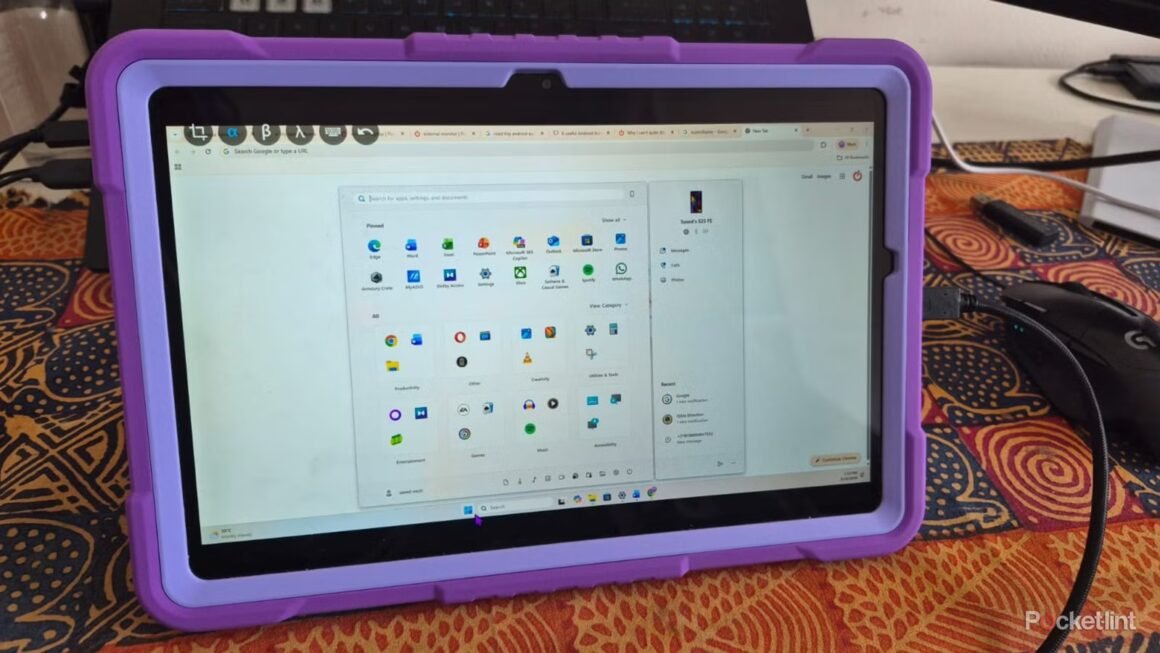

The SuperDisplay app lets users turn their Android tablet into a portable external monitor for their Windows PC. This easy-to-use app is priced at around $15 for a lifetime subscription, allowing for a smooth connection without requiring constant reconfiguration. Users can enjoy touchscreen functionality and a longer battery life without needing physical monitors, making it a practical solution for those with limited workspace.
This product is particularly appealing for mobile professionals and remote workers who need additional screen space without the hassle of carrying heavy equipment. With its availability across the Google Play Store and a straightforward setup process, users can enhance their productivity instantly. For anyone currently assessing options for versatile display solutions, SuperDisplay provides a viable alternative that combines both portability and functionality.
In terms of market positioning, SuperDisplay earns its keep among various alternatives like Duet Display, which is another similar application but may not offer the same user experience. While options like Spacedesk are free, they often compromise on quality and ease of use. SuperDisplay’s one-time payment model makes it a cost-effective choice in the long run for those who prefer not to deal with subscription services that can accumulate costs over time.
This app is best suited for those who find themselves frequently on the move or working in confined spaces where traditional monitors aren’t feasible. However, individuals who primarily work from a stationary setup or need advanced features, such as high refresh rates for gaming, might want to explore dedicated multi-monitor setups or larger external displays. Always consider your unique needs before making this purchase, as the app may not meet the expectations for users seeking high-performance graphical capabilities.
Source:
www.pocket-lint.com