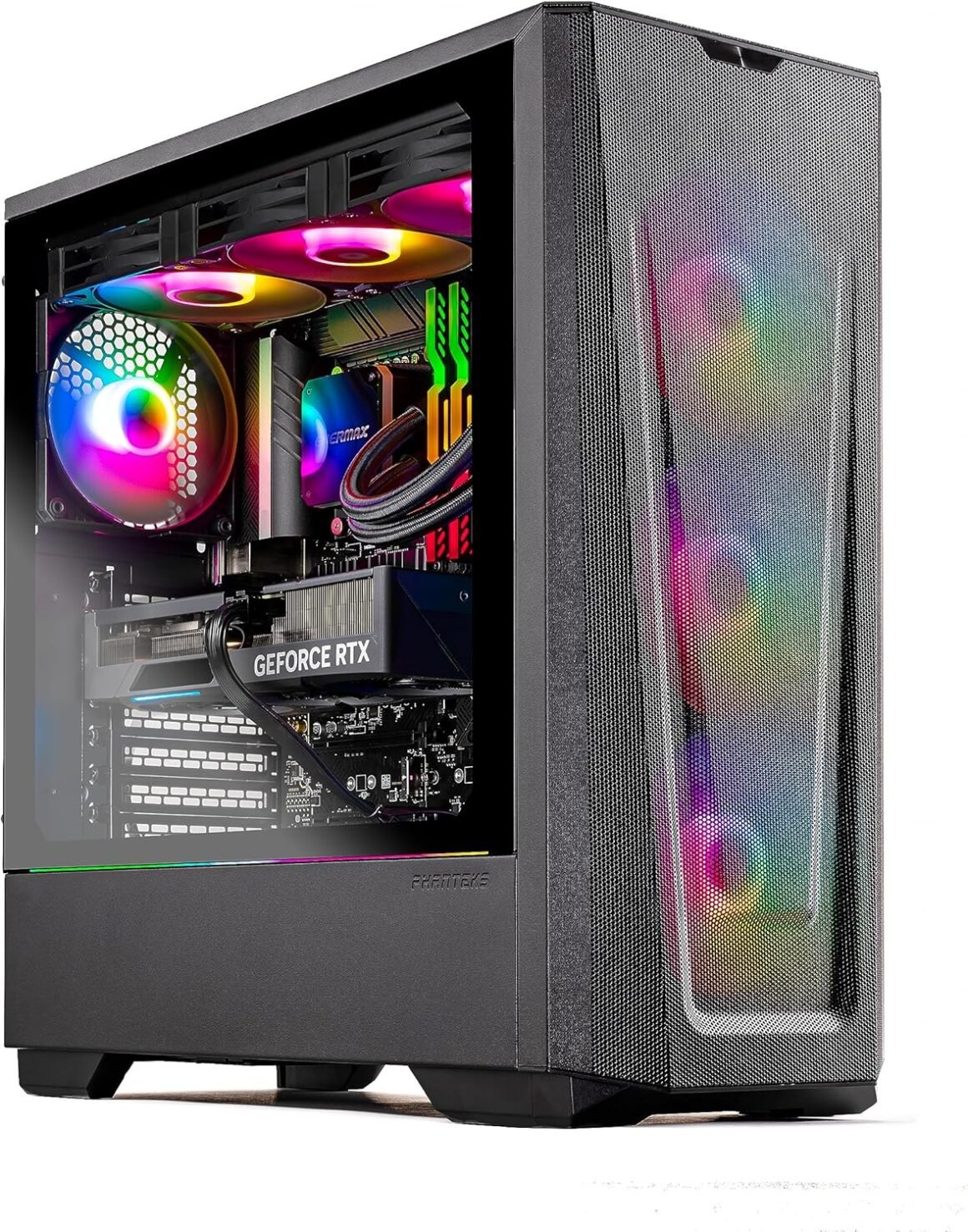
“Skytech Gaming Eclipse Lite Desktop: Ryzen 7, RTX 4070 Ti, 1TB NVME, 32GB RAM, Windows 11”: Available now at [price_with_discount]

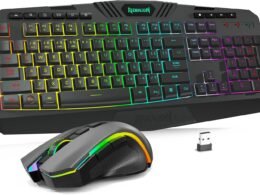
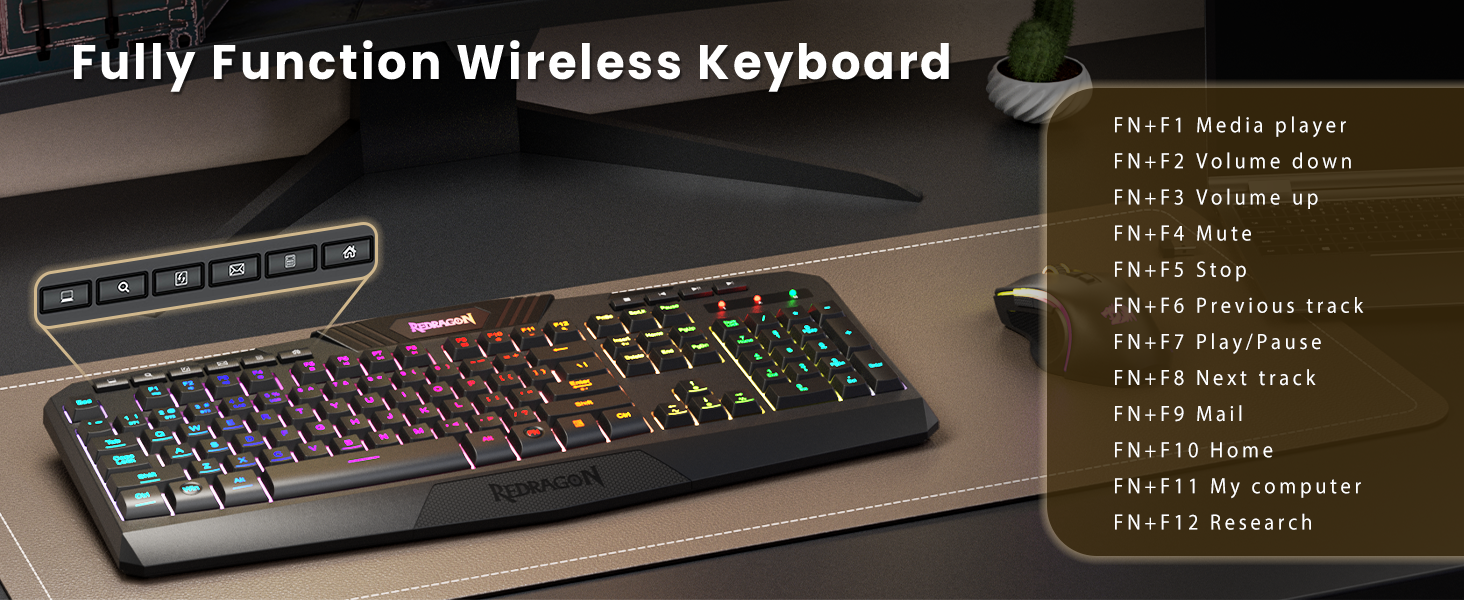
Why accept mediocrity when you can soar ahead with the cutting-edge Skytech Eclipse Lite series? Embrace the latest architectures, showcasing top-tier NVIDIA RTX series graphics cards and fueled by an AMD Ryzen 7 Processor. The Skytech Eclipse Lite stands out as the ultimate gaming rig offering unparalleled price-to-performance value in the current market BRAND Story: Skytech Gaming is a premier manufacturer of custom and pre-built gaming PCs. With our team of seasoned experts boasting years of collective experience in the industry, we are committed to delivering unparalleled gaming experiences to our esteemed clientele. Our extensive range of gaming PCs ensures that you can select the ideal one tailored to meet your requirements and budget. Every PC we offer is meticulously crafted with top-tier components and is supported by a comprehensive warranty, assuring you of a premium product. The Skytech Eclipse Lite is a top-tier gaming computer of the latest generation, designed to effortlessly handle popular games such as Call of Duty, Fortnite, Escape from Tarkov, Grand Theft Auto VI, Valorant, World of Warcraft, League of Legends, Apex Legends, PLAYERUNKNOWN’s Battlegrounds, Overwatch 2, Counter-Strike 2, Battlefield V, Minecraft, ELDEN RING Shadow of the Erdtree, Rocket League, Baldur’s Gate 3, Dota 2, HELLDIVERS 2, Monster Hunter, Terraria, Rainbow Six Siege, Dragon’s Dogma 2, Civilization VII, Dragon Age and more at Ultra settings. It delivers stunning 1440p Quad HD resolution with smooth gameplay exceeding 60 FPS. SPECIFICATIONS Manufacturer Part#: ST-ECLIPSELITE-0846-B-AMProcessor: Ryzen 7 7800X3D 4.2 GHz (5GHz Turbo Boost) CPUMemory: 32GB DDR5 RAM RGB Gaming Memory with Heat SpreaderGraphics: NVIDIA Geforce RTX 4070 Ti 12GB GDDR6X Graphics Card (Brand may vary)SSD: 1TB Gen4 NVMe M.2 SSDOperating System: Microsoft windows 11 Home 64-bitCase: Skytech Eclipse Lite Black Edition with Front MeshWireless Support: 802.11ACFans: ARGB Fans for Maximum Cooling PerformanceProduct images used on this page are for illustrative purposes only and do not indicate the exact components used at the time of manufacture. The component makes and models may vary from product depictions in product images but will adhere to the specification outlined in the product’s main description. Particulars such as I/O ports may vary. Please get in touch with us for more details.AMD Ryzen 7 7800X3D 4.2GHz (5GHz Max Boost) CPU Processor | 1TB NVME Gen4 SSD – Up to 30x Faster Than Traditional HDD | 360mm AIONVIDIA Geforce RTX 4070 Ti 12GB GDDR6X Graphics Card (Brand may vary) | 32GB DDR5 RAM RGB Gaming Memory with Heat Spreader | Windows 11 Home 64-bit802.11 AC | No Bloatware | Graphic output options include 1 x HDMI, and 1 x Display Port Guaranteed, Additional Ports may vary | USB Ports Including 2.0, 3.0, and 3.2 Gen1 Ports | HD Audio and Mic | Free Gaming Keyboard and Mouse4 RGB Fans for Maximum Air Flow | Skytech Eclipse Lite Black Edition with Front Mesh | 1 Year Warranty on Parts and Labor | Lifetime Free Technical Support | Assembled in the USAThis powerful gaming PC is capable of running all your favorite games such as Call of Duty Warzone, Fortnite, Escape from Tarkov, Grand Theft Auto V, Valorant, World of Warcraft, League of Legends, Apex Legends, Roblox, PLAYERUNKNOWN’s Battlegrounds, Overwatch 2, Counter-Strike 2, Battlefield V, New World, Minecraft, Elden Ring, Rocket League, Baldur’s Gate 3, Dota 2, HELLDIVERS 2, Monster Hunter, Palworld, Terraria, Rainbow Six Siege, Dragon’s Dogma 2, and more at Ultra settings, detailed 4K Ultra HD resolution, and smooth 60+ FPS gameplay.

Skytech Gaming offers the cutting-edge Skytech Eclipse Lite series, featuring top-tier components such as an AMD Ryzen 7 Processor and NVIDIA RTX series graphics card, providing unparalleled price-to-performance value in the gaming PC market. Skytech Gaming is committed to delivering premium gaming experiences with custom and pre-built gaming PCs tailored to meet individual requirements and budgets.

The Skytech Eclipse Lite is designed to handle popular games like Call of Duty, Fortnite, Escape from Tarkov, Grand Theft Auto VI, Valorant, and more at Ultra settings with smooth gameplay exceeding 60 FPS. It boasts specifications such as a Ryzen 7 7800X3D 4.2GHz (5GHz Max Boost) CPU, NVIDIA Geforce RTX 4070 Ti 12GB GDDR6X Graphics Card, 32GB DDR5 RAM RGB Gaming Memory, and Windows 11 Home 64-bit operating system. With features like 802.11 AC wireless support, 1TB NVME Gen4 SSD, and 4 RGB fans for maximum cooling performance, the Skytech Eclipse Lite offers a premium gaming experience.

Product images on the website are for illustrative purposes only, and actual components may vary but will adhere to the specifications outlined in the product description. The gaming PC comes with a one-year warranty on parts and labor, lifetime free technical support, and is assembled in the USA. It is capable of running a wide range of popular games at Ultra settings, detailed 4K Ultra HD resolution, and smooth 60+ FPS gameplay, making it an ideal choice for gamers looking for a powerful and reliable gaming rig.

Price: $2,399.99
(as of Aug 12, 2024 14:19:28 UTC – Details)


Related Posts
Read More

Official NHL Seattle Kraken Striped Decal Skin for BENGOO G9000 Gaming Headset: Available now at [price_with_discount]

Personalize the look on your Gaming Headset with the Seattle Kraken Striped skin compatible with the BENGOO G9000 by Skinit. All Seattle Kraken decals compatible with the BENGOO G9000 Gaming Headset are cut and crafted with premium 3M vinyl and built to perfectly fit on your gaming headset without interfering with your game.
Comes with 1 skin compatible with BENGOO G9000 Gaming Headset
Precision cut for a flawless fit
3M vinyl decals printed with 3D Print Technology
Made in the USA
3M adhesive backing - easy on, easy off & residue-free
Read More

“Upgrade Your Gaming Laptop Cooling Fan: Compatible with Gigabyte G7 & Machenike Series”: Available now at [price_with_discount]

【Compatibility】This item is Compatible with Laptop New CPU GPU Cooling Fan Replacement for Gigabyte Gaming G7 GD MD Machenike T58-V VB VA2 VG65T Z8 Z7M-CT 911ST Series EGC-77100V1-0AH EFC-70100V1-0AH
Date First Available ‏ : ‎ May 16, 2024
Manufacturer ‏ : ‎ CSEZWASM
ASIN ‏ : ‎ B0D49B3ZKM
Country of Origin ‏ : ‎ China

Cooling method: Air
Maximum rotational speed: 5400.0 rpm
Noise level: 0.0 decibels
Power connector type: 4-Pin
Read More

ZTHY GK5CN Battery Replacement for Schenker XMG Neo and More: Available now at [price_with_discount]

Product Description 11 ii

Why should I choose this battery?

1: High capacity circulatory function

2: Overheating protection

3: Overcurrent protection

4: Overcurrent protection

5: Low power consumption IC design

11

Specifications:

Battery Type: Li-ion.

Battery Condition: Brand New.

Battery Voltage: 11.4V

Battery Capacity: 46.74Wh

Replacement for Part Number:

GK5CN-00-13-3S1P-0, GK5CN-00-13-4S1P-0, GK5CN-11-16-3S1P-0, GK5CN-03-13-3S1P-0, GK5CN-00-B-3S1P-0, GK5CON67VK/GT, GK5CN00133S1P0, GK5CN00B3S1P0, 40068133, 3ICP6/63/69

Compatible Models (use "Ctrl+F to find your model quickly")

For Getac GK5CN5Z GK7CN6S Series

For TONGFANG Series:

GK5CN, CUK Model Z, GK5CN4Z, GK5CN4X, GK5CN5Z, GK5CN6Z, GK5CQ7Z, GK6Z5CN, GK7CN6S, Model Z GK5CQ7Z, OP-LP2, GK7CP6R, GK7CP7S, GK5CP6V, GCK5CP6Z, GK5CP6X

For SCHENKER Series:

XMG Neo 15, XMG Neo 15 Turing, XMG Neo 15 XNE15M19, XMG Core 15, XMG Core 17, XMG Neo 17, Z2-G,

For MECHREVO Series:

X8Ti, X8Ti Pro, X8Ti Plus, X9Ti, X9Ti Pro, X9Ti-R, Z2, Z2 Air

For MAINGEAR Vector 15 Series

For Medion X6805 X6807 Series:

Erazer X6805, Erazer X6805(MD 61085 MSN 30024782), Erazer X6805(MD 61107 MSN 30024950), Erazer X6805(MD 61132 MSN 30024995), Erazer X6805(MSN 30025389), Erazer X6805-MD61085, Erazer X6805MD61085, Erazer X6805(MD 61085 MSN 30026695), Erazer X6805(MD 61108 MSN 30024951), Erazer X6805(MD 61146 MSN 30025058)

For MACHENIKE Series:

For MACHENIKE T90 Plus, T90 Plus-TB, T90 Plus-TB1, T90 Plus-TB3, T90-T3p, T90 Plus-TC, T90 Plus-TCi3p, T90 Plus-TCi5;

For MACHENIKE F117-B, F117-B Pro, F117-B1, F117-B2CK, F117-B6, F117-B6Cp, F117-B6D, F117-B3, F117-B2, F117-Break, F117-FP, F117-FP6, F117-FP6R, F117-FP6t, F117-FP6R2, F117-FP7

For Hasee Series:

Z7M-KP7Z, Z7M-KP7GZ, Z7M-KP5GZ, Z7M-CT7GS, Z7-KP7GZ, Z7-CT5VH, Z7-CT7GK, G7-CT7VK, GK5S03

For Evoo EG-LP4-BK Gaming, EG-LP5-BK Series

Add to Cart Customer Reviews 4.0 out of 5 stars 1 — Price $40.99$40.99 — Model GK5CN-00-13-3S1P-0 GK5CN-00-13-4S1P-0 Battery Voltage 11.4V 15.2V Battery Capacity 46.74Wh 62.32Wh Cells 3-Cell 4-Cell Over-charge Protection ✓ ✓ Over-current Protection ✓ ✓ Short-Circuit Protection ✓ ✓ Size 7.67*3.54*0.23 11.02*3.54*0.23 B0BM46VVVJB0BM46VVVJ

ZTHY laptop battery instruction:

1.Discharge the new battery use to 5%(not to 0%) and then charge to 95%, and cycle 3-4 times.

2.Do not disassemble, crush or puncture. Do not dispose of in fire or water.

3.If you remove battery for a long time, charge more than 80% at least one time within one months.

4.Don't connect adapter for a long time while using the battery. It may damage the battery.

5.When using the battery, care should be taken to prevent exposure and moisture.

Easy to deal a variety of use environment

oo

uu

ff

Install A New Battery:

1, You need to turn off your laptop and disconnect the power.

2, Disconnect the connection between the old battery and the motherboard to avoid unnecessary damage caused by disassembling the battery. Then unscrew the old battery screws one by one and carefully save each screw.

3, Remove the old battery, carefully install the new battery on the battery case, screw in the screw, and connect the wiring of the new battery.

4, If you don't understand the above steps, you can search for the video about laptop battery installation on YouTube. Maybe it will help you.

Installing New Battery Frequently Asked Question Solution:

Q: Why my computer didn't recognize this battery or I install this battery and it doesn't seem to work?

A: The reason is residual power stored in the laptop components that was preventing the battery from working properly. Please disconnecting the old battery, and holding down the power button for 20 seconds, then connect the new battery. This drains the residual or flea power and once the laptop is reassembled the battery will function properly.

The following are troubleshooting methods:

1.Turn off the laptop.

2.Unplug AC power.

3.Remove the battery.

4.Replace AC power.

5.Turn on laptop,allow OS to boot.

6.Once logged in to the machine,perform a normal shut donw.

7.Unplug AC power.

8.Replace battery.


Specification: Battery type: Li-ion. Color: Black. Voltage:11.4V .Capacity: 46.74Wh
Replace Part Number: GK5CN-00-13-3S1P-0, GK5CN-00-13-4S1P-0, GK5CN-11-16-3S1P-0, GK5CN-03-13-3S1P-0, GK5CN-00-B-3S1P-0, GK5CON67VK/GT, GK5CN00133S1P0, GK5CN00B3S1P0, 40068133, 3ICP6/63/69
Compatible Models: Replacement for Getac GK5CN5Z GK7CN6S Series ;for TONGFANG GK5CN CUK Model Z GK5CN4Z GK5CN4X GK5CN5Z GK5CN6Z GK5CQ7Z GK6Z5CN GK7CN6S Model Z GK5CQ7Z OP-LP2 GK7CP6R GK7CP7S GK5CP6V GCK5CP6Z GK5CP6X ; For SCHENKER XMG Neo 15 XMG Neo 15 Turing XMG Neo 15 XNE15M19 XMG Core 15 XMG Core 17 XMG Neo 17 Z2-G ; For MECHREVO Series: X8Ti X8Ti Pro X8Ti Plus X9Ti X9Ti Pro X9Ti-R Z2 Z2 Air ; For MAINGEAR Vector 15 Series ; For Hasee Z7M-KP7Z Z7M-KP7GZ Z7M-KP5GZ Z7M-CT7GS Z7-KP7GZ Z7-CT5VH Z7-CT7GK G7-CT7VK GK5S03 ; For Evoo EG-LP4-BK Gaming EG-LP5-BK Series.
Compatible Models: Replacement for Medion X6805 X6807 Series: Erazer X6805 Erazer X6805(MD 61085 MSN 30024782) Erazer X6805(MD 61107 MSN 30024950) Erazer X6805(MD 61132 MSN 30024995) Erazer X6805(MSN 30025389) Erazer X6805-MD61085 Erazer X6805MD61085 Erazer X6805(MD 61085 MSN 30026695) Erazer X6805(MD 61108 MSN 30024951) Erazer X6805(MD 61146 MSN 30025058) ; For MACHENIKE T90 Plus T90 Plus-TB T90 Plus-TB1 T90 Plus-TB3 T90-T3p T90 Plus-TC T90 Plus-TCi3p T90 Plus-TCi5 F117-B F117-B Pro F117-B1 F117-B2CK F117-B6 F117-B6Cp F117-B6D F117-B3 F117-B2 F117-Break F117-FP F117-FP6 F117-FP6R F117-FP6t F117-FP6R2 F117-FP7
Note: If the new battery is not recognized during the initial installation, please reinstall and check if the interface is fully connected. Discharge the new battery to 10-20% (not 0%), then charge and cycle 3-4 times to wake up the new battery