“Retroid Pocket 3 RP3 Glass Protector: 9H Hybrid-Glass Screen Film”: Available now at [price_with_discount]

FX-Hybrid-Glass Plastic Glass Protective Film by atFoliX, ultra thin and super hard, compatible with Retroid Pocket 3 (RP3) The FX-Hybrid-Glass Glass Protector completely redefines the subject of screen protection thanks to a unique material composition: the development of this extremely hard (9H pencil hardness) and resistant glass / plastic material makes it possible to produce particularly thin screen protectors. So your touch screen reacts to your input as a completely unprotected display. The hardness, which is unusually high for a screen protector film, hardly leaves any chance for scratches. Super thin and superhard – the new standard in screen protection! The particularly low material thickness of the Plastic Glass Protective Film ensures an optimal look-and-feel of your display. Together with the high light transmittance of almost 98%, this Plastic glass protective film is practically invisible. Maximum protection of your screen: Made of the latest high-tech materials, the Glass Screen Protector of plastic provides optimum protection against scratching and soiling. Extremely robust and resistant due to the hardness of 9H. Easy to install: Easy assembly of the Plastic glass protective film – Clean the display, align the foil, and finish. Through special silicone materials, the Plastic Glass Protective Film sucks automatically on the display. The strong silicone adhesive layer closes the majority of the scratches already present. Residue-free removable. Scope of delivery– 1 x FX-Hybrid-Glass Glass Protector compatible with Retroid Pocket 3 (RP3)– cleaning cloth– installation tool (squeegee)– Link to the multilingual, illustrated mounting instructions (including mounting video) Better than glass: unlike real glass or tempered glass, this FX-Hybrid-Glass Glass Screen Protector of plastic is unbreakable and splinter-free – fit for and compatible with Retroid Pocket 3 (RP3)Maximum protection against scratching (hardness 9H at 500g writing pressure) – this Plastic glass protective film consists of an extremely thin (approx. 0.2 mm) and resistant materialThe unique glass / plastic material composition of the Plastic Glass Protective Film provides the highest light permeability and an oleophobic anti-fingerprint coatingExtra strong silicone adhesive layer – existing scratches on the display simply disappearAccessory@FoliX – Made in Germany *** Easy to install: the FX-Hybrid-Glass Glass Protector has a similar stiffness to that of real glass and can be installed easily and without bubbles

The FX-Hybrid-Glass Plastic Glass Protective Film by atFoliX is a revolutionary screen protector compatible with the Retroid Pocket 3 (RP3). This unique material composition combines the hardness of glass with the flexibility of plastic, resulting in a super thin and super hard protective film with a 9H pencil hardness. This high level of hardness makes it highly resistant to scratches, providing maximum protection for your screen.

The thin material thickness of the Plastic Glass Protective Film ensures optimal touch screen sensitivity and high light transmittance, making it practically invisible on your display. The film is easy to install with the included cleaning cloth and installation tool, and the silicone adhesive layer helps to remove existing scratches on the screen.

Unlike real glass or tempered glass protectors, the FX-Hybrid-Glass Glass Screen Protector is unbreakable and splinter-free, providing maximum protection against scratching with a hardness of 9H. The unique glass/plastic material composition also offers high light permeability and an oleophobic anti-fingerprint coating.

Overall, the atFoliX FX-Hybrid-Glass Plastic Glass Protective Film is a superior alternative to traditional glass screen protectors. Its ultra-thin and super-hard composition provides maximum protection for your Retroid Pocket 3 (RP3) screen, with easy installation and excellent touch screen sensitivity. Made in Germany, this high-quality accessory is a must-have for anyone looking to keep their device’s screen in pristine condition.

Price: $14.89
(as of Aug 07, 2024 01:31:17 UTC – Details)


Related Posts
Read More

ZTHY GK5CN Battery Replacement for Schenker XMG Neo and More: Available now at [price_with_discount]

Product Description 11 ii

Why should I choose this battery?

1: High capacity circulatory function

2: Overheating protection

3: Overcurrent protection

4: Overcurrent protection

5: Low power consumption IC design

11

Specifications:

Battery Type: Li-ion.

Battery Condition: Brand New.

Battery Voltage: 11.4V

Battery Capacity: 46.74Wh

Replacement for Part Number:

GK5CN-00-13-3S1P-0, GK5CN-00-13-4S1P-0, GK5CN-11-16-3S1P-0, GK5CN-03-13-3S1P-0, GK5CN-00-B-3S1P-0, GK5CON67VK/GT, GK5CN00133S1P0, GK5CN00B3S1P0, 40068133, 3ICP6/63/69

Compatible Models (use "Ctrl+F to find your model quickly")

For Getac GK5CN5Z GK7CN6S Series

For TONGFANG Series:

GK5CN, CUK Model Z, GK5CN4Z, GK5CN4X, GK5CN5Z, GK5CN6Z, GK5CQ7Z, GK6Z5CN, GK7CN6S, Model Z GK5CQ7Z, OP-LP2, GK7CP6R, GK7CP7S, GK5CP6V, GCK5CP6Z, GK5CP6X

For SCHENKER Series:

XMG Neo 15, XMG Neo 15 Turing, XMG Neo 15 XNE15M19, XMG Core 15, XMG Core 17, XMG Neo 17, Z2-G,

For MECHREVO Series:

X8Ti, X8Ti Pro, X8Ti Plus, X9Ti, X9Ti Pro, X9Ti-R, Z2, Z2 Air

For MAINGEAR Vector 15 Series

For Medion X6805 X6807 Series:

Erazer X6805, Erazer X6805(MD 61085 MSN 30024782), Erazer X6805(MD 61107 MSN 30024950), Erazer X6805(MD 61132 MSN 30024995), Erazer X6805(MSN 30025389), Erazer X6805-MD61085, Erazer X6805MD61085, Erazer X6805(MD 61085 MSN 30026695), Erazer X6805(MD 61108 MSN 30024951), Erazer X6805(MD 61146 MSN 30025058)

For MACHENIKE Series:

For MACHENIKE T90 Plus, T90 Plus-TB, T90 Plus-TB1, T90 Plus-TB3, T90-T3p, T90 Plus-TC, T90 Plus-TCi3p, T90 Plus-TCi5;

For MACHENIKE F117-B, F117-B Pro, F117-B1, F117-B2CK, F117-B6, F117-B6Cp, F117-B6D, F117-B3, F117-B2, F117-Break, F117-FP, F117-FP6, F117-FP6R, F117-FP6t, F117-FP6R2, F117-FP7

For Hasee Series:

Z7M-KP7Z, Z7M-KP7GZ, Z7M-KP5GZ, Z7M-CT7GS, Z7-KP7GZ, Z7-CT5VH, Z7-CT7GK, G7-CT7VK, GK5S03

For Evoo EG-LP4-BK Gaming, EG-LP5-BK Series

Add to Cart Customer Reviews 4.0 out of 5 stars 1 — Price $40.99$40.99 — Model GK5CN-00-13-3S1P-0 GK5CN-00-13-4S1P-0 Battery Voltage 11.4V 15.2V Battery Capacity 46.74Wh 62.32Wh Cells 3-Cell 4-Cell Over-charge Protection ✓ ✓ Over-current Protection ✓ ✓ Short-Circuit Protection ✓ ✓ Size 7.67*3.54*0.23 11.02*3.54*0.23 B0BM46VVVJB0BM46VVVJ

ZTHY laptop battery instruction:

1.Discharge the new battery use to 5%(not to 0%) and then charge to 95%, and cycle 3-4 times.

2.Do not disassemble, crush or puncture. Do not dispose of in fire or water.

3.If you remove battery for a long time, charge more than 80% at least one time within one months.

4.Don't connect adapter for a long time while using the battery. It may damage the battery.

5.When using the battery, care should be taken to prevent exposure and moisture.

Easy to deal a variety of use environment

oo

uu

ff

Install A New Battery:

1, You need to turn off your laptop and disconnect the power.

2, Disconnect the connection between the old battery and the motherboard to avoid unnecessary damage caused by disassembling the battery. Then unscrew the old battery screws one by one and carefully save each screw.

3, Remove the old battery, carefully install the new battery on the battery case, screw in the screw, and connect the wiring of the new battery.

4, If you don't understand the above steps, you can search for the video about laptop battery installation on YouTube. Maybe it will help you.

Installing New Battery Frequently Asked Question Solution:

Q: Why my computer didn't recognize this battery or I install this battery and it doesn't seem to work?

A: The reason is residual power stored in the laptop components that was preventing the battery from working properly. Please disconnecting the old battery, and holding down the power button for 20 seconds, then connect the new battery. This drains the residual or flea power and once the laptop is reassembled the battery will function properly.

The following are troubleshooting methods:

1.Turn off the laptop.

2.Unplug AC power.

3.Remove the battery.

4.Replace AC power.

5.Turn on laptop,allow OS to boot.

6.Once logged in to the machine,perform a normal shut donw.

7.Unplug AC power.

8.Replace battery.


Specification: Battery type: Li-ion. Color: Black. Voltage:11.4V .Capacity: 46.74Wh
Replace Part Number: GK5CN-00-13-3S1P-0, GK5CN-00-13-4S1P-0, GK5CN-11-16-3S1P-0, GK5CN-03-13-3S1P-0, GK5CN-00-B-3S1P-0, GK5CON67VK/GT, GK5CN00133S1P0, GK5CN00B3S1P0, 40068133, 3ICP6/63/69
Compatible Models: Replacement for Getac GK5CN5Z GK7CN6S Series ;for TONGFANG GK5CN CUK Model Z GK5CN4Z GK5CN4X GK5CN5Z GK5CN6Z GK5CQ7Z GK6Z5CN GK7CN6S Model Z GK5CQ7Z OP-LP2 GK7CP6R GK7CP7S GK5CP6V GCK5CP6Z GK5CP6X ; For SCHENKER XMG Neo 15 XMG Neo 15 Turing XMG Neo 15 XNE15M19 XMG Core 15 XMG Core 17 XMG Neo 17 Z2-G ; For MECHREVO Series: X8Ti X8Ti Pro X8Ti Plus X9Ti X9Ti Pro X9Ti-R Z2 Z2 Air ; For MAINGEAR Vector 15 Series ; For Hasee Z7M-KP7Z Z7M-KP7GZ Z7M-KP5GZ Z7M-CT7GS Z7-KP7GZ Z7-CT5VH Z7-CT7GK G7-CT7VK GK5S03 ; For Evoo EG-LP4-BK Gaming EG-LP5-BK Series.
Compatible Models: Replacement for Medion X6805 X6807 Series: Erazer X6805 Erazer X6805(MD 61085 MSN 30024782) Erazer X6805(MD 61107 MSN 30024950) Erazer X6805(MD 61132 MSN 30024995) Erazer X6805(MSN 30025389) Erazer X6805-MD61085 Erazer X6805MD61085 Erazer X6805(MD 61085 MSN 30026695) Erazer X6805(MD 61108 MSN 30024951) Erazer X6805(MD 61146 MSN 30025058) ; For MACHENIKE T90 Plus T90 Plus-TB T90 Plus-TB1 T90 Plus-TB3 T90-T3p T90 Plus-TC T90 Plus-TCi3p T90 Plus-TCi5 F117-B F117-B Pro F117-B1 F117-B2CK F117-B6 F117-B6Cp F117-B6D F117-B3 F117-B2 F117-Break F117-FP F117-FP6 F117-FP6R F117-FP6t F117-FP6R2 F117-FP7
Note: If the new battery is not recognized during the initial installation, please reinstall and check if the interface is fully connected. Discharge the new battery to 10-20% (not 0%), then charge and cycle 3-4 times to wake up the new battery
Read More

K500 Pro Mechanical Gaming Keyboard + M7 PRO Wireless Gaming Mouse: A Custom Combo for Gamers: Available now at [price_with_discount]

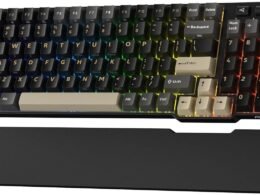
Machenike Wireless Keyboard and Mouse Combo,K500 Pro Mechanical Gaming Keyboard,Gasket Hot Swappable Custom Keyboard+M7 PRO Wireless Gaming Mouse Black
【MACHENIKE X OUTEMU Custom Switches】:Experience the MACHENIKE X OUTEMU custom switches in our gaming wireless keyboard. The GR Silver Switch offers smooth, silent, and quick execution, while the GR Brown Switch provides a tactile bump and response. Both feature an actuation force of 40±10GF and 35±10GF respectively, with a 50 million keystroke lifespan. Optimize your gaming with this durable, high-performance keyboard.
【Vibrant Tri-Side RGB Backlight】:Enhance your gaming with the TRI-SIDE RGB Lighting Strip, perfect for your wireless mechanical keyboard setup. It offers 5 lighting effects, 4 speed levels, and 7 colors. Switch between 15 vibrant RGB effects with the Audio Visualizer—lights pulsate with your keystrokes for an immersive experience. Perfect for creating an intense battle atmosphere!
【Experience the Mechanical Keyboard Wireless with EXCELLENT BATTERY LIFE.】: Equipped with a 3000mAh large battery, it provides up to 1 week of continuous use. Enjoy long-lasting endurance and a wired connection while charging, ensuring uninterrupted gaming sessions for hardcore players. Perfect as a gaming keyboard wireless, it enhances your gaming experience without any interruptions.
【Customize your gameplay needs with our programmable mouse.】:The M7 Pro is a fully programmable gaming mouse. Every button is customizable and supports macro editing, enabling you to reassign buttons and modify DPI to meet your specific requirements. This pc mouse wireless feature caters to all your customization needs, enabling rich gameplay.
【Dominate your games with our high-precision wireless rechargeable mouse.】:This gaming wireless mouse comes with an adjustable Dots Per Inch range of 800 to 26,000 and four selectable polling rates, providing you with unbeatable speed adjustments — a must-have feature for all wireless gaming mouse options.
Read More

“Safe and Secure: OnBoard™35 SecureTech™ Car Seat in Dunes Edge”: Available now at [price_with_discount]

Provide your baby with a safe and comfortable ride with the Safety 1st OnBoard™ 35 with SecureTech™ Infant Car Seat. The most helpful part of the car seat base is how easy it is to install. It features the SecureTech installation system with self-retracting one-click LATCH connectors for quick and secure installation. To give you the confidence of knowing that the base is correctly installed, the tab turns from red to green. Since every car is different, you can also adjust the base height for the right fit to your car. The 4 harness heights are spaced right to give your child a better fit from 4–35 lbs. (and less than 32"). The harness adjusts easily from the front of the seat with a simple pull to securely fit your child. The buckle adjusts in two ways so that you can customize the length and the buckle’s position on your child. Your baby will be nice and comfortable relaxing in the soft fabrics and plush padding. Smaller babies get the extra support they need with head and body inserts that can be removed as they grow.
Base features SecureTech installation system with self-retracting one-click LATCH connectors for quick and secure installation and red to green installation indicators
Ultra-lightweight design, weighs only 7.5 lbs.
Give your child a better fit from 4–35 lbs. (and less than 32")
Rigorously crash and side-impact tested to meet safety standards
Read More

8BitDo Ultimate 2 Wireless Controller: Versatile Gamepad for Windows, Android, and Steam Deck with 1000Hz Polling Rate, Tactile Triggers, Motion Control, and Programmable Back Paddles – Green

Product description Text reads 'Ultimate 2 Wireless controller'. Green gaming controller with traditional button layout and wireless connectivity features.Text reads 'Ultimate 2 Wireless controller'. Green gaming controller with traditional button layout and wireless connectivity features. 8BitDo Ultimate 2 Wireless Controller for Windows & Android, TMR joysticks8BitDo Ultimate 2 Wireless Controller for Windows & Android, TMR joysticks 8BitDo Ultimate 2 Wireless Controller for Windows & Android, TMR joysticks8BitDo Ultimate 2 Wireless Controller for Windows & Android, TMR joysticks 8BitDo Ultimate 2 Wireless Controller for Windows & Android, TMR joysticks 8BitDo Ultimate 2 Wireless Controller for Windows & Android, TMR joysticks 8BitDo Ultimate 2 Wireless Controller for Windows & Android, TMR joysticks 8BitDo Ultimate 2 Wireless Controller for Windows & Android, TMR joysticks 8BitDo Ultimate 2 Wireless Controller for Windows & Android, TMR joysticks 8BitDo Ultimate 2 Wireless Controller for Windows & Android, TMR joysticks Compatibility Windows 10 (1903) and above, Android 9.0 and above Connectivity 2.4G - Windows, Wired USB - Windows, Bluetooth BLE - Android Joysticks HallPi TMR joysticks Triggers Tactile and Hall Effect Linear Trigger Polling rate 1000Hz on both 2.4G and wired connections R4/L4 bumpers & PL/PR buttons Programmable and Mappable, Refined 6-Axis motion control Customizable 6-axis motion control, supported on both Windows and Android, can be configured as the left joystick / right joystick through the Ultimate Software V2. Vibration Rotor motor vibration, asymmetric vibration Turbo function D-pad, Joysticks, Home buttons, L4/R4 and PR/PL are not supported RGB Fire Ring Fire Ring Mode, Light-tracing Mode, Rainbow Ring Mode Battery 1000mAh built-in battery pack Dimension/Weight 147*103*61.3 mm, 246g Package Contents Ultimate 2 wireless controller * 1, Charging dock * 1, 2.4G USB-C adapter * 1, USB cable (1 meter) * 1, Manual * 1 Support Please feel free to contact our support team if you have any problems or concerns: 1) Read the AKNES store page introduction, by Amazon message. 2) Email. 3) By AKNES official web. - Contact informations there.

Instructions for calibrating the joysticks/triggers?

1. In the powered-on state,hold [LB + RB + Minus + Plus] for 8 seconds, the Status LED will blink.

2. Rotate joysticks slowly 2–3 times. Slowly press the triggers to the bottom 2–3 times.

3. Press the same buttons combination to complete.

How to enable the zero-dead zone mode on the joysticks?

In power-on state, press and hold the Minus (-) and Plus (+) buttons for 5 seconds to toggle the zero-dead zone mode on/off.

Can I connect this controller to Switch 1/2?

Yes.

1. Update the firmware to the latest version or beta.

2. With the controller turned off, hold Y and turn on the controller.

3. Connect to your Switch 1/2.

Is the Motion Control available on both Windows and Android?

Yes, it can be configured as the left joystick / right joystick through the Ultimate Software V2.

Does it support the mobile version of the software?

No, it only supports the Windows/macOS version of Ultimate Software V2.


Compatibility - 2.4G/Wired for Windows & PC, Steam Deak, Bluetooth for Android. 1000Hz Polling Rate under both 2.4G and Wired connections.
Connects to Switch 1/2 (2.4G only) - 1) Update the firmware to the latest version or beta. 2) With the controller turned off, hold Y and turn on the controller. 3) Connect to your Switch 1/2. Support six-axis gyro motion.
TMR Joysticks - Offering higher sensitivity, greater precision, enhanced durability, and reduced energy consumption.
Dual Trigger Modes - Quickly switch between non-linear Tactile Triggers and Hall Effect Linear Trigger modes to adapt to various gaming needs.
4 Extra Buttons - Enhance control with extra R4/L4 bumpers and PR/PL back paddle buttons, all programmable and mappable to your preferences.
Customizable 6-axis motion control. Turbo function and Rumble vibration. Support 8BitDo Ultimate Software V2. 1000mAh rechargeable lithium battery.
RGB - Personalize your gaming setup with three modes of RGB lighting, allowing adjustments to brightness, color, and speed.
Rely on AKNES for exceptional customer support. Contact us anytime for assistance—we're always here to help. Visit our store page to learn more about us.