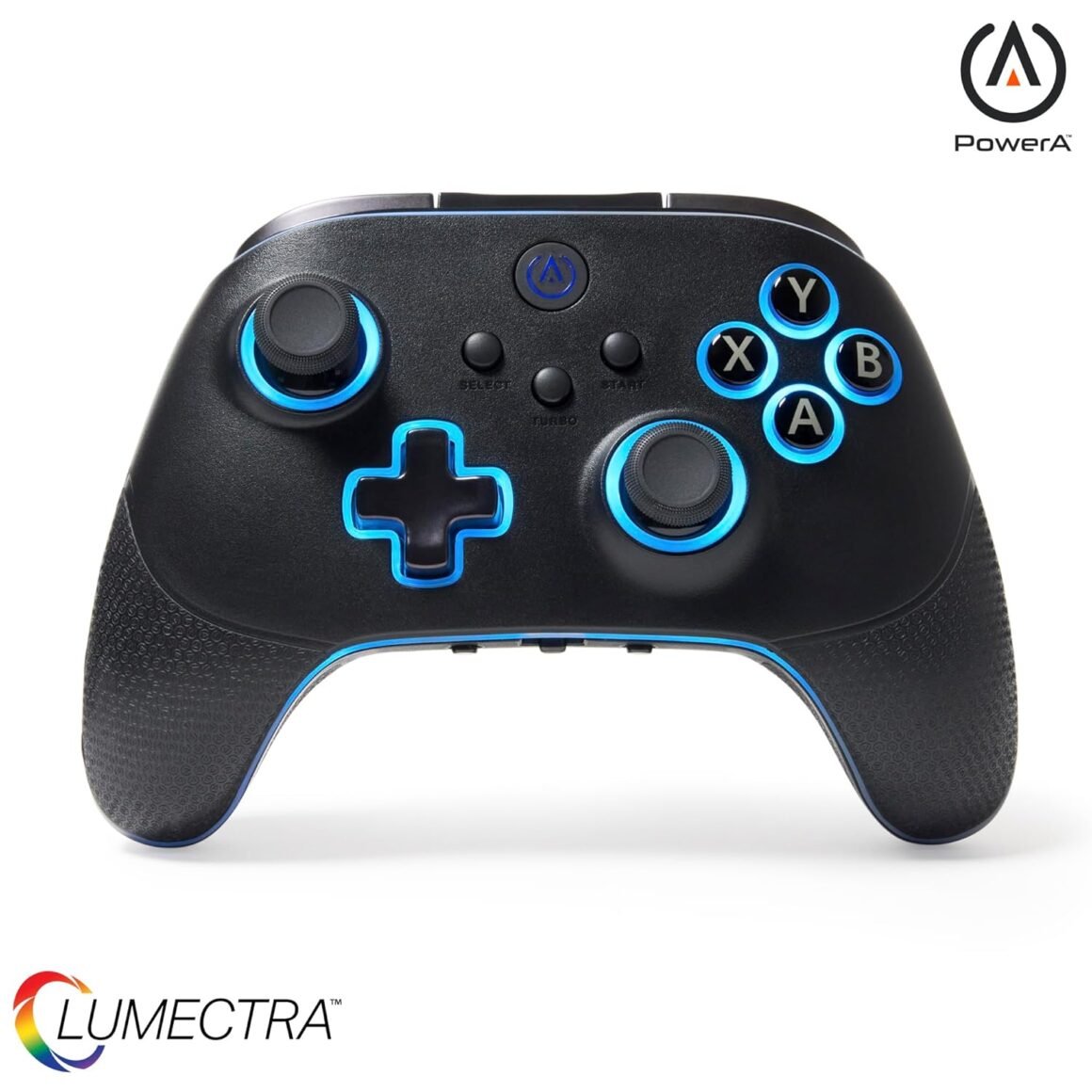
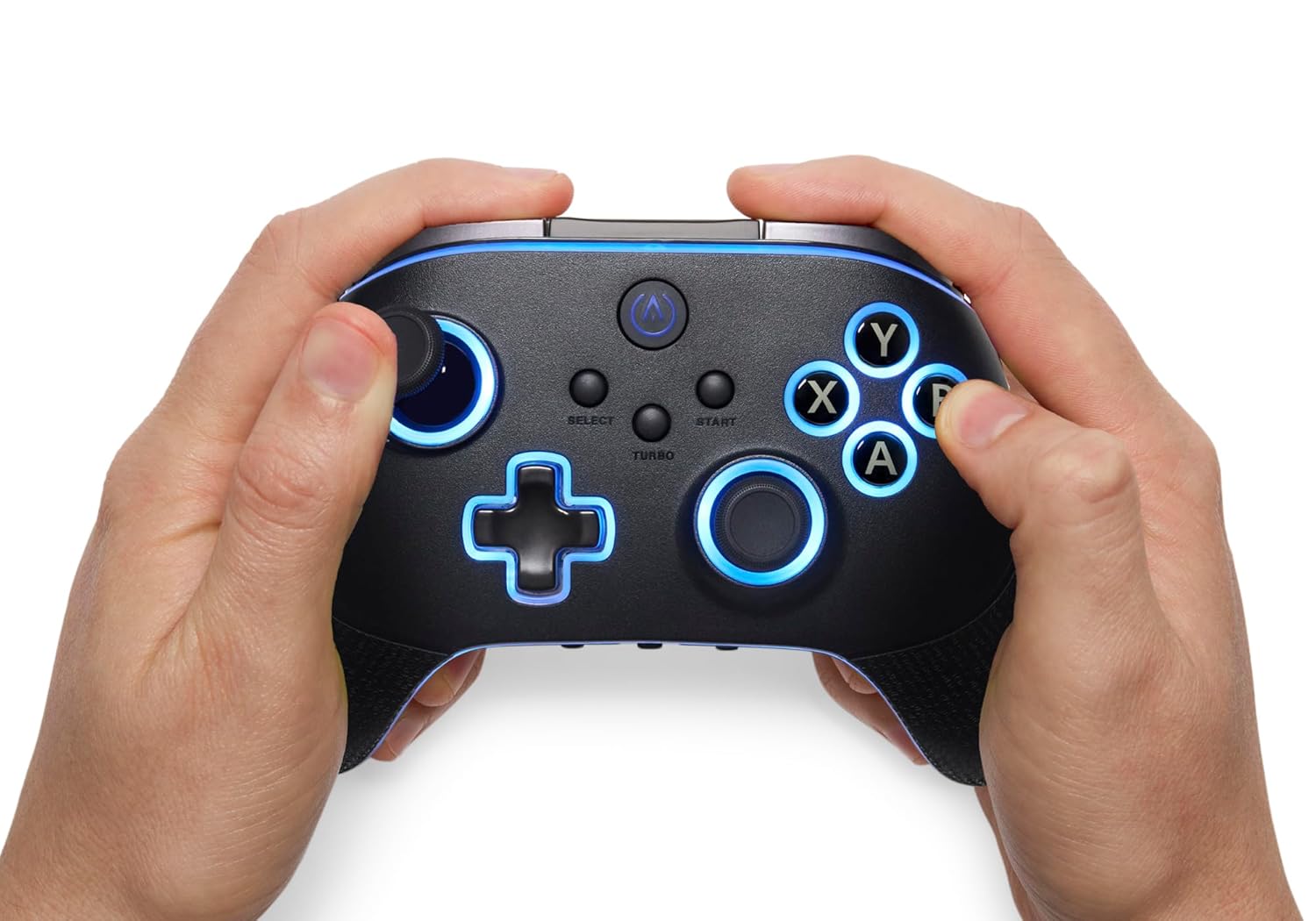
PowerA OPS v3 Pro Wireless Controller for PC and Cloud Gaming – Customizable Gamepad with Lumectra, Charging Stand, and PC HQ App for Windows 10/11

Gain the edge with the PowerA OPS v3 Pro Wireless Controller for PC and Cloud Gaming. Loaded with premium features to enhance performance such as quick-response mechanical buttons, six mappable advanced gaming buttons, programmable Turbo button, and PowerA’s patent-pending Quick-Twist adjustable-height thumbsticks. Enjoy improved precision and reliability with Hall Effect thumbsticks and triggers while integrated Lumectra™ RGB lighting technology lets you compete in dazzling style. With rubberized ergonomic grips, high-capacity rechargeable battery and a magnetic charging stand you’ll be gaming in comfort for up to 30 hours per charge. Enjoy the PC HQ App to customize your settings and 3 ways to connect via low latency 2.4GHz wireless, Bluetooth® or wired USB-C® cable for versatile connection options. Made for PC, Cloud, and Mobile – Versatile gaming on PC or cloud gaming devices such as Smart TVs, Android phones and tablets, and compatible hand-held devices like Steam DeckTactile Mechanical Buttons – Enhance your gaming with quick response mechanical buttons on the ABXY, D-PAD and LB/RB buttonsQuick-Twist Adjustable Thumb Sticks – Easily adjust the height of the thumb sticks with a simple twistHall Effect Thumb Sticks and Triggers – Reliable Hall Effect sensors integrated in the thumb sticks and triggers provide more precise inputs and improve reliabilityMulti-Zone RGB Lighting – Customize your controller with 4 individual lighting zones and 3 lighting modes for thousands of color combinationsMappable Buttons – Improve your efficiency with 6 mappable Advanced Gaming Buttons that allow you to customize your control layout, on-the-flyRechargeable Battery and charging stand included – Get up to 30 hours of play time with integrated 1200mAh rechargeable battery. Recharge your controller in 3 – 4 hours with the magnetic charging standTurbo Button – Set the turbo feature to ABXY, LB/RB, Select/Start and achieve incredible speedDual Rumble Motors and 3-way Trigger Locks – Experience the immersive tactile details of your favorite games with dual rumble motors and custom trigger depth to adapt to different game genresApp Support and 2-year warranty – Firmware updates via PowerA’s free PC HQ App resolve profile setting issues. For best-in-class customer support, visit Powera.com/support/

Take Your Gaming to the Next Level with the PowerA OPS v3 Pro Wireless Controller

In the realm of gaming, having the right controller can make a world of difference, enhancing your performance and elevating your overall gaming experience. Enter the PowerA OPS v3 Pro Wireless Controller, a device that combines cutting-edge technology with user-centric design, tailored for serious gamers who demand precision, comfort, and versatility. Whether you’re leveling up on your PC or diving into the expansive world of cloud gaming, this controller promises to give you that competitive edge.

Premium Features for Serious Gamers

The PowerA OPS v3 doesn’t cut corners when it comes to performance. Its quick-response mechanical buttons provide tactile feedback, ensuring every press is met with precision, perfect for those intense moments in your favorite titles. The ABXY buttons, D-PAD, and LB/RB buttons are all engineered for optimal responsiveness, catering to gamers who require speed and accuracy in their gameplay.

One standout feature is the Quick-Twist Adjustable Thumbsticks. With a simple twist, you can adjust the height of the thumbsticks to fit your gaming style, offering flexibility that is rarely seen in controllers. Furthermore, the Hall Effect thumbsticks and triggers utilize magnetic sensors for enhanced reliability, ensuring your inputs are as accurate as possible. Whether you’re navigating tricky platforms or engaging in high-speed chases, these innovations guarantee your movements are executed flawlessly.

Customizable and Stylish

The PowerA OPS v3 also shines in aesthetics and customization. Thanks to its multi-zone RGB lighting, you can personalize your controller with four individual lighting zones and three dynamic modes, offering thousands of color combinations to suit your mood or style. This eye-catching feature not only makes your setup stand out but also adds a dash of flair as you tackle your gaming challenges.

Additionally, the controller includes six mappable Advanced Gaming Buttons, allowing you to customize your layout on-the-fly for more efficient gameplay. Whether you’re executing complex combos or performing quick maneuvers, these buttons can be tailored to your needs, providing a strategic advantage during critical moments.

Comfort Meets Functionality

Designed with gamers in mind, the PowerA OPS v3 features rubberized ergonomic grips, making long gaming sessions not just bearable, but enjoyable. The high-capacity 1200mAh rechargeable battery ensures you can game for up to 30 hours on a single charge, while the magnetic charging stand makes recharging a breeze. With three ways to connect—low-latency 2.4GHz wireless, Bluetooth®, or a wired USB-C® cable—this controller offers unparalleled versatility across various gaming platforms including PC, smart TVs, and handheld devices like the Steam Deck.

Seamless Experience with PowerA HQ App

Finally, the PC HQ App allows you to refine all your controller settings with ease, ensuring that updates and profile management are just a few clicks away. Plus, the two-year warranty offers peace of mind for your investment, making the PowerA OPS v3 Pro Wireless Controller an intelligent choice for serious gamers.

About PowerA

PowerA is a leading gaming accessories manufacturer dedicated to providing innovative and high-quality products to gamers. Known for their commitment to excellence, durability, and unique designs, PowerA enhances the gaming experience by focusing on performance-driven features. Whether it’s controllers, cables, or charging solutions, PowerA continues to set the standard in the gaming accessories market. With the OPS v3 Pro Wireless Controller, they prove once again that they understand the gamer’s needs, offering performance, customization, and style in one exceptional package.

Price: $99.99 - $66.99
(as of Sep 06, 2025 00:35:08 UTC – Details)

Related Posts
Read More

“Ultimate Gaming Set: Redragon RGB Mechanical Keyboard and S101 Combo”: Available now at [price_with_discount]


Brilliant Color Illumination: With 20 preset RGB backlight effects, it is possible for you to personalize your mechanical keyboard from a spectrum of over 16. 8 million colors to match your setup, specific games, or to showcase your favorite colors. This helps make the illumination of each key more brilliant and easier to find your keys in the dark.
Fully Programmable & Highly Configurable: Expand your options to design your own keys, light effects and macro, the macros with different keybindings or shortcuts combine multiple keys function in one key for more efficient work and gaming.
Responsive Red Switches: Our K565 mechanical gaming keyboard features red switch, which requires less force to press down and the keys feel smoother and easier to use. It's best for rpgs and mmo, imo games. You will get 4 spare switches as a gift.
Durable Metal Panel: This gaming keyboard bulit with aluminium alloy panel, which greatly improves the durability, ensures longer product service time. Its weight up to 2.77 pounds, ensures keyboard doesn't slide around when gaming.
Full keys Anti-ghosting: All keys can work simultaneously, easily complete any combining functions without conflicting keys. 12 multimedia key shortcuts allow you to quickly access to calculator/media/volume control/email.
Read More

“2024 Best RGB Gaming PC: Panorama RTX 4070 Ti Super with Ryzen 7, 32GB RAM, 1TB SSD + 3TB HDD, Windows 11”: Available now at [price_with_discount]

Product Description Empowered PC Panorama Gaming Tower frameless glass designEmpowered PC Panorama Gaming Tower frameless glass design

The PANORAMA is the best prebuilt gaming PC capable of running your favorite games such as Fortnite, Valorant, Counter-strike 2, Overwatch 2, PUBG, Grand Theft Auto 5, WOW, DOTA 2, Apex Legends, Rainbow Six Siege, Rust, Call of Duty Warfare, Rocket League, Minecraft, Rocket League, and many more!

Panorama ATX gaming PC with icy white ARGB fansPanorama ATX gaming PC with icy white ARGB fans ENCASED IN GLASS MESMERIZING VIEWS Panorama Gaming PC

Every detail is brought to life in the Panorama gaming PC with frameless tempered glass front and side panels. You'll be immersed in a visually stunning gaming environment with views of its powerful internal components, illuminated by 10 ARGB fans casting a dynamic and customizable light show that also optimizes airflow and extreme cooling.

*** Product images are for illustrative purposes only. Refer to gallery photos at top of page for actual item.

PRISM fans ARGB Rainbow with infinity mirror on the sides of the fan AIRFLOW OPTIMIZED 10 PRISM Fans Included

10 ARGB fans with infinity windowed, high static pressure 600-2000rpm PWM (2.9mm H2O) included! Wow!

GPU bracket included to support heavy graphic cards from weighing down motherboard connection port No Sag + Adjustable Height GPU SUPPORT BRACKET

GPUs are heavy and can cause damage without proper support. Our GPUs are supported with a bracket.

Panorama pc gaming desktop showing the toughen tempered glass front and side panels with blue fans FRAMELESS TEMPERED GLASS 5x Stronger than Normal Glass

Best gaming PC with panoramic view of the interior encased by tempered glass that is 5x stronger.

At Empowered PC we perform meticulous cable management, organized neatly, tightly, and tied cleanly. Clean and Secure ORGANIZED CABLE MANAGEMENT

Professional cable management in a PC benefits airflow, aesthetics, and makes future upgrades easier

NVIDIA RTX Ray Tracing is the holy grail of gaming graphics, rendering images with cinematic quality Most Realistic Graphics RAY TRACING REVOLUTIONIZES GAMING GRAPHICS

Simulating light's physical behavior for hyper-realistic shadows and real-time lighting effects!

1 10 ARGB FANS 2 GPU BRACKET 3 TEMPERED GLASS PANELS 4 CABLE MANAGEMENT 5 RAY TRACING Up close image of Panorama gaming desktop featuring rainbow ARGB fansUp close image of Panorama gaming desktop featuring rainbow ARGB fans EMPOWERED PC FOR GAMERS, STREAMERS, AND CREATORS E-sports gamer winning on our Empowered gaming PC PERFORMANCE

Empowered PC designs each gaming computer to maximum performance from case design to hardware selected. Our R&D invested hours in each configuration, from CPU, GPU, mobo, RAM, PSU, BIOS updates & more

content creator streaming on Empowered PC RELIABILITY

We stress-tests our machines using premium software designed to tax every component at 100%, ensuring every gaming PC is as optimized as we can get it.

Girl gamer streaming on Empowered PC streaming computer TRANSPARENCY

Our gaming systems are tested by our staff of quality control masters. Our rigorous stress testing is followed by an extensive 40-pt checklist that is signed by a QC master and included with your PC.

gamers celebrating win on Empowered PC PARTNERSHIP

EMPOWERED PC has partnered with some of the leading organizations in PC gaming & eSports including QuakeCon, MagFest, Fragadelphia, and many others. Rely on the computers trusted by industry leaders!

WHY BUY FROM EMPOWERED PC? High quality design and build badgeHigh quality design and build badge Maximized Performance

Empowered PCs are expertly crafted to maximize your budget to have the best performance for gaming and accelerating creative work.

Lifetime technical and labor support badgeLifetime technical and labor support badge Extended Support

Empowered PC desktops are backed by our lifetime technical and diagnostic support, ensuring your PC stays in top-notch condition for years.

Made in the USA badgeMade in the USA badge Assembled in the USA

All our PCs are built by PC experts and PC enthusiasts here in the USA. We provide jobs to Americans and deliver the best quality systems possible.

Stress testing badgeStress testing badge Robust QC Process

Each PC undergoes rigorous stress testing using premium software designed to tax every component at 100% ensuring your PC plays right out of the box.

Discover more gaming PC desktops from Empowered PC CPU AMD Ryzen 5 5500 AMD Ryzen 7 5700X AMD Ryzen 7 7800X3D Intel Core i9-14900KF Graphics Card NVIDIA Geforce RTX 3070 NVIDIA Geforce RTX 4070 NVD Geforce RTX 4070 Ti SUPER NVIDIA Geforce RTX 4090 RAM Memory 16GB DDR4 RAM 32GB DDR4 RAM 32GB DDR5 RAM 64GB DDR5 RAM Operating System Windows 11 Home Windows 11 Home Windows 11 Home Windows 11 Pro Storage Size 512GB NVMe SSD 512GB NVMe SSD + 2TB HDD 512GB Gen4 NVMe + 2TB HDD 2TB NVMe SSD + 6TB HDD # of Fans 6 x ARGB PWM Fans 11 x ARGB PWM Fans 6 x PWM Fans 10 x ARGB PWM Fans Gaming Desktop PC ✔ ✔ ✔ ✔ USA Prebuilt Gaming PC ✔ ✔ ✔ ✔
[CPU] AMD Ryzen 7 7700 Processor (8 Cores, 16 Threads, 3.8 GHz Base Clock Speed up to 5.3 GHz Max Boost Clock Speed) for Elite Gaming and Content Creation with 7nm Leading Edge Technology | [STORAGE] 1TB PCIe NVMe Gen4 M.2 SSD - Experience Hyper-Fast Bootup and Data Transfer thats up to 30x Faster Performance than a Traditional Hard Drive. Store all of your files on the included 3TB 7200rpm 3.5" Hard Disk Drive
[GPU] NVD Geforce RTX 4070 Ti SUPER (16GB GDDR6X dedicated memory) Get All the Power You Need for Fast, Smooth, Power-Efficient Performance | [RAM] 32GB DDR5 RAM 5600 Gaming Memory for Seamless Multitasking from Multiple Web Pages to Playing Games Online Simultaneously | [OS] Windows 11 Home x64
[FANS] 11 ARGB PWM Fans for Powerful Air Flow and Dynamic Speed Control| [PC CASE] Panorama with Front and Side Full Panel Tempered Glass For Panoramic View| No Bloatware | Graphic output options include 1x HDMI and 1x DisplayPort Guaranteed, additional ports may vary | Free Rainbow Backlit USB Keyboard and LED USB mouse
[BUY WITH CONFIDENCE] Empowered PCs are Assembled in the USA, Rigorously Stress-Tested Before Shipping, and Supported with Lifetime Technical and Diagnostic Support and 3-Year Limited Hardware Warranty.
The Panorama is the best prebuilt gaming PC ready to run your favorite games at Ultra settings, detailed 1080p Full HD resolution, and smooth 100+ FPS gameplay. Ideal for Content Creators, Streamers, and VR Ready PC.
Read More

Beelink SER6 Mini PC with AMD Ryzen 9 6900HX: Small Gaming Powerhouse: Available now at [price_with_discount]

Product Description mini pcmini pc

Beelink SER6 6900HX Mini PC

SER6 mini pc equips AMD decent performance CPU AMD Ryzen 9 6900HX 3.3-4.9GHz 8C/16T L3 16MB

WiFi 6 (802.11ax), Bluetooth 5.2, Audio Jack (HP&MIC).

Large-capacity SSD can accommodate more games and applications. RAM can be expanded up to 64GB, Wait less when you do office work, play games, do some video mixing and professional photo editing, programming,watch 4K movies and run Kiosks.

CPU: AMD Ryzen 9 6900HX up to 4.9GHz 8C/16T L3 16MBOS:Pre-installed W11Graphics/GPU: AMD Radeon 680M 12core 2400 MHzSO-DIMM DDR5 4800MHZ: 32GBStorage: 500GB/1TB M.2 NVMe SSDWireless LAN: Dual Band 2.4+5.8G WiFi 6(802.11ax) , Built-in Bluetooth 5.2Equipped with two DDR5 slots(Support expanded 64GB)Equipped with two M.2 SSD slot(Support expanded 2TB ) mini pcmini pc mini pcmini pc

Beelink Mini PC

SER Mini PC is equipped with HDMI & DP & USB-C, support 4K Triple Display, which satisfies both office work and home entertainment.

Beelink mini computers is suitable for office/Zoom meeting/teaching/home enter/advertising machine /running a Kiosk /and other scenarios.

MINI PCMINI PC

mini pcmini pc

mini pcmini pc

Multiple Compatible OS!

Licensed W11 Pro x64 pre-installed with no visible bloatware.

Linux OS(Ubuntu、CentOS、Debian)runs like a champion on Beelink mini pc.

Beelink SER6 mini-pc keeps it cool and quiet!

Beelink SER mini computers has cooling fan, heat sink and hard drive cooler, so it can run calmly enjoy coolness.

As low as 20-30dB, Beelink Ryzen Mini PC is so Quiet you could have heard a pin drop.

Mini Sized and Take it with you

You can replace your old tower PC with the Beelink mini Ryzen PC, which is so small that it really doesn't take up any extra space.

The Beelink mini PC is small and portable, so you can take it with you wherever you go.

mini pcmini pc

Beelink SE6 is ideal for work and play!

mini pcmini pc

Tips to better use this mini pc

Regularly delete the software distribution folder in OS directory to keep updates size use down. This folder is used for updates for OS.Uninstall any program or app that isn't needed or used. Once done, there was enough space to update OS.Beelink MINI S Mini computer Support RTC Wake Settings, Auto Power On, Wake On Lan, PXE Boot etc. You can set it on the BIOS.

Note:

To avoid initial setup issues, the first time you use this mini pc , don't connect network or wifi until the OS of your mini pc is running.


🔥【Faster & Better AMD Processor】The Beelink Mini PC is powered by AMD Ryzen 9 6900HX (8C/16T, 16MB L3 Smart Cache). The base frequency is 3.3GHz / the dynamic frequency can reach 4.9GHz. Features revolutionary 6nm technology, and MAX 54W TDP for a next-generation multi-tasking experience that takes processing speeds. It is widely used for AAA gaming, image editing(CAD, PS, Pr, Ai), office software, creative design, programming, and HTPC/Zoom meetings/Skype, etc.
🔥【4K UHD & Triple Screen Display】The Mini Computer is equipped with AMD Radeon 680M 12core 2400 MHz, supports 4K video playback and web surfing, and can be connected to a projector for home theater and a variety of entertainment. Triple 4K@144Hz screen display output via HDMI 2.1 & DP 1.4 & USB3.2, which enable you to multi-task easily, and enough to meet your various needs. The FPS is up to 60FPS, and you can play LOL, DOTA, OW, PUBG, CS:GO and other online games.
🔥【Capacity can be freely expanded】What sets this small PC apart from other micro PC is that it has empty expansion bays that can be added. Beelink Mini PC has a Dual channel 16GB SO-DIMM DDR5 upgradeable to max 64GB(2 x 32GB), 500GB M.2 NVMe 2280 SSD (supports up to 2TB).
🔥【Rich Interfaces & Wireless】The Beelink Mini PC is designed with 1*HDMI 2.1, 1*DP 1.4, 1*Type-C 10Gbps, 1*USB4 40Gbps, 1*2.5G LAN, 2*USB3.2 Gen2, 1*USB2.0, 1*Audio Jack (HP&MIC), and 1*DC IN, easily meet office business needs, home audio, and video needs. The Mini PC supports WOL, and Auto Power On, which can be used as a server for media (Plex or FTP). The Mini PC built-in Wifi 6 802.11ax Dual Band and BT5.2, which can connect faster Speed and Farther Coverage, ensure stable data transfers
🔥【Accessories & Customer Service】All Beelink Mini PC have passed strict inspection before shipping. The accessories include 1 x User Manual, 1 x HDMI Cable, and 1 x Power Adapter(US, If you want EU/UK, please contact me). We offer lifetime technical support, 24/7 after-sales service, and a 1-Year-free warranty. All of our products obtained CE, FCC, and RoHS certifications. If you have any product-related questions, you can contact us.
Read More

X1 Wireless Gaming Headset: Ultimate Compatibility and Long Battery Life: Available now at [price_with_discount]

Product Description Gaming headset XboxGaming headset Xbox xbox headset xbox headset wireless xbox one headset

1. Plug the Receiver to Xbox Controller directly. (Extra Microsoft Adapter needed (Not Included) when connect to old version controller)

2. Low battery of the controller can cause insufficient power supply to the receiver, the headset might not work. Please ensure sufficient power of the controller.

The video showcases the product in use.The video guides you through product setup.The video compares multiple products.The video shows the product being unpacked.

Troubleshootings for X1 Gaming Headset

Detailed demonstration for the X1 operations

1. Why can't I connect the headset with controller?

2. No sound from the microphone? Microphone sound too low?/Why can't my teammates hear me?

3. Echo from the microphone?

4. Why is there a lot of noise?/Headset volume too low?

The video showcases the product in use.The video guides you through product setup.The video compares multiple products.The video shows the product being unpacked.

Plug the dongle tightly and fully

How to plug the dongle to controller correctly?

× The dongle not plugged in tightly (there is a gap) It may cause noise, static, low volume, or no sound in the headphones.

√ The dongle plugged in tightly and fully (no gap) Please plug the dongle fully and tightly,so that could avoid noise, static, low volume, or no sound in the headphones.

The video showcases the product in use.The video guides you through product setup.The video compares multiple products.The video shows the product being unpacked.

Plug the X1 Dongle to the Xbox Controller directly

How to connect the Headset to Xbox Controller?

1. Plug the X1 Dongle to the Xbox Controller directly. (Not support the 3rd parties' controller)

2. While the Leds of the dongle flashing, please turn the headset power on.

3. Please keep the headset on 2.4GHz mode. (You could hold the Light Button to swith it to 2.4GHz or BT Mode)

4. Click the 'Xbox Accessories' option on your xbox device, makes the headset connect to it. Choose the 'Volume' option and enter into the 'Audio and Music' interface to turn the headset volume and mic on.

wireless headset headset gaming headset xbox one ps5 headset ps4 headset gaming headphones xbox headset with mic wirelessxbox headset with mic wireless

Please confirm the receiver is inserted to the controller or devices tightly and fully, to avoid the noise or echoes caused by the poor contact.

xbox pc headset computer headset

Why can't I connect the headset with controller?/Headset doesn’t work?

Confirm if you are in Bluetooth Mode or 2.4GHz Mode. The 2.4GHz dongle cannot be connected in Bluetooth mode. You need to switch to 2.4GHz mode.

No sound from the microphone? Microphone sound too low?Mic doesn’t work?

Confirm the settings on the Xbox console, whether the microphone sound is turned up to the maximum at the (Headset chat mixer)? Adjust the game sound and chat sound to the center to make them be balanced. Assure the microphone is properly plugged in

Why the volume is low while connect to the Xbox?

Make sure the (Headset Volume) on the Xbox console is set to maximum. When using the headset for the first time, the default volume on the console is 80%. And please insert the dongle tightly and fully.

Echo from the microphone?

Turn off monitoring mode in the Xbox console settings.

While connecting, headset sound got noise or echoes?

Make sure the transmitter is fully inserted into the controller. If the transmitter is not fully inserted, there will be significant electrical noise in the headset.


Wide Compatibility: Our wireless gaming headphones are equipped with both Bluetooth and 2.4G dual modes: ①. Allowing for wireless connection to Xbox controllers (Please note that the X1 Receiver only support the Official Controllers instead of the 3rd parties, and you need an extra Microsoft Adapter (Not Included) when connecting with an old version Xbox One controller) ②. as well as seamless compatibility with PC, PS5, laptops via a 2.4GHz receiver. ③. Mac and Switch supported by Bluetooth mode. Just plug and play for instant gaming immersion.
Superior Sound Quality: Immerse yourself in the game with our 50mm speakers and 3D surround sound technology. Hear every detail and experience realistic game sound effects. The noise-canceling microphone ensures clear communication with your teammates, enhancing teamwork during intense gaming sessions.
Extended Battery Life and Low Latency: Enjoy uninterrupted gaming with up to 40 hours of continuous playtime on a single charge, fully charge only need 2 hrs. Our wireless headphones feature low latency technology(<20ms ), providing instant audio feedback without any noticeable delays, allowing for faster reactions and better gameplay.
Comfortable and Durable Design: Designed for long gaming sessions, our headphones prioritize comfort and durability. The adjustable headband and memory foam ear cushions provide a customized fit, ensuring hours of comfortable gameplay. The durable construction ensures longevity, making these headphones a reliable companion for avid gamers.
Convenient Controls: Take control of your gaming experience with easy-to-reach buttons on our headphones. Adjust the volume, mute the microphone, or control other settings directly from the headset, allowing for a seamless and effortless gaming experience.
How to activate the mic function on Xbox: ①.Connecting to the controller, enter to the interface - Click the Choose the - Click the - See the and choose the