“MSI Sword 15.6″ Gaming Laptop: Intel i7-12650H, RTX 3060, 16GB DDR4, 1TB SSD, Win11”: Available now at [price_with_discount]

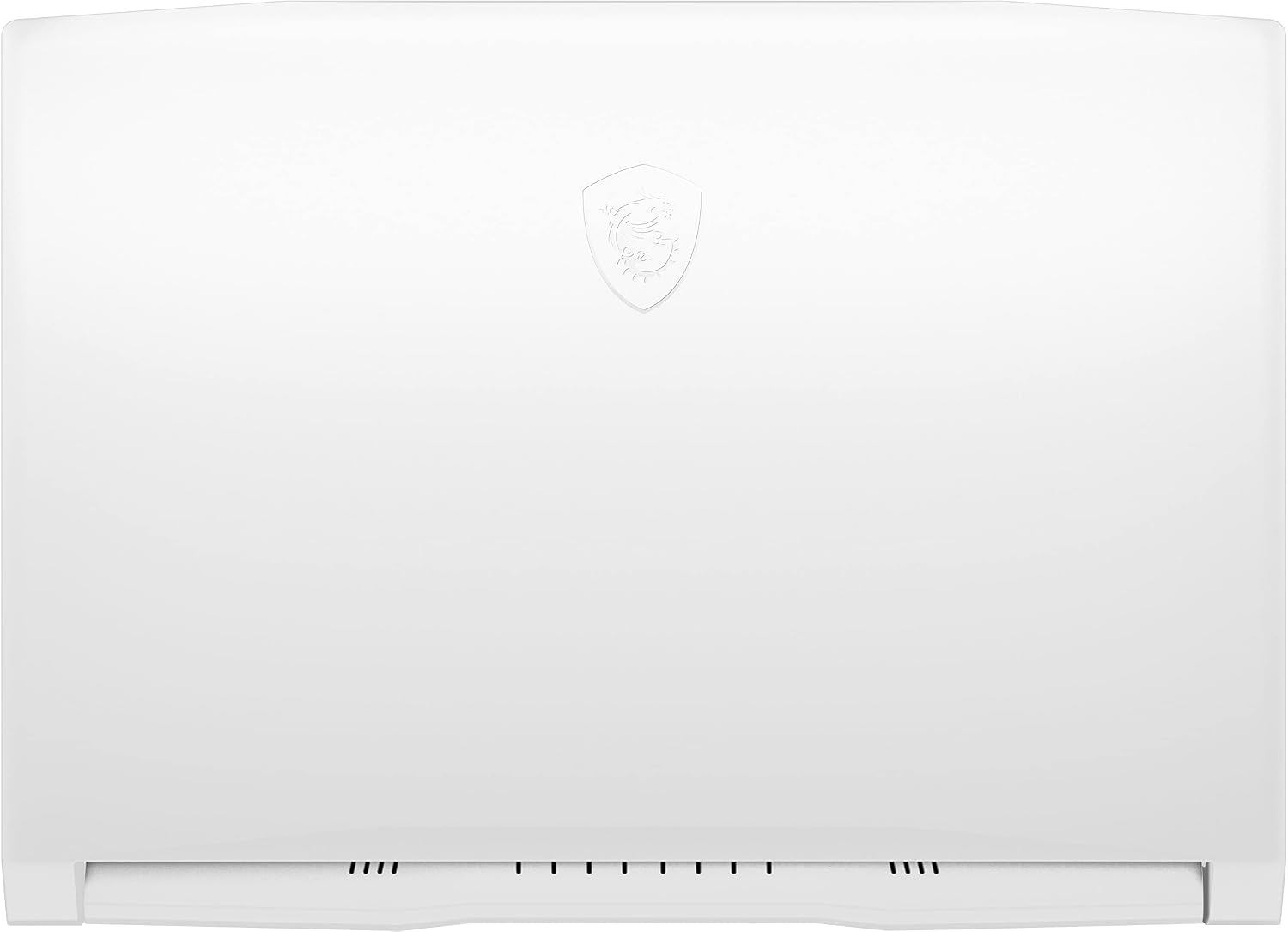
Sword 15 is tailored for those who love RPG games. It’s powerful yet sturdy and the blue backlit keyboard is exclusively modulated to provide a distinctive color that will create the best gaming atmosphere for avid gamers. Now, incarnates as an enchanted knight, inherits the Dragon Power to venture and overcome obstacles with Sword 15. COLLABORATE WITH FAMOUS CONCEPT ARTIST | JUSTIN GOBY FIELDS MSI invited Justin Goby Fields, a concept designer to create the exclusive character together for the new Sword 15. Attended from the Gnomon School of Visual Effects, Justin has continued to focus on the creation for game and film industry for many years. With his expertise in concept art and graphic design, he has made countless works more splendid. REINVENTING MULTI-CORE ARCHITECTURE Sword 15 equips the latest 12 th Gen. Intel Core i7 processor, features with performance and efficiency cores, providing unprecedented boost in multitasking works and heavy games. GEFORCE RTX 30 SERIES LAPTOPS THE ULTIMATE PLAY GeForce RTX 30 Series GPUs deliver the ultimate performance for gamers and creators. They’re powered by Ampere-NVIDIA’s 2nd gen RTX architecture-with new RT Cores, Tensor Cores, and streaming multiprocessors for the most realistic ray-traced graphics and cutting-edge AI features. FAST GAMING DISPLAY The 144Hz IPS-level display brings you striking visuals and smooth refresh rate so you never miss a thing. REVOLUTIONARY COOLING FOR NEXT-GEN GAMING Dedicated thermal solutions for both the CPU and GPU with up to 6 heat pipes. By enlarging the internal diameter of the thermal pipe and utilizing MSI exclusive thermal grease to ensure the maximum performance under extreme gaming. Manufacturer: MSI. Manufacturer Part Number: Sword1512605. Brand Name: MSI. Product Line: Sword. Powerful 12th Gen Intel Core i7-12650H 10-Core (6 Performance Cores + 4 Efficient Cores, up to 4.70 GHz with Intel Turbo Boost Technology, 24 MB Smart cache, 16 threads)15.6″ diagonal Thin Bezel LCD, FHD 1080p (1920 x 1080 pixels), IPS-Level 144Hz, 45% NTSC, NVIDIA GeForce RTX 3060 with 6GB GDDR6, 720p HD camera with integrated digital microphone16GB DDR4 SDRAM, 1TB PCI-E NVMe Solid State DriveIntel Wi-Fi 6 AX201 802.11AX (2×2) and Bluetooth 5.1 Combo; RTL8111HS-CG 10/100/1000Mbps LAN; 2 x USB 3.2 Gen1, 1 x USB 2.0; 1 x USB 3.2 Gen1 Type C; 1 x HDMI (supports 4K @ 30Hz); 1/1 APDIF Headset AMP + Gold Flash jacksSingle Blue Backlit fullsize keyboard with NumPad and Anti-Ghost key; Nahimic 3 / Hi-Res Audio; Speakers 2W*2; 53Whr 3-cell lithium-ion battery (up to 6 hours non-gaming battery life), 240W AC adapter; 14.13″x10.20″x0.98″; 4.96lbs

The MSI Sword 15 laptop is designed for RPG gamers, featuring a powerful and sturdy design with a blue backlit keyboard to create an immersive gaming atmosphere. The laptop is equipped with a 12th Gen Intel Core i7 processor and GeForce RTX 30 Series GPU for ultimate gaming performance. The 144Hz IPS-level display provides striking visuals, while the revolutionary cooling system ensures maximum performance during intense gaming sessions. Collaborating with concept artist Justin Goby Fields, MSI has created a unique character for the Sword 15. The laptop also features fast Wi-Fi 6 connectivity, a variety of ports, and a sleek design, making it a great option for gamers seeking a high-performance gaming laptop.

Price: $949.99
(as of Sep 05, 2024 12:29:37 UTC – Details)


Related Posts
Read More

“Review: MageGee 75% Mechanical Gaming Keyboard with Brown Switches & Knob Control”: Available now at [price_with_discount]

Product Description STAR75 MECHANICAL GAMING KEYBOARDSTAR75 MECHANICAL GAMING KEYBOARD Vibrant Ice Blue BacklitVibrant Ice Blue Backlit Create A Cool Atmosphere Vibrant Ice Blue Backlit

You can switch the lighting modes (static/dynamic effects) by pressing FN+INS or turn the light off by pressing FN+DEL. There are also several levels of light brightness and speed to choose from. Personalize your backlight to match your mood.

Small Frame, Big Performance

83 Keys with Knob Control

Small Frame, Big Performance

It retains necessary function keys and shortcuts. Easy to carry and perfect for limited spaces.

Full Keys Anti-Ghosting

Play games uninterrupted

Full Keys Anti-Ghosting

No matter how many keys are pressed simultaneously, they can execute commands without conflicts.

Two-Step Adjustable Keyboard Feet

Ergonomic Non-Slip Pads

Two-Step Adjustable Keyboard Feet

You can raise and tilt it up to 3 levels of height to make your wrist more comfortable.

Four Practical Indicators

Easier to Operate

Four Practical Indicators

These clearly show the status of the keyboard and remind you of the next step.

1 75% Layout 2 N-Key Rollover 3 Adjustable Height 4 Indicator light Tactile Brown SwitchesTactile Brown Switches Tactile Brown Switches

The brown switch has moderate pressure grams, and the sound and touch are softer than the blue switch, making it suitable for both typing and gaming.

Detachable Type-C USB CableDetachable Type-C USB Cable Detachable Type-C USB Cable

The wired connection ensures faster and more stable data transmission. The removable design makes the keyboard easy to carry and also facilitates cable replacement. Just plug and play, no drivers or software required.

Great for Gaming and OfficeGreat for Gaming and Office

How do I disable the windows key while gaming?

Press FN + Win to lock the Win key.

Do the key caps have windows for the backlit LEDs?

Yes, they allow backlight to shine through, making it easier to type in the dark.

How do I restore the keyboard to factory settings?

Long press the FN + ESC for 3 seconds to reset.

What's in the package?

1 x Mechanical Keyboard, 1 x Type-C Cable, 1 x Keycap Puller, 1 x User Manual, 16 x Blue Keycaps


75% COMPACT MECHANICAL KEYBOARD: With a total of 83 keys, the STAR75 gaming keyboard retains separate arrow keys, making the desktop cleaner without sacrificing essential functionality. It can perform the commands of a full-size keyboard with more space for mouse movement. A great addition to the desktop for gamers and office users.
AMAZING LIGHTING EFFECTS: This 75% keyboard has ice blue backlighting, supports 18 lighting modes, 5 brightness levels, 4 speed levels, and can also be turned off or on with one click. Dynamic or static lighting modes are available, so you can choose the lighting effect that appeals to you as required.
TACTILE BROWN SWITCHES: Excellent performance with an expected lifespan of 50 million times. The brown switch is between the red switch and the blue switch, with moderate trigger key travel and trigger force, and some sound when pressing keys but not as noticeable as the blue switch. It is suitable for both typing and gaming. 100% anti-ghosting, each keystroke is correctly detected even if you press many keys on the keyboard.
2-IN-1 MULTIFUNCTIONAL KNOB: The knob controls the audio / backlight, long press to switch between them. When the keyboard is in audio mode ( by default ), the indicator M is not lit, turn left and right to adjust the volume, press the knob to pause or play. When the keyboard is in backlight mode, indicator M lights up, turn left and right to adjust the light brightness, press it to switch light effects.
COMFORTABLE & ERGONOMIC DESIGN: The stepped keycaps and two-step legs provide a comfortable typing angle and reduce wrist stress. The keyboard has a double layer of sound deadening construction with an EVA interlayer foam and bottom foam to reduce noise from the keyboard's internal cavities. The keycap color scheme is simple - black & white, with an additional 16 blue keycaps available for DIY.
Read More

“ASUS ROG Bezel-Free Kit: Universal Multi-Monitor Setup with Optical Micro-structures”: Available now at [price_with_discount]

Perfect for first-person shooting airplane and racing games the ROG Bezel-Free kit eliminates gaps between displays for a seamless multi-monitor setup The kit contains optical micro-structures that refract light bending it inward to hide the bezels underneath Create the appearance of one extra-large wraparound-monitor for a totally immersive gameplay experience.
Recommended Monitor: VG245H VG245HE VG248QG VG258Q VG258QR VG259Q VG259QM VG278Q VG278QR VG279Q VG279QM VG27AQ VG27BQ MG248QR PG248Q PG258Q PG278QR PG279Q PG279QZ and PG27AQ.Specific uses for product - Gaming
Gamer focused design perfect for first-person shooting airplane and racing games for a seamless multi-monitor setup
New universal design compatible with flat monitors under 27 inches with a four-sided frameless or slim-bezel design
Optical micro-structures that refract light bending it inward to hide the bezels underneath
Easy setup with quick release clip to fit in different monitor bezel sizes
In the box it includes four clips two lenses and one angle measurement tool
ROG Bezel-Free Kit is designed for a triple monitor setup placed in an angle between 120-130° (tested internally for the best viewing and immersive experience)
Read More

Ultimate Wireless Gaming Keyboard and Mouse Combo: RGB Backlit, Rechargeable 2000mAh Battery, Mechanical Feel Anti-Ghosting Keyboard & 6D 4800DPI Mouse for PC Gamers

Product description pinkpink PINK2PINK2

1.The keyboard and mouse share only one USB receiver, which is located in the bottom of the mouse. (Only when the receiver is plugged in, the lights of the keyboard and mouse will light up)

2. Please fully charge it before the first use.

3. No software installation required, just turn on the switch, plug and play.

4. There will be a little delay or the lights will not turn on when the keyboard/mouse battery is too low, please charge in time, the charging indicator will go off after full charge.

5. To protect battery life, please use a lower than DC:5V adapter to charge.

6. Turning off the light can extend the battery life moderately.

7. If the numeric keys cannot be used, please press NumLock.

8.USB Receiver Pairing steps. Make sure the keyboard/mouse fully charged.

9.Please keep the keyboard and mouse within 5m of an open area when using it.

pink3pink3 PINK3PINK3

QA1:What should I do if the keyboard and mouse lights are not on?

1. First press the FN+INS key combination on the keyboard to turn on and off the lights

2. The keyboard and mouse are low on power, so they will automatically turn off the lights in energy-saving mode. You just need to charge them.

QA2: Does the keyboard have no USB receiver?

:1. The keyboard and mouse share a receiver. The receiver is at the bottom of the mouse. There is no receiver under the keyboard.


Are you looking for a wireless keyboard and mouse combo that can perfectly balance work and games? Qyszy88 K853 rechargeable wireless gaming keyboard and mouse combo will be your best choice. 2.4G high-speed and stable transmission, ensure that it can easily deal with even the most intense battles. Note: The USB receiver is in the bottom of the mouse.(Not compatible with PS5 games.)
The keyboard is equipped with a 2000 mAh battery, and the mouse is equipped with an 800 mAh battery. The long battery life allows you to use them continuously for 8 hours with light. The keyboard and mouse are equipped with smart energy-saving functions. If there is no operation within 2 minutes, they will automatically go to sleep, press any key to wake them up. Please charge 8 hours before using.
The keyboard has built-in three groups of rainbow backlight effects, supports 2 breathing modes, 3 static modes, and 4 brightness levels. The luminous design of Letters, logo, gaps and surroundings makes it the best light up wireless keyboard on the market (Note: There is no surrounding light in the right top corner due to the indicator light). The mouse has a built-in 7-color cyclic gradual lighting effect.
The keys have a 10 000 000 keystrokes lifetime, so you can hold on to it for the next decade! ABS keycaps adopt two-color injection molding process, the letter of characters never fade. Thick and firm frosted metal cover, long service life, and never deforms. The mouse fits the palm perfectly, and the anti-sweat and non-slip design gives you complete control.
The keyboard and mouse share a USB receiver, and the code has been completed by default. You only need to insert the receiver and turn on the keyboard and mouse to use it. (Note: If the connection is lost for any reason, you only need to reset the code pairing. Or if it cannot be used for any reason, please contact us in time, we will try our best to solve it.)