“megacom Pro Controller: Wireless Gamepad for Switch, PC & Steam Deck with Remap Keys and RGB Light”: Available now at [price_with_discount]

Product Description GOBURST – Designed for GAMERS The Goburst wireless pro controller is designed to enhance your gaming experience with its advanced features like Programmable Functions, One-key Wake-up, Motion Control Sensors, and Vibration Feedback. This ergonomic controller ensures that you’re fully immersed in the game. Additionally, Our wireless controller boasts a magnetic cover with a unique cracked pattern that can be removed to match your style. With Bluetooth connectivity to Switch, Steam Deck, PC, and mobile phones, it provides seamless gameplay across multiple platforms, making it the ultimate companion for all your gaming adventures. Why Choose the Megacom Goburst Wireless Controller? Multi-Platform Support The Goburst Wireless Controller supports multiple platforms, including Switch, Steam Deck, PC, and mobile phones, making it an excellent option for gamers who play across various devices. Awesome Design Designed with both comfort and style in mind, GOBURST features an ergonomic design that fits comfortably in your hands. The magnetic cover has a unique cracked pattern that can be removed to suit your style, making it a fashionable accessory as well as a functional gaming controller. Customizable Programming GOBURST offers a range of customization options to enhance your gaming experience. With its intuitive APP visual programming interface and two programmable back keys, you can easily program and combine function keys to suit your preferences. Additionally, the adjustable turbo function allows you to create personalized turbo key combinations. Play Uninterrupted Enjoy uninterrupted gameplay with our gaming controller, equipped with a long-lasting USB rechargeable battery that provides up to 10 hours of playtime on a single charge. When you need to recharge, simply connect the controller to a power source via USB. Within just a few hours, the controller will be fully charged and ready to go. How to Remap Back Keys? Press and hold the “Mn” key.While holding the “Mn” key, press the programming switch key located in the middle of the controller. The indicator light will turn orange, indicating that the controller has entered setting mode.Press the button you want to remap (you can remap multiple buttons), and then press the “Mn” button to confirm the setting.Once you have completed your remapping, the controller will exit setting mode and the indicator light will return to its previous color. Q&A How To Wireless Connect with SWITCH/LITE/OLED/PC/STEAM DECK? Press and hold the Pairing Key for 3-5 seconds until the LED channel light quickly flashes to enter Bluetooth search mode. (The controller will show as “Pro Controller” on your PC/Steam Deck Bluetooth device list.)Once in search mode, initiate the pairing process with your SWITCH/LITE/OLED/PC/STEAM DECK. If the pairing is successful, the channel light will remain on continuously. Note: Once the controller enters sync mode, it will automatically enter sleep mode after 2.5 minutes if it is not successfully synced. How To Wireless Connect with Mobile Phone (Android)? Long press HOME+X for 3-5 secs until the 1st channel LED light quickly flashes to enter search mode. Pair with “Gamepad” showing on your phone Bluetooth list.If the pairing is successful, the 1st channel light will remain on continuously. How To Wireless Connect with Mobile Phone (iOS 13 above)? Long press HOME+A for 3-5 secs until the 2nd and 3rd channel LED light quickly flashes to enter search mode. Pair with “X Wireless Controller” showing on your phone Bluetooth list.If the pairing is successful, the 2nd and 3rd channel LED light channel light will remain on continuously. Note: iOS only support MFI game use. WHAT YOU WILL GET 1 x GOBUSRT Controller 1 x USB-C Charging Cable 1 x User Manual Multi-Platform Support – Our gaming controller is compatible with a range of platforms, including Nintendo Switch, Steam Deck, Windows 7 8 10 11 PC, and iOS, Android mobile phones. Enjoy seamless wired or wireless connection across multiple platforms without any errors.Immersive Gaming Sensation – With four-speed dual-motor vibration and 6-axis sensors , the controller delivers immersive gameplay, giving you a more realistic and engaging gaming experience. The fast response wake-up function allows you to start playing your game right away.Customizable Gaming Experience – The controller comes with 8 RGB LED breathing lighting, the two remapping back keys allow you to complete multiple actions with just one key, providing a visually stunning and customizable gaming experience. You can also customize the turbo function with three-speed options to adjust the controller’s response to suit your preferences.Stylish and Comfortable Design – Designed with both comfort and style in mind, our controller features an ergonomic design that fits comfortably in your hands. The removable magnetic cover with a cool cracked pattern adds a touch of style to your gaming experience, making it stand out from the rest.Programmable Functionality – Our app provides easy upgrade and management of the controller, allowing you to remap buttons, adjust joystick sensitivity, vibration, button combos, and speed, as well as providing a visual programming interface. With an 850mAh battery, you can enjoy long hours of gaming without worrying about running out of power.

The Goburst Wireless Pro Controller is a gaming accessory designed to enhance the gaming experience with advanced features like Programmable Functions, One-key Wake-up, Motion Control Sensors, and Vibration Feedback. This controller is compatible with multiple platforms including Switch, Steam Deck, PC, and mobile phones, making it a versatile option for gamers. It features an ergonomic design with a stylish magnetic cover that can be removed to match your style. The controller offers customizable programming options, allowing users to create personalized settings for their gaming experience. It also comes with a long-lasting rechargeable battery that provides up to 10 hours of playtime on a single charge. The controller can be easily connected wirelessly to various devices such as Nintendo Switch, PC, Steam Deck, and mobile phones, allowing for uninterrupted gameplay. Additionally, the controller provides an immersive gaming sensation with dual-motor vibration and 6-axis sensors, delivering a realistic and engaging gaming experience. It comes with customizable RGB LED lighting and remapping back keys to enhance the gaming experience further. The stylish and comfortable design of the controller, along with its customizable functionality, make it a must-have accessory for gamers looking to elevate their gaming experience.

Price: $29.90 - $19.90
(as of Sep 29, 2024 15:24:22 UTC – Details)


Related Posts
Read More

Redragon K643 90% Mechanical Gaming Keyboard: RGB Backlit, Macro Customizable, Hot-Swappable, Brown Switches: Available now at [price_with_discount]

Product Description mechanical keyboardmechanical keyboard

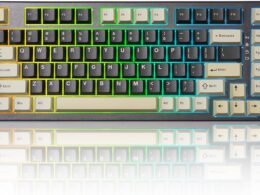
Redragon K643WGC-RGB-PRO is a triple-mode plug-and-play mechanical keyboard. It comes in a multicolored elegant, fresh color scheme and provides the perfect compromise between full functionality and desk real estate. At a TKL length of 13.9-inches, this keyboard offers standard functionality and fits in your backpack. This keyboard is perfect for home, work, or when you're on the go.

Thanks to the noise-canceling structure and factory-lubed brown switche, which balances the performance of clicky switches and linear switches in the audible feedback they provide and the force required to register keystrokes on the keyboard, this keyboard is perfect for desk jockey and those who prefer a quiet typing experience.

With 20 pre-set RGB lighting effects and 16.8 million colors, you can set the colors and rhythm to match the backlighting or your mood. Create a different lightning set for every day of the week.

The hot-swappable sockets of this mechanical keyboard are a highlight for DIY enthusiasts, supporting most 3-/5-pin mechanical switches without soldering.

Key features:

100% anti-ghosting with N-key rollover.Outemu brown switches and hot-swap sockets.20 pre-set RGB backlight effects. Adjust color for each RGB mode.Per-key RGB Backlight & Macros customizable through Software.Shortcuts for media & volume control.3 Connective Modes: 2.4G wireless, detachable type-c wired and Bluetooth BT1/BT2/BT3.Automatic charging, sleep mode and supports key wake-up function. Brown SwitchBrown Switch

Lighting Effects Shortcuts:

FN + N to change backlight mode, choose from 20 modes.FN + M to switch the color of each mode, 7 single color modes and 1 mixed color mode.FN + “←/→" to adjust the flowing speed.FN +"↑"/"↓" to adjust the backlight brightness level.FN + "PRTSC" to turn the backlight on/ off. full size keyboardfull size keyboard

Specification

Dimension 353.3*127.9*34.6MM; 13.9*5.04*1.36IN Net Weight 0.7kg Number of Keys 94 Backlit Lighting effects 20 Switch Outemu Brown Switch Connectivity 2.4G Wireless, USB C Wired, Bluetooth(3.0&5.0) Battery 1600mAh Compatible Windows XP/VISTA/7/8/10/11, Mac OS, Linux, Android
A condensed full-size layout for a space-efficient solution. It packs all 94 essential keys to boost your productivity but is designed with a more compact footprint. At just 13.9 inches it's easy to take on the go.
Mechanical Keyboard with brown switches, which balances the performance of clicky switches and linear switches in the audible feedback they provide and the force required to register keystrokes on the keyboard. Hot swap sockets allow you to easily swap, upgrade, and mix switches without soldering.
Works with Windows XP/Vista/7, 8, 10, 11; Mac OS X, Linux, and the Android system. Thanks to the three connection modes (2.4G wireless, Bluetooth, USB wired), you can simultaneously connect up to 5 devices and switch between them for efficient multitasking and speedy performance.
With 20 pre-set RGB backlight effects and individual RGB key customization options, the K643WGC is always in sync with your style, allowing for a more personalized aesthetic. Infinite combinations let you go wild with color!
100% anti-ghosting. Each press is detected regardless of any key that is pressed simultaneously.
Read More

X1 Wireless Gaming Headset: Ultimate Compatibility and Long Battery Life: Available now at [price_with_discount]

Product Description Gaming headset XboxGaming headset Xbox xbox headset xbox headset wireless xbox one headset

1. Plug the Receiver to Xbox Controller directly. (Extra Microsoft Adapter needed (Not Included) when connect to old version controller)

2. Low battery of the controller can cause insufficient power supply to the receiver, the headset might not work. Please ensure sufficient power of the controller.

The video showcases the product in use.The video guides you through product setup.The video compares multiple products.The video shows the product being unpacked.

Troubleshootings for X1 Gaming Headset

Detailed demonstration for the X1 operations

1. Why can't I connect the headset with controller?

2. No sound from the microphone? Microphone sound too low?/Why can't my teammates hear me?

3. Echo from the microphone?

4. Why is there a lot of noise?/Headset volume too low?

The video showcases the product in use.The video guides you through product setup.The video compares multiple products.The video shows the product being unpacked.

Plug the dongle tightly and fully

How to plug the dongle to controller correctly?

× The dongle not plugged in tightly (there is a gap) It may cause noise, static, low volume, or no sound in the headphones.

√ The dongle plugged in tightly and fully (no gap) Please plug the dongle fully and tightly,so that could avoid noise, static, low volume, or no sound in the headphones.

The video showcases the product in use.The video guides you through product setup.The video compares multiple products.The video shows the product being unpacked.

Plug the X1 Dongle to the Xbox Controller directly

How to connect the Headset to Xbox Controller?

1. Plug the X1 Dongle to the Xbox Controller directly. (Not support the 3rd parties' controller)

2. While the Leds of the dongle flashing, please turn the headset power on.

3. Please keep the headset on 2.4GHz mode. (You could hold the Light Button to swith it to 2.4GHz or BT Mode)

4. Click the 'Xbox Accessories' option on your xbox device, makes the headset connect to it. Choose the 'Volume' option and enter into the 'Audio and Music' interface to turn the headset volume and mic on.

wireless headset headset gaming headset xbox one ps5 headset ps4 headset gaming headphones xbox headset with mic wirelessxbox headset with mic wireless

Please confirm the receiver is inserted to the controller or devices tightly and fully, to avoid the noise or echoes caused by the poor contact.

xbox pc headset computer headset

Why can't I connect the headset with controller?/Headset doesn’t work?

Confirm if you are in Bluetooth Mode or 2.4GHz Mode. The 2.4GHz dongle cannot be connected in Bluetooth mode. You need to switch to 2.4GHz mode.

No sound from the microphone? Microphone sound too low?Mic doesn’t work?

Confirm the settings on the Xbox console, whether the microphone sound is turned up to the maximum at the (Headset chat mixer)? Adjust the game sound and chat sound to the center to make them be balanced. Assure the microphone is properly plugged in

Why the volume is low while connect to the Xbox?

Make sure the (Headset Volume) on the Xbox console is set to maximum. When using the headset for the first time, the default volume on the console is 80%. And please insert the dongle tightly and fully.

Echo from the microphone?

Turn off monitoring mode in the Xbox console settings.

While connecting, headset sound got noise or echoes?

Make sure the transmitter is fully inserted into the controller. If the transmitter is not fully inserted, there will be significant electrical noise in the headset.


Wide Compatibility: Our wireless gaming headphones are equipped with both Bluetooth and 2.4G dual modes: ①. Allowing for wireless connection to Xbox controllers (Please note that the X1 Receiver only support the Official Controllers instead of the 3rd parties, and you need an extra Microsoft Adapter (Not Included) when connecting with an old version Xbox One controller) ②. as well as seamless compatibility with PC, PS5, laptops via a 2.4GHz receiver. ③. Mac and Switch supported by Bluetooth mode. Just plug and play for instant gaming immersion.
Superior Sound Quality: Immerse yourself in the game with our 50mm speakers and 3D surround sound technology. Hear every detail and experience realistic game sound effects. The noise-canceling microphone ensures clear communication with your teammates, enhancing teamwork during intense gaming sessions.
Extended Battery Life and Low Latency: Enjoy uninterrupted gaming with up to 40 hours of continuous playtime on a single charge, fully charge only need 2 hrs. Our wireless headphones feature low latency technology(<20ms ), providing instant audio feedback without any noticeable delays, allowing for faster reactions and better gameplay.
Comfortable and Durable Design: Designed for long gaming sessions, our headphones prioritize comfort and durability. The adjustable headband and memory foam ear cushions provide a customized fit, ensuring hours of comfortable gameplay. The durable construction ensures longevity, making these headphones a reliable companion for avid gamers.
Convenient Controls: Take control of your gaming experience with easy-to-reach buttons on our headphones. Adjust the volume, mute the microphone, or control other settings directly from the headset, allowing for a seamless and effortless gaming experience.
How to activate the mic function on Xbox: ①.Connecting to the controller, enter to the interface - Click the Choose the - Click the - See the and choose the
Read More

Corsair K55 CORE TKL RGB Gaming Keyboard: Tenkeyless Design, 8-Zone RGB Lighting, Quiet Membrane Keys, Spill Resistant, Media Controls & 1000Hz Polling – Black NA Layout

The CORSAIR K55 CORE TKL gaming keyboard’s a spill-resistant, space-saving, and stylish tenkeyless membrane keyboard that cuts out the numpad to give players more room to make big plays. Writing emails and essays is easy on the ears with responsive, whisper-quiet membrane keys. Stay locked in the zone and control your music directly from the keyboard’s dedicated media control buttons. Create and curate a personalized light show using 8-zone RGB backlighting or iCUE software. It’s built for gaming and built to last with up to 300mL of spill-resistance, so a little water won’t end the good times. Technical Specifications: Form Factor: Tenkeyless Backlighting: 8-Zone lit and per-zone programmable LED Color: RGB, 16.8 million colors Connectivity: 1 x USB 2.0 Type-A Matrix: 12-Key selective rollover USB Report Rate: 1,000Hz Media Keys: Four dedicated hotkeys (Play/Pause, mute, volume up, volume down) Brightness Key: Yes Windows Lock Key: Yes Adjustable Height: Yes iCUE (Software): Yes Cable: 1.82 m / 6 ft, black, tangle-free rubber Dimensions: 369.8*141.1*35 mm Weight: 0.617 kgs Package Contents: K55 CORE TKL RGB Gaming Keyboard, Safety Leaflet, Warranty Card
More Room to Make Big Plays: A compact, space-saving layout designed to give players more room for sweeping mouse movements that can lead to big wins.
Eight Zone RGB Backlighting: Create personalized lighting as dazzling as your clutch plays with 8 zones of brilliant RGB lighting.
300ml Spill Resistance: K55 CORE TKL is built for gaming and built to stand up to the perils of daily life. Don’t let a little spill ruin your new keyboard, with 300mL of spill-resistance.
Convenient Media Controls: Stay locked in the zone with four dedicated media buttons. Control volume, playback, Win lock, and brightness buttons all at the touch of a button.
12-Key Rollover with 1,000Hz Polling: With responsive 1,000Hz polling and 12-key rollover, you’ll get the benefits of accurate, responsive keypress detection.
Read More

“ClearTouch Anti-Glare Screen Protector for Ayaneo Pocket Air (2-Pack)”: Available now at [price_with_discount]

BoxWave Screen Protector Compatible With Ayaneo Pocket Air.

Keep your screen pristine with BoxWave's
ClearTouch Anti-Glare (2-Pack), the perfect blend of anti-glare and optical clarity designed for all indoor and outdoor use.

Our unique anti-glare material
DRAMATICALLY reduces screen glare for maximum visibility under sunlight and other harsh lighting conditions. Your device's screen will also be protected from fingerprints, dust, and harmful scratches.

Made with a firm, high quality, dual-layered film, our ClearTouch Anti-Glare (2-Pack) is
ENGINEERED WITH PRECISION to fit the exact dimensions of your beloved device.

The special
GLUELESS adhesive will never leave any sticky residue that may damage your screen.

Unlike other brands of screen protectors, you can also
RE-USE the ClearTouch screen protector by simply washing the unit with warm water and hand soap to renew the adhesive quality.

Experience the benefits yourself and see why so many others use the ClearTouch Anti-Glare (2-Pack) to
ENHANCE their device screen!

*** PLEASE NOTE, AYANEO POCKET AIR DEVICE NOT INCLUDED ***
🌞 [ANTI-GLARE] BoxWave Screen Protector Compatible With Ayaneo Pocket Air. Two (2) Award-winning Anti-Glare Screen Protectors, precision-cut to fit your device's exact dimensions! Keep the extra one for back up later, or share one with a friend! ⭐ *** PLEASE NOTE, AYANEO POCKET AIR DEVICE NOT INCLUDED ***
💪 [STRENGTH AND STABILITY] Dual-layered high-grade PET designed for durability; PROTECTS your screen from scratches, fingerprints, and dust
😎 [UV PROTECTION] Reduces 90% of UV rays caused by reflected light, protecting your eyes
🧩 [PERFECT FIT] GLUELESS adhesive bonds perfectly to your screen and will never leave a sticky residue after peeling
💼 [INCLUDED] Each package contains two (2) ClearTouch Anti-Glare screen protectors for your device, ClearTouch Applicator card, and microfiber cleaning cloth. [Please be advised] The special low-tack adhesive takes a little time to fully adhere around the edges and when it does, the air gaps clear out. The gaps will go away in about 2 days after regular use.