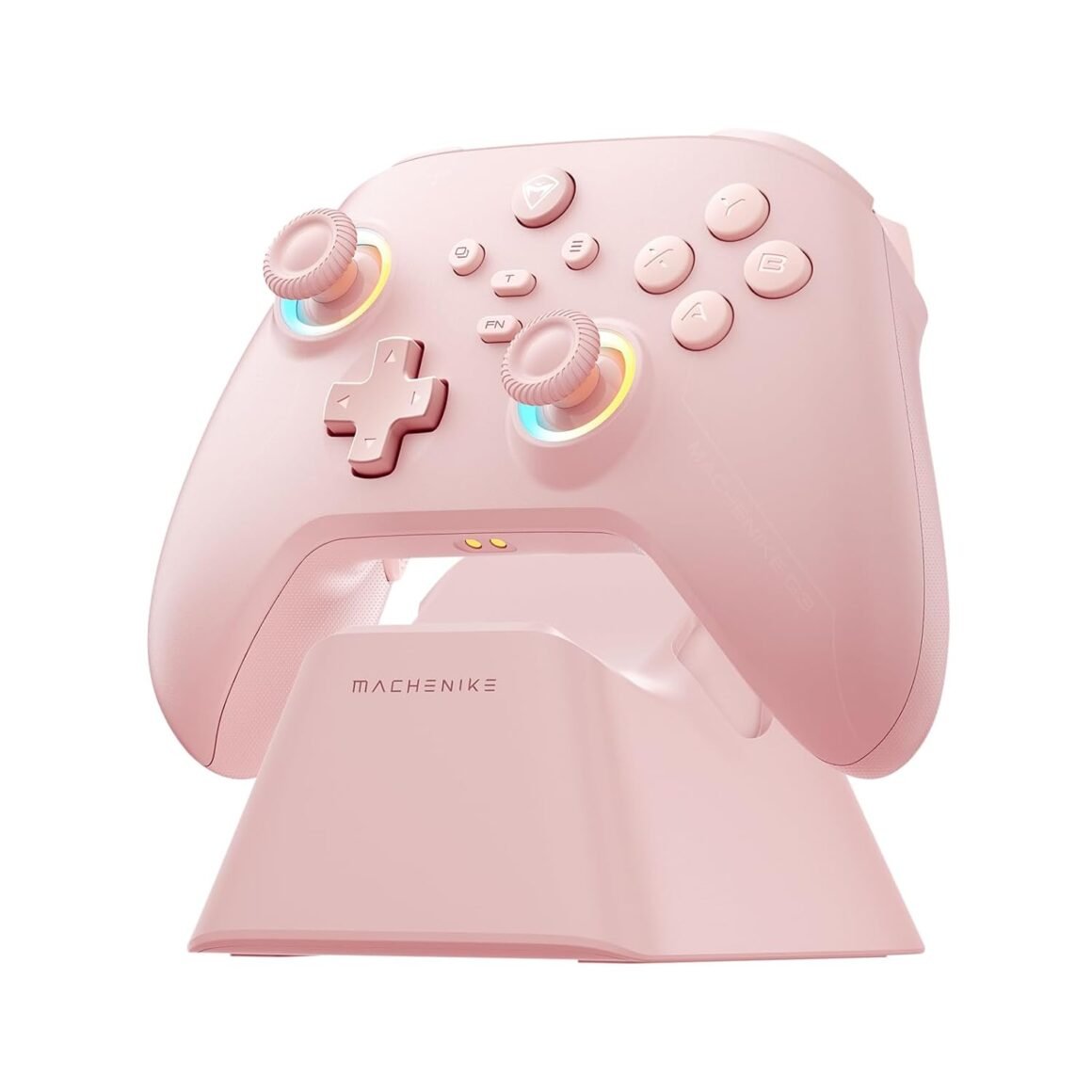
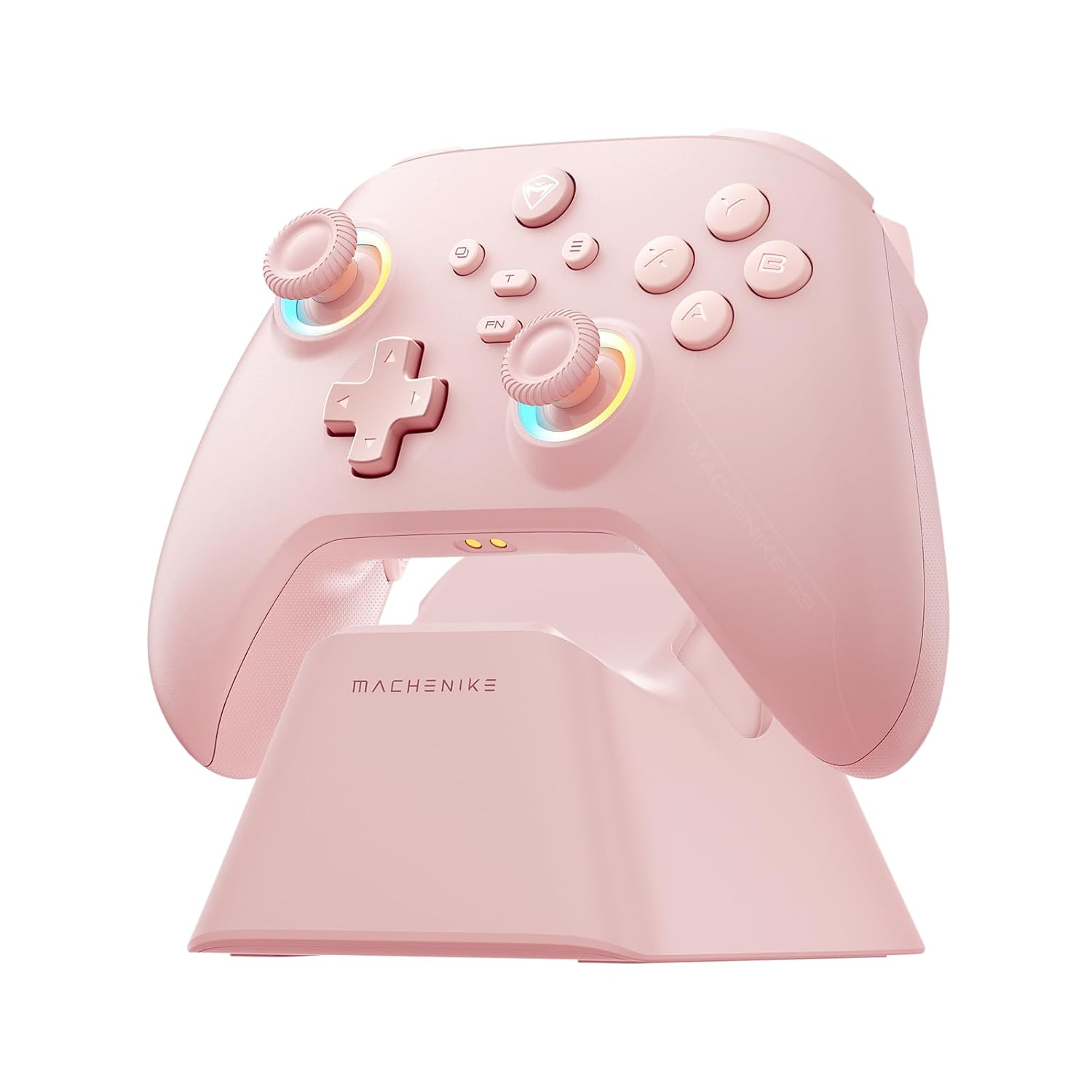
Machenike G3V2 Bluetooth Gaming Controller: Universal Compatibility for PC, Switch, iOS & Android, Featuring Hall Effect Joysticks, RGB Lighting, Programmable Buttons, 1000mAh Battery, and Charging Station – Stylish Pink Design

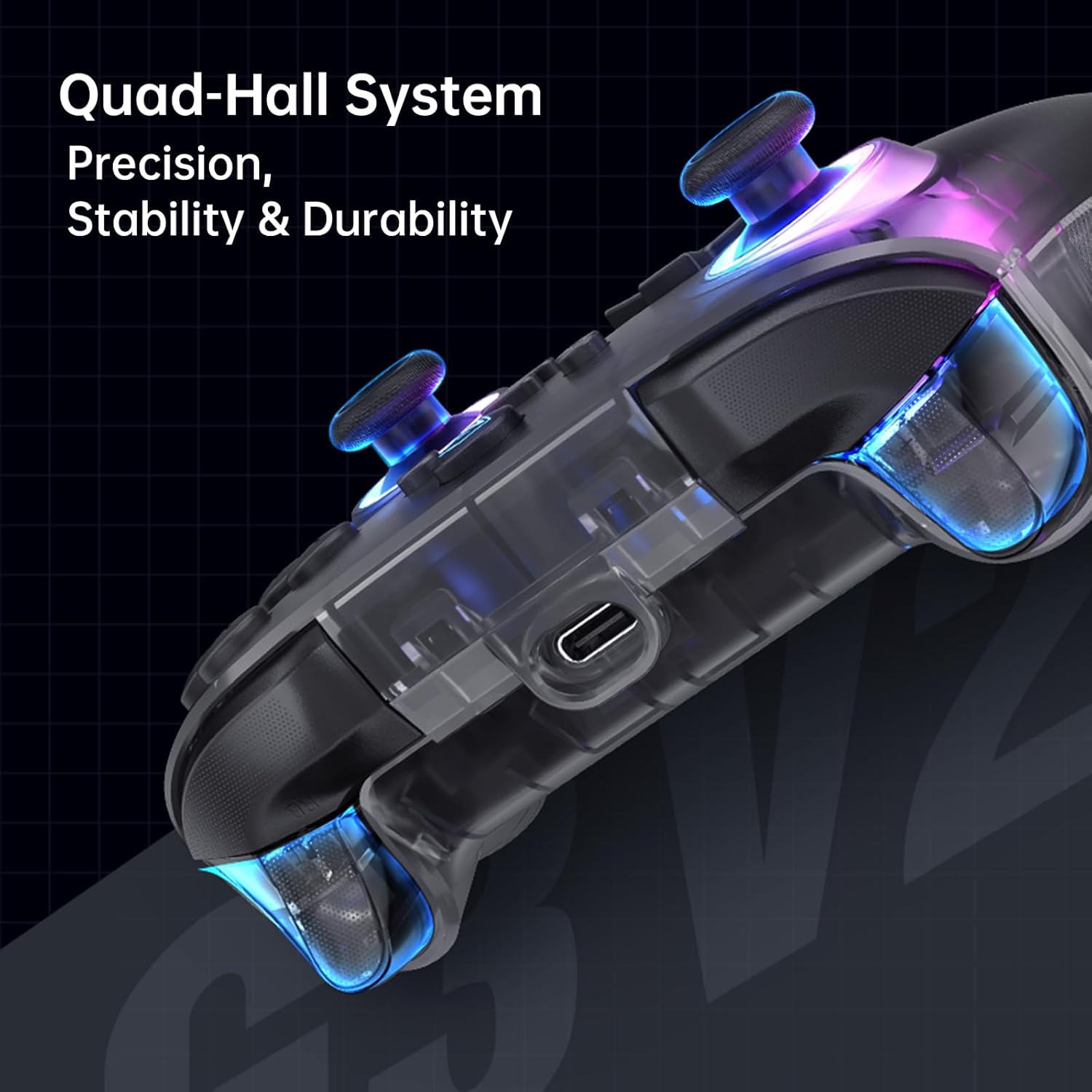
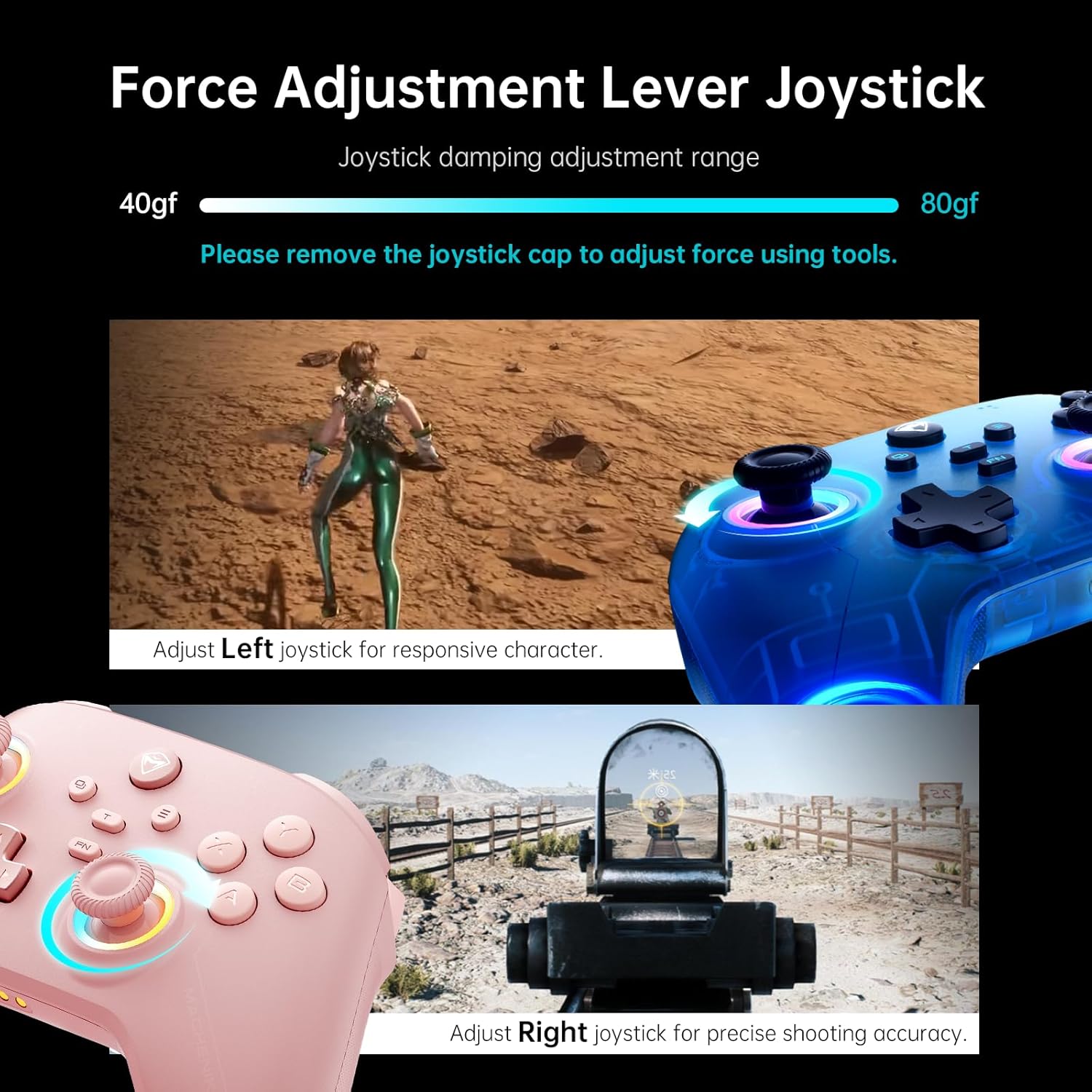
Product description 1 Charging Dock 2 Native Vibration 3 Hall Effect Joystick 4 Hall-Effect Triggers 5 Ergonomic 1 High-Capacity Battery 2 APP Support 3 Back Buttons 4 3 Connection Modes 5 Tuned Button Feedback Is this controller compatible with Xbox or PlayStation? Designed for PC/Switch/Switch 2/iOS/Android TV. Not Xbox/PlayStation compatible. Why does it disconnect randomly? Ensure correct mode: B+HOME (2.4G), X+HOME (PC/Phone), Y+HOME (Switch). Reset: Hold HOME 10s. How to adjust vibration/LEDs? Vibration: FN + D-pad Up/Down. LEDs: FN + Left (brightness), Right (modes). How to adjust stick tension? Remove thumbstick cap → Insert tool → Rotate dial. No force needed! Is Turbo easy to toggle? Press FN+A/B/X/Y to enable/disable. Flashing light = active. 💟Note: Supported Multi-Platform: Switch/Switch 2/iOS/Android/Windows PC 💔Not compatible with Xbox, PlayStation or GeForce Now, For game platforms not mentioned, please consult customer service before buying.🎮【Lightning-Fast 1000Hz Responsiveness】🎮Equipped with industry-leading 1000Hz ultra-high gaming responsiveness, this controller can instantly capture your every command. Whether it’s swift aiming, precise movement, or lightning-fast switching, the millisecond-level feedback will significantly enhance your gaming performance, giving you the upper hand in intense battles.🎮【Convenient Charging Dock】🎮The included charging dock not only protects the controller from damage but also enables efficient and fast charging. Simply place the controller on the dock, and the built-in large-capacity battery can be quickly recharged through the USB-C port, ensuring you maintain optimal performance during extended gaming sessions. No more tangled cables, just one-touch convenience.🎮【Dual Hall-Effect Joysticks and Triggers】🎮 The newly upgraded dual Hall-Effect sensing joysticks, combined with high-precision trigger buttons, provide a control experience that surpasses industry standards. The adjustable joystick sensitivity can easily adapt to different game requirements, offering greater response speed and agility in intense shooter or driving games. The ergonomic trigger design also ensures smooth and comfortable operation.🎮【Customizable Force Adjustable Stick Tension】🎮 The unique force adjustment feature allows you to customize the force feedback of the joysticks, from lightweight and agile to heavy and precise. Adapt the stick tension to suit various game needs, creating a tailored, ultimate control experience. The diverse force settings give you the upper hand in any gaming scenario.🎮【Fast Charging Uninterrupted Gaming】🎮 The built-in high-capacity battery provides extended playtime. Coupled with fast-charging technology, a brief charge can restore the battery to full, ensuring your gaming sessions never get interrupted. Whether it’s a marathon of intense battles or casual gaming experiences, this controller can power through, letting you play to your heart’s content.

Unleashing Your Gaming Potential with the Gaming Pro Controller

In the fast-paced world of gaming, your controller can make all the difference. Enter the Gaming Pro Controller, a revolutionary device designed to enhance your gaming prowess across multiple platforms including PC, Switch, iOS, and Android. Crafted for serious gamers, this controller seamlessly combines cutting-edge technology with ergonomic comfort, allowing for hours of immersive gameplay.

Features that Elevate Your Experience

1. Lightning-Fast 1000Hz Responsiveness
One of the standout features of the Gaming Pro Controller is its ultra-high gaming responsiveness. With an impressive polling rate of 1000Hz, this controller ensures millisecond-level feedback, allowing for swift aiming and precision in movement. Whether you’re navigating complex terrains or engaged in heated battles, this responsiveness can mean the difference between victory and defeat.

2. Convenient Charging Dock
Say goodbye to tangled cables and downtime. The included charging dock offers a sleek solution to keep your controller powered up and ready for action. With a built-in large-capacity battery and USB-C quick charging capabilities, you can easily recharge the controller while keeping it safe from damage. Just place it on the dock, and you’re set for your next gaming marathon.

3. Dual Hall-Effect Joysticks and Triggers
Upgrade your control with the newly designed dual Hall-Effect sensing joysticks and high-precision trigger buttons. These components offer an unbeatable gaming experience, accommodating various game requirements with adjustable stick sensitivity. Whether you’re in a first-person shooter or racing game, the ergonomic design ensures comfort without compromising speed.

4. Customizable Force Adjustable Stick Tension
Truly game-changing, the customizable stick tension feature allows you to fine-tune the feedback of the joysticks. From lightweight agility to heavy precision, you can adapt the stick tension based on your gaming needs. This versatility provides a tailored control experience likened to professional gamers, delivering that extra competitive edge.

5. Fast Charging for Uninterrupted Gaming
No more worrying about your battery dying mid-session. This controller is equipped with a high-capacity battery and fast-charging technology, making it a reliable choice even for the most intense gaming sessions. A quick charge ensures that you’re ready to continue your adventure without interruptions.

The Verdict: 4.5/5 Stars

The Gaming Pro Controller has garnered a solid 4.5-star rating from gamers for its impressive features, reliability, and ergonomic design. It reaches across the needs of both casual and competitive gamers, making it a worthy addition to any gaming setup.

Conclusion

In a world where every millisecond counts, the Gaming Pro Controller promises to elevate your game to new heights. Whether you’re taking on digital enemies on PC or racing through tracks on your Switch, this controller has the versatility and advanced technology to meet your gaming needs.

Brand Introduction
Gaming Innovations strives to bridge the gap between gamers and technology by delivering high-quality, innovative gaming accessories. Our mission is to enhance your gaming experience through thoughtfully designed products that blend functionality and style. Experience the future of gaming with us—where precision reigns supreme.

Price: $47.99 - $43.99
(as of Sep 05, 2025 17:56:19 UTC – Details)

Related Posts
Read More

“Funlab Firefly Switch Pro Controller: Wireless Gamepad with 7 LED Colors for Nintendo Switch/Lite – Ghost Pink”: Available now at [price_with_discount]

Product Description switch-pro-controller_01switch-pro-controller_01 Tap,Glow, and Trick!
Dark Mystery, Luminous Play!
switch-pro-controller switch-pro-controller switch-pro-controller switch-pro-controller 1 Game-playing Time 2 Back Buttons 3 Ergonomic Design 4 Compatibility More Compatibility, More Choices Compatibility

For SwitchFor PhonesFor PCFor Steamdeck For phones

For Phones

Android - 6.0 and aboveiOS - 13.3 and above For PC

For PC

Windows XP and above For Steamdeck

For Steamdeck

SteamOS Holo 3.4 and above How-To Video Connection Method Instruction

From the HOME Menu, select Controllers, then Change Grip and Order.Press and hold Y + HOME for 3 seconds and 4 LED lights flash quickly. The LED(s) becoming stable, pairing finishes.If you are not connecting for the first time, you can click HOME Button to connect successsfully. Turbo Function Instruction

Press and hold “T” Button + one of the Function Button (A/B/X/Y/L/R/ZL/ZR/D-pad Button).1st: Manual TURBO Function (Press and hold to launch continuously).2st: Automatic TURBO Function (Automatically continuous launch).3st: Clear TURBO Function. Light Control Instruction

Turn on the light: Press HOME Button.

Turn off the light: Press and hold Light Button for 3 seconds.Change the Light Color: Press Light Button. Colors will change each time you press Light Button. Change the Lighting Mode: Press Light Button + “⊕”: 1st: Breathing light mode; 2st: Quick flash mode; 3st: Vibration light mode.If the controller is not connected to the console, press Home Button and the LED pattern will be illuminated. Mapping Function Instruction

Press and hold “MR” Button, then input the single button (A/B/X/Y/L/R/ZL/ZR/+/-/D-pad Button and L/R joysticks) you want to map;The controller will have the vibration cue after loosing “MR” Button, and then press “XR” Button to trigger Programmable Buttons.The mapping function can also be achieved by using the ML Button as described above.)

How do I make this pure color switch pro controller show the exquisite pattern?

The first time you receive the controller without being connected to your console, you can press the Home button to active it. Then you can see its unique pattern.

Why does the pattern still not appear after pressing the Home button of this controller?

Check whether it is in either of the following conditions:

A.Out of power. Solution: Charge the controller and then press the Home button again.

B.In light off mode. Solution: Press Light Button and "+" Button to switch the lighting mode.

How to change the LED colors and the lighting modes?

A.Press Light Button:Always-on Mode.

B.Press Light and "+" Button:

1st:breathing light mode; 2nd:quick flash mode; 3rd:vibration lighting mode

C.Light Off Mode:Press and hold Light Button for 3s.

D.Colors will change each time you press Light Button.

How to calibrate the joystick of this switch gamepad?

A.HOME Menu - System Settings - Scroll down the menu on the left-hand side - Select Controllers and Sensors.

B.Select Calibrate Control Sticks - Tilt the joystick that you want to calibrate.

C.Follow the on-screen prompts to verify the joystick.

Frequently Bought Together on FUNLAB
Hidden-til-lit Display: It is one of our solutions to achieve this enhanced gaming experience. The surface decoration of switch controller design is seamlessly harmonized with lighting effects. When the LED is not active, it lies quietly as a pure pink controller. And when it turns on, the hidden pattern will light up your amazing gaming night.
Polychrome Breathing LED: Each time you press the Light button, 7 LED colors will change in sequence. 4 lighting modes of this switch pro controller for Halloween: breathing light mode, quick flash mode, vibration lighting mode, and always-on mode.
Back Paddle Buttons: Our switch pro controller wireless for Halloween can edit and define some buttons you want and enhance the gaming experience and meet the needs of hardcore competitive players.
Sensing Motion & Turbo Function: FUNLAB wireless switch controller is equipped with precise motion control and turbo function which supports continuous launch, suitable for various kinds of games such as shooting-game, flying-game, etc.
Battery Life: Our cute switch wireless controller for Halloween is built-in 3.7V/950mAH Lithium battery, and it can last up to 12.5 hours after being fully charged(turn lights off). Long endurance brings players uninterrupted gaming experience.
Read More

MSI Forge GK300 Combo Blue – Gaming RGB Mechanical Keyboard & GM300 Mouse Set: Available now at [price_with_discount]

MSI Forge GK300 Combo Blue - Gaming RGB Mechanical Keyboard & Forge GM300 Mouse Set, Anti-Ghosting, 7200 DPI Optical Sensor
Anti-ghosting - Up to 26-key anti-ghosting allows for simultaneous key presses.
Mechanical Blue Switches - The durable & dustproof mechanical switches offer a tactile and audible click when typing for a satisfying experience.
Durable mouse switches - Enjoy years of gaming with main button switches rated for over 10 Million clicks.
Precise Optical Sensor - An optical sensor provides up to 7,200 DPI to deliver precise tracking.
Read More

Custom Soft Touch Xbox Series X/S Controller (X/S Waves) by Controllerzz: A Wireless Custom Controller for Microsoft Xbox Series X/S & Xbox One: Available now at [price_with_discount]

From the brand 11

Custom Controllerzz

is the destination for fully customized and modded controllers, offering comprehensive custom options to enhance your gaming experience

22 11
THE ULTIMATE GAMING ACCESSORY: Custom Controllerzz Waves Custom Series X/S Controller is the perfect complement for your PC, Xbox One, Xbox Series X, or Xbox Series S console.
QUALITY YOU CAN TRUST: We take authenticity seriously and only use brand new Microsoft Series X/S controllers in the creation of our custom controllers. You can trust that you'll receive a top-quality controller every time. Purchase your new custom Waves Series X/S controller with complete confidence.
SATISFACTION GUARANTEED: With over a decade of experience, we stand behind our products with a 90-day warranty for manufacturing defects. Working with you to resolve any issues during the warranty period. Accidental/physical damage not covered.
CRAFTED FOR PERFORMANCE: Our customization process starts with a new official Microsoft Series X/S controller, from which we remove the front shell and replace it with a Custom Controllerzz designed shell. After thorough testing, the controller is repackaged and prepped for shipment in its original packaging.
SHOW OFF YOUR STYLE: Stand out from the crowd with your new custom Waves Series X/S controller for PC, Xbox One, Xbox Series X, or Xbox Series S console. Your friends will be envious of your unique and eye-catching custom controller.
Read More

“KOORUI 60% Mechanical Gaming Keyboard: Compact 68 Key Mini Wired Keyboard with Red Switch and LED Backlit for Windows PC/Mac/Xbox”: Available now at [price_with_discount]

Product Description

Compact size, easy to carry around, can be used at home, office or on business trips

gaming keyboardgaming keyboard keyboardkeyboard

All Keys No-conflict

Full-key anti-ghosting technology ensures that every keystroke is registered, and even when multiple keys are pressed at the same time, the keyboard's super-responsive speed keeps up with your best moves, allowing you to enjoy a seamless, uninterrupted gaming experience and help you win games.

waterproofwaterproof

anti-ghostinganti-ghosting

type ctype c

Waterproof

The waterproof feature allows you to play games without having to worry about spilling drinks on your keyboard ever again.

Double-shot Keycaps

The double-layer injection molding design of the keycaps makes them resistant to color fading and durable.

Type-C Interface

To connect to the host computer, simply use the Type-C cable for direct charging, plug and play.

KOORUI keyboardKOORUI keyboard
💙【68 Keys with Gorgeous Backlighting】 The gaming keyboard 60 percent can save desk space. The detachable Type-C cable and small size make it easy to carry around for home/office use or business trips. It offers 26 backlighting modes with RGB effects, providing over 16 million color combinations to personalize your keyboard's appearance.
💙【High-quality Mechanical Keyboard】 Kourui 68 key mechanical keyboard has two options: red switch or blue switch.Both of them has better button feedback than regular keyboard,helping you embark on victory of gaming.Also,The dual color injection molded keycap is made of high-quality ABS material and adopts laser engraving technology, with a 50million times keystroke life test that can be used for a long time without fading.
💙【Anti-Ghosting Technology】 Full-key anti-ghosting technology ensures that every keystroke is registered, and even when multiple keys are pressed at the same time, the keyboard's super-responsive speed keeps up with your best moves, allowing you to enjoy a seamless, uninterrupted gaming experience and help you win games.
💙【Multi-Functionality and Compatibility】 The mini keyboard features 12 multi-function keys for convenient multimedia control, including volume adjustment and media playback. It is compatible with both Apple and Microsoft operating systems, and the multi-function combination keys are also compatible.
💙【KOORUI SERVICES】 KOORUI provide high-quality gamer keyboard and premium services, included 12 months warranty. If you find any damage, malfunction or missing accessories, please feel free to contact us.
💙【Red switch or blue switch】 Quiet red switch: Provides linear keystrokes without tactile collisions or clicks. This silent gaming keyboard produces minimal noise and allows for quick and easy typing. Clicky blue switch: When pressed, a noticeable tactile collision can be felt. The combination of tactile feedback and sound clicks is very suitable for gamers. You can choose what you like.