“K75 PRO RGB Wireless Gasket Mechanical Keyboard with Custom Linear Switches”: Available now at [price_with_discount]

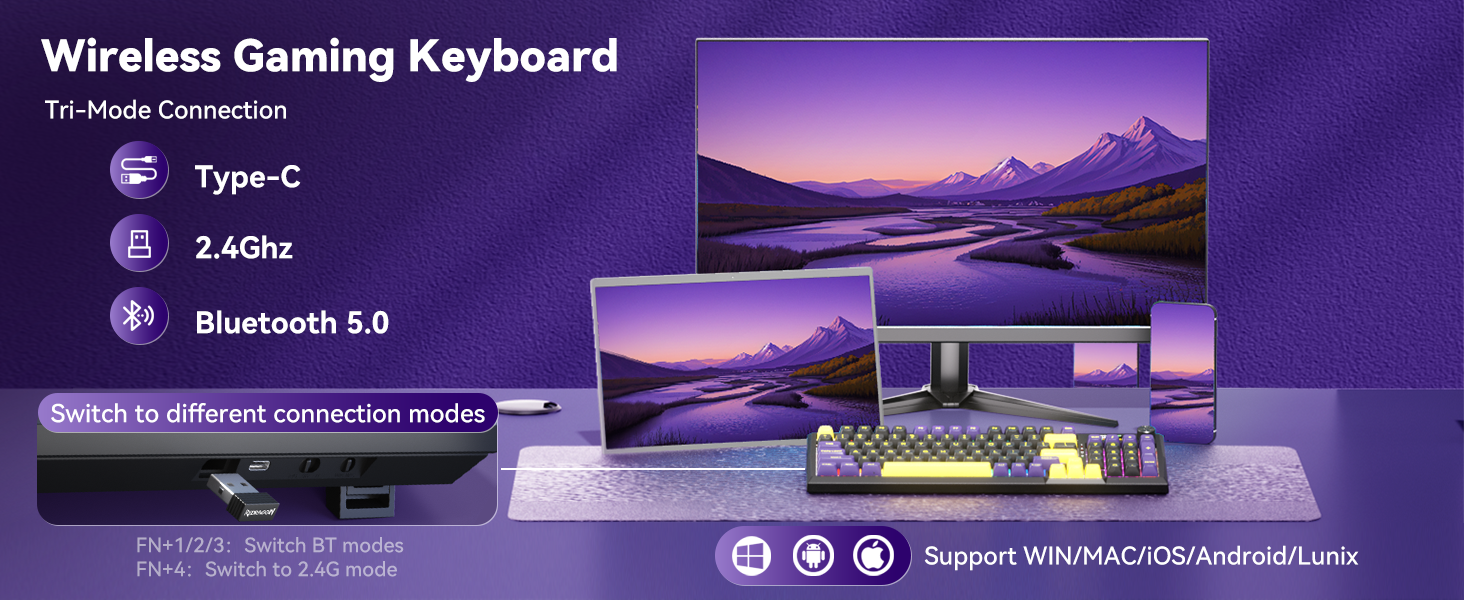
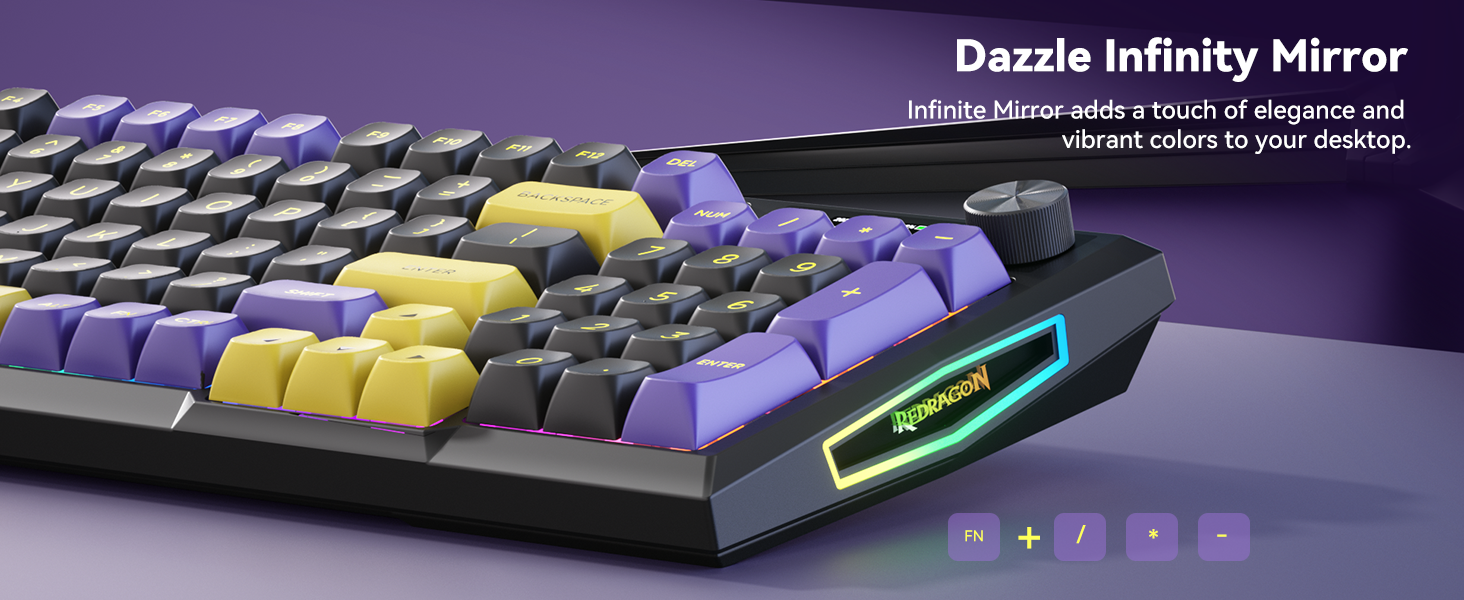
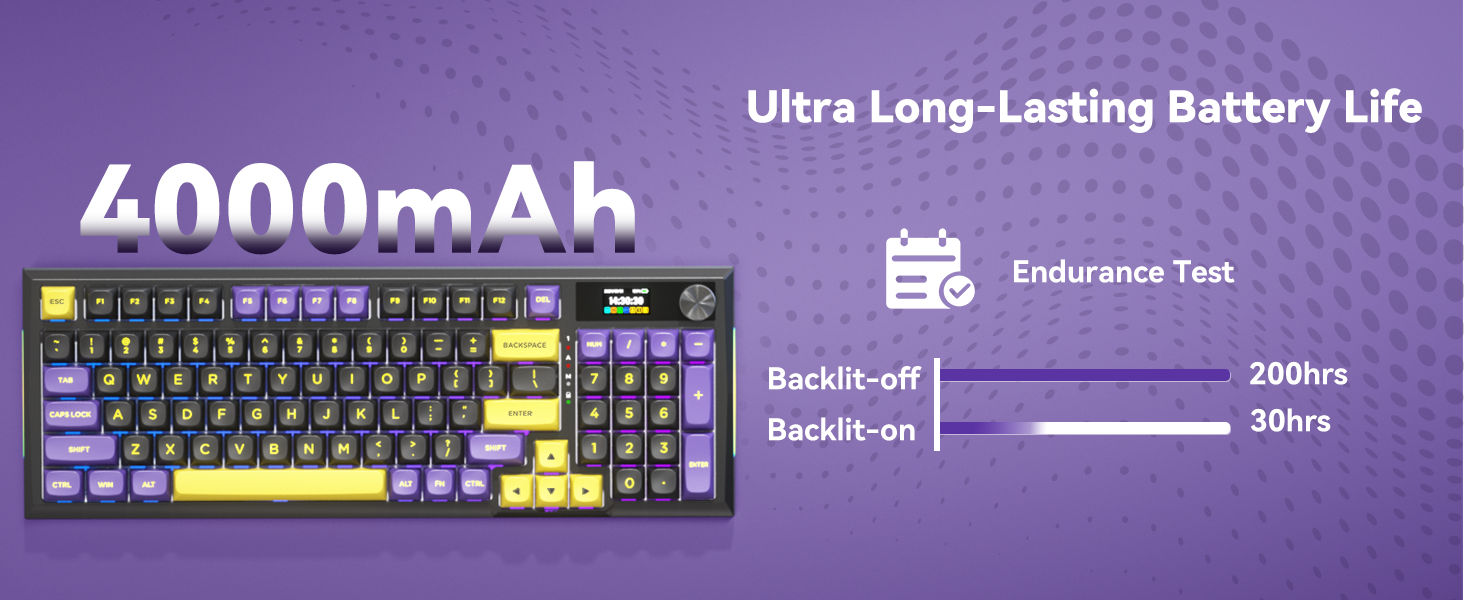
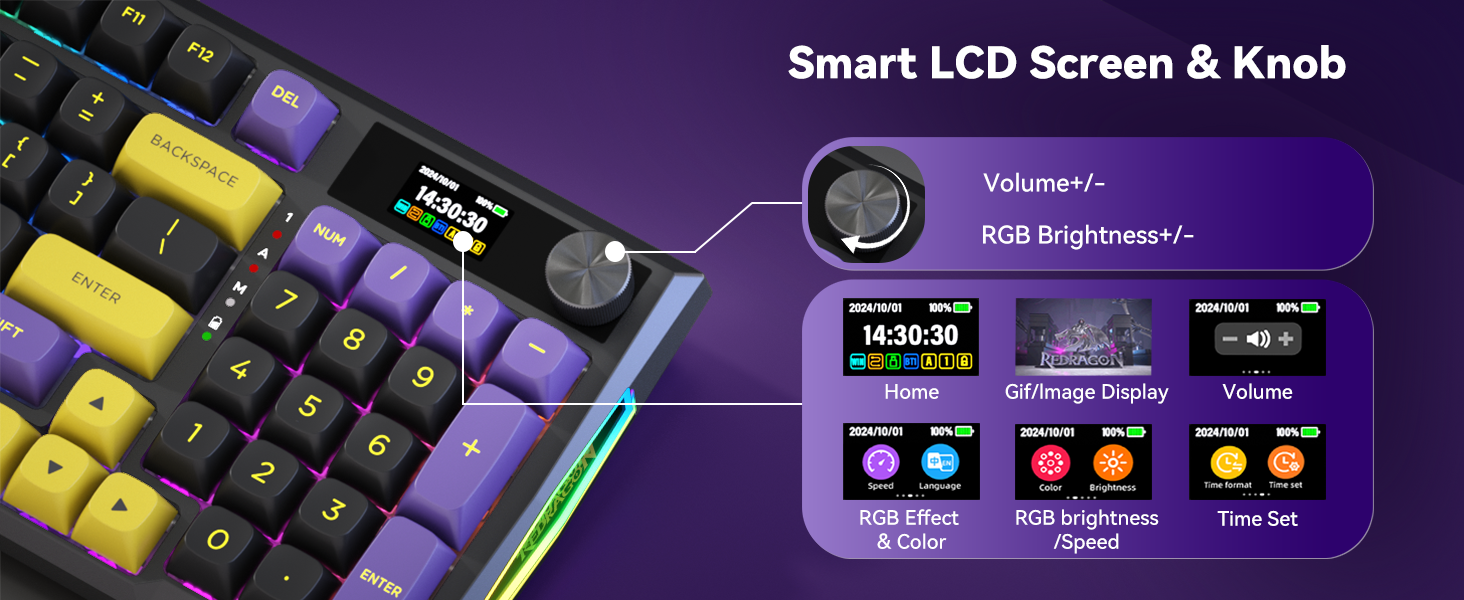
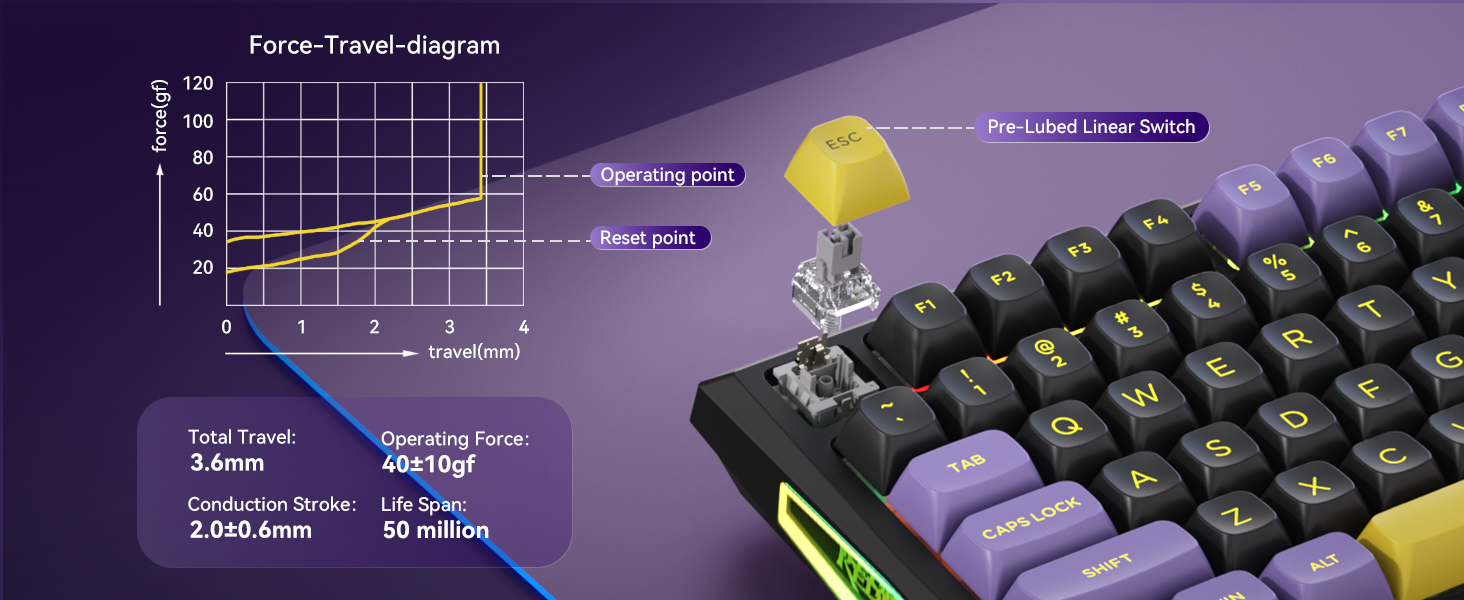
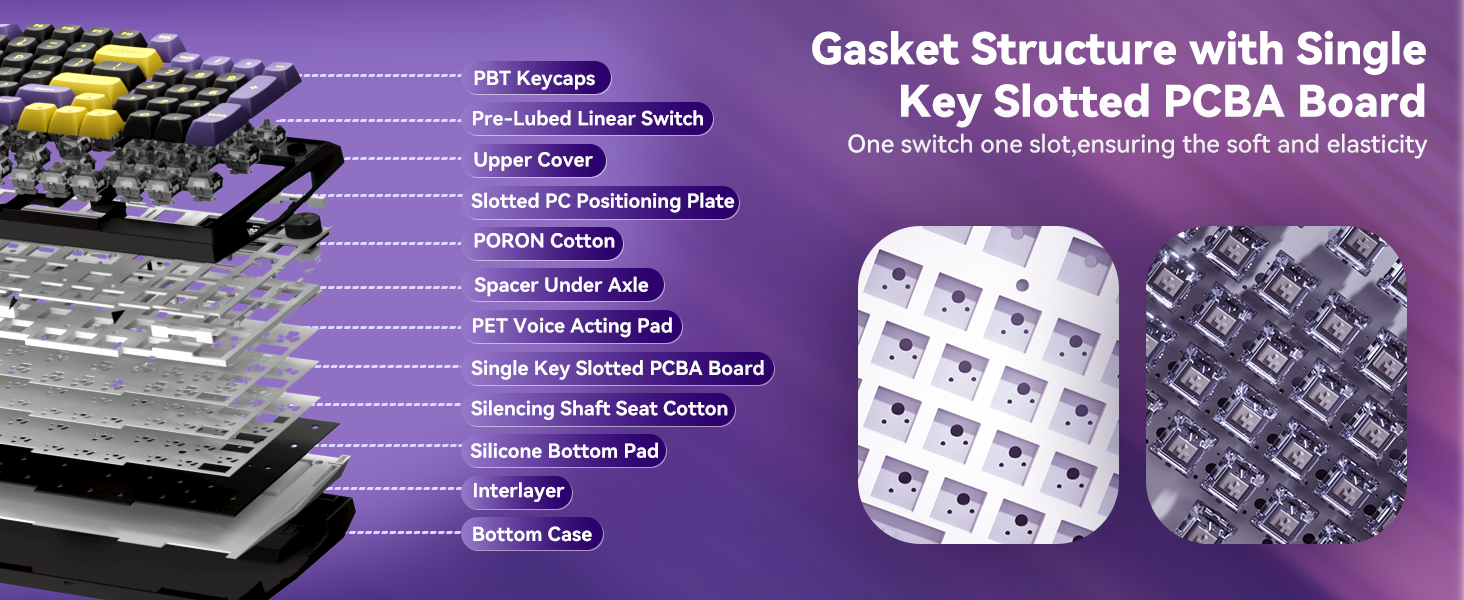
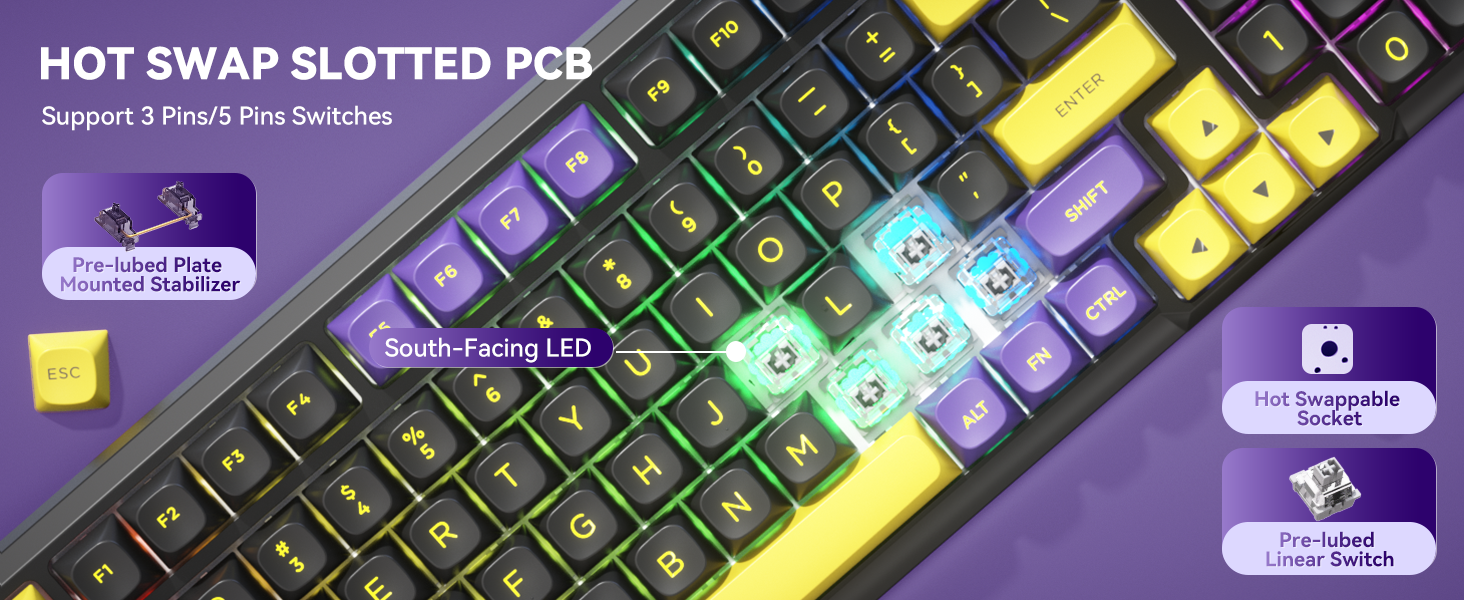
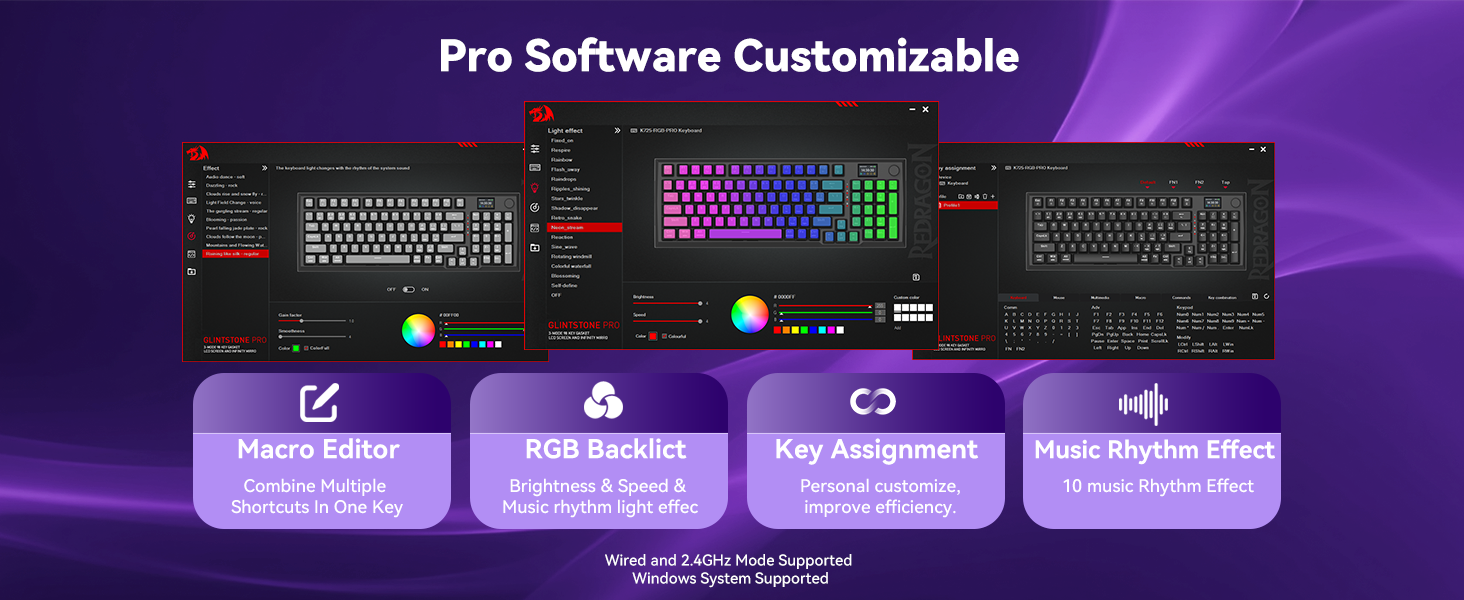
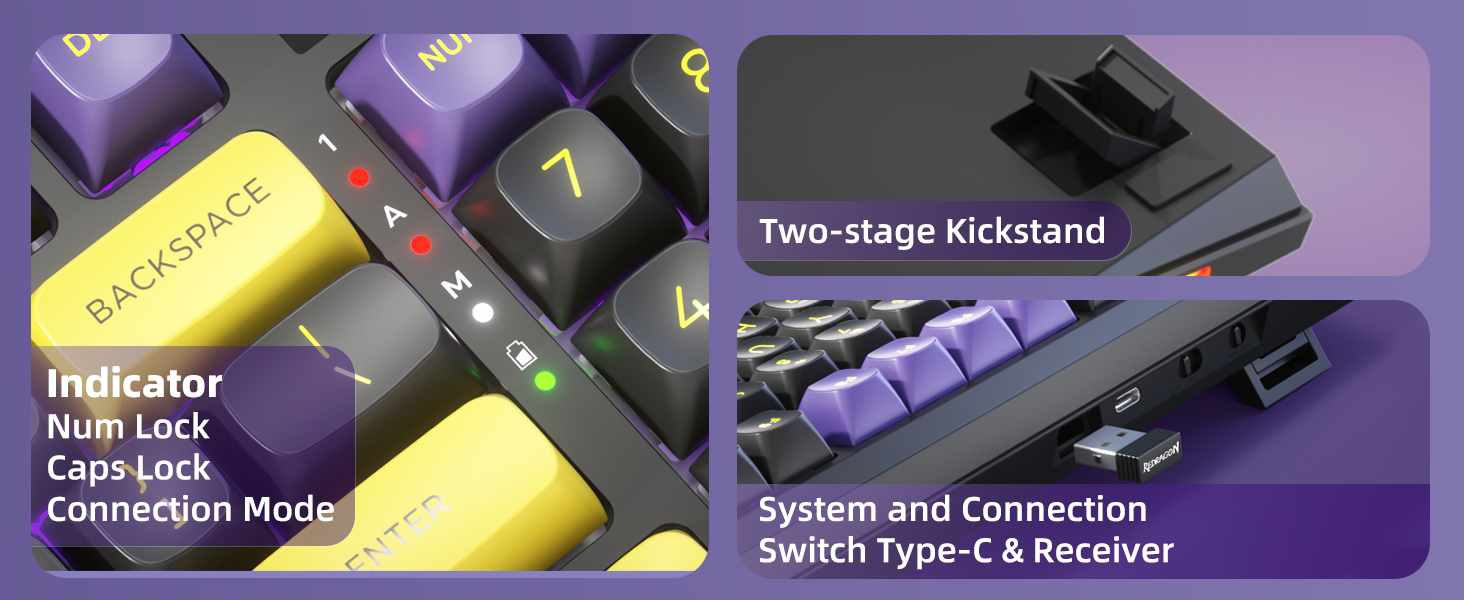
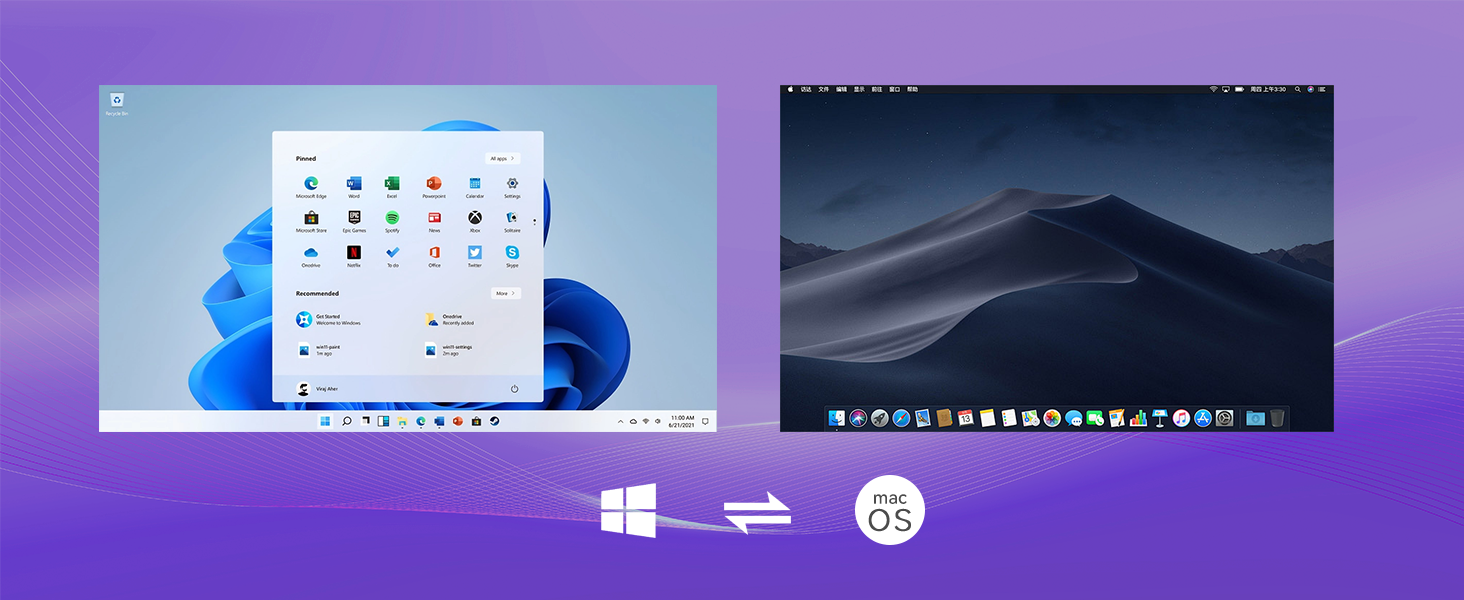
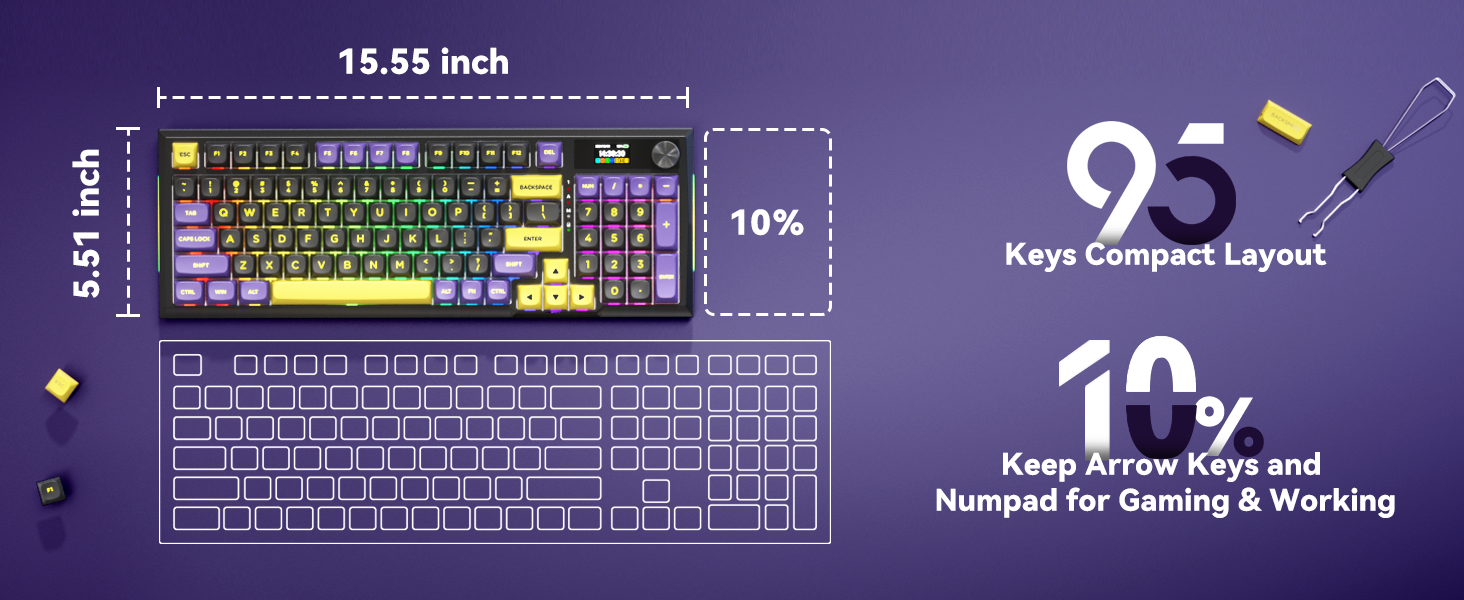
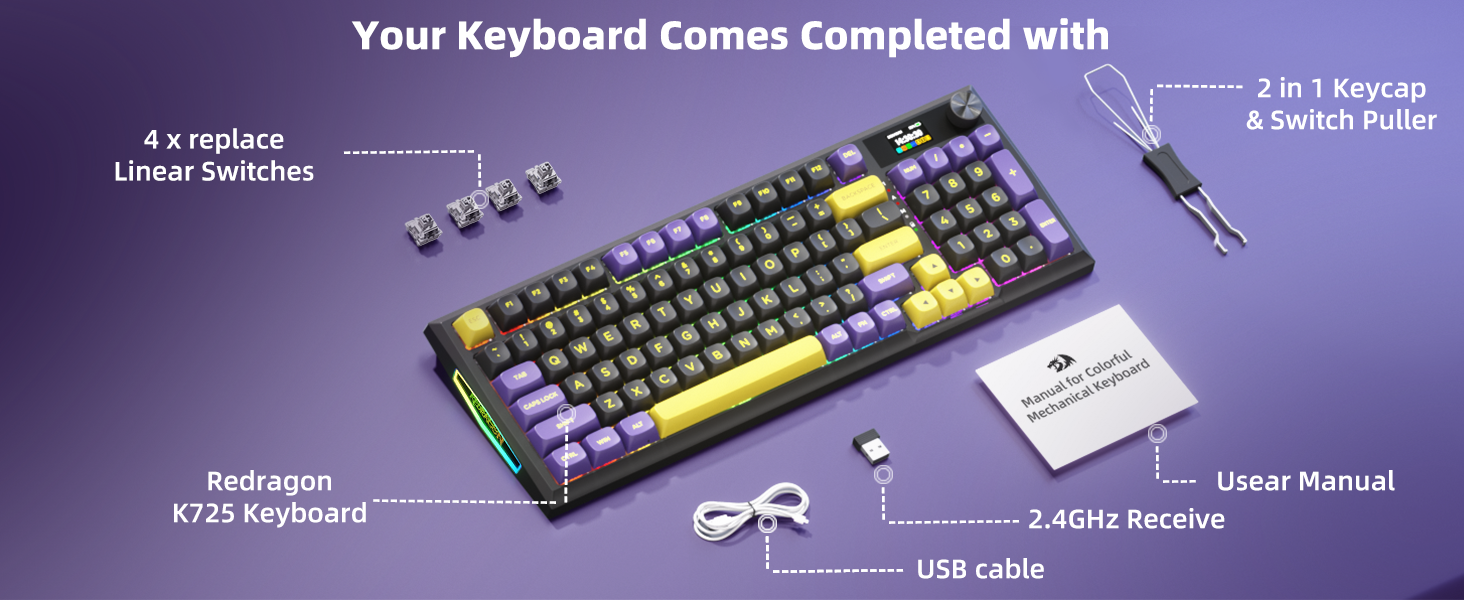
Product Description The video showcases the product in use.The video guides you through product setup.The video compares multiple products.The video shows the product being unpacked. 75% Gasket Mechanical Keyboard The video showcases the product in use.The video guides you through product setup.The video compares multiple products.The video shows the product being unpacked. Programmable Software bit.ly/K75PRO2401 Please run the software in wired mode. Lubed stabilizers and Pom switches with LY stem provide HIFI typing sound & smoother keystroke feel 1 USB + 2 Type C Ports The left type-C port is for wired connection and charging only The ergonomic tilt design makes typing more comfortable. 1 Driver Support 2 Pre Lubed Switches 3 Extra Hub Ports Design 4 2 Stage Adjustable Feet Typing Sound Test -Moment Linear Switch Silky Smooth Typing Experience & Amazing Crisp Typing Sound Prelubed POM Linear Switches + Gasket Structure + 4 High-Quality Sound Absorbing Layers The light purple moment linear switch is smoother and softer than the traditional red switch. The video showcases the product in use.The video guides you through product setup.The video compares multiple products.The video shows the product being unpacked. Typing Sound Test -Eternity Tactile Switch Clear Keystroke Feeling & Amazing Clean Typing Sound Prelubed POM Tactile Switches + Gasket Structure + 4 High-Quality Sound Absorbing Layers The light blue eternity tactile switch comes with a bump press feel and soft clear rebound, its typing feel is between the traditional blue switch and the brown switch. The video showcases the product in use.The video guides you through product setup.The video compares multiple products.The video shows the product being unpacked. 1 Retromap Series 2 Package List-Linear 3 Package List-Tactile How to change the RGB backlight mode on the keyboard? Press FN and the “ | ” key to switch the RGB backlight mode. And press FN and the “, < ” key can change the backlight color. How to restore the factory setting? Press FN and the spacebar can reset the K75 PRO keyboard. How can I get the software for K75 pro? bit.ly/K75PRO2401 Is K75 Pro compatible with Mac? Yes, this Bluetooth keyboard is compatible with Win/Mac systems, you can press FN+S to switch to a Mac system and press FN+A to switch back to Win system. GASKET MOUNT Structure – Compared to the regular ”stiff” screw mounted mechanical gaming keyboards, the K75 PRO gasket keyboard features an upgraded 1.2mm slotted PCB, and 4 high quality sound absorbing layers that create a cushion between the plate and the base, providing a consistent, softer, and more comfortable typing feel and pleasing acoustic feedback.3 Modes Connection – This wireless mechanical keyboard supports tri-mode connectivity, USB Type-C wired mode, stable 2.4GHz and low-latency BT 5.0 wireless modes, which can be easily toggled with the sensitive knob.Premium Custom Hot Swap Switches – The pre-lubed moment linear switches with south-facing transparent light diffusers provide a silky smooth typing experience, an amazing out-of-the-box crisp typing sound, and a brighter RGB backlight effect that is friendly to RGB enthusiasts. The hot swappable PCB of this gasket mounted keyboard is compatible with 3Pin or 5Pin Switches.LED Power Display – The always visible battery level indicator and the built-in long-lasting 3750mAh battery are friendly to wireless keyboard users. With backlit off, the battery can last up to 200 hours to meet daily usage needs. One full charge takes only 6-7 hours.82 Keys ANSI Layout – This compact tkl mechanical keyboard features the popular 75% percent layout, which saves 30% of desk space while maintaining typing comfort. In addition, the double-shot PBT keycaps add retro colors and nostalgia to your desktop.Extra Hub Ports – This wireless keyboard comes with 1 USB port and 2 Type-C Ports, convenient to connect with a variety of different peripherals including a mouse or USB flash drive. (The first Type-C port on the left is for wired mode only.)Programmable Software Support – Custom keyboard shortcuts, macros, and RGB backlight personalization can be easily implemented via the driver, giving you the edge in your work or game.

The video showcases a 75% Gasket Mechanical Keyboard, highlighting its features such as programmable software, lubed stabilizers, Pom switches, and LY stem for a smoother keystroke feel. The keyboard also features an ergonomic tilt design for comfortable typing, 1 USB + 2 Type C Ports, and a 2-stage adjustable feet design.

The Typing Sound Test demonstrates the Moment Linear Switch for a silky smooth typing experience and amazing crisp typing sound, as well as the Eternity Tactile Switch for a clear keystroke feeling and clean typing sound. The keyboard also offers a Retromap Series, Package Lists for Linear and Tactile switches, and instructions on changing the RGB backlight mode and restoring factory settings.

The K75 PRO keyboard is equipped with a Gasket Mount Structure for a softer and more comfortable typing feel, as well as 3 Modes Connection – USB Type-C wired mode, stable 2.4GHz, and low-latency BT 5.0 wireless modes. It also features premium custom hot swap switches, an LED Power Display for battery level indication, 82 Keys ANSI Layout for compactness, and extra hub ports for connecting peripherals. The keyboard’s battery can last up to 200 hours with backlit off, and it supports custom shortcuts, macros, and RGB backlight personalization via programmable software. The keyboard is compatible with both Win and Mac systems, easily switchable with the press of a button.

Price: $99.99 - $74.99
(as of Oct 08, 2024 22:43:26 UTC – Details)


Related Posts
Read More

“Soulwit Earpads: MAONO AU-MH601 Replacement with Ice Silk Fabric”: Available now at [price_with_discount]

1
🎧Compatibility: Fit perfectly on AU-MH601 Headphones. Please confirm your headset's model before purchase.
🎧Keep Your Ears Cool: The Soft Cooling-gel is added under the top layer fabric (breathable Ice Silk fabric) of the earpads, absorbing the sweat in the summer days and keeping your ears cool after a long time of use.
🎧Enhanced Sound: Your old earpads negatively affect the sound quality of your headphones, while our precisely modeled earpads will not affect the sound performance of your headphones and make your headphones look brand-new again.
🎧Flawless Installation: Our earpads perfectly fit your headsets and you can complete the entire installation within a few minutes.
🎧WE CONTINUE TO develop more professional and ergonomic ear pads. If there is an issue with your purchase, please feel free to contact us directly.
Read More

“8Bitdo Dual Charging Dock: Magnetic Secure Charging for Xbox Series X|S & One Controllers”: Available now at [price_with_discount]

Product Description Dual Charging Dock for Xbox Wireless ControllersDual Charging Dock for Xbox Wireless Controllers Xbox Charging Station with Magnetic Secure Charging for Xbox Series X|S & Xbox One ControllerXbox Charging Station with Magnetic Secure Charging for Xbox Series X|S & Xbox One Controller Dual Charging Dock for Xbox Wireless ControllersDual Charging Dock for Xbox Wireless Controllers Xbox Charging Station for Xbox Series X|S & Xbox One ControllerXbox Charging Station for Xbox Series X|S & Xbox One Controller Dual Charging Dock for Xbox ControllersDual Charging Dock for Xbox Controllers
Officially Licensed by Xbox. Compatible with Xbox Series and Xbox One wireless controllers.
Magnetic Secure Charging - The magnetic contacts secure the controller to the charging dock.
LED Charging Indicator - Amber lighting when charging, and white when fully charged.
Adjustable Ambient Lighting, you can press the touch pad to adjust the brightness from bright > medium > dim in a cycle.
Dual Charging Dock with two 1100 mAh rechargeable battery packs and 4 battery doors.
Read More

“Redragon K621 Horus TKL Wireless RGB Mechanical Keyboard: Ultra-Thin Low Profile with Linear Red Switches”: Available now at [price_with_discount]

Product Description K621K621 K621K621 K621K621

K621K621

K621K621

K621K621

5 Devices Switchable

With 3 BT devices storable, a 2.4Ghz wireless mode, a wired mode, K621 can save and switch connections to five devices simultaneously. One keyboard is good enough for most of the devices in your home.

Superb RGB For Gamer

Up to 20 preset vibrant backlight modes can be adjusted easily by FN + Ins, the brightness is also adjustable by scroll section. Redragon logo filled with same RGB colors offers extra actively buff for gamer.

Solid Use Durability

Equipped with an advanced reliable battery, the keyboard provides a prolonged using time in wireless mode. Low battery indicator makes sure the keyboard will always online if you don't forget to recharge.

K621K621 K621K621

Q&A

Q1: How can I tell what mode the keyboard is in? How to switch modes?

In different modes, the M indicator will be displayed in different colors. Three modes BT1 (2, 3)/2.4G/USB will display Blue (Cyan, Purple)/Green/White in order.

With existing device connections, switching among by FN+1.2.3(BT)/4(2.4G), FN+5 (OFF).

Q2: When does the keyboard needs to be recharged and how do I know it is full?

When the M indicator light starts flashing in red, it is in low battery indication and you need to plug in the USB-C cable to charge in time.

During charging, M indicator will stay in solid red color (any mode) and restore to current connection mode color status when it’s fully charged.

Q3: Even in OFF mode, why does the keyboard still go into sleep mode?

This is because the keyboard is still in wireless mode (even in OFF mode), you need to press FN+5 to enter the wired USB mode again to make the keyboard backlight does not go out.

Q4: Why does the W/A/S/D keys become arrow keys? Why does the F1-F4 keys show different solid color?

Press FN + W to switch the WASD keys function to arrow keys, press them again to restore original. M1-M4 profile function will be activated when press FN + F1-F4 together, F1 will be lighted to white when profile M1 selected by pressing FN + F1 (FN + ESC to reset and exit profile mode).

Add to Cart Add to Cart Add to Cart Add to Cart Customer Reviews 4.1 out of 5 stars 944 4.1 out of 5 stars 944 4.3 out of 5 stars 196 4.7 out of 5 stars 1,899 4.5 out of 5 stars 5,960 4.3 out of 5 stars 141 Price $54.99$54.99 $49.99$49.99 — $39.99$39.99 $59.99$59.99 — Dimension/size 14.0×5.8 in 14.0×5.8 in 11.6×4.1 in 11.5×3.9 in 11.5×3.9 in 17.1×4.9 in Keyboard Weight 0.60 kg 0.58 kg 0.42 kg 0.54 kg 0.61 kg 0.72 kg Switch Type Red Switch (Low profile) Red Switch (Low profile) Red Switch (Low profile) Red Switch Brown Switch (Hot-Swap) Brown Switch Keys 87 87 61 61 61 104 Connection Wired/BT/2.4Ghz Wired Wired Wired Wired/BT/2.4Ghz Wired Extra G Keys 4 4 0 0 0 0 RGB Backlit ✓ ✓ ✓ ✓ ✓ Rainbow Backlit Software ✓ ✓ ✓ ✓ ✓ /
3-Mode Connection: Here comes Redragon innovative 1st-Gen 3-mode connection technology, USB-C wired, BT 3.0/5.0 & 2.4Ghz wireless modes which make the user experience upgraded to another level in all fields.
Worry-Free Wireless: Built-in upgraded 3.0/5.0 BT and 2.4Ghz wireless chips, K621 offers a real-wireless and no-latency connection for all devices in the market. Easy to toggle among different devices in 3 modes set no limits of possibility.
Master for both Win and Mac: Seamlessly switch between Windows and macOS operating systems, providing you with the flexibility you need for a smooth workflow.
80% TKL Low-Profile: Compact tenkeyless 87 keys in low-profile design, offers more space for mouse movement and shorter actuation distance. Provides precise performance at half the height while retaining white simplicity style.
More Extra Practical: Set with 4 x 4 on-the-fly macro keys and a dedicated function area for media control. Convenient to rec frequently used macros without software, play the next song, or just scroll for volume adjustment.
Endless Redefine Ways: With powerful software support, whatever backlit modes, key reassignments or combo keys macro records all enable for easy access. Level up your working efficiency and gaming performance in the best way.
Read More

Skytech Blaze4 Mini Gaming PC: Intel i5 14400F, NVIDIA RTX 4060 Ti, 1TB NVMe SSD, 16GB RAM, Win 11 Home: Available now at [price_with_discount]

From the manufacturer EMPOWER YOUR POTENTIAL EMPOWER YOUR POTENTIAL ST-BLAZE4MINI-1215-B-AM ST-BLAZE4MINI-1215-B-AM

*** Product images are for illustrative purposes only, and actual parts base on exact specification.

Skytech Gaming logo Skytech Gaming logo Revolutionizing Prebuilt PC Gaming

Forget the shoddy workmanship, bad service and expensive no-name components. A Skytech is made by gamers, built and supported in the United States and uses high quality brand name components without the upcharge. At Skytech we only build what we would game on ourselves.

Assembled in USA Designed by Gamers for Gamers

Skytech Blaze

Get More Power

Take your game to the next level. Skytech's Blaze lets you play with higher settings, faster frame rates and more powerful multi-tasking capabilities than standard gaming PCs. Featuring more power to game and stream simultaneously with no lag, a Skytech Blaze gives gamers even more power to back up your team mates and create better content.

Unlocked processor to fine tune your performance Mid-Sized Tower fits Most Normal Desktops Achieves High graphics Settings at 60fps/1080p Well Rounded for Esports, AAA Gaming & Content Creation Excellent Airflow RGB Lighting fan(s) installed Dimensions (H x W x D): 19.3 x 9.1 x 15.2 inches

Shades Shades

DLSS AI DLSS AI

Up your creative game Up your creative game

High Quality Visuals Using Less Power

By intelligently adding more detail to objects as they appear closer, Nvidia's new Turing GPU architecture is able to render more complex scenes without needing more power. Explosions feature more debris, asteroid fields become more detailed and gaze further into the horizon of open world games.

DLSS AI. Maximum Frame Rates Powered by AI

Nvidia DLSS is groundbreaking AI rendering that boosts frame rates with uncompromised image quality using the dedicated AI processing Tensor Cores on GeForce RTX. This gives you the performance headroom to crank up settings and resolutions for an incredible visual experience. The AI revolution has arrived to gaming.

Up Your Creative Game

Take your creative projects to a new level with GeForce RTX 40 Series GPUs. Delivering AI-acceleration in top creative apps. Whether you’re rendering complex 3D scenes, editing 4K video, or livestreaming with the best encoding and image quality, GeForce RTX GPUs give you the performance to create your best.

The Most Realistic Graphics Ever

RTX ON RTX ON

Ray Tracing on GeForce RTX 4000 Series

Ray tracing is the holy grail of gaming graphics, simulating the physical behavior of light to bring real-time, cinematic-quality rendering to even the most visually intense games. Enjoy hyper-realistic shadows & real-time lighting effects without compromising high frame rates with 3rd generation GeForce RTX graphics.

Skytech Gaming - Start your journey, be the hero of your story

High quality High quality

High FPS Per Dollar High FPS Per Dollar

Expertly Designed &amp;amp;amp;amp;amp;amp;amp;amp;amp; Built Expertly Designed &amp;amp;amp;amp;amp;amp;amp;amp;amp; Built

American Built &amp;amp;amp;amp;amp;amp;amp;amp;amp; Supported American Built &amp;amp;amp;amp;amp;amp;amp;amp;amp; Supported

All New & Branded Parts Best Gaming Experience Ready to work & play Superior Gaming Performance