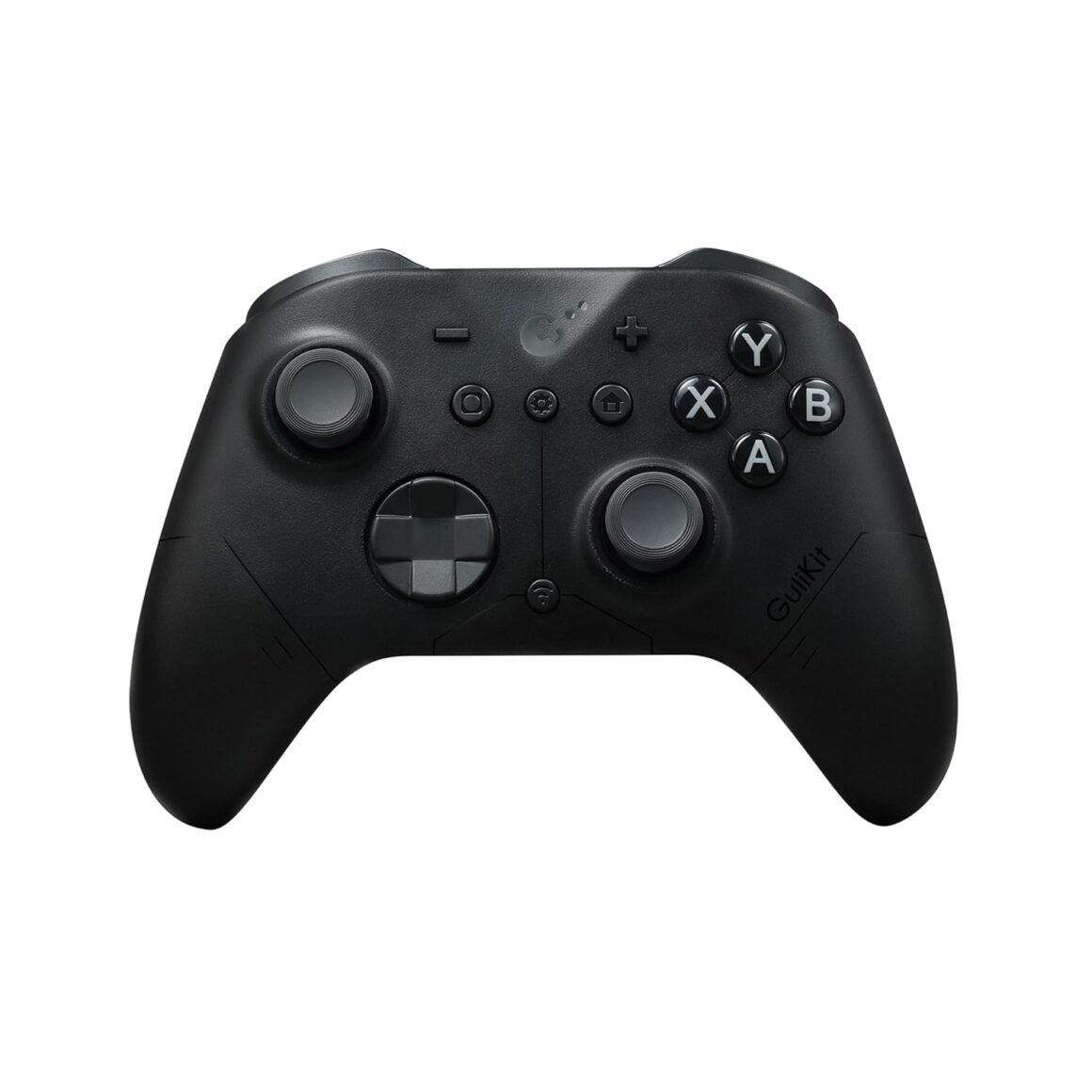
GuliKit ES PRO: The Fastest Wireless E-Sports Controller with 3.25ms Latency & 4000-Level Anti-Drift Joysticks for Windows, Switch, and Android

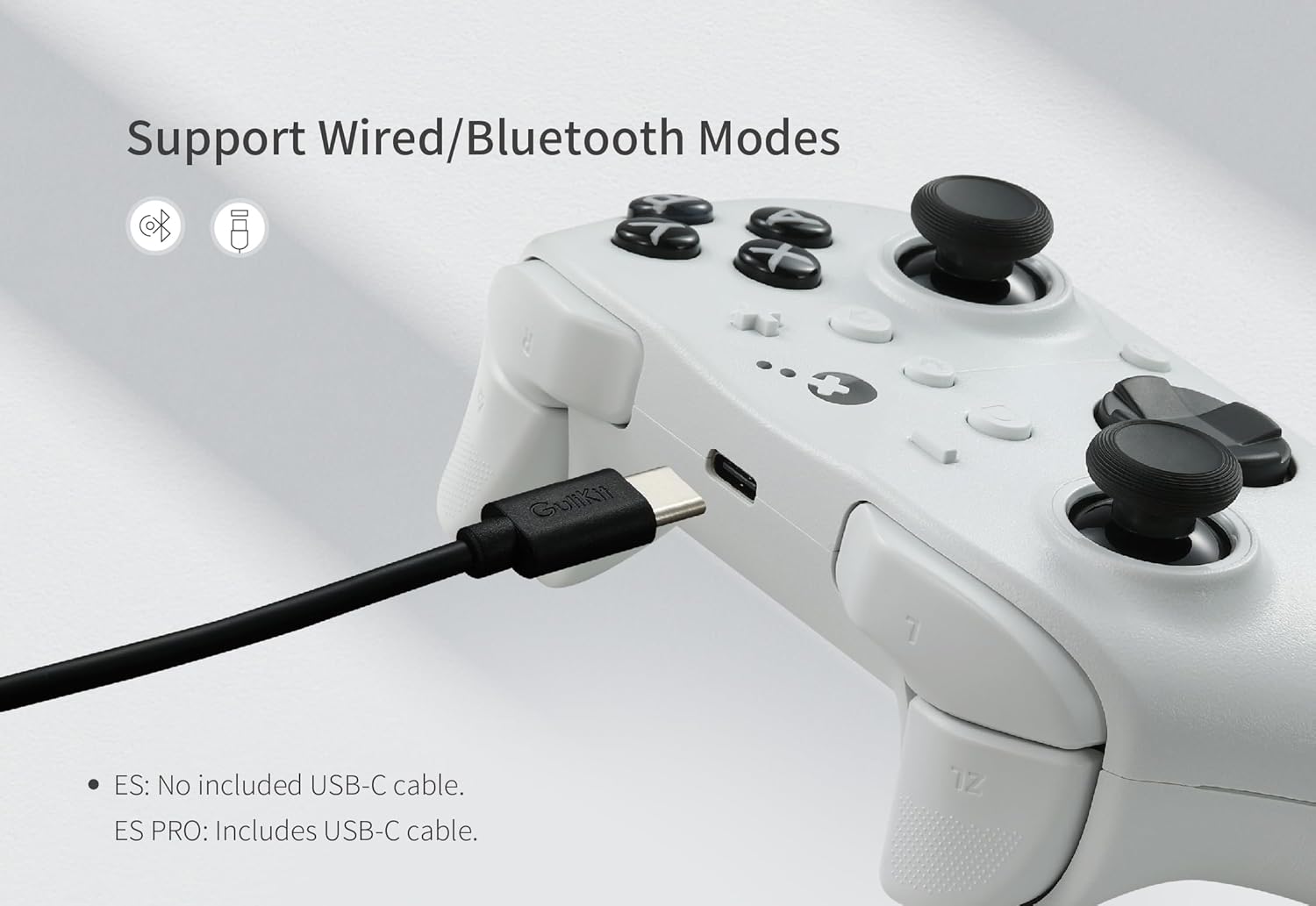
Product description The fastest wireless controller by bluetooth Support your Switch 1/2 Wake-up Support your 30 hours gaming Deliver 256-level high precision Add to Cart Add to Cart Customer Reviews 4.3 out of 5 stars 32 4.3 out of 5 stars 32 Price $25.49$25.49 $22.49$22.49 Compatibility Windows,Switch,Switch 2,Android Platforms, Wired & Wireless Connection. Windows,Switch,Switch 2,Android Platforms, Wired & Wireless Connection. Vibration Rotor vibration Rotor vibration Joysticks Anti-drift TMR joysticks Anti-drift Hall effect joysticks Polling rate 1000Hz wired/730Hz Bluetooth 1000Hz wired/730Hz Bluetooth Switch 1 wakeup YES YES Switch 2 wakeup YES YES Motion control on Switch /Switch 2 YES YES PC motion aim control YES NO Joystick sensitivity adjustment YES NO D-pad 8-direciton/4-direction swap YES NO WORLD FASTEST WIRELESS SPEED: Featuring GuliKit Hyperlink 2 revolutionary wireless dynamic channel selection technology, delivers the world lowest 3.25ms delay with 730Hz polling rate in Bluetooth mode on PC, and the lowest 1.87ms delay with 1000Hz polling rate in wired mode. With the legit breakthrough in wireless tech,it offers the world fastest speed and e-sports-level responsiveness.INSTANT SWITCH 1 / 2 WAKE-UP: Supports Switch 1 / 2 with wake-up capability. Make sure to follow SPECIAL pairing method for Switch 2 wake-up: A. Set controller to NS mode, turn it on, hold pairing button for 2 seconds, indicator flashes quickly to start pairing. B. Set Switch 2 into sleep mode first( black screen), press HOME button on Joy-Con to wake screen, next enter controller pairing interface and get paired. (Pairing by regular way without setting Switch 2 into sleep mode first will cause only paired but with no Switch 2 wake-up support.) Please check the uploaded video for pairing guide and make sure to update to latest firmware on our site.ACROSS YOUR DEVICES: Compatible with PC Windows,Switch 2,Switch,Switch Lite,Switch OLED,Steam Deck,ROG Ally/ROG Ally X,Android,iOS,macOS(Pairing with Android, iOS, and macOS in PC Mode on the back of the controller). Easily switch between modes with just one-key press, making it an ideal choice for multi-platform gaming.UPGRADED TMR JOYSTICKS: Featuring cutting-edge TMR (Tunnel Magnetoresistance) electromagnetic thumbsticks, this gamepad delivers anti-drift long-lasting durability and exceptional 4000-level high precision and exceptional responsiveness. 256-level Hall Effect triggers deliver superior precise analog response.LONG-LASTING RECHARGEABLE BATTERY: With a 950mAh battery, you get up to 30 hours of usage with minimal standby drain. The controller recharges quickly, and an auto-sleep function after 15 minutes of inactivity helps conserve power and extend battery life.ADVANCED CUSTOMIZABLE FUNCTIONS: Supports joystick sensitivity and vibration adjustment,Turbo,6-axis gyroscope motion control on Switch,patented Gyro Motion Aim for PC FPS gaming,joystick dead-zone on/off, D-pad 8/4-direction mode,and physical ABXY SWAP(Switch-layout key-caps not included in package). Set your customization freely on the controller directly or through GuliKit web-based tool.IMPORTANT NOTE: Please update the ES/ES PRO controller to the latest firmware V2.8 on our website before use. (Fixed the issue that the controller slowed down after a period of time when using it on iOS and Android devices in PC mode.)

Unleashing the Power of Gaming: The Fastest Wireless Controller by Bluetooth

In an evolving gaming landscape, responsiveness and compatibility reign supreme. Enter the GuliKit Hyperlink 2 Wireless Controller, engineered to provide an unparalleled gaming experience with its innovative technology. Whether you’re a casual gamer or a competitive e-sports enthusiast, this controller promises to enhance your gameplay across multiple devices.

Breakneck Wireless Speed

At the heart of this controller is GuliKit’s groundbreaking technology. With an astounding 3.25ms delay in Bluetooth mode and a blistering 1.87ms in wired mode, this device stands out as the fastest wireless controller on the market. With a 730Hz polling rate in Bluetooth and a 1000Hz polling rate wired, gaming sessions transform into seamless experiences devoid of lag. This makes it particularly attractive for competitive gaming, where every millisecond counts.

Instant Wake-Up Capability

One of the standout features of the GuliKit controller is its Instant Switch 1/2 Wake-Up function. Designed explicitly for Nintendo Switch consoles, this feature allows users to wake up their devices effortlessly. However, be sure to follow the special pairing procedures outlined in the manual for optimal performance—particularly important for Switch 2 compatibility.

Versatile Compatibility

Gaming no longer needs to be tethered to a single platform. This controller supports a wide range of devices, including PC Windows, Switch Lite, Steam Deck, and even Android and iOS systems. The seamless switching between modes is facilitated by a simple one-key press, making it an indispensable tool for multi-platform gamers.

Advanced Joystick Technology

Equipped with TMR (Tunnel Magnetoresistance) technology, the joystick provides anti-drift functionality, resulting in long-lasting durability and incredible precision. The controller boasts 4000-level high precision and 256-level Hall Effect triggers, ensuring exquisite analog response.

Extended Gaming Sessions

Worried about running out of battery mid-game? The GuliKit controller comes with a 950mAh rechargeable battery, offering up to 30 hours of gameplay on a single charge. Coupled with an intelligent auto-sleep function, which activates after 15 minutes of inactivity, you can enjoy extended gaming sessions without frequent interruptions for charging.

Customization at Your Fingertips

What truly sets the GuliKit controller apart is its customizability. Players have the option to adjust joystick sensitivity, vibration settings, and even utilize Turbo functions. Whether you’re looking to modify the joystick deadzone or employ advanced motion control features on Switch, the flexibility offered here empowers gamers to tailor their experience.

Summary

In conclusion, the GuliKit Hyperlink 2 Wireless Controller not only pushes the envelope with its impressive speed and technology but also provides unmatched versatility and customization that appeal to a wide variety of gamers. With a strong 4.3 out of 5 stars from user reviews, it clearly resonates with the gaming community for its reliability and performance.

Brand Introduction

GuliKit specializes in innovative gaming accessories designed to enhance the user experience without compromise. With a commitment to cutting-edge technology and user satisfaction, GuliKit continues to deliver solutions that elevate gaming to new heights. Whether you’re a casual player or a seasoned pro, their products are engineered to meet your every need.

Price: $29.99 - $25.49
(as of Sep 07, 2025 00:33:52 UTC – Details)

Related Posts
Read More

“Black Wireless Cat Ear Gaming Headset with Bluetooth 5.0, Retractable Mic, 50mm Drivers, RGB Lighting”: Available now at [price_with_discount]

From the brand EASARSEASARS Wireless Gaming HeadsetWireless Gaming Headset

Wireless Gaming Headset

gaming headsetgaming headset

Wireless Gaming Headset

Wireless Gaming HeadsetWireless Gaming Headset

Wireless Gaming Headset

gaming headsetgaming headset

Wireless Gaming Headset

Gaming HeadsetGaming Headset

Wired Gaming Headset

Cat Ear HeadphonesCat Ear Headphones

Wired Gaming Headset

Cat Ear HeadphonesCat Ear Headphones

Wired Gaming Headset


【Bluetooth&Wired Dual Connection】The wireless headset can quickly connect to the system through Bluetooth 5.0, and achieve a stable connection within 10m. Bluetooth connection compatible with Cell phone/Computer, can play anytime and anywhere. Wired via the included 3.5mm cable for console gaming use(Notes: Wired connection has no lights on the cat ear headset)
【Cute Headset with RGB Lights】Gaming headsets use RGB lighting effects on cat ears and earcups, and you can switch between 9 different colors of cool lighting effects just by touching the earcups. Kawaii headset great for gaming setups. Perfect Gift idea for Girls
【Virtual 7.1 Surround Sound】The girls gaming headset with mic is equipped with a 50mm speakers and a virtual 7.1 surround sound, providing you with a realistic gaming experience. The retractable microphone can be adjusted at will. Suitable for all kinds of games and different music styles
【12 Hours Long Battery Life】Use type-C charging interface, easy to operate. It takes 2.5 hours for a full charge. Bluetooth Headset can be used continuously for about 50h without lighting or about 10-12h with lighting
【Lightweight Headset for All-Day Comfort】The ear muffs are made of high-grade soft silicone material, with an ergonomic wearing structure design, which provides a long-time wearing comfort. You not feel any sort of pressure on the sides of your head
Read More

X1 Wireless Gaming Headset: Ultimate Compatibility and Long Battery Life: Available now at [price_with_discount]

Product Description Gaming headset XboxGaming headset Xbox xbox headset xbox headset wireless xbox one headset

1. Plug the Receiver to Xbox Controller directly. (Extra Microsoft Adapter needed (Not Included) when connect to old version controller)

2. Low battery of the controller can cause insufficient power supply to the receiver, the headset might not work. Please ensure sufficient power of the controller.

The video showcases the product in use.The video guides you through product setup.The video compares multiple products.The video shows the product being unpacked.

Troubleshootings for X1 Gaming Headset

Detailed demonstration for the X1 operations

1. Why can't I connect the headset with controller?

2. No sound from the microphone? Microphone sound too low?/Why can't my teammates hear me?

3. Echo from the microphone?

4. Why is there a lot of noise?/Headset volume too low?

The video showcases the product in use.The video guides you through product setup.The video compares multiple products.The video shows the product being unpacked.

Plug the dongle tightly and fully

How to plug the dongle to controller correctly?

× The dongle not plugged in tightly (there is a gap) It may cause noise, static, low volume, or no sound in the headphones.

√ The dongle plugged in tightly and fully (no gap) Please plug the dongle fully and tightly,so that could avoid noise, static, low volume, or no sound in the headphones.

The video showcases the product in use.The video guides you through product setup.The video compares multiple products.The video shows the product being unpacked.

Plug the X1 Dongle to the Xbox Controller directly

How to connect the Headset to Xbox Controller?

1. Plug the X1 Dongle to the Xbox Controller directly. (Not support the 3rd parties' controller)

2. While the Leds of the dongle flashing, please turn the headset power on.

3. Please keep the headset on 2.4GHz mode. (You could hold the Light Button to swith it to 2.4GHz or BT Mode)

4. Click the 'Xbox Accessories' option on your xbox device, makes the headset connect to it. Choose the 'Volume' option and enter into the 'Audio and Music' interface to turn the headset volume and mic on.

wireless headset headset gaming headset xbox one ps5 headset ps4 headset gaming headphones xbox headset with mic wirelessxbox headset with mic wireless

Please confirm the receiver is inserted to the controller or devices tightly and fully, to avoid the noise or echoes caused by the poor contact.

xbox pc headset computer headset

Why can't I connect the headset with controller?/Headset doesn’t work?

Confirm if you are in Bluetooth Mode or 2.4GHz Mode. The 2.4GHz dongle cannot be connected in Bluetooth mode. You need to switch to 2.4GHz mode.

No sound from the microphone? Microphone sound too low?Mic doesn’t work?

Confirm the settings on the Xbox console, whether the microphone sound is turned up to the maximum at the (Headset chat mixer)? Adjust the game sound and chat sound to the center to make them be balanced. Assure the microphone is properly plugged in

Why the volume is low while connect to the Xbox?

Make sure the (Headset Volume) on the Xbox console is set to maximum. When using the headset for the first time, the default volume on the console is 80%. And please insert the dongle tightly and fully.

Echo from the microphone?

Turn off monitoring mode in the Xbox console settings.

While connecting, headset sound got noise or echoes?

Make sure the transmitter is fully inserted into the controller. If the transmitter is not fully inserted, there will be significant electrical noise in the headset.


Wide Compatibility: Our wireless gaming headphones are equipped with both Bluetooth and 2.4G dual modes: ①. Allowing for wireless connection to Xbox controllers (Please note that the X1 Receiver only support the Official Controllers instead of the 3rd parties, and you need an extra Microsoft Adapter (Not Included) when connecting with an old version Xbox One controller) ②. as well as seamless compatibility with PC, PS5, laptops via a 2.4GHz receiver. ③. Mac and Switch supported by Bluetooth mode. Just plug and play for instant gaming immersion.
Superior Sound Quality: Immerse yourself in the game with our 50mm speakers and 3D surround sound technology. Hear every detail and experience realistic game sound effects. The noise-canceling microphone ensures clear communication with your teammates, enhancing teamwork during intense gaming sessions.
Extended Battery Life and Low Latency: Enjoy uninterrupted gaming with up to 40 hours of continuous playtime on a single charge, fully charge only need 2 hrs. Our wireless headphones feature low latency technology(<20ms ), providing instant audio feedback without any noticeable delays, allowing for faster reactions and better gameplay.
Comfortable and Durable Design: Designed for long gaming sessions, our headphones prioritize comfort and durability. The adjustable headband and memory foam ear cushions provide a customized fit, ensuring hours of comfortable gameplay. The durable construction ensures longevity, making these headphones a reliable companion for avid gamers.
Convenient Controls: Take control of your gaming experience with easy-to-reach buttons on our headphones. Adjust the volume, mute the microphone, or control other settings directly from the headset, allowing for a seamless and effortless gaming experience.
How to activate the mic function on Xbox: ①.Connecting to the controller, enter to the interface - Click the Choose the - Click the - See the and choose the
Read More

“NHL Colorado Avalanche Distressed Skin for BENGOO G9000 Headset”: Available now at [price_with_discount]

Personalize the look on your Gaming Headset with the Colorado Avalanche Distressed skin compatible with the BENGOO G9000 by Skinit. All Colorado Avalanche decals compatible with the BENGOO G9000 Gaming Headset are cut and crafted with premium 3M vinyl and built to perfectly fit on your gaming headset without interfering with your game.
Comes with 1 skin compatible with BENGOO G9000 Gaming Headset
Precision cut for a flawless fit
3M vinyl decals printed with 3D Print Technology
Made in the USA
3M adhesive backing - easy on, easy off & residue-free
Read More

“Unleash Your Gaming Potential with the RedThunder K95: The Ultimate Wireless Mechanical Keyboard Experience!”: Available now at [price_with_discount]

Product Description keyboardkeyboard 3 Mode connection 1.88" TFT Screen & CNC Knob 90% layout mechanical wireless keyboard PBT Keycaps Ergonomic keyboard 1 Triple Mode Dual System 2 TFT Screen & CNC Knob 3 90% Layout 4 PBT Keycaps 5 Ergonomic Design Gasket Mechanical Gaming Keyboard with Five-Layer Padding

The Gasket structure is typing stable, pressing comfortable, and bring you a relaxing typing experience.Five-Layer Padding Eliminates Most of the Noise and Resonance of the Keyboard. The video showcases the product in use.The video guides you through product setup.The video compares multiple products.The video shows the product being unpacked. K95 Gasket Gaming Keyboard Merchant Video Vibrant RGB Backlight

Customize RGB lighting settings via TFT screen and CNC knob.Customize RGB lighting settings via the following shortcuts.Customize full RGB lighting settings via K95 software.

Tips: FN+|=Toggle Backlit Effect, FN+Delete=Toggle Backlit Color, FN+↑↓←→=Toggle Light Brightness/Speed,FN+!1=Game Backlight Mode,FN+!1 and FN+Ctrl(right)=Custom key RGB light , FN+Tab=Custom Side LOGO Light.

The video showcases the product in use.The video guides you through product setup.The video compares multiple products.The video shows the product being unpacked. RedThunder K95 RGB Backlight Merchant Video Download the software and custom screen image/Gif

Copy the link "bit.ly/K95US" to the search bar and run the driver via wired mode on your windows computer.Customize the keys, RGB light modes, and screen images/Gifs with your Windows computer when the K95 driver is running in wired mode.Screen time and volume are automatically synced with your Windows computer when the K95 driver is running in wired mode. The video showcases the product in use.The video guides you through product setup.The video compares multiple products.The video shows the product being unpacked. video Merchant Video Full-Key Hot-Swap with 2 in 1 Keycap & Switch Puller

The 3PIN and 5PIN hot-swappable keyboards allow you to easily achieve your ultimate customization.The south-facing light can meet a variety of keycaps such as side-engraved keycaps. The video showcases the product in use.The video guides you through product setup.The video compares multiple products.The video shows the product being unpacked. K95 Hot swap Merchant Video How to correct Screen Time?

Click K95 driver in wired mode via Windows computer, screen time and volume are automatically synced.Click "Sync time" in wired mode on Webpage: timesync.plus

Note:

MacOS requires the use of Google Chrome and the authorization of Google Chrome.

The video showcases the product in use.The video guides you through product setup.The video compares multiple products.The video shows the product being unpacked. K95 Screen Time Merchant Video The Ultimate Wireless Keyboard Dual-System, Tri-Mode, Multi-Device

Dual-System: Toggle with one click to easily switch between MacOS and Windows systems.Tri-mode: stable wired, cable-free 2.4G, mobile-friendly Bluetooth, catering to diverse scenarios.

1. Long press FN + Q/W/E: BT1/BT2/BT3 pairing. Short press FN + Q/W/E: BT1/BT2/BT3 switching.

2. FN + R: 2.4G repairing(Paired by defaultat thefactory).

The video showcases the product in use.The video guides you through product setup.The video compares multiple products.The video shows the product being unpacked. Tri-mode Dual System muti devices Merchant Video Gasket Gaming Keyboard Pre-lubed switch keyboard Exquisite craftsmanship keyboard 1 Gasket Structure 2 Pre-lubed Switch 3 Hot-Swappable 4 Silencer Foam 5 PCB Slot rgb BACKLIGHT gaming keyboard QMK/VIA Custom Mechanical Keyboard RedThunder K95 Driver Link

bit.ly/K95US

Copy the link above to the search bar & run the driver via wired mode.

keyboard music mechanical wireless keyboard Aesthetic keyboardAesthetic keyboard

How to correct the time/volume on the screen?

1. Click K95 driver in wired mode via Windows computer, screen time and volume are automatically synced.

2. Note: The screen has a transparent protective film that can be peeled off before use.

How can I download the software?

bit.ly/K95US

Why the keyboard becomes disconnected in the BT mode?

When the battery level is low, the keyboard cannot support the BT function normally, Please re-update the BT function of the device and fully charge the keyboard.

How to use custom GIF images?

Upload an image or gif in wired mode via the K95 software on your Windows computer.

How to charge the K95 keyboard?

1. Charge via the computer's USB port using the original charging cable. (Note: Use a charger with an output of ≤ DC 5V.)

2.Long-term disuse may drain the battery. Reactivate it with a low-voltage charger or contact to solve.


【1.88" TFT Screen & CNC Knob】It's time to pick the most stylish keyboard for you. The K95 gasket keyboard is surely your top choice. 1.88" TFT screen homepage can display various information you need. Not only you can adjust the time by downloading the K95 US Setup software, but also you can adjust volume, RGB light mode, language, and screen image/Gif by rotating or pressing the CNC knob(Note: Adjust time for Windows: Click on the K95 software in wired mode. Adjust time for Mac: bit.ly/MacK95Time).
【Triple Mode Multi Device】It can not only get rid of the cord shackles for a fast typing experience, but also meet the extreme speed experience of wired mode when charging. With the flip of 2 switches on the top, you can seamlessly switch between different devices in WINDOWS, MacOS, 2.4G wireless, wired and BT modes, giving you the freedom to move between different spaces. (Note: FN+Q/W/E to switch between BT1 /BT2/BT3 device).
【Hot Swappable Switches】The hot-swappable keyboard is a game-changer! Built-in hot-swap PCB lets you replace 3-pin or 5-pin switches without soldering, giving you a wide choice. Built-in pre-lubricated pink shafts make typing smooth and comfort. Comes with spare pre-lubricated shafts and a key puller for you to experiment with different switches freely to find the perfect feel for your typing style or gaming needs.
【Side-printed PBT Keyboard】Ergonomic 90% compact layout keyboard saves more space over full-size, keeps arrow keys, number keys, and some function keys for gaming and work. Dual-color side-printed PBT keycaps are richer in color without fading, and stepped keycaps ensure that long typing times are more comfortable and less fatigued. Two-stage foot support adapts to multiple angles. Suits intense gaming or different work with efficient, user-friendly design.
【Gasket Keyboard】Gasket keyboard truly shines with its distinctive construction and superior performance in mechanical keyboards. Compared to Top-Mount Design, the Gasket Design has five-layer shock absorption and a single-key positioning plate. The unique design allows for a more even keystroke feel on the keyboard and enables full-key anti-ghosting. This results in a softer and more comfortable typing experience. It will be ideal for gamers and typists alike.
【Full RGB & 8000mAh Battery】 1.68 million RGB colors and rechargeable 8000mAh battery light up diverse atmospheres. Use FN combination, knob & screen, or software to set RGB light mode (like rhythm lights), color, speed, and brightness. FN + TAB can adjust 8 side lighting modes. South-facing LEDs meet most keycaps lighting requirements, including side-engraved. The powerful battery ensures continuous usage, lasting about 48 hours with backlight and about 266 hours without backlight.
【Programmable Software】Programmable mechanical keyboard allows for deep customization of keyboard functions. Downloading the K95-US driver (only settable in 2.4G wireless or wired mode with Windows 10) enables comprehensive programmability, key mapping, macro definition and adjust key sensitivity, sleep time, debounce, screen Gif image and backlight effects (including music rhythm backlight) to suit any workflow, gaming or life scenarios.