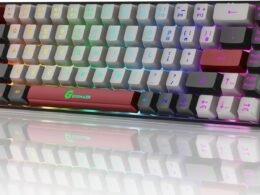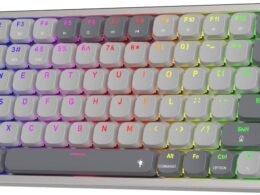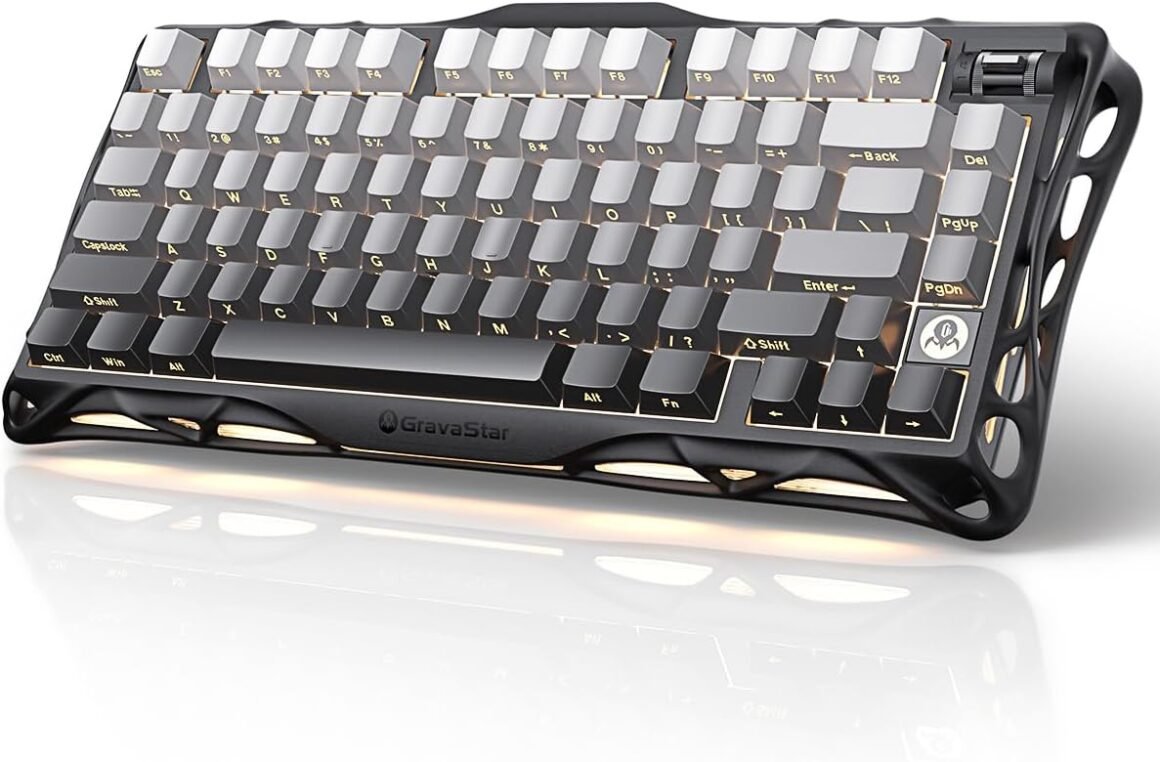
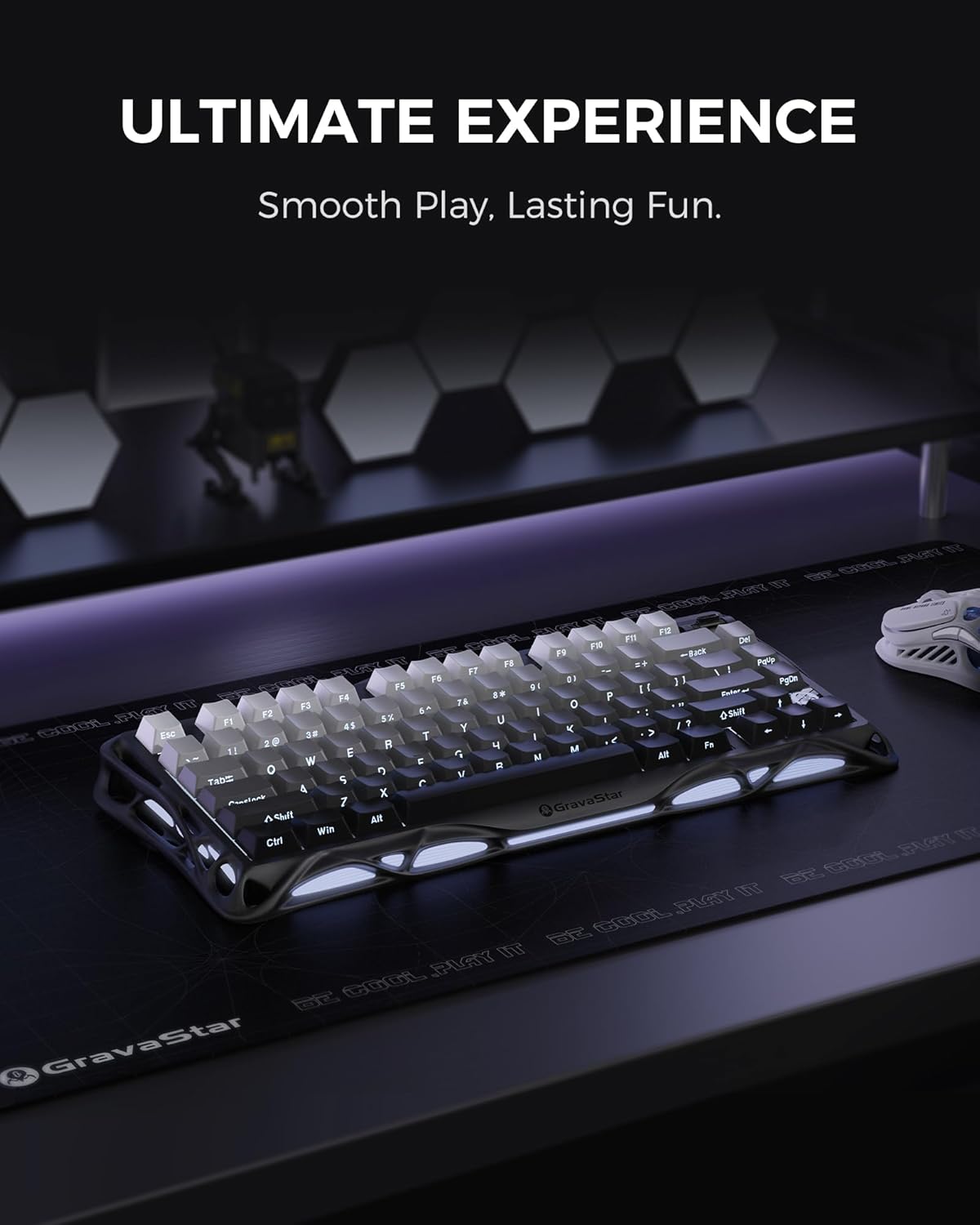
GravaStar Mercury K1: 75% Wireless Mechanical Gaming Keyboard – Compact Aluminum Alloy Design, Hot-Swap Linear Switches, and Stunning RGB Backlighting in Gradient Black

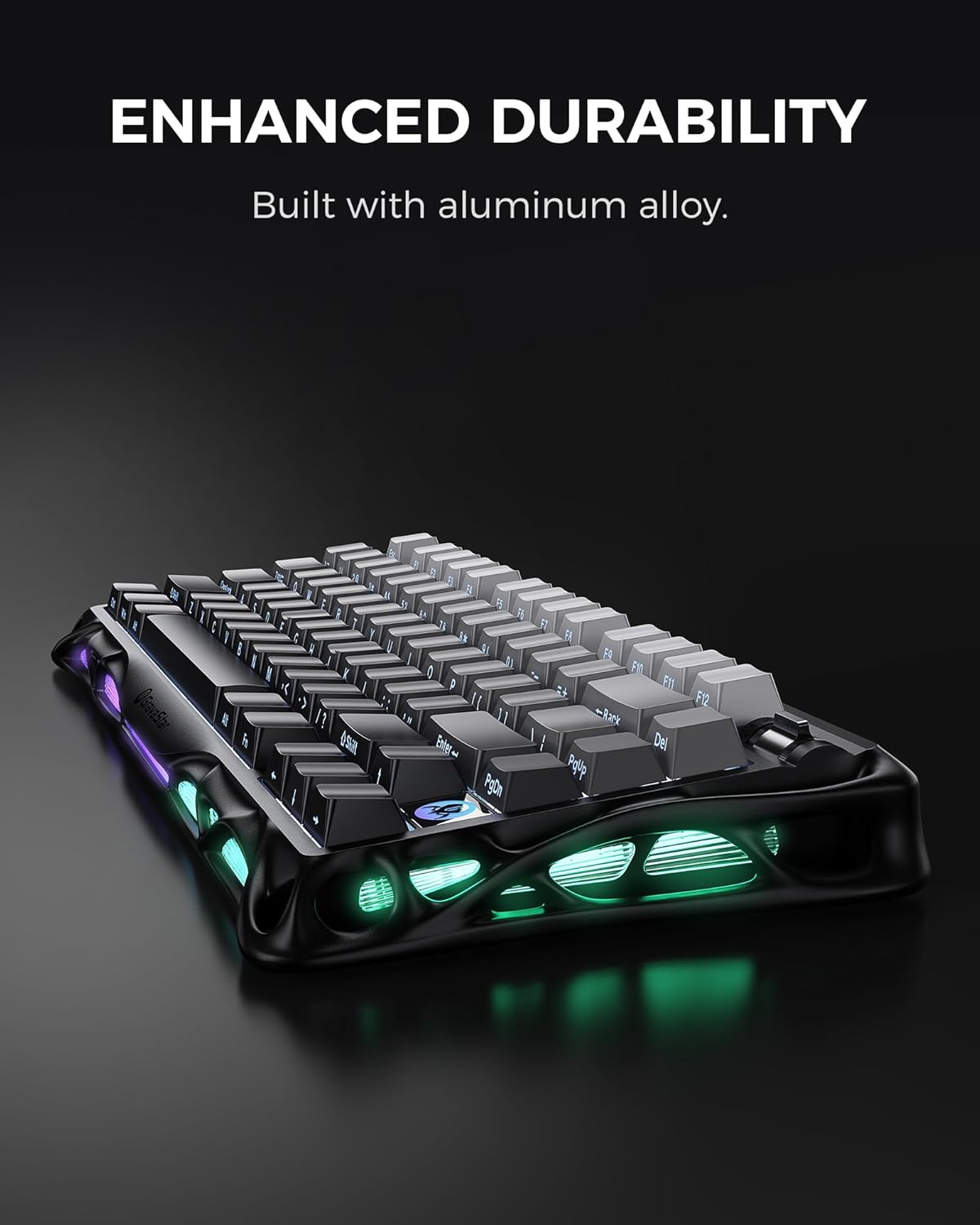
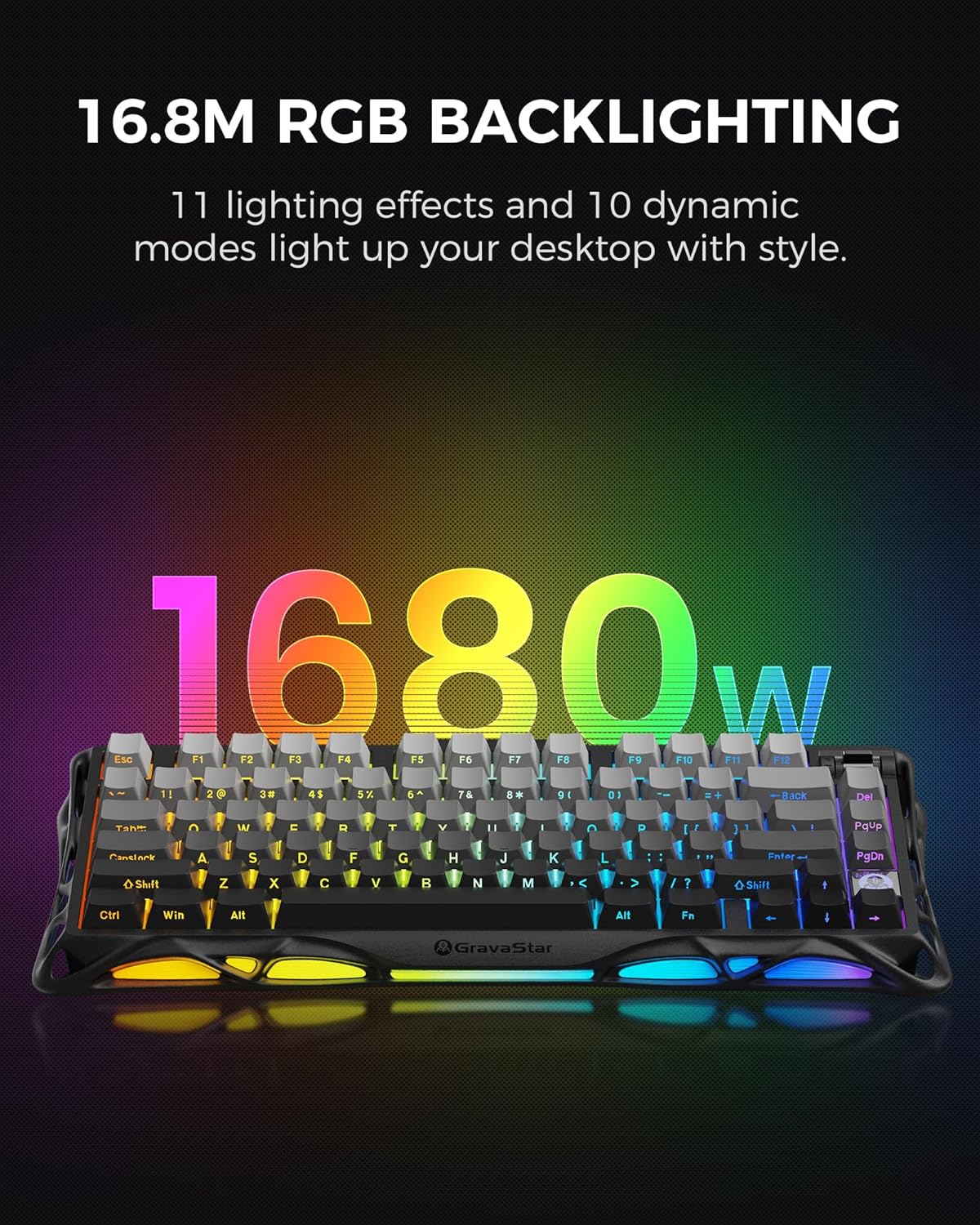
Product description 1 In Gaming 2 In Office Keycaps & Side Engraving 19.5mm Front Height Ergonomic Kickstand Coiled Aviator USB Cable GravaStar Coiled Aviator USB Cable, Suitable for GravaStar Mechanical Keyboard Mercury M1 Pro Wireless Gaming Mouse GravaStar Mercury M1 Pro Wireless Gaming Mouse, Lightweight Magnesium Alloy, 26,000 DPI, PAW3395DM Sensor, 5 Programmable Buttons, Support Wired/2.4GHz/BT, Up to 200 Hours Battery Life-Gradient Black GravaStar Keyboard Wrist Rest Pad-Black Keycap & Switch 2-in-1 Puller GravaStar Keycap & Switch 2-in-1 Puller, for Mechanical Keyboard, Easily Remove and Replace Gaming Keyboard Switches and keycaps GravaStar Gaming Mouse Pad Size: 15.8*31.5 Inch Futuristic Design: The Mercury K1 features a unique aluminum alloy exoskeleton with a gradient black finish, combining strength and lightness in its flowing curves. This design provides symmetrical stability, ideal for both intense gaming and comfortable typing.Custom GravaStar x Kailh Linear Switches: Equipped with exclusive GravaStar x Kailh linear switches, the K1 offers a smooth and responsive typing experience. With a 40gf actuation force, 1.5mm pre-travel, and 3.5mm total travel distance, these switches ensure quick reactions while minimizing accidental key presses.Gasket-Mounted Design with Sound Dampening: The keyboard’s gasket-mounted structure, combined with a flexible polycarbonate plate, absorbs impact vibrations and softens each keystroke. Five layers of sound-dampening foam enhance acoustics and reduce noise, providing a comfortable typing experience during extended sessions.Tri-Mode Connectivity: The Mercury K1 supports wired USB-C, Bluetooth 5.0, and 2.4GHz wireless connections, allowing seamless switching between devices. Its compatibility with both Windows and Mac systems ensures versatility for various setups.Customizable RGB Lighting and Software Personalization: Featuring dual independent RGB lighting systems with 16.8 million colors, the K1 offers 13 customizable backlight modes. Users can personalize their keyboard’s appearance and functions through dedicated software, tailoring the experience to match their style and gaming setup.

GravaStar Mercury K1 Mechanical Keyboard: Game-Changer for Enthusiasts

In a world where gaming peripherals are increasingly becoming a critical part of the overall gaming experience, the GravaStar Mercury K1 Mechanical Keyboard emerges as a standout contender. This keyboard isn’t just another input device; it’s a thoughtfully designed instrument tailored for both gamers and typists seeking precision, comfort, and style.

Futuristic Aesthetics Meets Ergonomic Functionality

At first glance, the Mercury K1 catches the eye with its striking aluminum alloy exoskeleton and gradient black finish. The flowing curves not only add an artistic flair but also enhance structural integrity, ensuring that the keyboard remains stable during the most intense gameplay sessions. This design is not merely for show; it balances aesthetics with performance, creating a symmetrical form that stands out on any desk.

Exceptional Typing Experience

Equipped with custom GravaStar x Kailh linear switches, the K1 offers a tactile yet smooth typing experience, boasting a notable actuation force of 40gf. With a pre-travel distance of 1.5mm and a total travel distance of 3.5mm, gamers can enjoy rapid key presses without the risk of unwanted activations. The response time is quick, allowing for enhanced gameplay and typing speeds that can keep up with your demands.

Gasket-Mounted Design Enhancements

One of the key innovations of the Mercury K1 is its gasket-mounted design, which mitigates the impact of each keystroke. Paired with a flexible polycarbonate plate, this structure absorbs vibrations, letting you type with ease while reducing overall noise. In addition, the implementation of five layers of sound-dampening foam not only enhances acoustics but also creates a more pleasant typing experience during long hours of work or play.

Versatile Connectivity Options

In terms of connectivity, the Mercury K1 excels by offering tri-mode access—whether you’re gaming on a PC, laptop, or even tablets. Choose between wired USB-C, Bluetooth 5.0, or 2.4GHz wireless connections for hassle-free switching between devices. Versatility is backed by cross-compatibility with both Windows and Mac systems, eliminating the worry of whether it will fit into your existing setup.

Personalized RGB Experience

Customization is a big selling point with the Mercury K1. Its dual independent RGB lighting systems provide 16.8 million color options and 13 customizable backlight modes. Not only can you illuminate your keyboard in your favorite colors, but you can also adjust its functionality through dedicated software. This level of personalization allows gamers to match their keyboard to their unique style or to create an immersive gaming atmosphere.

Overall, the GravaStar Mercury K1 Mechanical Keyboard doesn’t just meet expectations; it exceeds them. With an impressive rating of 4.5 stars, it’s clear that this keyboard is a favorite among users, combining style, functionality, and performance into one compelling package.

About GravaStar

GravaStar is a brand dedicated to innovating gaming accessories that elevate user experience. With a focus on design quality and technological advancements, GravaStar continues to push boundaries in the tech realm, providing gamers and computing enthusiasts with high-performance peripherals that stand the test of time. Whether you are gaming or working, the Mercury K1 is poised to enhance your setup dramatically.

Price: $129.95 - $110.45
(as of Sep 03, 2025 13:09:33 UTC – Details)

Related Posts
Read More

Custom design wireless controller for PS4 with non-slip grip and 3.5mm audio jack – Galaxy-themed!: Available now at [price_with_discount]

Product Description qq 88 33 44
🎮【Attention】It's compatible with PS4/Pro/Slim/Windows PC. When you are connecting it to game console for the first time, you need to use the charge cable in the package. When you are connecting it to PC, you need to hold down 'share + home' for 3 seconds. The controller's white light would flash, and you'll see the controller on your PC, which has the BT name 'wireless controller'.
🎮【Unique Design】The Galaxy design is inspired by the designer's love for the vast universe, different colors of nebulae accompanied by meteorites, if you use it at night, with a little light, then, you are not only holding the controller, but the whole universe.
🎮【Custom Process】The galaxy design are printed on the controller shell by water transfer process. They are not cheap stickers. We apply a smooth hand feel oil to the surface to ensure that hand sweat will not erode it.
🎮【Turbo Function】You can customize any key as a turbo key. First, hold down the 'share' key, then click the turbo key you want to set up successfully. Secondly, you can adjust the turbo frequency. First, hold down the 'share' key, then touch the joystick on the right up and down. There are three gears to adjust in total.
🎮【To Be AceGamer】You Can Get:1x Controller for PS4;1x USB-C Charge Cable;1x User Manual. AceGamer specializes in providing customized controllers for game lovers. No matter what problem you encounter, please leave us a message, we will reply to you within 24 hours.
Read More

“Skytech Nebula Gaming PC Desktop w/ Ryzen 5 5600X, RTX 4060 Ti, 1TB SSD, 16GB RAM | 32″ Curved Monitor, 165Hz, QHD, FreeSync/G-Sync”: Available now at [price_with_discount]

Why settle for mediocrity? Leap forward into the Skytech Nebula series with the newest architectures. Featuring the latest NVIDIA RTX series graphics cards and is powered by AMD Ryzen 5 Processor. The Skytech Nebula delivers the best price-to-performance value gaming rig in the market. The Skytech Nebula offers the best gaming computer built up to date to quickly run popular games such as Call of Duty Warzone, fortnite, Escape from Tarkov, Grand Theft Auto V, Valorant, World of Warcraft, League of Legends, Apex Legends, Roblox, PLAYERUNKNOWN's Battlegrounds, Overwatch 2, Counter-Strike 2, Battlefield V, New World, Minecraft, Elden Ring, Rocket League, Baldur's Gate 3, Dota 2, HELLDIVERS 2, Monster Hunter, Palworld, Terraria, Rainbow Six Siege, Dragon's Dogma 2, and more at Ultra settings, detailed 4K Ultra HD resolution, and smooth 60+ FPS gameplay. SPECIFICATIONS Manufacturer Part#: ST-NEBULA-0762-B-AM Processor: AMD Ryzen 5 5600X 3.7 GHz (4.6GHz Max Boost) CPU Memory: 16GB DDR4 RAM 3200 Gaming Memory with Heat Spreader Video Card: NVIDIA Geforce RTX 4060 Ti 8GB GDDR6X Graphics Card (Brand may vary) SSD: 1TB NVME SSD Operating System: Microsoft windows 11 Home 64-bit Case: Skytech Nebula Gaming Case, Black WiFi: 802.11AC Fans: 4 RGB Fans for Maximum Air Flow 32 inches QHD 2560 x 1440 1500R Curved Widescreen VA Gaming Monitor 120% sRGB color gamut area coverage in an ultra-wide 178° horizontal & vertical viewing angle, deeper blacks, and brighter colors for seeing more details in dark and shadowy scenes. Product images used on this page are for illustrative purposes only and do not indicate the exact components used at the time of manufacture. The component makes and models may vary from product depictions in product images but will adhere to the specification outlined in the product's main description. Particulars such as I/O ports may vary. Please get in touch with us for more details.
Read More

Ultimate Guide to the Doriteney RG P01 Wireless Gaming Controller: Compatible with Switch, PC, Steam, iOS, and Android – Featuring Hall Effect Technology and RGB Lights

Product description rg p01rg p01 rg p01rg p01 rg p01rg p01 rg p01rg p01

Parameter Adjustment

Gyroscope calibration: When in sleep mode, press the Select + Home, and LED1-LED4 will flash up and down. Place the gamepad on a horizontal surface and press the Start key, and LED1-LED4 will all lighet up, and the calibration is complete.Joystick light mode: R3 + CAP key can modify the joystick light mode, etc. rotate between the magic color automatic gradient mode, the light color constant light mode, the light breathing automatic color change mode, the light same color constant light mode, the light same color breathing mode, and the light off.Rapid fire setting: First press and hold the button to set the rthen press and hold the TURBO key to enter semi-automatic rapid apid fire, fire, press again to enter fully automatic rapid fire, and press again to cancel the rapid fire.Rapid fire level: TURBO + right joystick up and down can adjust the rapid fire speed.Vibration level: TURBO + left joystick up and down can adjust the vibration intensity.Layout switching: TURBO +Select can swap the key values of A an and the key values of X and Y keys. d B keys.
🎮【Compatibility and Connectivity】 RG P01 game controller is fully compatible with PC, Switch, Android (version 11.0 and above), and iOS devices. It offers versatile connection options, including wireless pairing via Bluetooth and a 2.4G receiver for PC. Simply press specified buttons to switch between different modes and connect to your device seamlessly
🎮【Parameter Adjustment and Customization】Experience precise control with the gyroscope calibration feature, which can be easily activated by pressing Select + Home in sleep mode. Customize the joystick light mode to your preference with the R3 + CAP key combination, cycling through various lighting effects. Adjust rapid fire settings and speeds, as well as vibration intensity, using the TURBO key and joysticks
🎮【Layout Switching and Button Mapping】 RG P01 allows for flexible layout switching, enabling you to swap the key values of A and B, as well as X and Y, with the TURBO + Select combination. Macro programming mode lets you create custom button sequences for streamlined gameplay. Press M1 or M2 while holding down the buttons you wish to program, then finalize by pressing M1 or M2 again
🎮【Power Management and Sleep Mode】The controller features a built-in battery with convenient power management options. LED indicators display the current power status and charging progress. Automatically enter sleep mode after 5 minutes of inactivity to conserve battery life. Wake up the controller by pressing the HOME button
🎮【LED Status & Pairing Indicators】LED1-LED4 provide visual feedback for pairing status and mode selection. Once paired, pressing the HOME button will reconnect the controller to the host device automatically. During pairing, follow the specific LED pattern for your device (e.g., Android, iOS, Switch) and press the corresponding buttons to establish a connection
Read More

PDP Victrix Pro BFG Wireless Controller: Ultimate Gaming Experience for Xbox & PC: Available now at [price_with_discount]

Create the ultimate controller for any game using the reversible left module for either an offset Xbox stick configuration, or side-by-side sticks. Fans of fighting games can swap in the Fight Pad module to replace the right stick with standard Xbox buttons. Fit your play style by equipping your favorite D-pad, analog stick caps, or gates all conveniently stored in the included carrying case. With the free Victrix Control Hub app you can map buttons, recalibrate sticks and triggers, adjust deadzones and EQ settings, run diagnostics, update firmware, and more. Using the four mappable back buttons, you can take down ops quickly and efficiently, plus create three button mapping profiles to maximize your speed in any game. Our patented, multi-position Clutch Triggers™ have five trigger stops and hair trigger mode for even faster reactions, and rumble motors and impulse triggers that help you feel what you’re experiencing in-game. With built-in Dolby Atmos and a lifetime subscription, you can access spatial surround sound audio so you can hear your enemies before you see them. Choose how you connect with both wireless and wired connectivity options. Use the included USB dongle or included cable to connect to your console or PC or connect to Bluetooth compatible devices. Experience the new standard in gaming with the officially licensed, Pro BFG Wireless Controller.
Play wirelessly on console using the USB dongle, connect via Bluetooth to compatible devices, or use the included cable to plug in the controller for tournament play and even faster inputs
Modular design for custom configuration with reversible left module, standard right module, 6-button fight pad module, 4 interchangeable sticks, 3 different D-pads, and 4 gates
Low latency audio and built-in Dolby Atmos with a lifetime subscription for spatial surround sound while gaming
Patented Clutch Triggers with 5 trigger stops and hair trigger mode, 4 mappable back buttons, and even more customizations using the free Victrix Control Hub app
Officially licensed by Xbox