GameSir X5 Lite Mobile Gaming Controller for Android & iPhone 15/16 – Lightweight Ergonomic Design, Hall Effect Joystick, Ideal for Genshin Impact & Zenless Zone Zero

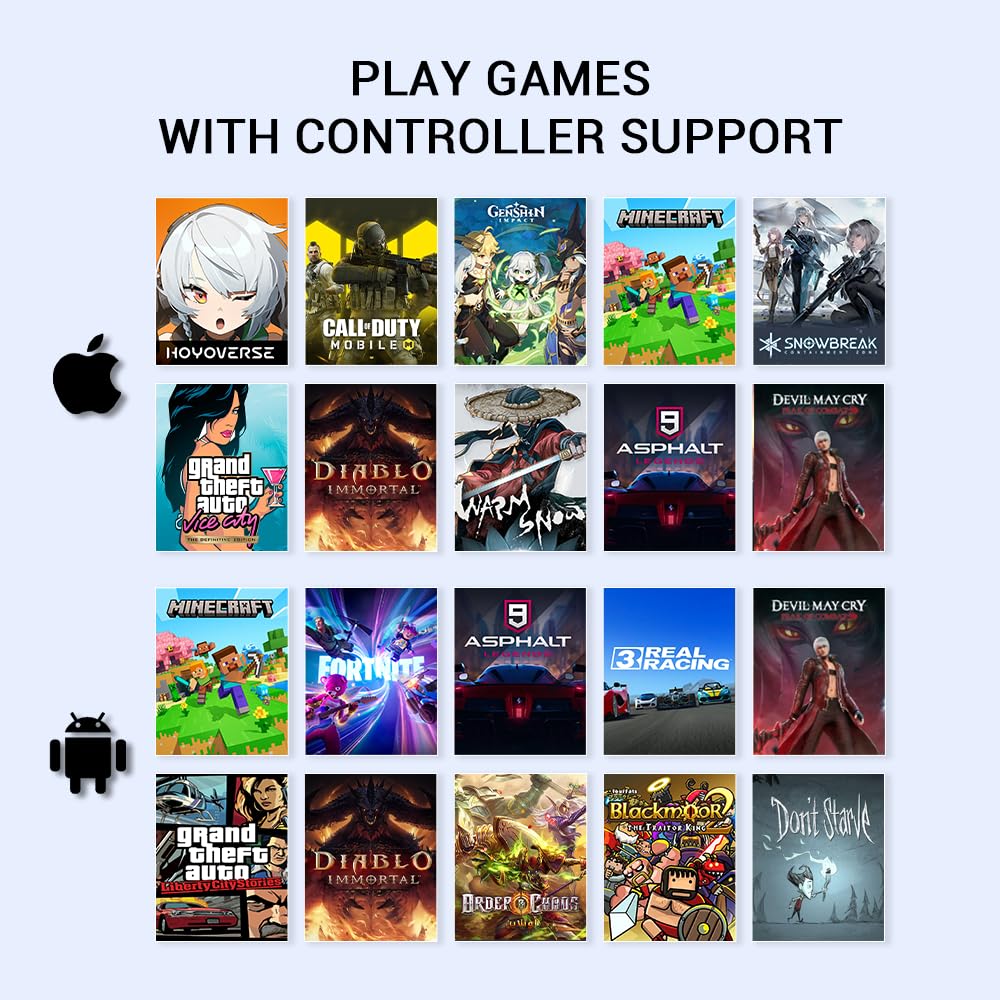
Product description The video showcases the product in use.The video guides you through product setup.The video compares multiple products.The video shows the product being unpacked. GameSir X5 Lite Mobile Gaming Controller Merchant Video Q: GameSir X5 Lite can’t connect to iPhone/iPad. A: Ensure your ios device is updated to iOS 18 or above.Please switch to Switch mode by pressing View+ menu button for 2s first. The indicator light should switch from dark blue(Android HID mode) to Red (Switch mode). 1 Remote Play 2 Mobile Gaming 3 Compatible Devices 1 Hall Effect Joysticks 2 Silicone Pad 3 GameSir APP GameSir Phone Controller Add to Cart Add to Cart Customer Reviews 4.3 out of 5 stars 443 4.5 out of 5 stars 43 4.3 out of 5 stars 446 3.9 out of 5 stars 176 3.5 out of 5 stars 59 Price $34.99$34.99 $49.99$49.99 $67.99$67.99 — $31.99$31.99 Platform iPhone 15/16,iPad Mini,Android Switch 2/Switch/Android/iOS/PC iPhone 15/16, Android iPhone 15/16, Android Android/iOS/PC Connection Mode Type-C Port Bluetooth Type-C Port Type-C Port Bluetooth Maximum length of the device 213mm / 8.39in 213mm / 8.39in 185mm / 7.28in 180mm / 7.09in 168mm / 6.61in Button Type Membrane & Hall-Effect Membrane & Hall-Effect Membrane & Hall-Effect Microswitch & Hall-Effect Tactile Switch & Hall-Effect Hall linear trigger ✘ ✔ ✔ ✘ ✘ Vibration motor ✘ ✔ ✘ ✘ ✘ Six-axis gyroscope ✘ ✔ ✔ ✔ ✘ Back Buttons ✘ ✘ ✔ ✘ ✘ Silicone Pads ✔ ✔ ✘ ✘ ✘ GameSir APP ✔ ✔ ✔ ✔ ✔ Controller Weight 135.4g / 4.78oz 170g / 6oz 249.2g / 8.79oz 280g / 9.88oz 180g / 6.35oz Expanded Screen Compatibility: Stretchable up to 213mm, fitting iPad Mini 6/7 and Android tablets; Compatible with iPhone 15/16 and Android devices; Ultra-stable Type-C connection ensures lag-free gaming across all supported screenMobile Gaming Compatibility: Lets you play most of the games you want. Supports Xbox Game Pass, Zenless Zone Zero, cloud gaming, Steam/Moonlight streaming games, and remote playHall Effect Sticks: GameSir Hall Effect sensing sticks deliver 360° seamless pinpoint control, provide the precision and durability that mobile gamers demandErgonomic and Lightweight Design: Stay comfortable during long gaming sessions with the X5 Lite. Weighing just 135.4g, its lightweight design and ergonomically laser-engraved textured grips ensure a secure, comfortable hold for hours of gameplayCushioned and Durable Membrane: The X5 Lite is equipped with cushioned and durable membrane triggers and buttons. The cushioned feedback provides a comfortable experience while ensuring quieter operationTurbo Function: Mobile game controller features a Turbo function with customizable buttons.Simply set the M + A/B/X/Y/LB/RB/LT/RT buttons to trigger Turbo, and M+A to change the ABXY layout.Pass-through Charging: X5 Lite offers pass-through charging, allowing gamers to continue playing while charging your device. This feature ensures uninterrupted gameplay, even during extended sessionsSoftware Customization: By downloading the GameSir app on your mobile, gamers can customize the controller to suit their needs. Some features can also be accessed through on-the-fly button combinations, ensuring seamless adjustments during gameplay.

GameSir X5 Lite Mobile Gaming Controller: Elevate Your Mobile Gaming Experience

The mobile gaming landscape has evolved tremendously, with immersive titles pushing the limits of hardware and gameplay experiences. Enter the GameSir X5 Lite Mobile Gaming Controller, a piece of tech that promises to enhance your gaming sessions with precision controls, ergonomic design, and versatility for various devices.

Features That Make a Difference

The GameSir X5 Lite controller boasts an expansive compatibility, stretching to accommodate devices up to 213mm. This feature supports everything from the iPad Mini to the latest iPhone 15/16 and various Android smartphones. Its ultra-stable Type-C connection ensures a lag-free gaming experience, essential when every millisecond counts in competitive gaming.

The controller’s Hall Effect sticks capture your movements with 360° seamless control, providing the pinpoint accuracy that mobile gamers crave. Coupled with a lightweight design at just 135.4g, the X5 Lite is ergonomic, promoting comfort during prolonged gaming sessions. The laser-engraved textured grips ensure you maintain a secure hold, preventing unnecessary slips during intense gameplay.

Additionally, the controller features cushioned membrane triggers and buttons for a quieter operation without sacrificing performance. Its Turbo function allows gamers to customize button configurations, ensuring that every action can be executed with ease and speed. Notably, the pass-through charging functionality lets you game continuously without interruptions — a must-have for marathon sessions.

Software Integration

With the GameSir app, the possibilities for customization are nearly endless. Gamers can fine-tune their controls, ultimate button mappings, and even access additional features on the fly. This ability to adjust settings while in-game means you can quickly adapt your strategy without breaking concentration.

A Competitive Edge

With features catering specifically to gamers seeking high performance without the bulk, the GameSir X5 Lite has rapidly garnered attention. The product stands proud with a commendable 4.5 out of 5 stars rating from reviewers, emphasizing its reliability and user satisfaction. With support for popular platforms such as Xbox Game Pass, Steam streaming, and cloud gaming, it truly positions itself as a versatile game-changer in the ever-expanding mobile gaming realm.

Conclusion

In summary, the GameSir X5 Lite Mobile Gaming Controller is designed for modern gamers who prioritize precision, comfort, and flexibility. Its standout features allow for seamless play across a plethora of devices, making it suitable for both casual and competitive gaming environments alike.

As part of the GameSir brand, known for creating innovative gaming peripherals, the X5 Lite embodies their commitment to quality and performance. Elevate your mobile gaming experience today — you won’t regret it!

Price: $34.99
(as of Sep 05, 2025 23:31:52 UTC – Details)

Related Posts
Read More

Koiiko Wireless Gaming Controller: Hall Effect Triggers, Rocker Design, Multi-Platform Compatibility, Bluetooth Connectivity (Graffit Black): Available now at [price_with_discount]

Product Description Wireless gaming controllerWireless gaming controller Function BlockFunction Block Function IntroductionFunction Introduction Connection method Wireless PC Game Controller

Make sure controller is off, hold down ‘R’ key, then press 'Home’ key for 2 sec to boot controllerSearh and select Connect Bluetooth 'Xbox Wireless Controller' Connection method Play Directly on your iPhone

Make sure controller is off, hold down ‘R’ key, then press 'Home’ key for 2 sec to boot controller'Searh and select Connect Bluetooth 'Xbox Wireless Controller'Android users boot mode 2: 'Y+HOME' Connection method Play Directly on your Android phone

Make sure controller is off, hold down ‘R’ key, then press 'Home’ key for 2 sec to boot controller'Searh and select Connect Bluetooth 'Xbox Wireless Controller'Android users boot mode 2: 'Y+HOME' Connection method Wireless Nintendo Switch Game Controller

Make sure controller is off, hold down ‘ZR’ key, then press 'Home' key for 2 sec to boot controller'The controller will automatically connect to the console Connection method Wireless PS4/PS3 Game Controller

Make sure controller is off, connect the controller to the PS3/PS4 console with Type-C cable Press ‘Home’ key , the controller will automatically connect to the console Ergonomic design compliantErgonomic design compliant

Why controller doesn’t work after connection

Please remove and delete Bluetooth connection then recon nect it again, or reset the controller.

Can’t power on the controller after charging overnight

While charging, the charging led light stays on, but still cant power on the controller. Then, you need to press the RESET key to reboot the controller.

Why does the button flip /fail to connect after connection?

The graffiti version requires pressing "home+A+Y" to press the button in the Bluetooth mode of the" Xbox wireless controller".

The regular version requires pressing "Home+b+x " to switch between buttons.

Why I can’t turn on the new Gamepad?

Please recharge the Gamepad before you use it at the first time or use it again after a long period.

How to reset default setting for the gamepad?

There is a ‘Reset’ hole on the back of the gamepad. When gamepad is turned on, press the reset button, LED light will turn off after reset.

Product Description

Name Wireless Controller for Tesla/Android/iOS/PC/Switch/PS4/PS3 Size Small Size (14cm*9cm*4cm/5.51*3.54*1.57in, 173g/0.38Ib.) Product List 1x Wireless Gamepad; 1x Type C Charging Cable; 1x User Manual Support iOS 13.0+ Phone game controller for iPhone 15/iPhone 15 Plus/iPhone 15 Pro/iPhone 15 Pro Max/iPhone 14/14 Plus/14 Pro /14 Pro Max/ iPhone 13/13 mini/13 Pro/13 Pro Max/iPhone 12/12 mini/12 Pro/12 Pro Max/iPhone 11/11 Pro/11 Pro Max/iPhone X/XR/XS/XS Max/iPhone 8 Plus/7 Plus/6 Plus; for iPad controller: iPad/iPad Mini/iPad Pro/iPad Air(Not for Apple TV&iPod, Fire TV/TV Box) Support Android 6.0+ Phone controller compatible with Samsung Galaxy S23, Galaxy S23 Ultra, Galaxy S23+, Galaxy S22, Galaxy S22 Ultra, Galaxy S22+, Galaxy S21, Galaxy S21 Ultra, Galaxy S21+, Galaxy S20, Galaxy S9, S9 + , S10, S10+, oppo, vivo, LG, X-iaomi, O-nePlus, M-otorola, TCL and more Android phones. Tablet controller compatible with Samsung Galaxy Tab S, Galaxy Tab A, Lenovo Legion Y700 etc. Support PC PC wireless controller for MacBook, PC, Notebook, Laptop (If your PC does not have its own Bluetooth function, then you need to buy another Bluetooth receiver(Bluetooth Receiver Hardware Required: Bluetooth 4.2 +) Support Switch Pro controller for Nintendo Switch, Switch OLED, Switch Lite Support PlayStation Wireless controller for PS3, PS4, PS4 Pro, PS4 slim (only supports playing PS4 games on PS5 consoles; No support for playing PS5 games) Support Cloud Gaming Support cloud gaming on iOS/Android mobile or tablet: Nvidia GeForce Now, xbox game pass, Amazon Luna, Google Stadia, Rainway, Moonlight, Arcade Tips for the Controller Please fully charge the controller before first use. (2)Ensure that the controller is turned off before Bluetooth pairing connection.
📱🖥【COMPATIBILITY】 Koiiko wireless gamepad compatible with most platform, for iphone, iPad, Android, TCL, LG, Tablet, tablet, play the iOS, Switch and PC games, support for Steam, PlayStation4/3 and most; for Nintendo Switch/Switch OLED/Switch Lite.(Not support Apple TV&iPod, Fire TV/TV Box.)
🎮🕹️【MULTI-FUNCTIONAL BLUETOOTH CONTROLLER】 Koiiko mobile controller is equipped with clickable thumbsticks, turbo, 6-axis gyro, responsive Hall Linear Trigger, Hall Rockerand 2 back buttons programmable function.(Vibration and 6-axis gyro supported on PC/PS3/PS4/Switch only)
🎮✨【Dazzling Cool Lighting design】The Koiiko mobile controller has a dedicated light adjustment button, Featuring a 7-color RGB breathing light. Compatible with 5 RGB light modes on the joystick, press the Button to Choose Your Favorite Color Light for Everyday Mood.
🎮✅ 【PRO GAMING GRADE KEYS GAME CONTROLLER】 Koiiko mobile controller is equipped with LB RB M1 M2 buttons. Highly customized,up to 30 actions keys could be saved per profle to allow gamers take ultimate skill by one click, gaming become more easily and fun.
🎮☁【ADVANCED CLOUD GAMING SERVICES】 Koiiko Mobile Controller offers seamless connectivity for a variety of devices and support most Cloud Game App including Play Space,Nvidia GeForce Now, Xbox game pass, Amazon Luna, Google Stadia, Rainway, Moonlight etc.. lets you play games without needing to download them.
🎮🎉【ADVANTAGE】Koiiko Mobile Controller no 2.4G adapter needed, no worry about missing the dongle.Has a 600mA Built-in Lithium Battery, allow you to use continuously for at least 10 hours!!Easy To Carry, Small and lightweight design for easy to carry and storage.
🥰 🥰【PACKING & TECHNICAL SUPPORT SERVICE】Package include: Game controller x 1, ,USB cable x 1, User manual x 1. Contact us for any questions,Our technology team will provide you technical support service.
Read More

UL Safety Certified 45W/33W Charger for Asus Vivobook and Zenbook Chromebook Laptop: Available now at [price_with_discount]

Product Description Lenovo Yoga 3-Pro 3-1370 3-1470 3-1170 Pro-1370 ADL40WCC ADL40WDB ADL40WDA ADL40WLC ADL65WCCLenovo Yoga 3-Pro 3-1370 3-1470 3-1170 Pro-1370 ADL40WCC ADL40WDB ADL40WDA ADL40WLC ADL65WCC

Fit for Asus Vivobook 14 15 17: F412D, F412DA, F412DA-NH77, F412DA-WS33, F510U, F510UA, F510QA, F510Q, F510, F512JA, F512J, F512DA, F512D, F512FA, F512F, F512; Asus Chromebook C202, C202S, C202SA, C300, C300M, C300MA, C300S, C300SA, C202SA-YS02, C202SA-YS01.Fit for Asus Q Series: Q200, Q200E, Q302, Q302L, Q302LA, Q302U, Q302UA, Q303, Q303U, Q303UA, Q304, Q304U, Q304UA, Q324, Q324U, Q405U, Q405, Q503, Q503U, Q503UA, Q504, Q504U, Q504UA, Q505, Q505U, Q525, Q525U, Q553, Q553U, Q553UB.Fit for Asus ZenBook: UX305F, UX360C, UX305FA, UX303U, UX305L, UX31A, UX330U, UX330UA, UX333FA, UX430U, UX430UA, UX433F, X540, X540L, X540LA, X540S, X540SA, X541, X541S, X541SA, X541U, X541UA, X202E, X451C, X541NA, X551C, X553MA, X751N, C200MA, D553M, E403S, E403S, E403NA, E403N, F553, F553M, F553MA, F556, F556U, L402S, L402WA.Fit for Asus T Series: TP201SA, TP201, TP201S, TP203, TP203N, TP203NA, TP300, TP300L, TP300LA, TP301UA, TP301U, TP301, TP401, TP401C, TP401CA, TP401N, TP410UR, TP410UA, TP410U, TP410, TP412UA, TP501U, TP501, TP510UA, TP510U, TP510, T304UA, T304U, T304, TX201, TX201L, TX201LA.

Fit for Asus Vivobook Charger

11 s2s2

7.5Ft long power cord cable

Features

22

Long Power CordLong Power Cord

55

7.5Ft Power Cable

Durable plug

Durable Plug

4.0*1.35 Round Connector


# Certified Safety # --- Certified and listed by the nationally recognized electronics safety expert UL. Only products with the top quality, workmanship & safety level in the industry can pass the extremely stringent quality tests to obtain this honorable certification.
# Flawless Compatibility # --- Exclusively designed round connectors will fit ASUS Vivobook Zenbook Chromebook laptops of 45W, 33W with round power
Aafter-sales services: This product is eligible for replacement or return within 30 days, and the manufacturer provides an additional 12 Months Warranty.
# What's in the Box # --- 1 X Power Adapter for Asus Vivobook Charger Replacement.
# Other Specs # --- Output: 19V 2.37A 45W (Fit for Asus Vivobook laptops of 45W & 33W), Input:100-240V
Read More

“Fogruaden Full Size Green Matcha Mechanical Keyboard with Red Switches and RGB Backlighting”: Available now at [price_with_discount]

Product Description Fogruaden Wired RGB Full Size Green Matcha Mechanical Keyboard 104 Keyboard104 Keyboard

How do I factory reset it?

FN+Esc press and hold for 3 seconds to release,enter F1,F3,F5 in sequence to restore default settings

Will the light shine through the keycaps ?

Backlit can't pass through the keycaps to illuminate the legend

does this keyboard have feet stands in the back?

Yes,this 104 keyboard have 1 feet stands in the back

full size keyboardfull size keyboard Full anti-ghosting keyboard full size keyboardfull size keyboard XDA Profile Keycaps(Non Shine Through) 104 Keyboard104 Keyboard 104 Keyboard104 Keyboard
【Full Size Mechanical Keyboard】104 keys full size design with arrow keys, number pads, function keys, All keys do not conflict, ensure that every click is registered, retaining the usual number keys, perfect for the office and gaming. Press FN +( F1~F12 ) keys could quickly active the multi-function keys
【Gorgeous RGB Effect】18 RGB backlight modes and 8 backlight color on board, experience stunning RGB lighting effects that bring your keyboard to life
【Mechanical Red Switch】The red switch characterized for being linear and smoother, slight key sound with minimal resistance, but fast action without a tactile feel; easy to tap the keyboard
【Full anti-ghosting keyboard 】 all 104 keys are no conflict, allow multiple keys to work simultaneously, suitable for gamer, typist, programmer, writer etc
【Extensive Compatibility】 This mechanical keyboard full size use USB wired connector making it compatible with Windows (Vista/7/8/10/11), enjoy a reliable and fast wired connection for uninterrupted gaming sessions
【Ergonomic Gaming Keyboards】Solid bottom shell with PBT Dye-Sublimation Matcha green keycaps; 104 full size layout; kickstand can adjustable typing angle, XDA Profile. It is not easy to fatigue after long-term use and has better comfort
Read More

“Redragon RGB Keyboard & Wireless Gaming Mouse Bundle”: Available now at [price_with_discount]

K668 RGB Keyboard and M810 PRO
This bundle includes a K668 keyboard and an M810 Pro Wireless Gaming Mouse.
Hot-Swappable Red Switches - Hot-swappable with almost all switch types in the market no matter 3-pin or 5-pin. Quiet basic linear mechanical switches, soft key travel makes every click easy to register. Along with 3.5mm sound absorbing foam, delivers a clear and crisp typing sound with no sick noise.
Full Size 108 Keys Layout - 104 keys anti-ghosting allows you to simultaneously click multiple keys. While adding the extra 4 shortcut keys, featuring more convenience and practicality.
Wireless for Boundless Winning - Cables truly will affect your detailed battle reaction, Redragon M810 pro wireless gaming mouse with 2.4Ghz nano receiver offers you the purest mouse moving experience and hype your KDA rise again.
Adjustable DPI to 10000 - Geared with 5 on-board DPI levels (500/1000/2000/3000/10000) which allow your mouse movements to be registered to each pinpoint location. 5 DPI levels are free to DIY with software, for gamers to switch swiftly in game.