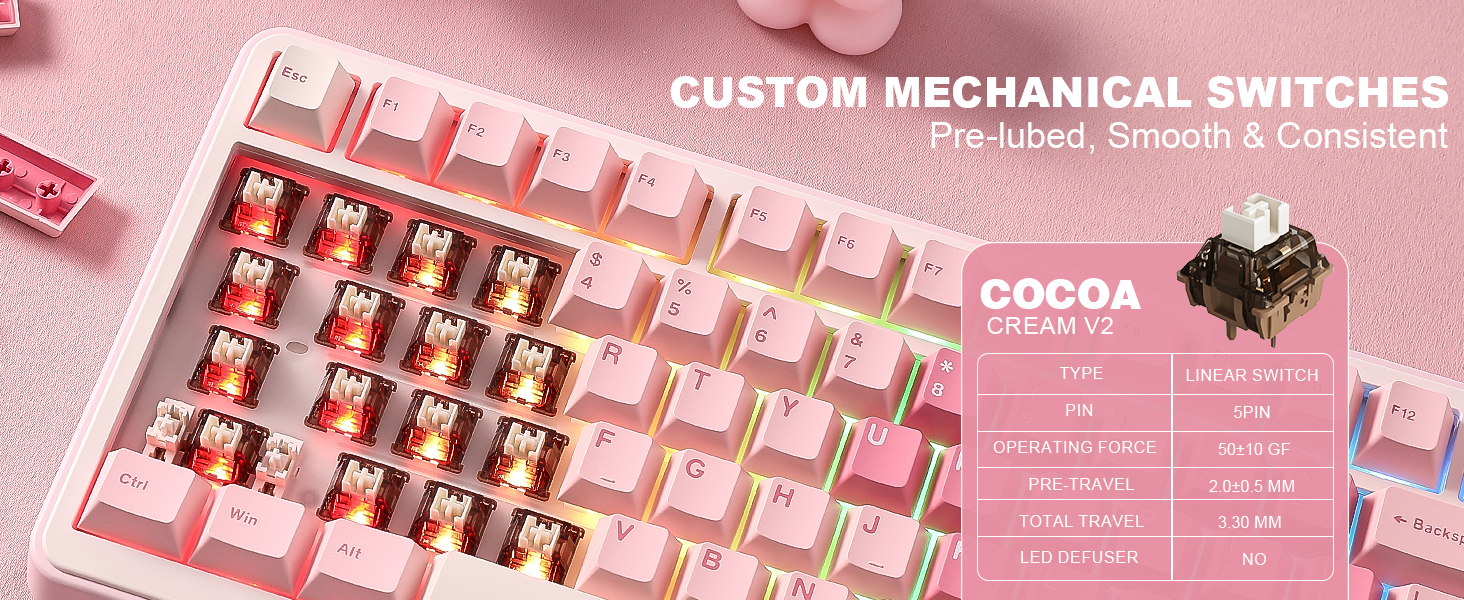
FE75Pro Wireless RGB Mechanical Gaming Keyboard- Hot Swappable, Three-Layer Dampening, Custom Backlit- Black/Red: Available now at [price_with_discount]

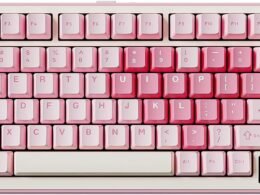
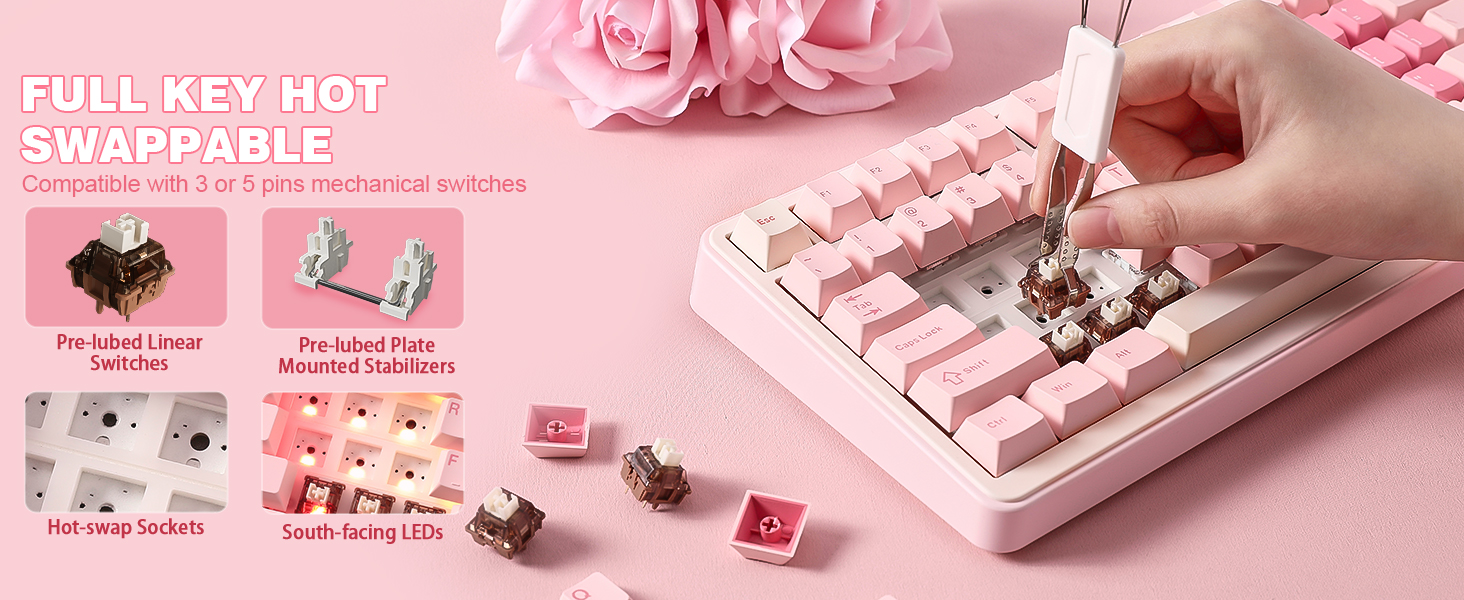
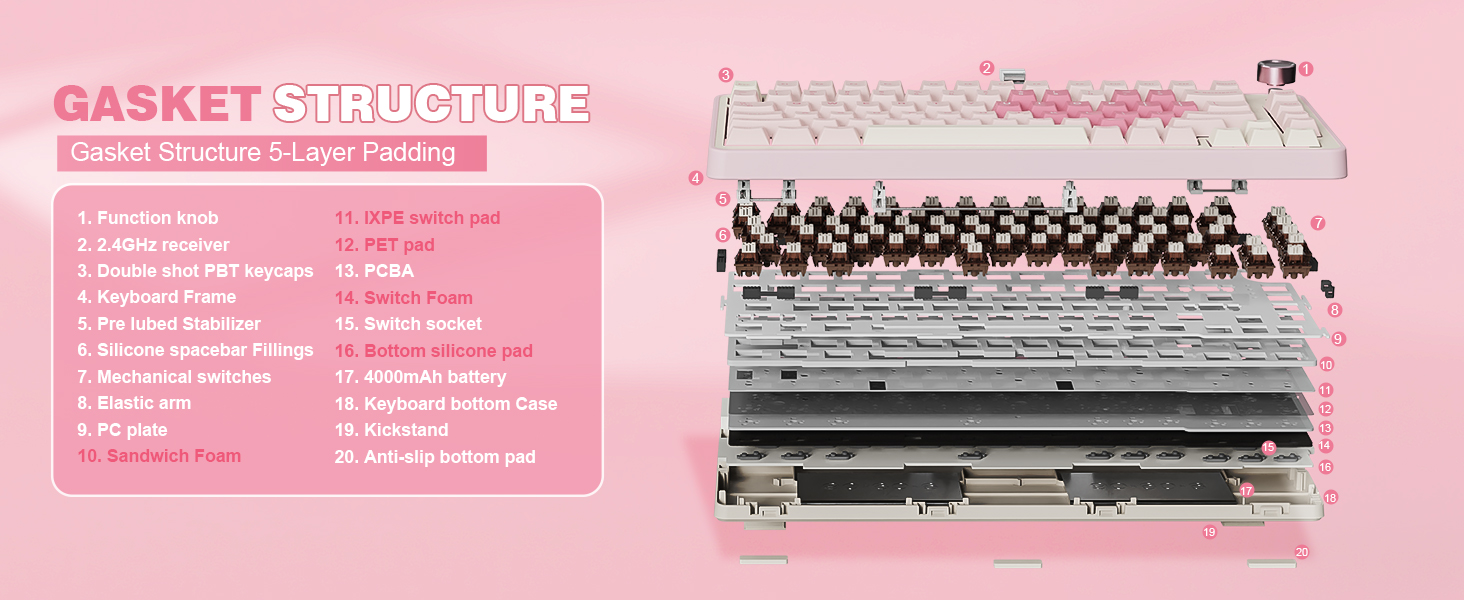
Product Description Hidden 2.4g dongle BT/2.4G/wired one-touch Three-part foot support WhitePink Available in 81-key and 98-key models BlackRed Available in 81-key and 98-key models WhiteBlue Available in 81-key and 98-key models White Available in 81-key and 98-key models YellowNaryBlue Only 81 Keys, GATERON Hot-Swap Switch YellowGreen Only 81 Keys, GATERON Hot-Swap Switch How do I download the driver software for Customer DIY of my keyboard? Please visit the website irok.cc to download, after downloading, you can change the RGB lights and shortcut keys! Can irok’s software cause my information to be leaked? No, irok will not do anything that violates laws and regulations to cause harm to consumers, and we are not in a position to do so. My keys don’t respond sometimes, what should I do? The FE75 has a hot-swappable keyboard feature, most likely caused by switches failure, you can replace any 3-pin or 5-pin mechanical switches supported by irok mechanical keyboards yourself. 【NOTE】-Short press [FN+ESC] to open IROK driver directly, the first time you use this key combination will automatically open the driver download page.IROK driver can adjust the backlight color and sensitivity of the keyboard, etc.【Hot-Swappable Switch】- Factory-lubricated mechanical switches with hot-swappable function, in addition to a stable and smooth key feel, replacement of other 3-pin or 5-pin mechanical shafts can also customize the feel of the keyboard.【Three Layer Sound Absorbing Design】-FE75 PRO Mechanical Keyboard is padded with three layers of silicone pads between the metal locator plate and the PCB boards. The sound-isolating silicone pads absorb the impact of each keystroke, which not only ensures smooth and comfortable typing feel, but also eliminates most of the noise and makes the keystrokes sound cleaner and crisper. This creates a flexible, soft and clean typing experience.【Comfortable Ergonomic Stepped Keycaps】- Thick ABS keycaps provide better keystrokes, while the ergonomic stepped keycaps and two-part support feet provide a comfortable typing experience. In order to maintain the overall aesthetics of the keyboard, the keycaps of all keyboard models except the black and white solid color keyboards are made of ABS opaque keycaps, which are both aesthetically pleasing and do not interfere with the normal use of the keyboard.【RGB Customizable Backlit】- There are 16.8 million true color RGB lighting effects, which can customize a variety of lighting effects through the IROK Driver. High-performance processor is quickly, faster and more accurate【Anti-Ghosting Full Keyboard】 Full keyboard 81 keys without conflict. All 81 ABS keycaps are color-matched (White-Blue, Black-Red, Pink-White, Blue-Yellow, Green-Yellow, Pink-Blue), say goodbye to monotonous solid-color keyboards and make your desktop more colorful, and there are two sizes of 81-key and 98-key to choose from, which meets most of the needs.【High-performance 2.4G Wireless Keyboard】 Up to 10m wireless working distance, enables the keyboard to achieve long-range wireless control. The receiver on the back of the keyboard. Play and plug, conveniently designed for gaming or office or home use. Two working modes, wired (Type C cable) and wireless, enjoy the freedom of being wireless while still not compromising performance by going wired.

The FE75 PRO Mechanical Keyboard by irok comes with a hidden 2.4g dongle for wireless connectivity as well as the option for BT/2.4G/wired one-touch connection. It features three-part foot support for ergonomic typing. The keyboard is available in various color combinations and key layouts, including 81-key and 98-key models with GATERON Hot-Swap Switches.

Customers can download driver software from the irok website to customize RGB lighting and shortcut keys. irok ensures that their software will not compromise user information. In case of unresponsive keys, users can replace mechanical switches supported by irok mechanical keyboards. The keyboard has a hot-swappable switch feature and a three-layer sound-absorbing design for a quiet typing experience.

The FE75 PRO keyboard also features comfortable ergonomic stepped keycaps and customizable RGB backlighting with 16.8 million color options. It offers anti-ghosting with all 81 keys without conflict, available in different color combinations to suit personal preferences. The keyboard can be used wirelessly up to 10m distance with a receiver on the back, and also has a wired Type C cable option for flexibility. The high-performance processor ensures fast and accurate operation for gaming or office use.

Price: $56.99 - $52.99
(as of Jul 05, 2024 03:07:00 UTC – Details)


Related Posts
Read More

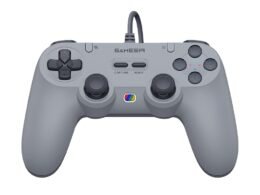
GameSir T3: Wireless PC and Android Gaming Controller with Turbo, Vibration, and Long Battery Life: Available now at [price_with_discount]

Product Description GameSir T3 Game Controller GameSir T3 Game Controller

Power on: Press and hold the HOME button for 2s to power on;

Power off: Press and hold the HOME button for 5s to power off.

How to Pair with USB Receiver

1. Plug the USB receiver into the USB port of your computer.

2. When the gamepad is powered off, press and hold the R1+X+HOME button for 2s to start the gamepad.

3. The indicator light of the gamepad fast blinks alternately blue and red to enter the pairing mode.

4. After successful connection, the default mode is computer connection mode.

How to Connect to Your Computer via USB Receiver

1. Plug the USB receiver into the USB port of your computer;

2. Press and hold the X+HOME button to start the gamepad;

3. When reconnecting to your computer again after the gamepad is powered off, just by pressing and holding the HOME button for 2s to start the gamepad, the gamepad will automatically connect with the USB receiver.

How to Connect to Android TV Box via USB Receiver

1. Plug the USB receiver into the USB port of your Android TV box;

2. Press and hold the A+HOME button to start the gamepad;

3. When connecting your Android TV box again after the gamepad is powered off, just by pressing and holding the HOME button for 2s to start the gamepad, the gamepad will automatically connect with the USB receiver.

gaming controller gaming controller

gamepad gamepad

mobile game controller mobile game controller

Working for PC & Android TV

GameSir T3 Game Controller works for Windows 10/8/8.1/7, Android TV Box (Android 9.0 or above), which makes it an ideal gaming companion for your cozy couch gaming, be it through the attached 1.8m cable or 2.4GHz wireless receiver (up to 10m transmission distance).

3-gear Turbo Frequency Delivers Right Speed for Right Scenes

GameSir T3 Gamepad has 3-gear Turbo speed to choose from, This pc game controller helps gamers change to different speed while gaming that reach an ultimate gaming experience.

40-hour Battery Life Backs Your Nonstop Playtime

GameSir T3 built-in with a 400mAh lithium battery, which can provide up to 40-hour battery life. It helps gamers escape low battery anxiety and gamers ultimate gaming experience.

pc controller pc controller

pc gaming controller pc gaming controller

gamesir t3 controller gamesir t3 controller

Dual Mode Connection

GameSir T3 has two mode connection, Wired, or Wireless. You can use 1.8m cable or 2.4GHz wireless receiver to connect your computer or android TV Box. T3 controller makes it not a question for gamers to enjoy the freedom to switch from a wired to wireless controller.

Asymmetrical Dual Motors Take you to Real Gaming Battles

How to adjust Motor Vibration Intensity? 1.Vibration gear: 4 gears, Off/Low/Middle/Strong; 2.Adjustment of vibration gear: press and hold the TURBO button, then press the D-Pad’s down button (downshift) or up (upshift) button to adjust the vibration gear. The according vibration response time is 2s when adjusting.

Linear Trigger Buttons Create Multi-level Performance and Interactivity

Linear trigger buttons allow you to control in-game speed or strength by adjusting your tension on them in response to the gameplay, thus realizing multi-level performance and interactivity in games.

Add to Cart Add to Cart Add to Cart Add to Cart Add to Cart Customer Reviews 3.8 out of 5 stars 778 3.9 out of 5 stars 256 4.2 out of 5 stars 537 4.3 out of 5 stars 523 4.2 out of 5 stars 1,926 Price $26.99$26.99 $29.99$29.99 $49.99$49.99 $41.99$41.99 $35.99$35.99 Connection Types 2.4GHz Wireless / Wired 2.4GHz Wireless / Wired 2.4GHz Wireless / Wired Wired Bluetooth / 2.4GHz Wireless / Wired Working Platforms Windows PC / Android TV / TV Box Switch/Windows PC / Android TV / TV Box PC / Android / iOS / Nintendo Switch PC / Nintendo Switch /Android PC / Android / iOS / Nintendo Switch Turbo Button ✓ ✓ ✓ ✓ Vibration Function Dual Vibration Dual Vibration Dual Vibration Dual Vibration Dual Vibration Gyro Function None None Six-Axis Gyroscope Six-Axis Gyroscope Six-Axis Gyroscope Wake up Switch Function None Yes Yes Yes Yes Custom Button None None 2 Customizable Button 2 Customizable Button 4 Customizable Button Battery Capcity 400 mAh 600 mAh 860 mAh No Battery 600 mAh Woking Time 20 Hours 25 Hours 25 Hours No Limited 15 Hours Hall Effect Sticks ✓ ✓ ✓
【Wireless &Wired Dual Mode Connection】GameSir T3 Game Controller works for Windows 10/8/8.1/7, Android TV Box (Android 9.0 or above). You can use 1.8m cable or 2.4GHz wireless receiver to connect your computer or android TV Box.
【Linear Trigger Buttons Design】GameSir T3 Controller built-in Linear trigger buttons allow you to control in-game speed or strength by adjusting your tension on them in response to the gameplay, thus realizing multi-level performance and interactivity in games.
【3-gear Adjustable Turbo Frequency】GameSir T3 PC Gaming Controller have 3-gear Turbo speed to choose from, which helps gamers change to different speed while gaming.
【Asymmetrical Dual Motors】GameSir T3 Equipped with asymmetrical dual motors enhances game immersion, allowing you to enjoy interactive in-game effects, delivering a real-time and realistic gaming experience.
【40-hour Battery Life Backs Your Nonstop Playtime】Built-in with a 400mAh lithium battery, T3 can provide up to 40-hour battery life. It helps gamers escape low battery anxiety and gamers ultimate gaming experience.
Read More

“ASUS Zenbook Laptop: 14″ WUXGA OLED Touchscreen, Intel Core 7-155H, 16GB RAM, 1TB PCIe 4.0, WiFi 6E, Win 11 Pro”: Available now at [price_with_discount]

The computer is professionally upgraded and customized. The manufacturer box will be opened by our professional engineers for customizing and testing. Factory defects and blemishes are significantly reduced by our in-depth inspection and testing. We offer a 12-month warranty, please feel free to contact us if you need any support from our team.

Processor Model
Intel Core Ultra 7-155H

# of Cores
16 # of Performance-cores
6

# of Efficient-cores
8 Total Threads
22

Max Turbo Frequency
Up to 4.8 GHz

Efficient-core Max Turbo Frequency
3.8 GHz

Graphics
Intel Arc Graphics

Display
14 inch WUXGA (1920 x 1200) Display

Interface
1 x USB-A
2 x Thunderbolt 4
1 x HDMI
1 x Headphone/Microphone combo

Connectivity
Wi-Fi 6E and Bluetooth

Operating System
Windows 11 Pro

Others
Dimensions:12.29 x 8.66 x 0.59 in
Weight (approximate): 2.82 lbs

Exceptional Performance - Zenbook 14 OLED, Intel Evo-certified, ensures top-tier performance. Powered by Ultra 7-155H with integrated NPU AI engine, handle tasks swiftly, even with AI-based applications, for efficient work
Intel Arc Graphics - Elevate gaming and content creation with Intel Arc iGPU's built-in graphics acceleration and ray tracing hardware. Experience stunning visuals and high-speed performance
Immersive Entertainment - ASUS Lumina OLED brings brilliance with its vibrant display, 1920 x 1200 resolution, 500nits HDR peak brightness, and 100% DCI-P3 color gamut. Enjoy seamless viewing with an 87% screen-to-body ratio
2.82lbs light - Enjoy unparalleled mobility with a stylish, featherweight, metal construction, boasting a flawless finish for a seamlessly tactile encounter
Multiple Ports Available - Connect your laptop with other devices. 1x USB Type-A, 2x Thunderbolt 4, 1x HDMI, 1x Headphone/microphone combo
Read More

Skinit Decal Audio Skin for BENGOO G9000 – Disney Toy Story The Claw Design: Available now at [price_with_discount]

The Disney Toy Story The Claw decal skin compatible with BENGOO G9000 offers an ideal solution to enhance your device's aesthetics. This Toy Story Skin, designed to be compatible with BENGOO G9000, is adorned with 3D Vivid Print Technology, ensuring a flawless, high-gloss finish that is also resistant to scratches. Thanks to the 3M adhesive, our skins achieve a harmonious balance between durability, thinness, and lightweight design. Additionally, the application and removal process is made effortless and hassle-free.
Officially Licensed Toy Story Disney Skin compatible with BENGOO G9000
Adorned with premium 3M vinyl wraps for a sleek and high-quality appearance
Cutting-edge Vivid Color Vinyl Print Technology for a striking and vibrant appearance
Completed with a glossy, scratch-resistant top layer
The 3M adhesive backing ensures a straightforward and residue-free application and removal process