
Enhance Your Gaming Experience with the PXN P5 Wireless Gaming Controller: Hall Effect Joystick, Dual Vibrators, and Multi-Platform Compatibility (PC, Switch, Android, iOS)

Experience precision with Hall Effect technology, seamless connectivity via 2.4G wireless and Bluetooth, four customizable macros, and three versatile modes. Ideal for gamers looking to elevate their gameplay across multiple devices.

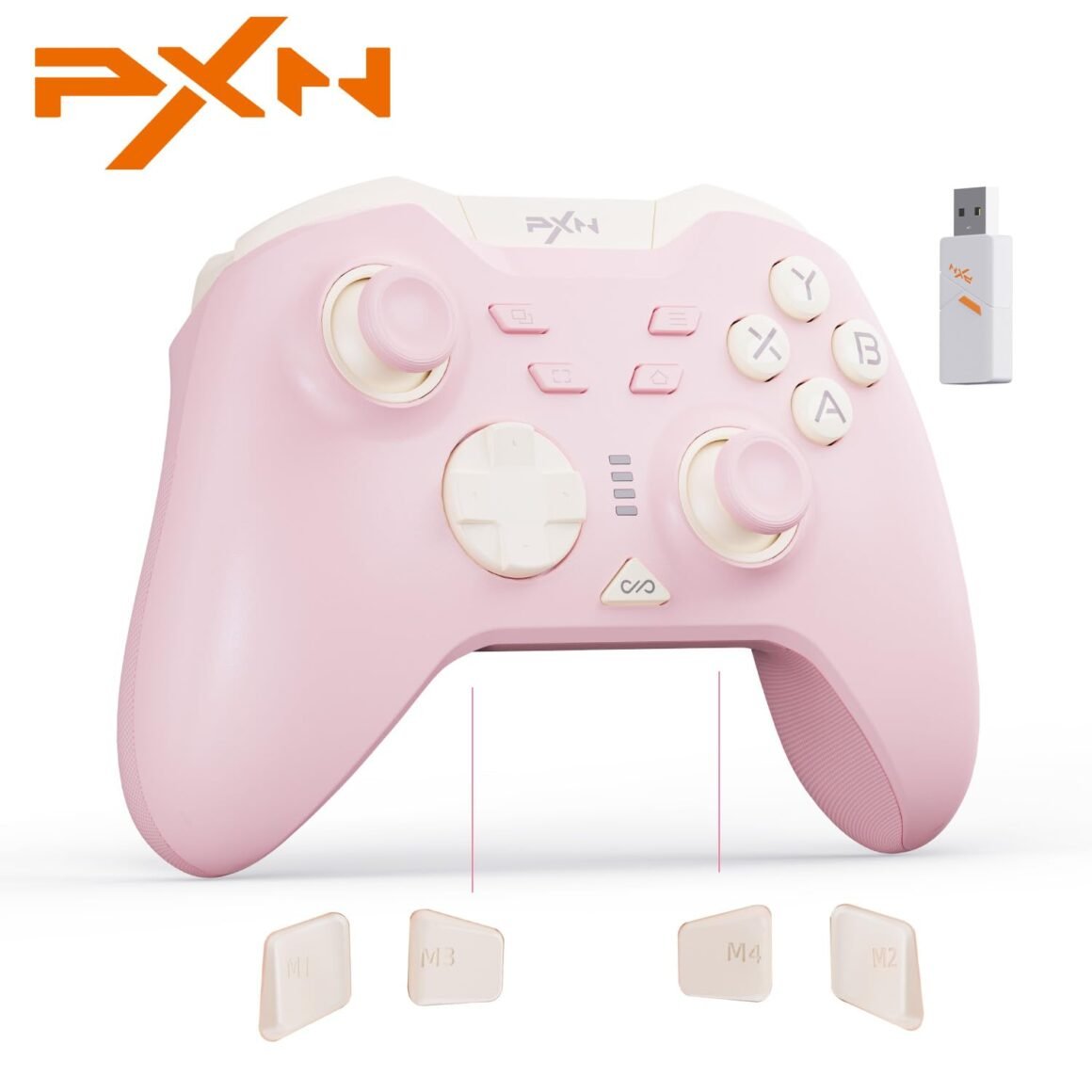
Product description 1 Play PC Games 2 Play Phone Games 3 Play SWITCH Games 4 Android TV Games 5 Play Car Games 【MULTI-PLATFORM COMPATIBILITY】: The PXN P5 Wireless Gaming Controller is compatible with Nintendo Switch, Switch Lite, Switch OLED, PC/Laptop (Windows 7/8/10/11), iOS 16+, and Android 8.0+. 3 Connection Modes: 2.4G wireless, Bluetooth 5.2, and Switch mode. Supports Type-C wired connection for PC, the controller supports wired connection to a computer via Type-C, and can switch to D-input mode between wired and receiver connection methods, switching is not possible in Bluetooth mode.【4 – MACRO BUTTON】:The M1/M2/M3/M4 buttons and FM auxiliary function buttons on the back of the switch controller allow for programmable operation, maximum number of action keys in a macro is 32. The function buttons that can be programmed are Up, Down, Left, Right, A, B, X, Y, L, R, ZL, ZR, L3, R3, +, -, allowing you to achieve complex moves in the game with concise triggers that bring cool combos. Gaming controller’s Macro buttons help reduce button abuse and stick clicks.【HALL EFFECT SENSORS】: The 2 Hall joysticks provide precise movement control for the game controller, paired with POM rings to eliminate drift during gameplay. 2 Hall triggers (LT/RT) feature 2-stage trigger locks for adjustable linear or nonlinear modes. Linear triggers provide 256-level variation for accurate throttle control, ideal for racing games. Nonlinear triggers with 0.05mm precision ensure quick, accurate responses, perfect for shooting games.【ADVANCED FEATURES】: The Hall joystick controller has a 1000 Hz report rate in both wired and 2.4G connection modes, with 2 asymmetrical rotor motors to enhance the controller’s response speed, ensuring better synchronization between the player’s reactions and in-game actions; supports APP (PXN NEXUS), wake-up function, 1000mA battery, 0 dead zone quick switch (0-10%), joystick circularity adjustment switch, and air mouse function (only effective when switched to X mode via wired PC connection)【100% SATISFACTION GUARANTEE】: We have 100% confidence in PXN pc gaming controller, your kids or your friend will be delighted with the switch controllrt. But, if for any other reasons you’re not completely satisfied, just contact us by email to ask for a full refund or replacement.

PXN P5 Wireless Gaming Controller: Elevate Your Gaming Experience

In the competitive world of gaming, having the right controller can make all the difference between victory and defeat. The PXN P5 Wireless Gaming Controller emerges as a versatile solution packed with features to enhance your gameplay across multiple platforms. With compatibility for the Nintendo Switch (including Switch Lite and OLED), PC (Windows 7/8/10/11), as well as iOS and Android devices, this controller is built for gamers who want efficiency and flexibility.

Key Features and Performance

  1. Multi-Platform Compatibility: The PXN P5 supports three connection modes: 2.4G wireless, Bluetooth 5.2, and a Type-C wired connection. This versatility allows for seamless gameplay whether you’re engaging in high-octane racing on your PC or enjoying platformers on your handheld Nintendo Switch. The controller also offers easy switching between wired and wireless modes, ensuring you stay connected without lag.

  2. Advanced Macro Functionality: Equipped with four programmable macro buttons (M1/M2/M3/M4), the PXN P5 allows you to streamline your gameplay with customizable commands. This means you can execute complex moves effortlessly, elevating your performance in competitive settings. By programming up to 32 actions into a single macro, gamers can significantly reduce button strain while maintaining the fluidity of their moves.

  3. Precision Movement Control: Featuring Hall Effect sensors in its joysticks, the PXN P5 ensures precise control and eliminates drift during gameplay. With 256-level variations in the triggers for racing, combined with a 0.05mm precision for shooting, gamers can expect a responsive and accurate control scheme. This balance between high sensitivity and responsiveness is essential for achieving top-tier performance in any gaming genre.

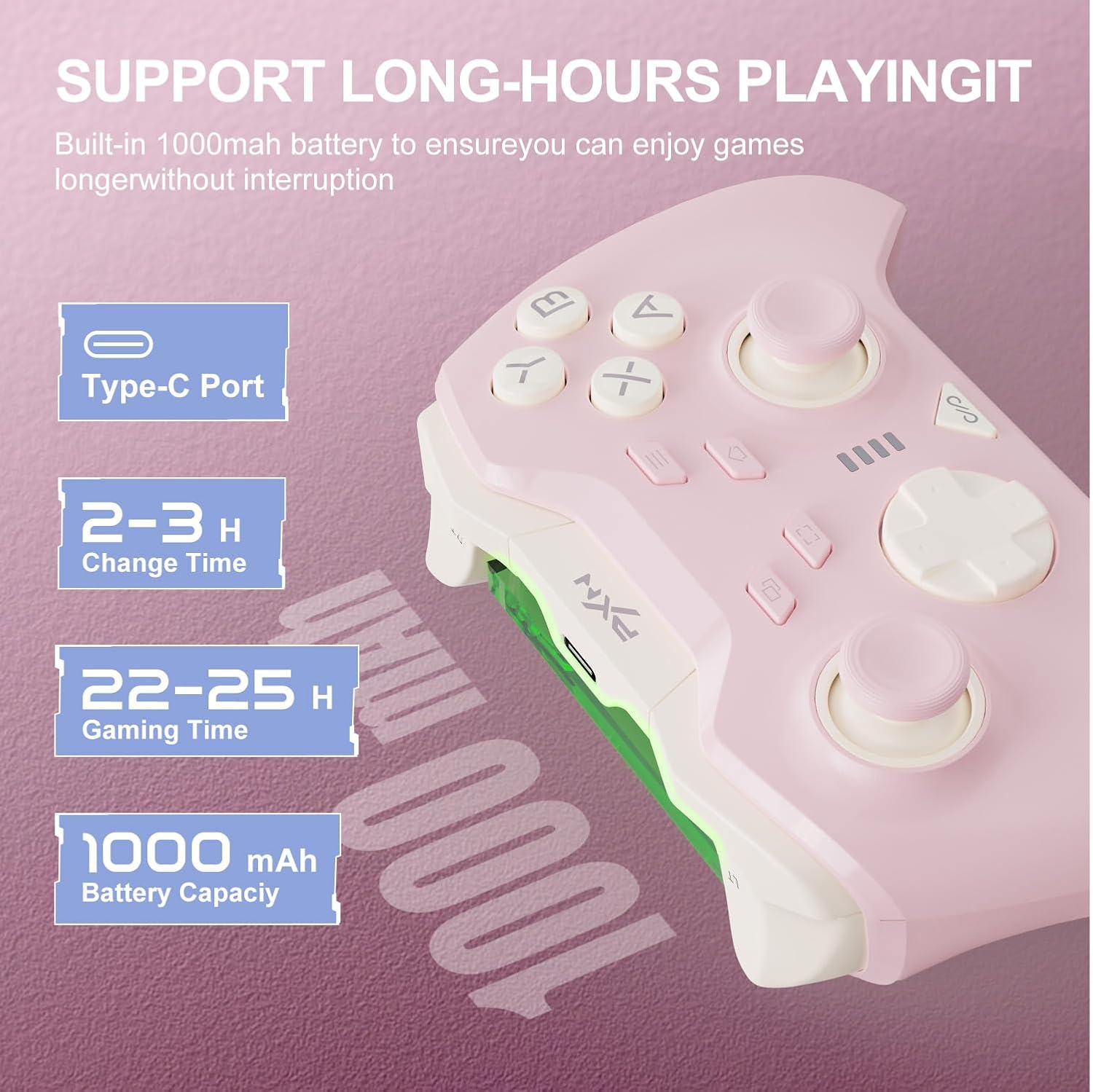
  4. Responsive Performance: With a 1000 Hz report rate and two asymmetrical rotor motors, the PXN P5 offers enhanced feedback, ensuring that your in-game actions sync perfectly with your button presses. The controller’s features also incorporate a wake-up function, a 1000mAh battery for prolonged playtime, and advanced adjustments to zero dead zones for a flawless joystick performance.

User Satisfaction Guarantee

The PXN team stands by the excellence of their product, offering a 100% satisfaction guarantee. If you’re not completely satisfied with your purchase, reaching out for a refund or replacement is straightforward. This assurance builds trust and confidence, making the PXN P5 a risk-free addition to your gaming arsenal.

Conclusion

The PXN P5 Wireless Gaming Controller is a fine-tuned instrument designed for gamers who demand the best. Its advanced features, flexibility, and commitment to user satisfaction make it a formidable choice for anyone serious about gaming. Elevate your experience today with the PXN P5 and carve out a path to success across varied gaming landscapes.

About PXN: PXN is committed to crafting innovative gaming accessories that meet the diverse needs of gamers around the world. By focusing on quality, performance, and user experience, PXN embodies a spirit of exploration and excellence in the gaming community.

Whether you are a casual player or a competitive gamer, the PXN P5 ensures you experience gaming in its fullest potential.

Price: $29.99
(as of Sep 06, 2025 21:18:05 UTC – Details)

Related Posts
Read More

“Silk Mild Anti-Glare Screen Protectors for Machenike S15 Gen 12 (15)”: Available now at [price_with_discount]

Ambient light conditions and excess light from sunlight or indoor lighting distort visibility and distract interaction with your laptop. Celicious Matte Lite for Machenike S15 Gen 12 (15) is a mild anti-glare screen protector that helps reduce glare and diffuse reflections aiding in increased visibility. Unlike an ordinary anti-glare screen protector which is typically matte textured, Celicious Matte Lite features a smooth silky surface texture delivering optimal optical clarity and screen protection. The film-based screen protector is easy to apply adhering firmly to the flat surface of the screen without any trapped air pockets. The pack includes 2 screen protectors for the Machenike S15 Gen 12 (15) and an application kit.
Ultra-thin and silky screen protector film designed specifically for the Machenike S15 Gen 12 (15)
Mild anti-glare coating improves screen visibility in ambient light by reducing screen glare
Protects the Machenike S15 Gen 12 (15) screen from scratches, scuffs, dirt and grime
Firmly adheres to the surface offering a silky textured surface
Pack includes: 2 x Machenike S15 Gen 12 (15) screen protectors and application kit
Read More

K500 Pro Mechanical Gaming Keyboard and M7 PRO Wireless Gaming Mouse Combo: Available now at [price_with_discount]

Machenike Wireless Keyboard and Mouse Combo,K500 Pro Mechanical Gaming Keyboard,Gasket Hot Swappable Custom Keyboard+M7 PRO Wireless Gaming Mouse Black
【MACHENIKE X OUTEMU Custom Switches】:Experience the MACHENIKE X OUTEMU custom switches in our gaming wireless keyboard. The GR Silver Switch offers smooth, silent, and quick execution, while the GR Brown Switch provides a tactile bump and response. Both feature an actuation force of 40±10GF and 35±10GF respectively, with a 50 million keystroke lifespan. Optimize your gaming with this durable, high-performance keyboard.
【Vibrant Tri-Side RGB Backlight】:Enhance your gaming with the TRI-SIDE RGB Lighting Strip, perfect for your wireless mechanical keyboard setup. It offers 5 lighting effects, 4 speed levels, and 7 colors. Switch between 15 vibrant RGB effects with the Audio Visualizer—lights pulsate with your keystrokes for an immersive experience. Perfect for creating an intense battle atmosphere!
【Experience the Mechanical Keyboard Wireless with EXCELLENT BATTERY LIFE.】: Equipped with a 3000mAh large battery, it provides up to 1 week of continuous use. Enjoy long-lasting endurance and a wired connection while charging, ensuring uninterrupted gaming sessions for hardcore players. Perfect as a gaming keyboard wireless, it enhances your gaming experience without any interruptions.
【Dominate your games with our high-precision wireless rechargeable mouse.】:This gaming wireless mouse comes with an adjustable Dots Per Inch range of 800 to 26,000 and four selectable polling rates, providing you with unbeatable speed adjustments — a must-have feature for all wireless gaming mouse options.
【Customize your gameplay needs with our programmable mouse.】:The M7 Pro is a fully programmable gaming mouse. Every button is customizable and supports macro editing, enabling you to reassign buttons and modify DPI to meet your specific requirements. This pc mouse wireless feature caters to all your customization needs, enabling rich gameplay.
Read More

MSI Force PRO W Wireless Gaming Controller: Rechargeable Gamepad with Dual Vibration, Hall Effect Triggers – Compatible with Xbox, PC, and Android

The MSI FORCE PRO WIRELESS takes customization and precision to a whole new level with auto-calibrating interchangeable thumbsticks, built-in drift correction, and 3-level Hall effect triggers for peak performance, along with four programmable rear buttons and swappable D-pads. Its four vibration motors and anti-slip texture with secure ergonomic handling immerse gamers in haptic feedback during competitive gameplay for up to 48 hours. Certified for Xbox consoles (wired connection only), gamers can also enjoy versatile 2.4 GHz wireless, Bluetooth, and USB-C connections. The MSI Center unlocks advanced configurations to maximize its potential.
All-time Accurary - Exclusive auto-calibration for accurate control in all games with unparalleled precision
3-level Hall Effect Triggers - Superior accuracy & responsiveness from light taps to full pulls
4 Ergonomic Rear Buttons - Remappable rear buttons for optimal efficiency and rapid response
Dynamice Haptic Feedback - 4 vibration motors provide real-time sensory input and immersive, realistic experience
Comfy Non-stop Gaming - Uninterrupted, fatigue-free gaming with an anti-slip grip for up to 48 hours for various hand shapes
Certified for Xbox Consoles - Wired Connection Only.
Read More

X1 Wireless Gaming Headset: Ultimate Compatibility and Long Battery Life: Available now at [price_with_discount]

Product Description Gaming headset XboxGaming headset Xbox xbox headset xbox headset wireless xbox one headset

1. Plug the Receiver to Xbox Controller directly. (Extra Microsoft Adapter needed (Not Included) when connect to old version controller)

2. Low battery of the controller can cause insufficient power supply to the receiver, the headset might not work. Please ensure sufficient power of the controller.

The video showcases the product in use.The video guides you through product setup.The video compares multiple products.The video shows the product being unpacked.

Troubleshootings for X1 Gaming Headset

Detailed demonstration for the X1 operations

1. Why can't I connect the headset with controller?

2. No sound from the microphone? Microphone sound too low?/Why can't my teammates hear me?

3. Echo from the microphone?

4. Why is there a lot of noise?/Headset volume too low?

The video showcases the product in use.The video guides you through product setup.The video compares multiple products.The video shows the product being unpacked.

Plug the dongle tightly and fully

How to plug the dongle to controller correctly?

× The dongle not plugged in tightly (there is a gap) It may cause noise, static, low volume, or no sound in the headphones.

√ The dongle plugged in tightly and fully (no gap) Please plug the dongle fully and tightly,so that could avoid noise, static, low volume, or no sound in the headphones.

The video showcases the product in use.The video guides you through product setup.The video compares multiple products.The video shows the product being unpacked.

Plug the X1 Dongle to the Xbox Controller directly

How to connect the Headset to Xbox Controller?

1. Plug the X1 Dongle to the Xbox Controller directly. (Not support the 3rd parties' controller)

2. While the Leds of the dongle flashing, please turn the headset power on.

3. Please keep the headset on 2.4GHz mode. (You could hold the Light Button to swith it to 2.4GHz or BT Mode)

4. Click the 'Xbox Accessories' option on your xbox device, makes the headset connect to it. Choose the 'Volume' option and enter into the 'Audio and Music' interface to turn the headset volume and mic on.

wireless headset headset gaming headset xbox one ps5 headset ps4 headset gaming headphones xbox headset with mic wirelessxbox headset with mic wireless

Please confirm the receiver is inserted to the controller or devices tightly and fully, to avoid the noise or echoes caused by the poor contact.

xbox pc headset computer headset

Why can't I connect the headset with controller?/Headset doesn’t work?

Confirm if you are in Bluetooth Mode or 2.4GHz Mode. The 2.4GHz dongle cannot be connected in Bluetooth mode. You need to switch to 2.4GHz mode.

No sound from the microphone? Microphone sound too low?Mic doesn’t work?

Confirm the settings on the Xbox console, whether the microphone sound is turned up to the maximum at the (Headset chat mixer)? Adjust the game sound and chat sound to the center to make them be balanced. Assure the microphone is properly plugged in

Why the volume is low while connect to the Xbox?

Make sure the (Headset Volume) on the Xbox console is set to maximum. When using the headset for the first time, the default volume on the console is 80%. And please insert the dongle tightly and fully.

Echo from the microphone?

Turn off monitoring mode in the Xbox console settings.

While connecting, headset sound got noise or echoes?

Make sure the transmitter is fully inserted into the controller. If the transmitter is not fully inserted, there will be significant electrical noise in the headset.


Wide Compatibility: Our wireless gaming headphones are equipped with both Bluetooth and 2.4G dual modes: ①. Allowing for wireless connection to Xbox controllers (Please note that the X1 Receiver only support the Official Controllers instead of the 3rd parties, and you need an extra Microsoft Adapter (Not Included) when connecting with an old version Xbox One controller) ②. as well as seamless compatibility with PC, PS5, laptops via a 2.4GHz receiver. ③. Mac and Switch supported by Bluetooth mode. Just plug and play for instant gaming immersion.
Superior Sound Quality: Immerse yourself in the game with our 50mm speakers and 3D surround sound technology. Hear every detail and experience realistic game sound effects. The noise-canceling microphone ensures clear communication with your teammates, enhancing teamwork during intense gaming sessions.
Extended Battery Life and Low Latency: Enjoy uninterrupted gaming with up to 40 hours of continuous playtime on a single charge, fully charge only need 2 hrs. Our wireless headphones feature low latency technology(<20ms ), providing instant audio feedback without any noticeable delays, allowing for faster reactions and better gameplay.
Comfortable and Durable Design: Designed for long gaming sessions, our headphones prioritize comfort and durability. The adjustable headband and memory foam ear cushions provide a customized fit, ensuring hours of comfortable gameplay. The durable construction ensures longevity, making these headphones a reliable companion for avid gamers.
Convenient Controls: Take control of your gaming experience with easy-to-reach buttons on our headphones. Adjust the volume, mute the microphone, or control other settings directly from the headset, allowing for a seamless and effortless gaming experience.
How to activate the mic function on Xbox: ①.Connecting to the controller, enter to the interface - Click the Choose the - Click the - See the and choose the