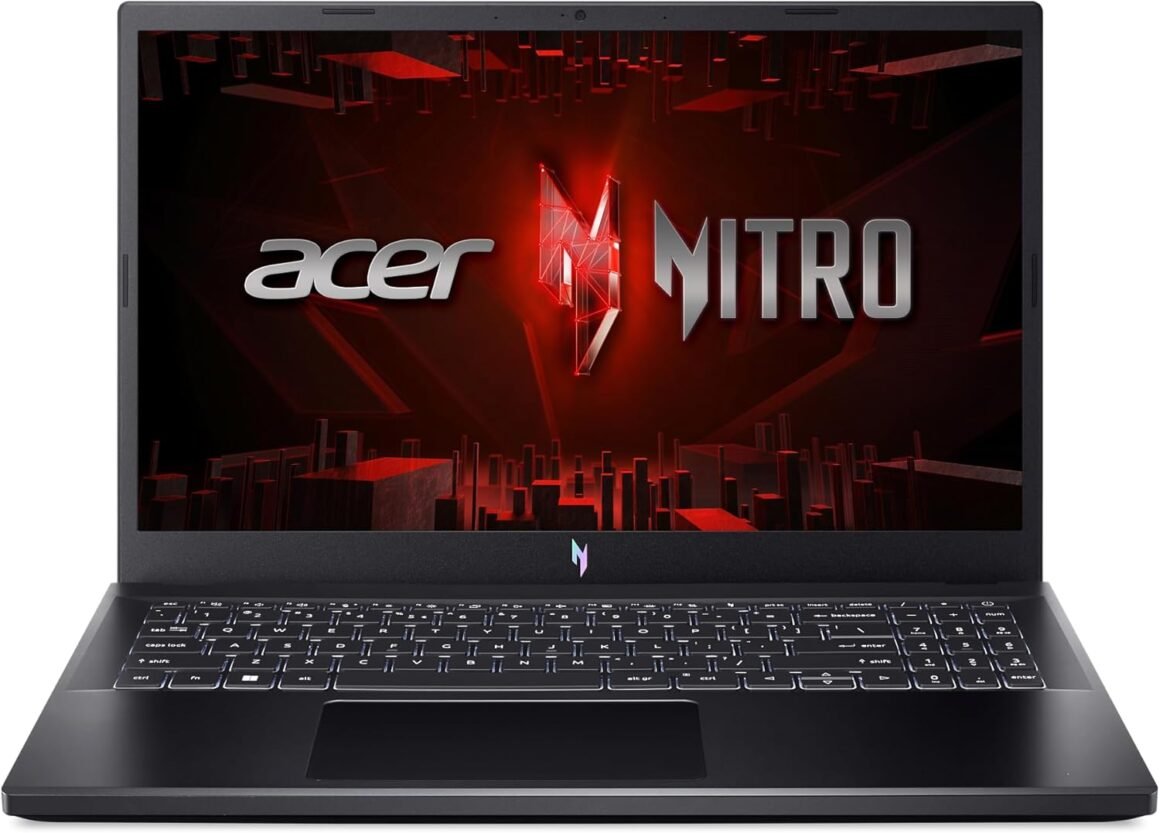

Acer Nitro V Gaming Laptop: Intel Core i7, RTX 4050 GPU, 15.6″ FHD 144Hz Display, 16GB DDR5, 512GB SSD, WiFi 6, Backlit KB: Available now at [price_with_discount]

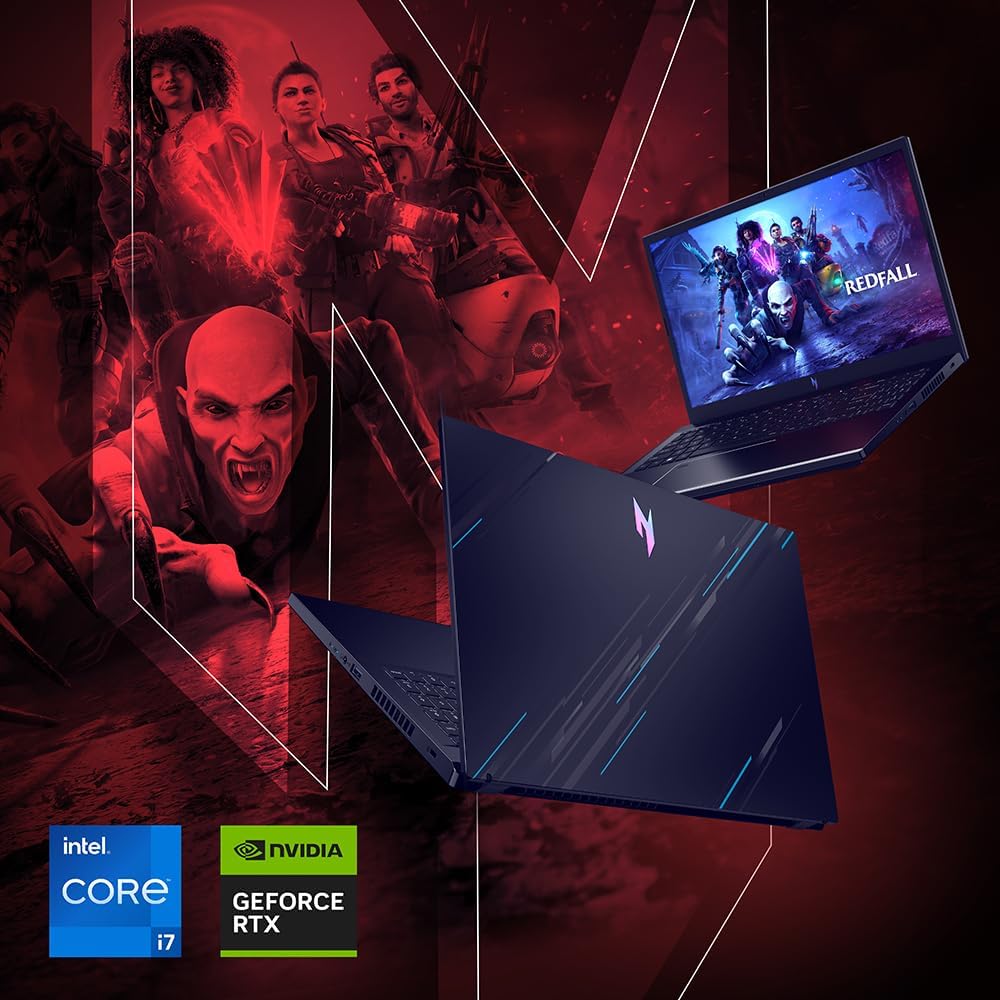
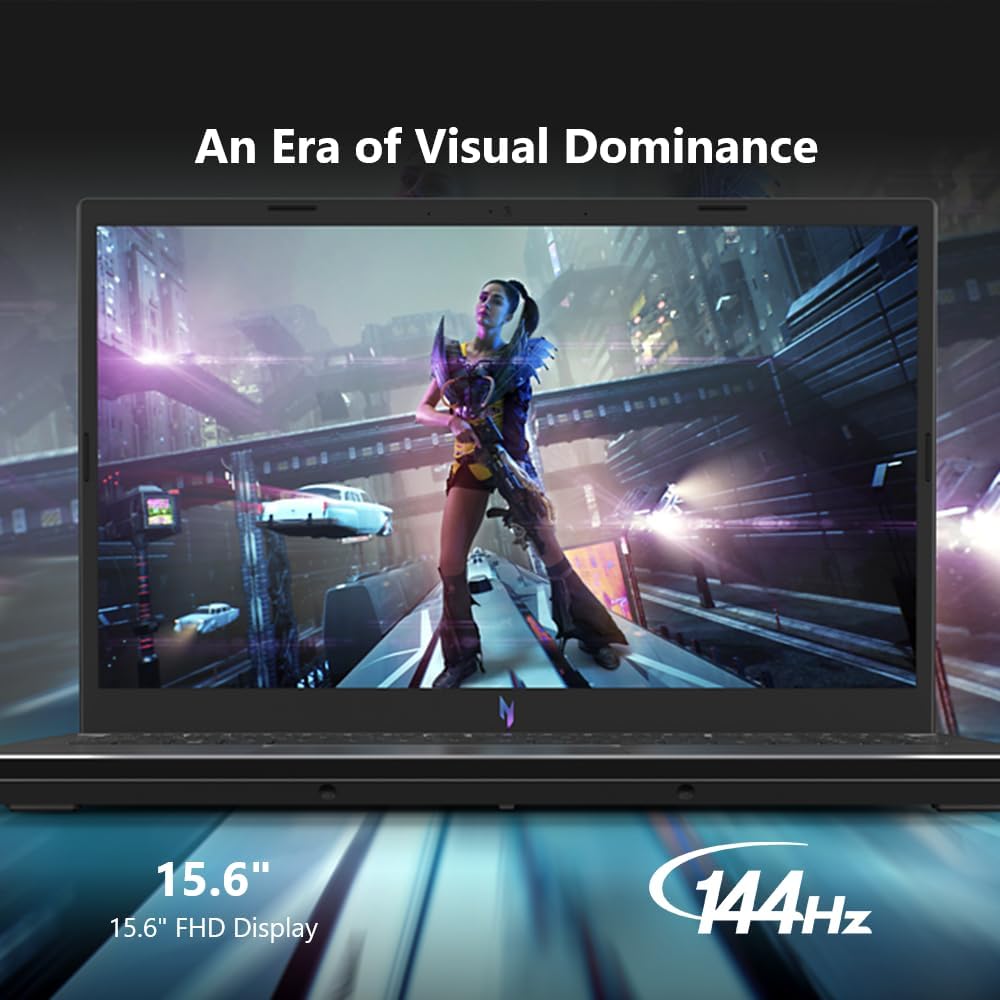
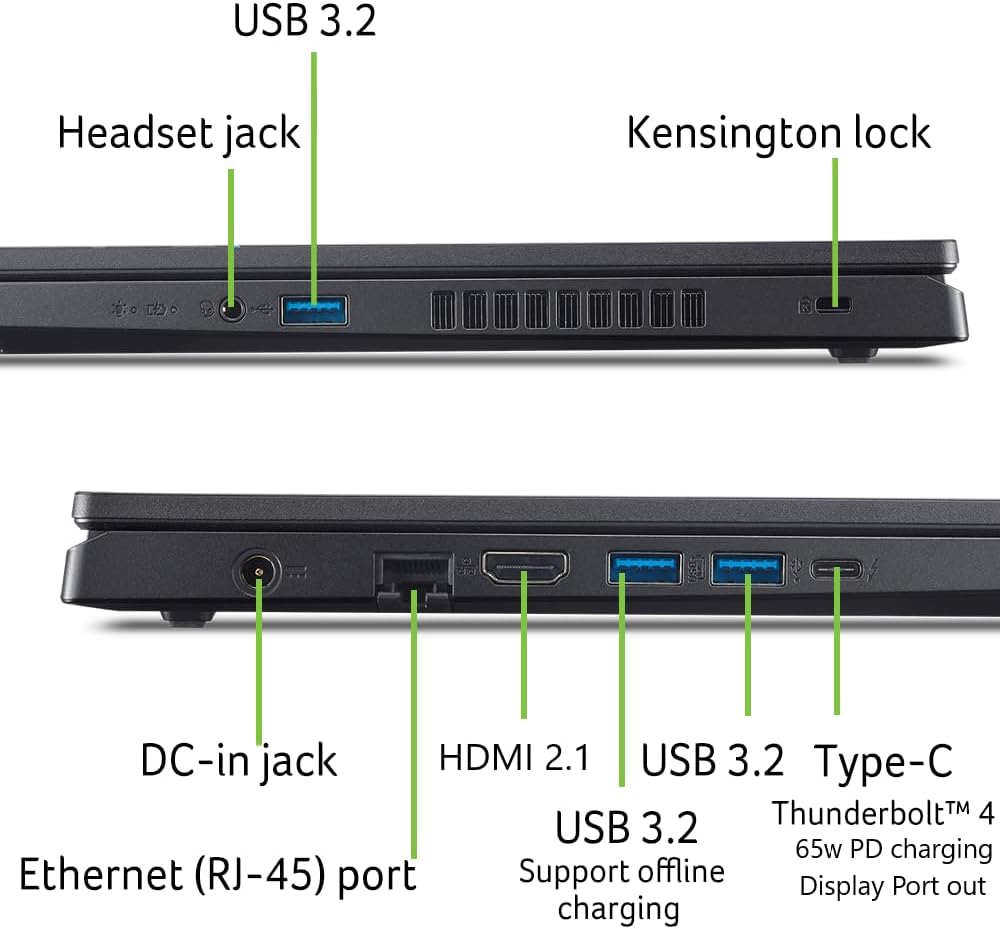
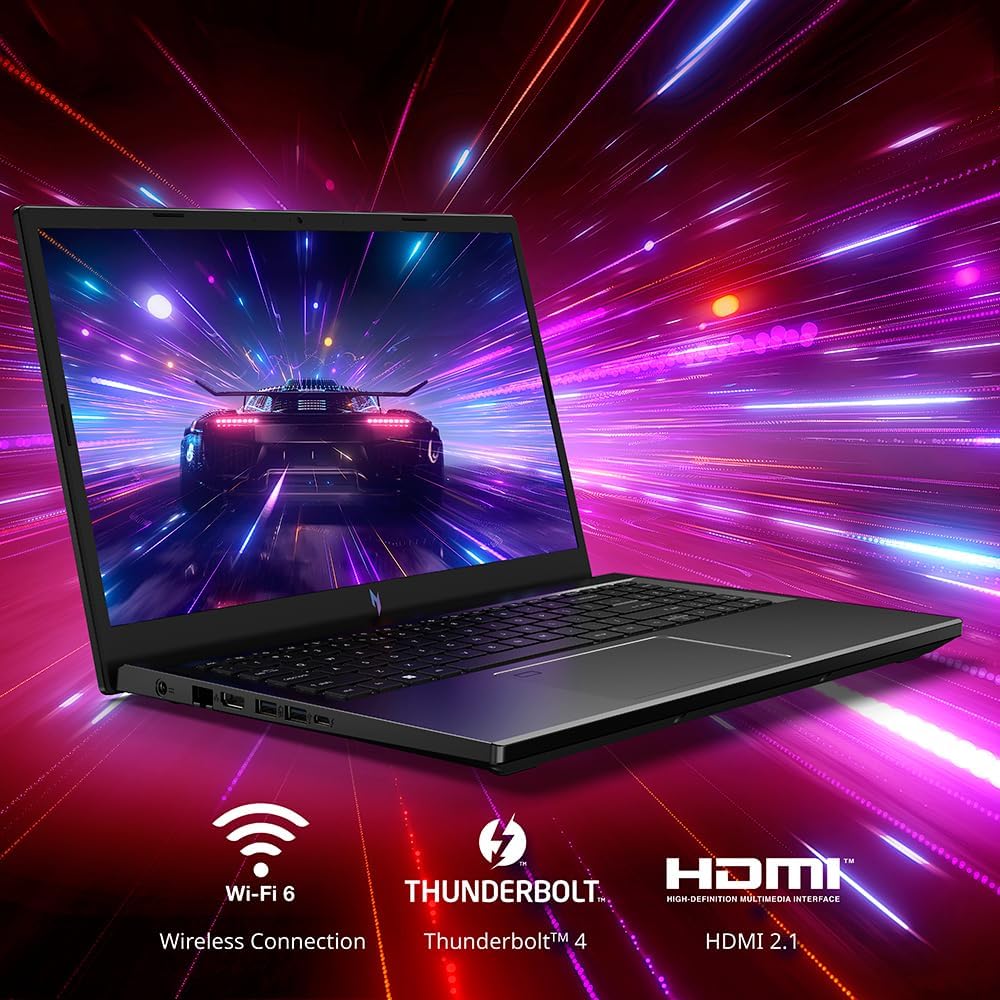
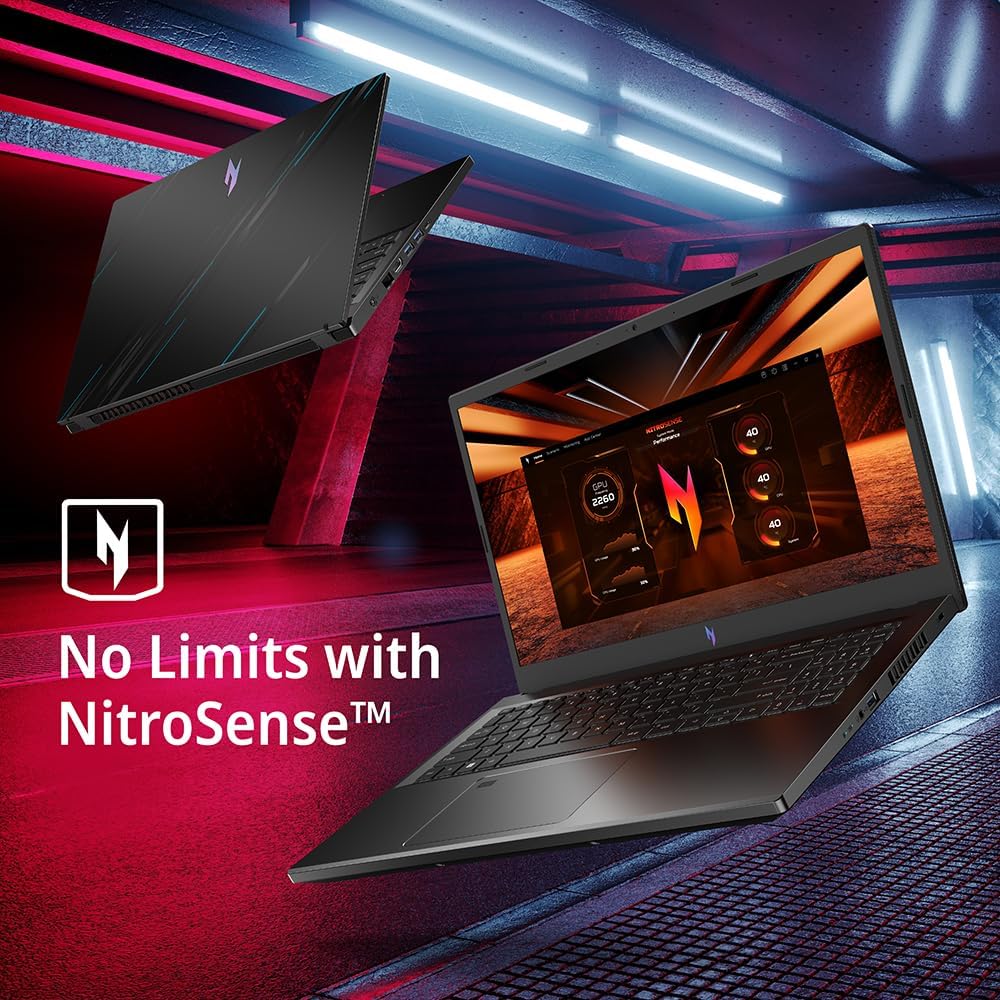
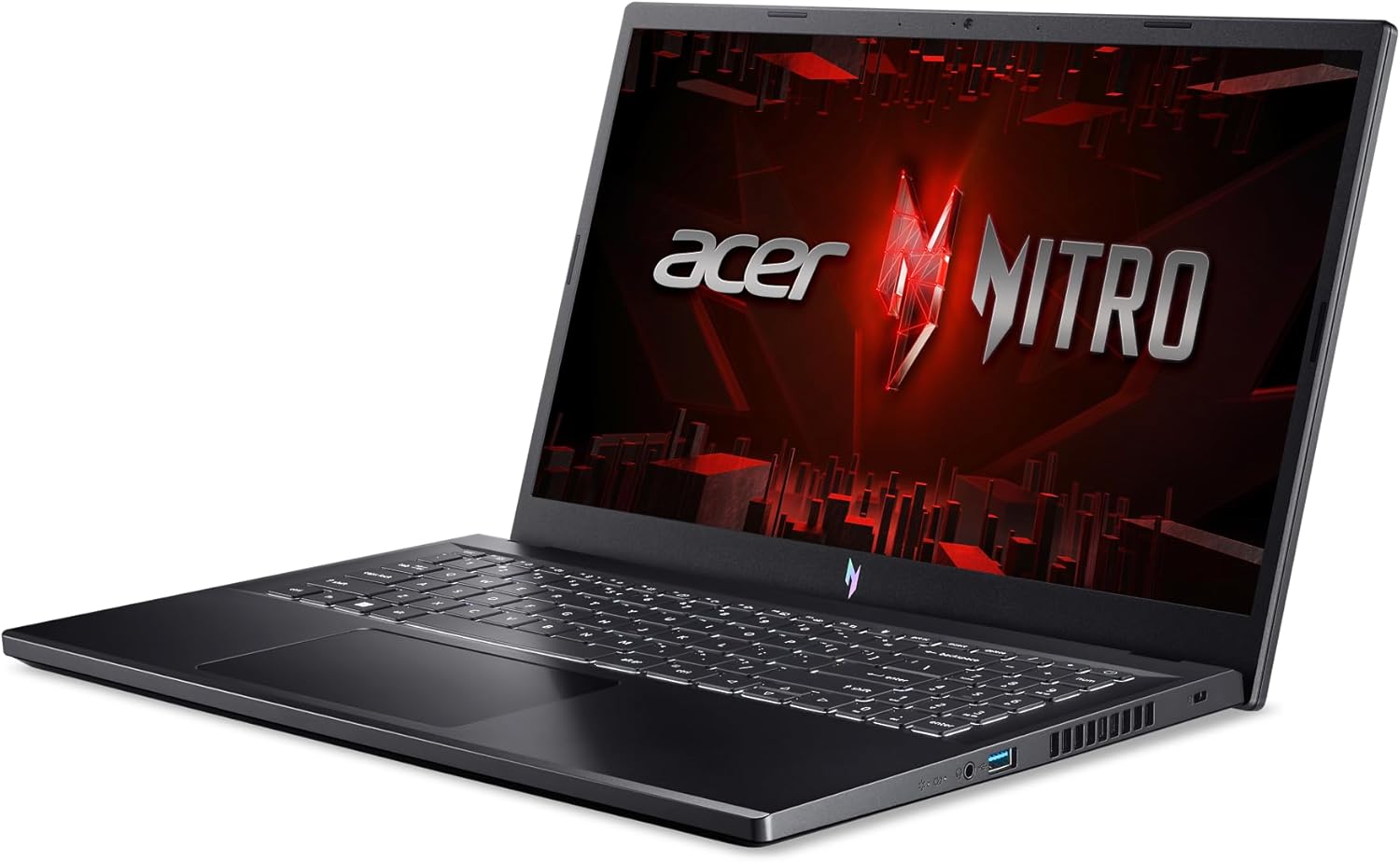
Elevate your gaming adventure with the Acer Nitro V 15, your gateway to an adrenaline-charged journey. This laptop is the perfect blend of power and style, pushing the boundaries of what’s possible on a laptop. Powered by a 13th Gen Intel Core processor and NVIDIA GeForce RTX 40-series graphics and showcasing a crystal-clear 15.6” Full HD display with a 144Hz IPS panel – you can see why the Nitro V 15 is a knockout hit for gamers of every level. (NH.QN8AA.003) Beyond Performance: Empower your gaming and creativity with the Nitro V 15, combining a 13th Gen Intel Core i7-13620H processor with the NVIDIA GeForce RTX 4050 Laptop GPUPicture-Perfect. Furiously Fast: See your digital conquests unfold in vibrant Full HD on a 15.6″ screen, perfectly timed at a quick 144Hz refresh rate and a wide 16:9 aspect ratio providing 82.64% screen-to-body ratio.Internal Specifications: 16GB DDR5 Memory (2 DDR5 Slots Total, Maximum 32GB); 512GB PCIe Gen 4 SSD (2 x PCIe M.2 Slots)Stay Connected: Your gaming sanctuary is wherever you are. On the couch? Settle in with fast and stable Wi-Fi 6. Gaming cafe? Get an edge online with Gigabit Ethernet. No matter your location, Nitro V 15 ensures you’re always in the driver’s seat.Thunderbolt 4: With the powerful Thunderbolt 4 port, you have the trifecta of power charging and data transfer with bidirectional movement and video display in one interface.Chilled to Perfection: Keep your cool amidst the fiercest gaming galaxies, thanks to Nitro V 15’s innovative dual fans and effective exhaust system.Always Be Heard and Seen: Experience crystal clear communication with AI-powered Acer PurifiedView and PurifiedVoice noise reduction technology. You’ll feel like you’re in the command center of a spaceship, with pinpoint sound accuracy giving you the edge in your gaming skirmishes.No Limits with NitroSense: Channel your inner gaming strategist with the NitroSense utility app. Fine-tune your gaming setup to match your style, be it adjusting fan speeds for those heated battles or customizing lighting for immersive explorationPorts For All Your Accessories: 1 – USB Type-C Port USB 3.2 Gen 2 (up to 10 Gbps) DisplayPort over USB Type-C, Thunderbolt 4 & USB Charging, 1 – USB 3.2 Gen 2 Port (Featuring Power-off Charging), 2 – USB 3.2 Gen 1 ports, 1 – HDMI 2.1 Port with HDCP support, 1 – Headphone/Speaker/Line-out Jack, 1 – Ethernet (RJ-45), DC-in for AC adapterThe Right Fit: 14.26″ W x 9.44″ D x 0.93/1.06″ H; 4.66 lbs.; One-Year International Travelers Limited Warranty (ITW)

The Acer Nitro V 15 is a powerful gaming laptop that offers a perfect blend of performance and style. With a 13th Gen Intel Core processor and NVIDIA GeForce RTX 40-series graphics, this laptop delivers a smooth gaming experience with a crystal-clear 15.6” Full HD display and a 144Hz refresh rate. The internal specifications include 16GB DDR5 memory and a 512GB PCIe Gen 4 SSD.

The Nitro V 15 is designed to keep you connected wherever you are with fast and stable Wi-Fi 6 and Gigabit Ethernet. It features a Thunderbolt 4 port for powerful charging and data transfer capabilities. The laptop also includes dual fans and an effective exhaust system to keep it cool during intense gaming sessions.

The Acer PurifiedView and PurifiedVoice technology provides crystal clear communication, while the NitroSense utility app allows you to customize your gaming setup. The laptop features a variety of ports for all your accessories, including USB Type-C, USB 3.2 Gen 2, HDMI, and Ethernet.

With dimensions of 14.26″ W x 9.44″ D x 0.93/1.06″ H and weighing 4.66 lbs, the Nitro V 15 is the perfect fit for gamers on the go. It also comes with a one-year International Travelers Limited Warranty. Elevate your gaming experience with the Acer Nitro V 15, your gateway to an adrenaline-charged journey.

Price: $849.99
(as of Nov 06, 2024 14:05:01 UTC – Details)


Related Posts
Read More

“Maono DM30 Pink Gaming Microphone: USB, 3-in-1 Button, Easy to Use, Compatible with Windows, Mac OS, PS5, PS4”: Available now at [price_with_discount]

Product Description gaming microphonegaming microphone USB MicrophoneUSB Microphone PC Microphone Microphone for PC Computer microphone 1 Controllable RGB Lights 2 Three-in-one Button 3 Headphone Jack Microphone for Computer Podcast Microphone Streaming Microphone 1 Cardioid Pickup 2 4 EQ Presets 3 4 Tones podcast microphone microphone RGB microphoneRGB microphone DM30 Gaming Microphone Add to Cart Add to Cart Add to Cart Customer Reviews 4.4 out of 5 stars 221 4.7 out of 5 stars 321 4.4 out of 5 stars 221 4.4 out of 5 stars 221 5.0 out of 5 stars 2 5.0 out of 5 stars 2 Price $32.99$32.99 $29.99$29.99 $32.99$32.99 — — — Polar Pattern Cardioid Cardioid Cardioid Cardioid Cardioid Cardioid Lighting RGB RGB RGB RGB RGB RGB Connection Type USB, USB Type C USB, USB Type C USB, USB Type C USB, USB Type C USB, USB Type C USB, USB Type C MAONO Link Software ✔ ✔ ✔ ✔ ✔ ✔ One-click Mute ✔ ✔ ✔ ✔ ✔ ✔ Gain Control ✔ ✔ ✔ ✔ ✔ ✔ Volume Control ✔ ✔ ✔ ✔ ✔ ✔ Headphone Monitoring ✔ ✔ ✔ ✔ ✔ ✔ Metal Stand ✔ ✔ ✔ ✔ ✔ ✔ Plug and play ✔ ✔ ✔ ✔ ✔ ✔ Suitable for Gaming, Streaming, Podcasts Gaming, Streaming, Podcasts Gaming, Streaming, Podcasts Gaming, Streaming, Podcasts Gaming, Streaming, Podcasts Gaming, Streaming, Podcasts
MAONO LINK Software: Maono link provides various simple audio settings, sound effects, RGB customization, and advanced audio settings. You can apply settings such as EQ, limiter, and compressor to customize your voice. Download Maono Link for extraordinary gaming and streaming experience
Programmable RGB Lighting: The pink gaming microphone is with stunning dynamic multi-color gradients and 7 dynamic solid-color gradient effects, Its customizable style will make your game video or live streaming attract more viewers. lovely pink gaming microphone with pink computer accessories, which enhance the sense and beauty of hierarchy in your room
Easy to Use: The pc gaming microphone is with 3-in-1 button that one-click mutes, microphone gain, and headphone volume control, It helps you save time controlling the computer or software. Plug headphones into the 3.5mm jack on the bottom of the pc gaming microphone, and you can listen to recordings in real-time without echoes and effectively control the quality of your gameplay recordings, podcasts, and streaming
Smooth Clear Sound: The cardioid pickup pattern rejects off-axis noise. Use a combination of EQ, limiter, and compressor to customize your voice, it optimizes your gaming setup and keeps the focus on the sounds you want to be heard. Smooth clear sound will quality improve your communication efficiency with your teammates. Perfect for gaming and streams on YouTube, Twitch, Facebook, Instagram, Discord, and other similar platforms
Plug and Play: Just plug the DM30 gaming microphone into your computer with the included USB cable, and you're ready to get to the game. Wide compatible with Windows, Mac OS, PS5, and PS4
Premium Metal Construction: Pink computer gaming microphone is with an all-metal body, and offers a sturdy and durable build quality. Rubber is firmly clamped on the USB gaming microphone metal stand, which reduces vibration noise caused by keyboard and mouse clicking. The mic stand fits 3/8-inch and 5/8-inch threaded setups, compatible with most boom arms
Package List: USB Gaming microphone with metal stand*1, Pink USB cable*1, user manual*1. (Tips: The gaming USB microphone for PC, Computer, Mac, PS5, and PS4)
Read More

RedThunder K10 Wireless Gaming Keyboard and Mouse Combo: LED Backlit, Rechargeable 3800mAh Battery, Mechanical Feel Anti-Ghosting Keyboard & 7D 3200DPI Mouse for Ultimate PC Gaming Experience (White)

Product description LOGOLOGO wireless keyboard and mousewireless keyboard and mouse led backlit keyboard and mouseled backlit keyboard and mouse ergonomic keyboard and mouseergonomic keyboard and mouse gaming and typinggaming and typing

How to customize keyboard lighting and FN key?

1. LED: Turn on/off the backlight o switch the backlight color. 2. FN + LED: Switch between 1-color and 3-color breathing mode.

3. FN + PU/PD: increase/decrease backlight brightness. 4. FN + +/-: Speed up/slow down breathing rate.

5. FN+W: Exchange WASD and arrow keys. 6. FN + WIN: WIN key lock. 7. FN + (F1-F12): 12 multimedia combination keys.

When your keyboard doesn't work, please note the following.

1.The keyboard and mouse share only one USB receiver, which is located in the bottom of the mouse. (Only when the receiver is plugged in, the lights of the keyboard and mouse will light up)

2. Please fully charge it with the computer's USB port before the first use.

3.No software, just plug the USB receiver into the USB port, turn the switch at the bottom of the keyboard to the ON position, and turn the switch on the bottom of the mouse to the ON (no light) or LED (with light) position.

4. There will be a little delay or the lights will not turn on when the battery is too low, please charge the keyboard/mouse in time, the charging indicator will go off after full charge.

5. Please use a lower than DC:5V adapter to charge to protect battery life, preferably using the computer's USB port to charge directly. Due to the different currents of different computer USB charging ports, some users may need longer charging time to fully charge.

6. Turning off the keyboard light can extend the battery life of the keyboard moderately.

7. If you can't press "WASD" or "↑↓←→". Please press FN+ "W" key to solve this problem.

8.USB Receiver Pairing steps. Make sure the keyboard/mouse fully charged.

Keyboard pairing steps: Step 1: Turn on the keyboard switch; Step 2: Press and hold the ESC key and the K key at the same time, the indicator light starts to flash; Step 3: Insert the USB receiver into the computer, and pairing is complete.

Mouse pairing steps: Step 1: Turn the switch at the bottom of the mouse to the switch position with the sun logo; Step 2: Press and hold the mouse wheel and right button, the mouse RGB lights start to flash; Step 3: Insert the USB receiver into the computer and the pairing is complete.

9. About Mac: Limited MacOS support and need USB port.

Add to Cart Add to Cart Add to Cart Add to Cart Customer Reviews 4.0 out of 5 stars 2,553 — 4.2 out of 5 stars 135 3.9 out of 5 stars 162 4.3 out of 5 stars 2,078 4.0 out of 5 stars 997 Price $49.99$49.99 — no data $99.99$99.99 $39.99$39.99 $39.99$39.99 $42.99$42.99 Color Option White/Black/Pink/White-Gray White/Black White-Blue/Black-Gold White/Black White/Black White/Black/White-Black/Black-White Connection Wireless Wired 2.4G Wireless/Wired/BT Wireless Wireless Wireless Keyboard Keys 104 104 95 114 61 84 Backlight Mode ✓ ✓ ✓ ✓ ✓ ✓ Anti-Ghosting ✓ ✓ ✓ ✓ ✓ ✓ Mouse DPI 3200 7200 no data 4800 3200 3200 Keyboard Battery capacity 3000mAh - no data 8000mAh 2000mAh 2000mAh 1850mAh Mouse Battery capacity 800mAh - no data - no data 600mAh 500mAh 500mAh
【High-performance 2.4G Wireless Keyboard and Mouse】Are you looking for a wireless keyboard and mouse combo that can perfectly balance work and games? RedThunder K10 rechargeable wireless gaming keyboard and mouse combo will be your best choice. 2.4G high-speed and stable transmission, ensure that it can easily deal with even the most intense battles. Note: The keyboard and mouse share only one USB receiver. The USB receiver is in the bottom of the mouse.
【Rechargeable & Long Battery Life】The keyboard is equipped with a 3000 mAh battery, and the mouse is equipped with an 800 mAh battery. The long battery life allows you to use them continuously for 8 hours with light. The keyboard and mouse are equipped with smart energy-saving functions. If there is no operation within 2 minutes, they will automatically go to sleep, press any key to wake them up. Please charge 8 hours before using.
【Light Up Keyboard and Mouse】The keyboard has built-in three groups of rainbow backlight effects, supports 2 breathing modes, 3 static modes, and 4 brightness levels. The luminous design of Letters, logo, gaps and surroundings makes it the best light up wireless keyboard on the market (Note: There is no surrounding light in the right top corner due to the indicator light). The mouse has a built-in 7-color cyclic gradual lighting effect.
【Durable Ergonomic Keyboard and Mouse】The keys have a 10 000 000 keystrokes lifetime, so you can hold on to it for the next decade! ABS keycaps adopt two-color injection molding process, the letter of characters never fade. Thick and firm frosted metal cover, long service life, and never deforms. The mouse fits the palm perfectly, and the anti-sweat and non-slip design gives you complete control.
【Plug and Play 】The keyboard and mouse share a USB receiver, and the code has been completed by default. You only need to insert the receiver and turn on the keyboard and mouse to use it. (Note: If the connection is lost for any reason, you only need to reset the code pairing. Or if it cannot be used for any reason, please contact us in time, we will try our best to solve it.)
【Wide Compatibility】Windows 11, Windows 10, Windows 8, Windows 7, Windows Vista, or Windows XP, Limited MacOS keyboard and mouse support. Works well with all major computer brands and Gaming PCs (Note: Need USB Port).
Read More

Shockproof Screen Protector for Machenike Machcreator Gen 11 (16): Available now at [price_with_discount]


High impact shock-absorbing screen protector designed specifically for the Machenike Machcreator Gen 11 (16)
Shatterproof multi-layered film technology that absorbs, disperses and dissipates direct impact to the screen
Glossy surface with a hydrophobic coating offering smooth glass-like feel that protects against any scratches or scuffs to the screen
Advanced silicone based adhesive backing bonds firmly to the flat surface of the screen without any air bubbles
Pack includes: 1 x Machenike Machcreator Gen 11 (16) screen protector and application kit
Read More

Kujian Wireless PC Controller: Bluetooth Gaming with Dual Vibration and LED Backlight: Available now at [price_with_discount]

Product Description pc gaming controller pc gaming controller wireless pc controller gaming controller controller for pc 01 03 1 Adjustable Vibration 2 Turbo Function 3 Six-Axis Gyro Sensor 4 Wireless & Wired 2 in 1 5 Ergonmics Design 05 05 07 08 09 10 1 Enjoy Every Moment 2 Family Time 3 Competition Time 4 Party Time

How can I adjust the wireless controller vibration?

Press T/FN, and click Up or Down of D-PAD button to adjust the Vibration intensity of the pc controller.

How can I adjust the button backlight brightness?

Press T/FN button, and click left or right of D-pad to adjust button backlight brightness level.

How to change the paired device?

Long press HOME Button for 5 sec when power off, and then select related device and long press HOME Button for 3 sec and restart to pair.

How to delete the Macro definition?

When controller is working, press T/Fn+M1, enter programming mode, the light of the right analog stick changes from blue to red, wait for seconds, short press M1, the light of the right stick changes red to blue, then all Macro definition is deleted.

Compare with similar items Add to Cart Add to Cart Add to Cart Add to Cart Add to Cart Add to Cart Customer Reviews 4.3 out of 5 stars 33 4.0 out of 5 stars 1,957 4.0 out of 5 stars 3,734 3.8 out of 5 stars 9 4.0 out of 5 stars 3,734 4.2 out of 5 stars 1,812 4.2 out of 5 stars 1,812 Price — $35.89$35.89 $32.99$32.99 $15.99$15.99 $55.99$55.99 $25.98$25.98 $25.98$25.98 Hardware Platform for Playstation 4/3 /PC/TV/iOS PC /Switch/TV/Steam/Cellphone for Playstation 4/3 /PC/TV/iOS for Playstation 3 for Playstation 4/3 /PC/TV/iOS for Playstation 3 for Playstation 3 Operating System P-4/Pro/Slim/Windows/Android Windows/TV/Android/iOS P-4/Pro/Slim/Windows/Android P-3 P-4/Pro/Slim/Windows/Android P-3 P-3 Connectivity Tech Bluetooth/Wired Bluetooth/Wired Bluetooth/Wired Bluetooth/Wired Bluetooth/Wired Bluetooth/Wired Bluetooth/Wired Power Source Battery Powered + Usb Cable Battery Powered + Usb Cable Battery Powered + Usb Cable Battery Powered + Usb Cable Battery Powered + Usb Cable Battery Powered + Usb Cable Battery Powered + Usb Cable Battery Powered 1000mAh 600mAh 800mAh 450mAh 800mAh 450mAh 450mAh USB Cable micro-usb type-c micro-usb micro-usb micro-usb micro-usb micro-usb
WIDE COMPATIBILITY: Kujian pc gaming controller compatible with Windows 11/10/8/7/Switch/Steam/Android/MacOS/iOS/Smart TV. (NOTE: Not support for Xbox 360/One/P3/P4/P5).
ADJUSTABLE DUAL VIBRATION & LED BACKLIGHT: The pc controller built-in dual motors with 4 levels of vibration intensity can be adjusted for a great gaming experience! Press T/FN and D-pad to adjust to None/Weak/Moderate/Strong according to your needs during the game to meet different gamers' demands. This Bluetooth gaming controller with ABXY button and joystick in fashionable LED light, you can adjust 4 levels light of ABXY to 0-35%-75%-100%.
TURBO & PROGRAMMABLE BUTTONS: The wireless pc controller with the 3 levels Turbo speed function and the 4 additional programmable buttons enables you to quickly fire weapons or perform other actions with ease. PC gaming controller with Macro keys helps to minimize button abuse, prolonging the service life of the controller.
WIRELESS & WIRED MODE: This is the most fantastic feature of this pc gaming controller. Once you are out of battery but are still willing to play, plug in the USB cable(about 2.2 meters) to connect the Bluetooth controller and game device and switch to wired mode. Keep gaming!
COMFORTABLE DESIGN & LONG PLAYING TIME: The controller for pc switches between 4 different connection modes to meet all players' device needs. Kujian pc game controller has also a comfortable grip and ergonomic design, without any pain after playing for a few hours. The gaming controller built-in 600mAh battery with only 2-3 hours of charging time and you can enjoy about 8 hours of use time.