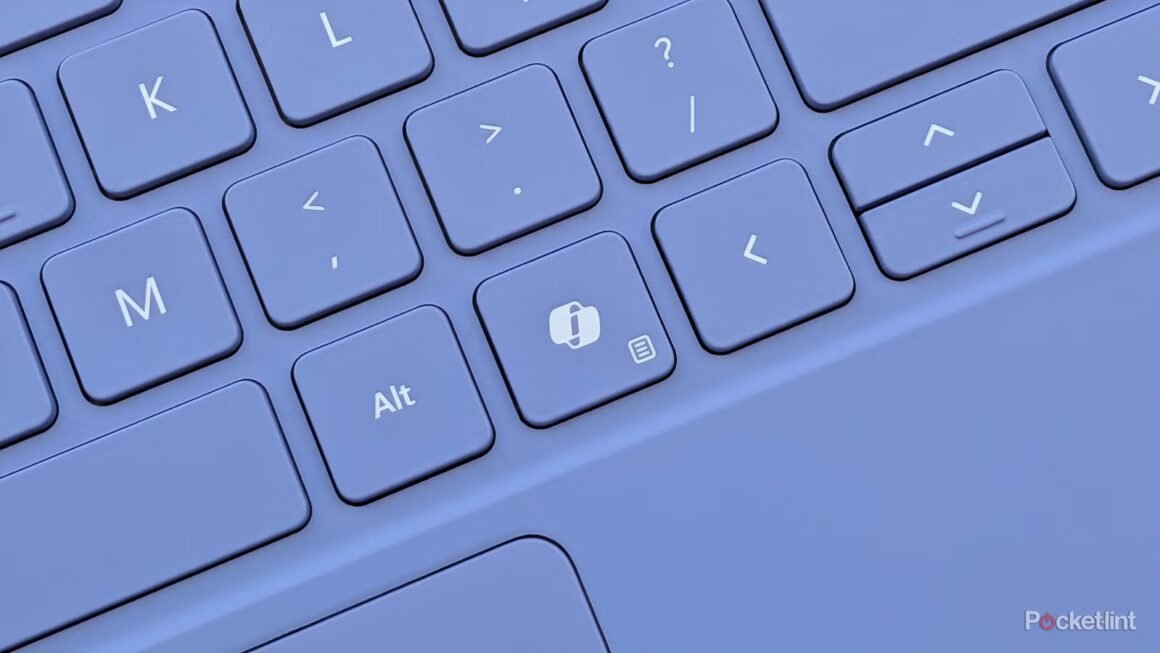

In 2024, Microsoft introduced the Copilot key, a new mandatory element on its latest Windows 11 laptops. This key replaces the older menu key and is designed to launch the company’s AI chatbot through a dedicated app window. Positioned as a significant feature, the Copilot key aims to enhance user interaction with AI technology on personal computers.
For potential buyers considering a new Windows 11 device, understanding the role of the Copilot key is crucial. It reflects a broader trend towards integrating AI into everyday computing tasks. However, the key has faced criticism for its implementation and overall utility. Users who prefer flexibility may find the current functionality lacking, as the key’s primary setting directs users to Microsoft’s AI solutions rather than allowing preferences for third-party applications. This insight matters especially for users who prioritize customization and control over how they interact with technology.
In the market, the Copilot key represents Microsoft’s push towards AI-enhanced devices at a time when competition is also ramping up. Similar products from other manufacturers, including various gaming peripherals or laptops with customizable keys, might appeal to those who want more versatile options. For instance, alternatives like Razer’s gaming keyboards or even LG’s range of laptops offer customizable keys that might allow more user choice for on-the-fly adjustments. Depending on personal needs, these devices could present a better fit than those anchored to a singular AI application.
Ultimately, the Copilot key caters mainly to users keen on leveraging Microsoft’s AI features right out of the box. However, those who value extensive customization options might favor keyboards or laptops from brands that provide more flexibility. If a user frequently interacts with specialized applications or prefers their own AI solutions, they may find the Copilot key too limiting for their needs. This could lead them to consider alternatives that grant greater control over their device’s functionality.
Source:
www.pocket-lint.com