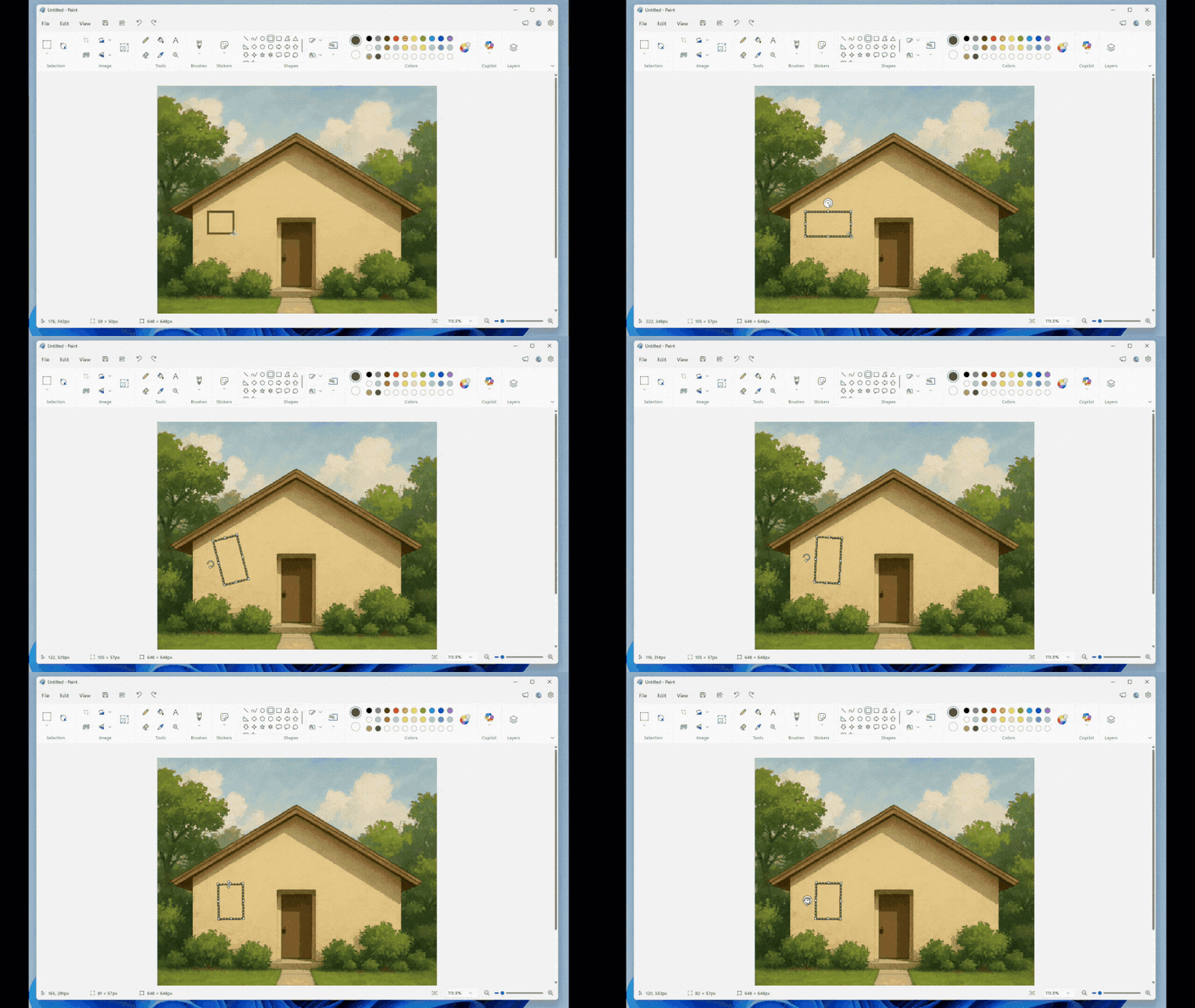

Microsoft recently updated its Paint application for Windows 11, introducing a new “free rotation” feature that allows users to rotate images at any angle. This latest version (11.2601.391.0) addresses previous limitations, where images could only be rotated in 90 or 180-degree increments.
This update is significant for anyone who utilizes the Paint app for design or editing purposes. The new free rotation feature enables more flexibility, allowing users to create more natural layouts. This development means that casual users and professional graphic designers alike can benefit from greater creative control without needing advanced software, positioning Windows 11 Paint as a more viable tool for various users.
In comparison to other graphic design tools, Paint remains accessible and simple. Alternatives such as GIMP are free but may have a steeper learning curve, while software like Adobe Photoshop, which offers extensive features, carries a monthly subscription fee of approximately $20. For users who only need basic editing tools, Paint is a user-friendly option that is now more capable with this update. However, for more intensive editing tasks, users may still need to consider more advanced software.
This updated Paint application is ideal for casual users or those needing straightforward design features without the complexities of full-fledged graphic design software. However, users who require extensive editing capabilities or advanced tools may find Paint’s functionalities lacking, leading them to choose alternatives like GIMP or Photoshop instead. Ultimately, the decision hinges on the user’s specific editing needs and preferences.
Source:
www.ithome.com