
LG TV Users Report Issues with Automatic Installation of Microsoft Copilot AI
Summary:
- Several LG TV users report that Microsoft’s Copilot AI application automatically installs after a recent webOS update.
- The application cannot be fully uninstalled and persists in the app bar, making it a built-in system feature.
- Users have limited options to hide or disable the application, leading to frustration among those preferring not to use it.
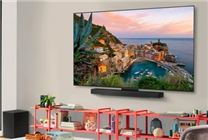
Recently, complaints have surfaced among LG TV users regarding an unexpected change following a webOS update. Many are expressing concern that Microsoft’s Copilot AI application has been automatically installed on their devices, sparking a significant amount of dissatisfaction.
Inability to Uninstall Copilot AI
A troubling aspect of this situation is that the newly integrated Copilot AI app cannot be completely removed through standard application management methods. Users report that it can only be obscured or rendered inactive but remains persistently visible in the app bar on the homepage. This situation has been echoed by multiple LG webOS users who have attempted various conventional uninstall techniques, all to no avail.
According to official support documentation from LG, certain applications, including Copilot, are categorized as built-in system apps, which explains the difficulties in managing their presence. This classification indicates that Copilot is not merely an additional, third-party software but rather a fundamental component of the TV’s operating system.
Future Integration and User Options
It is noteworthy that both LG and Samsung have announced plans to integrate Microsoft Copilot into their TV software by 2025. This upcoming feature is designed to serve as a built-in AI utility rather than a simple app available for download from third-party platforms. Such integration points towards a broader industry trend, where smart devices increasingly include proprietary AI features aimed at enhancing user experience.
For users dissatisfied with the presence of Copilot, the current available options are limited. They may choose to hide the AI tiles, refrain from logging into the application, or opt to disconnect their TV from the internet altogether. These alternatives allow for minimal engagement with the app, but they do not provide a comprehensive solution to users who prefer to have full control over their device’s functionality.
User Concerns and Implications
The advent of automatic installation for features such as Microsoft Copilot raises important questions about user autonomy and device customization. As technology continues to advance and integrate more AI capabilities, it’s crucial for companies to balance innovation with user control. The inability to completely delete certain applications can lead to frustration, especially if users feel that their preferences are not being respected by manufacturers.
Improving transparency about such features during updates is essential. Users should be informed not only about new functionalities but also about any restrictions on their control over installed applications. This is especially relevant for features that may not appeal to all users and could be seen as intrusive.
In conclusion, while the integration of AI applications like Microsoft Copilot represents a leap forward in smart technology, it is imperative that manufacturers prioritize user experience and autonomy. The feedback from LG TV users serves as a reminder for tech companies to maintain dialogue with their customers and ensure that innovation aligns with user needs and preferences.
As the landscape of smart TVs and AI continues to evolve, the importance of keeping user control at the forefront cannot be overstated. Companies must strive to enhance their products while respecting the agency of the individuals who use them.