“8bitdo Pro 2 Wired Controller: Officially Licensed Gamepad with Hall Effect Joysticks for Xbox Series X|S, Xbox One, Windows 10/11”: Available now at [price_with_discount]

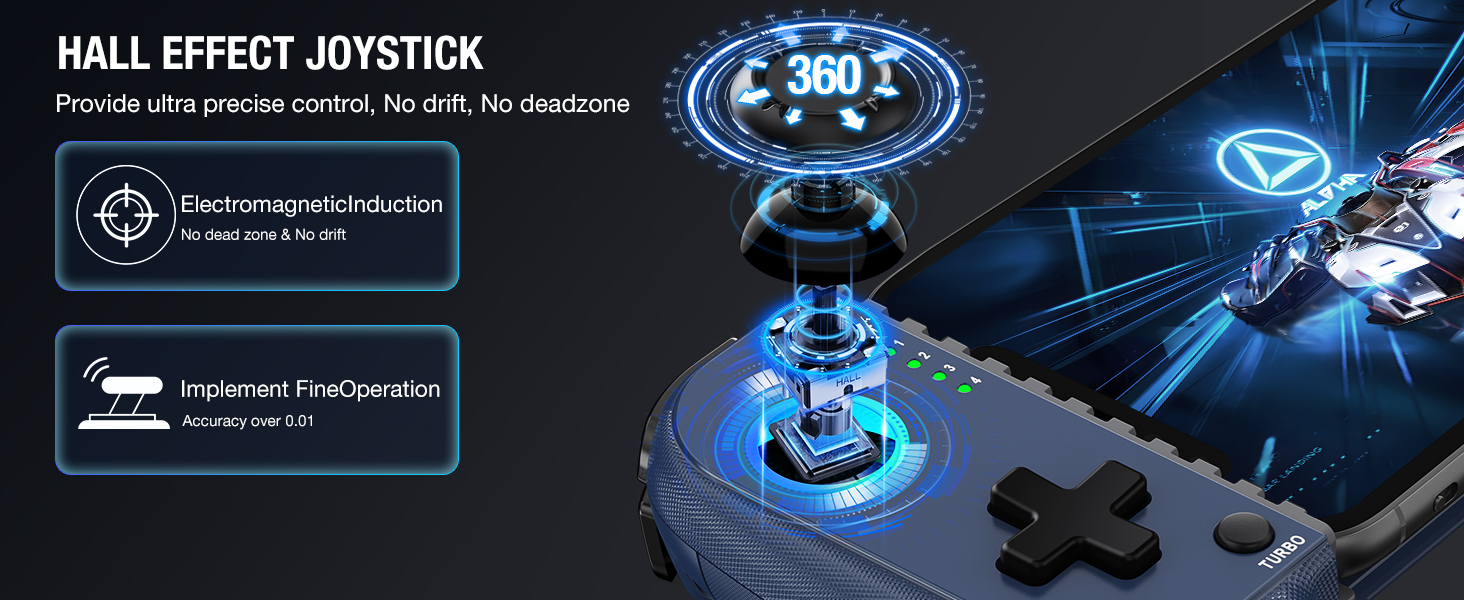
Product Description Pro 2 Wired controller for XBOX and Wins The Licensed Xbox controller Upgraded hall joysticks Cable: 9.84 ft. / 3 m Connectivity The wired USB 3.5mm audio jack supports standard CTIA connector Built-in motors 1 8BitDo|XBOX 2 Compatibility 3 3.5mm Audio Jack 4 Trigger vibration Campatibility Xbox Series X, Xbox Series S, Xbox One, Windows 10 and above Connectivity Wired USB, 3.5mm audio jack supports standard CTIA connector Special Features 2 Pro back paddle buttons, Ultimate Software on Xbox, PC 3.5mm audio jack, Trigger vibration, Grip vibration Dimension / Weight 153.6*100.6*64.5mm; 318g Cable length 9.84 ft. / 3 m Includes Pro 2 Wired Controller for Xbox; Instruction manual What kinds of headset is the the controller compatible with? Is it compatible with the Xbox headsets? Make sure your headsets has a 3.5mm jack (4-segment, downward compatible with 3-segment). The 4-segment jack has microphone funtion(The 3-segment is without microphone function) and international standard CTIA. Compatible with the Xbox headset. How do I control the volume of the microphone and earphones/headsets? Home button + D-pad(↑↓) to adjust the volume. Home button + D-pad(← →)to adjust the balance between voice and game volume. The controller vibrates when the volume is 50%(Default) and the beep sound appeared when the volume to maximum or minimum What special features does the trigger button have on Ultimate Wired Controller Designed for Xbox? The trigger button adopted with hall sensor. At the same time, the trigger button is equipped with independent rumble motor, which can be more immersive in games. What kinds of functions can be set on 8BitDo Ultimate Software for Pro 2 Wired Xbox Controller? It gives you elite control over every piece of your controller: customize button mapping, adjust stick & trigger sensitivity and vibration control. The macro function is not available on this controller. Can I disable the joysticks(L3/R3) inputs if I map them to the back buttons P1/P2? Yes you can. Just set L3/R3 as “Null” in the 8BitDo Ultimate Software and map them to P1/P2. Official License for Xbox, Compatible with Xbox Series X/S, Xbox One and PC Win10 and above.Hall Joystick offer comfort, long-life and enhanced gaming accuracy.With 8Bitdo Ultimate Software, on Xbox and PC. You can quickly switch profiles on the fly for different games with the custom profiles.Two extra Pro-level Back Buttons and 3.5mm Audio Jack for headphones.Perfect classic d-pad, non-slip gaming experience design, trigger vibration, enhanced grip & 3 meter cableShop with confidence and enjoy top customer support from AKNES. Contact us if you run into any issues and we’ll be happy to assist you. Read more about us on our store page.

The Pro 2 Wired controller is a licensed Xbox controller with upgraded hall joysticks and a 9.84 ft. cable. It is compatible with Xbox Series X/S, Xbox One, and Windows 10 and above, with a wired USB connection and a 3.5mm audio jack. The controller features two pro back paddle buttons, trigger vibration, and grip vibration, as well as a special Ultimate Software for customizing button mapping and sensitivity. The controller is compatible with Xbox headsets with a 3.5mm jack and supports volume and balance adjustments. The trigger buttons have hall sensors and independent rumble motors for immersive gameplay. The Ultimate Software allows for customization of button mapping and sensitivity, but does not support macros. Users can disable joystick inputs if they are mapped to the back buttons. The controller also features a classic d-pad, non-slip design, and 3-meter cable. Customers can shop with confidence and receive top customer support from AKNES.

Price: $44.99
(as of Sep 26, 2024 12:11:43 UTC – Details)


Related Posts
Read More

X1 Wireless Gaming Headset: Ultimate Compatibility and Long Battery Life: Available now at [price_with_discount]

Product Description Gaming headset XboxGaming headset Xbox xbox headset xbox headset wireless xbox one headset

1. Plug the Receiver to Xbox Controller directly. (Extra Microsoft Adapter needed (Not Included) when connect to old version controller)

2. Low battery of the controller can cause insufficient power supply to the receiver, the headset might not work. Please ensure sufficient power of the controller.

The video showcases the product in use.The video guides you through product setup.The video compares multiple products.The video shows the product being unpacked.

Troubleshootings for X1 Gaming Headset

Detailed demonstration for the X1 operations

1. Why can't I connect the headset with controller?

2. No sound from the microphone? Microphone sound too low?/Why can't my teammates hear me?

3. Echo from the microphone?

4. Why is there a lot of noise?/Headset volume too low?

The video showcases the product in use.The video guides you through product setup.The video compares multiple products.The video shows the product being unpacked.

Plug the dongle tightly and fully

How to plug the dongle to controller correctly?

× The dongle not plugged in tightly (there is a gap) It may cause noise, static, low volume, or no sound in the headphones.

√ The dongle plugged in tightly and fully (no gap) Please plug the dongle fully and tightly,so that could avoid noise, static, low volume, or no sound in the headphones.

The video showcases the product in use.The video guides you through product setup.The video compares multiple products.The video shows the product being unpacked.

Plug the X1 Dongle to the Xbox Controller directly

How to connect the Headset to Xbox Controller?

1. Plug the X1 Dongle to the Xbox Controller directly. (Not support the 3rd parties' controller)

2. While the Leds of the dongle flashing, please turn the headset power on.

3. Please keep the headset on 2.4GHz mode. (You could hold the Light Button to swith it to 2.4GHz or BT Mode)

4. Click the 'Xbox Accessories' option on your xbox device, makes the headset connect to it. Choose the 'Volume' option and enter into the 'Audio and Music' interface to turn the headset volume and mic on.

wireless headset headset gaming headset xbox one ps5 headset ps4 headset gaming headphones xbox headset with mic wirelessxbox headset with mic wireless

Please confirm the receiver is inserted to the controller or devices tightly and fully, to avoid the noise or echoes caused by the poor contact.

xbox pc headset computer headset

Why can't I connect the headset with controller?/Headset doesn’t work?

Confirm if you are in Bluetooth Mode or 2.4GHz Mode. The 2.4GHz dongle cannot be connected in Bluetooth mode. You need to switch to 2.4GHz mode.

No sound from the microphone? Microphone sound too low?Mic doesn’t work?

Confirm the settings on the Xbox console, whether the microphone sound is turned up to the maximum at the (Headset chat mixer)? Adjust the game sound and chat sound to the center to make them be balanced. Assure the microphone is properly plugged in

Why the volume is low while connect to the Xbox?

Make sure the (Headset Volume) on the Xbox console is set to maximum. When using the headset for the first time, the default volume on the console is 80%. And please insert the dongle tightly and fully.

Echo from the microphone?

Turn off monitoring mode in the Xbox console settings.

While connecting, headset sound got noise or echoes?

Make sure the transmitter is fully inserted into the controller. If the transmitter is not fully inserted, there will be significant electrical noise in the headset.


Wide Compatibility: Our wireless gaming headphones are equipped with both Bluetooth and 2.4G dual modes: ①. Allowing for wireless connection to Xbox controllers (Please note that the X1 Receiver only support the Official Controllers instead of the 3rd parties, and you need an extra Microsoft Adapter (Not Included) when connecting with an old version Xbox One controller) ②. as well as seamless compatibility with PC, PS5, laptops via a 2.4GHz receiver. ③. Mac and Switch supported by Bluetooth mode. Just plug and play for instant gaming immersion.
Superior Sound Quality: Immerse yourself in the game with our 50mm speakers and 3D surround sound technology. Hear every detail and experience realistic game sound effects. The noise-canceling microphone ensures clear communication with your teammates, enhancing teamwork during intense gaming sessions.
Extended Battery Life and Low Latency: Enjoy uninterrupted gaming with up to 40 hours of continuous playtime on a single charge, fully charge only need 2 hrs. Our wireless headphones feature low latency technology(<20ms ), providing instant audio feedback without any noticeable delays, allowing for faster reactions and better gameplay.
Comfortable and Durable Design: Designed for long gaming sessions, our headphones prioritize comfort and durability. The adjustable headband and memory foam ear cushions provide a customized fit, ensuring hours of comfortable gameplay. The durable construction ensures longevity, making these headphones a reliable companion for avid gamers.
Convenient Controls: Take control of your gaming experience with easy-to-reach buttons on our headphones. Adjust the volume, mute the microphone, or control other settings directly from the headset, allowing for a seamless and effortless gaming experience.
How to activate the mic function on Xbox: ①.Connecting to the controller, enter to the interface - Click the Choose the - Click the - See the and choose the
Read More

“ASUS ExpertBook B5 Flip Business Laptop: Thin, Light, and Powerful”: Available now at [price_with_discount]

The ASUS ExpertBook B5 business laptop has a 13.3-inch FHD OLED display, 11th Gen Intel Core i7 CPU, 1TB SSD, 16GB RAM, number pad, and Windows 10 Pro for productivity on the go.
Aspect Ratio:16:9
Professional-grade performance with Intel Evo Platform powered by Intel Core i7-1165G7 Processor and Iris Xe graphics with 1TB SSD, 16GB RAM, and Windows 10 Pro
13.3-inch FHD OLED display that is TUV certified to lower blue light emission
Security feature includes fingerprint sensor, webcam privacy shield and TPM 2.0 to ensure peace of mind
2-way AI noise-cancelling audio technology filters out unwanted ambient noise apart from human speech
Backlit chiclet keyboard with NumberPad
Read More

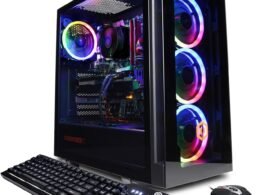
Skytech Shiva Gaming Desktop: Ryzen 5 2600, RTX 2060, 16GB RAM, 500GB SSD, RGB Fans: Available now at [price_with_discount]

Processor AMD Ryzen 5 2600 6-Core 3 4 GHz (3 9 GHz Max Boost) processor Video Card NVIDIA GeForce RTX 2060 6GB Video Card (Brand may vary) Memory 16GB DDR4 3000 Gaming Memory with Heat Spreader Power Supply 80 PLUS Certified Power Supply SSD 500GB SSD – Up to 30x Faster Than Traditional HDD Operating System Microsoft Windows 11 Home 64-bit Case Skytech mATX Mid-Tower Tempered Glass Gaming Case Fans 3 x 120mm Ring RGB Fans Product images used on this page are for illustrative purposes only and are not indicative of the exact components used at the time of manufacture. Component makes and models may vary from depictions of the product in product images but will adhere to the specification outlined in the main description of the product. Particulars such as I/O ports may vary. Please contact us for more details.
✔ AMD Ryzen 5 5600X 6-Core 3.7 GHz (4.6 GHz Turbo) CPU Processor | 1TB NVMe SSD | B550 Motherboard
✔ GeForce RTX 3070 GDDR6 8GB Graphics Card (Brand May Varies) | 16GB DDR4 3600MHz Gaming Memory | Windows 10 Home 64-bit
✔ 802.11AC | No Bloatware | Graphic output options include 1 x HDMI, and 1 x Display Port Guaranteed, Additional Ports may vary | USB Ports Including 2.0, 3.0, and 3.2 Gen1 Ports | HD Audio and Mic | Free Gaming Keyboard and Mouse
✔ 3 x RGB Fans | Powered by 80 Plus Gold Certified 750 Watt Power Supply | In Win 101 mATX Mid-Tower Gaming Case with Tempered Glass – White | 1 Year Warranty on Parts and Labor | Lifetime Free Technical Support | Assembled in the USA
✔ This powerful gaming PC is capable of running all your favorite games such as Call of Duty Warzone, Fornite, Escape from Tarkov, Grand Theft Auto V, World of Warcraft, League of Legends, Apex Legends, Roblox, PLAYERUNKNOWN’s Battlegrounds, Overwatch, Counter-Strike: Global Offensive, Battlefield V, Minecraft, The Division 2, and more at High to Ultra settings, crisp 1440p Full HD resolution and smooth 60+ FPS game play.
Read More

Privacy Lite 2-Way Anti-Glare Screen Protector for Machenike Machcreator Gen 11: Available now at [price_with_discount]

Confidentiality is a human nature; however, our laptops expose this when in public. Curiosity from wandering eyes is undoubtedly uncontrollable. People sitting beside you or passing by tend to intentionally and unintentionally take a quick peek at your screen for many reasons. Celicious Privacy Lite for Machenike Machcreator Gen 11 (16) is a 2-way privacy protector that helps protect sensitive information from prying eyes by narrowing the viewing angle so that the screen is only visible to individuals directly in front of the screen. This is achieved via the embedded micro-louver technology that blacks out the screen at an angle of 30 degrees either side of the lit display when the laptop is in landscape orientation without blurring or image distortion. Celicious Privacy Lite adheres firmly to the screen with its advanced silicone based adhesive backing offering an exceptional matte surface that reduces glare from ambient light. The pack includes a privacy screen protector for Machenike Machcreator Gen 11 (16) and an application kit.
2-way landscape mode privacy screen protector film designed specifically for the Machenike Machcreator Gen 11 (16)
Helps protect confidential data by narrowing the viewing angle to 30 degrees either side of the screen when the laptop is in landscape orientation
Matte surface offering an anti-glare feature and seamless touchscreen interaction when swiping and typing
Advanced silicone based adhesive backing bonds firmly to the surface of the screen without any air bubbles
Pack includes: 1 x Machenike Machcreator Gen 11 (16) screen protector and application kit