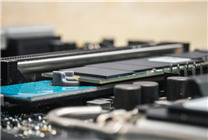

The discussion surrounding the need for 1TB solid-state drives (SSDs) in PCs has gained traction recently, with an emphasis on the insufficiency of smaller capacities like 256GB and 512GB. Current storage demands, driven by larger operating systems and applications, suggest that 1TB should be considered the baseline for new PCs.
This is particularly relevant for users who are purchasing or upgrading a computer. As software applications and especially games require more space—often exceeding 100GB—those opting for 512GB drives may find themselves quickly running out of storage. For anyone considering a purchase in the near future, understanding this shift might steer important decisions, especially if you enjoy gaming or manage large media libraries. It highlights the necessity for consumers to rethink their long-term storage needs.
In terms of market context, many SSDs are currently priced at steep multipliers due to fluctuating demand and supply constraints. For example, while a 1TB SSD might have previously cost around $100, prices can now be as high as $300 or more, making alternatives like 256GB drives feel more accessible at lower price points. However, these smaller models ultimately do not meet the growing storage demands. Competing options include 2TB models, which can provide even more room but at a higher cost, thus catering to users with extensive libraries and frequent large file usage.
Overall, a 1TB SSD is ideal for users who regularly use demanding applications like modern games or video editing software. Those with lighter usage patterns, such as basic document work and internet browsing, might find a 512GB option sufficient. A key reason to consider sticking with smaller capacities is budget constraints, as 1TB drives are currently pricier due to market conditions. Evaluating your personal usage scenario will ultimately help determine if this upgrade is necessary or if a less expensive alternative will suffice.
Source:
news.mydrivers.com