
Live PC Accessories deals instead
 −58%
CORSAIR NAUTILUS RS LCD Module – White
4.6(152)2.1-inch IPS LCD screen module for NAUTILUS RS AIO CPU coolers, controlled with iCUE software.
 −58%
Baseus Laptop Docking Station, 4K Multitasking Docking Station with 2 HDMI+DP, PD, 3 USB-A, RJ45, Audio, TF/SD Card Reader, USB Hub Compatible for MacBook/Dell/HP/Surface/Lenovo
4.1(1,165)USB-C docking station with HDMI and DP outputs for 4K displays, Gigabit Ethernet, card readers and 100W PD charging.
 −42%
8Bitdo 87 Keys Retro Mechanical Keyboard for PC and Android - Xbox Edition
4.4(63)87-key mechanical keyboard with Kailh Jellyfish X switches, RGB backlight, and Bluetooth, 2.4G or wired connection.
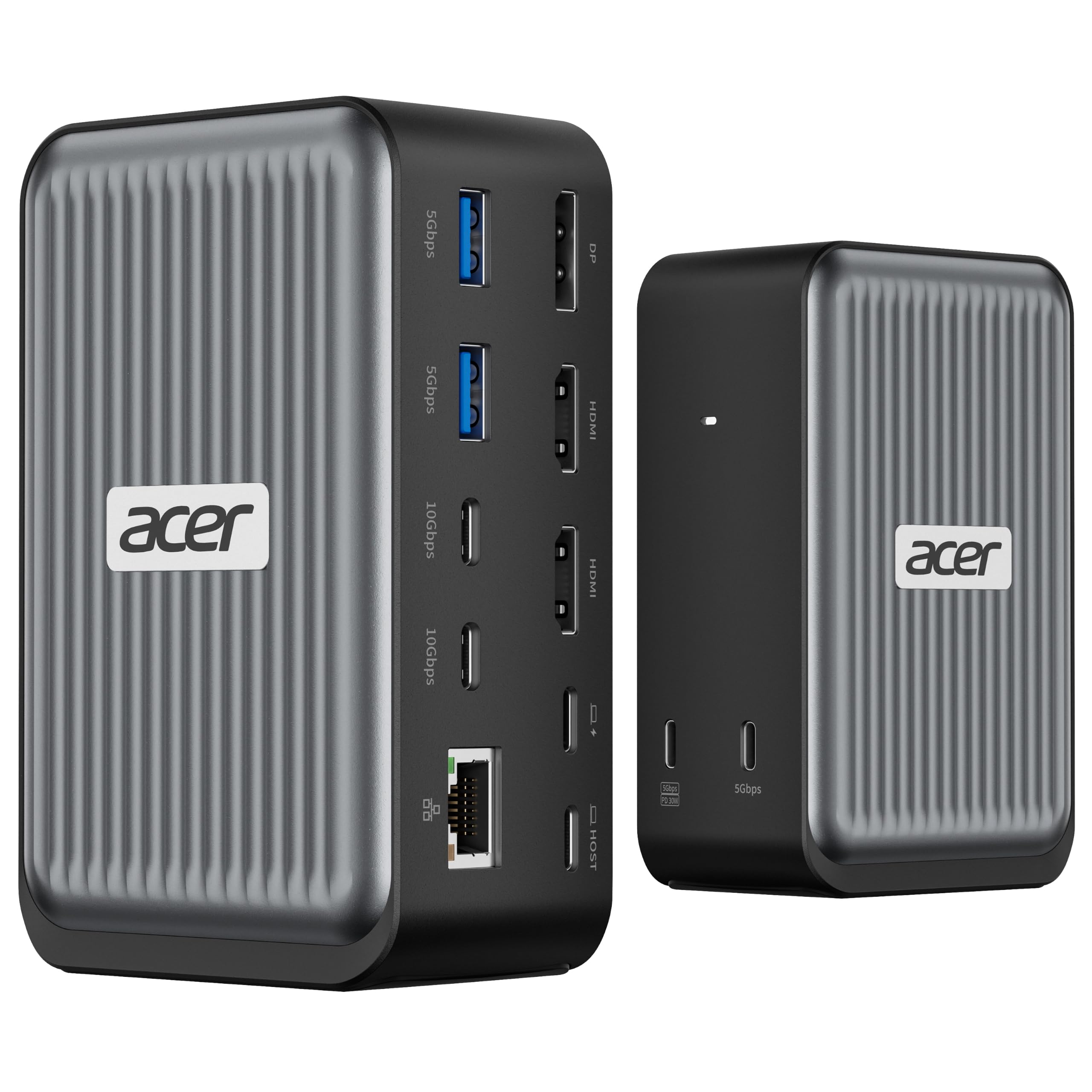
Acer Laptop Docking Station 3 Monitor with 2HDMI+DP
Acer Laptop Docking Station 3 Monitor with 2HDMI+DP, Triple Display Dock
USB-C docking station with support for three monitors, Gigabit Ethernet and 100W PD input.
- Deal price
- $89.99
- Ended Nov 16
- Now on Amazon
- $119.99
Price and availability are accurate as of the date and time shown and are subject to change. The price on Amazon at the time of purchase applies.
At a glance
- Type
- USB-C docking station
- Connectivity
- 2 HDMI, 1 DP, 4 USB-C, 2 USB-A, 1000Mbps Ethernet
- Compatibility
- Windows and macOS laptops with DisplayPort Alt Mode
- Model
- ODK590
- Power delivery
- 100W PD input
As an Amazon Associate we earn from qualifying purchases. We also earn commissions on some brands' own stores through affiliate links. Prices change fast and are shown as of the time listed.
Get the best deals by email
The best tech discounts from Amazon and brand stores, sent to your inbox. No spam, unsubscribe in a click.
About this product
The Acer ODK590 is a USB-C docking station with 2 HDMI, 1 DP, 4 USB-C, 2 USB-A and Gigabit Ethernet ports. It supports up to three monitors at 4K@60Hz + 4K@60Hz + 1080P@60Hz. It accepts 100W PD input and delivers up to 55W to a connected laptop.
Best forLaptop users who want to connect up to three monitors, wired Ethernet and USB devices through one USB-C connection.
Good to know
- • Laptop needs a USB-C port with video output (DisplayPort Alt Mode) support.
- • Requires a USB-C PD-supported laptop and a 100W+ adapter and cable, which are not included.
- • macOS can only mirror the same content across all external monitors.
- • For optimal performance, device HDMI version should be 2.0 or higher.